AdsPower vs GoLogin 2026: Which Anti-Detect Browser Wins?
AdsPower vs GoLogin on live 2026 pricing: what you really pay from 10 to 2,000 profiles, team seats, RPA vs API, cloud and Android access, proxies, and refund terms.
AdsPower and GoLogin both start at $9 a month. That’s where the similarity ends.
One sells you a calculator: pick a profile count, add teammates at $5 each, and the price moves with every click. The other sells fixed tiers with proxy data and cloud launches bundled in. Same headline price, two very different bills by the time you hit 100 profiles and three people.
Most AdsPower vs GoLogin comparisons still quote GoLogin’s old $24 and $49 plans, which it replaced for new accounts in January 2026. So this one starts from the live pricing pages, then works through fingerprints, automation, cloud access, proxies and the refund terms nobody mentions until it’s too late.
Every price and limit below comes from AdsPower’s and GoLogin’s official pricing pages, docs and terms, checked on October 4, 2026 (USD). We haven’t run either browser hands-on for this piece, so nothing here is a detection test. We may earn a commission if you buy through our links.

- Both start at $9 a month for 10 profiles on monthly billing, but the cheaper one changes with your profile count and billing period.
- Teammates are where the gap gets big: one browser lets you add a seat to any paid plan, the other doesn’t below its $99 tier.
- AdsPower bundles no-code RPA and a Firefox-based engine. GoLogin bundles cloud launches, an Android app and 2 GB of proxy data a month.
- Refund terms are opposite, which should change how you buy.
Meet the Two Browsers
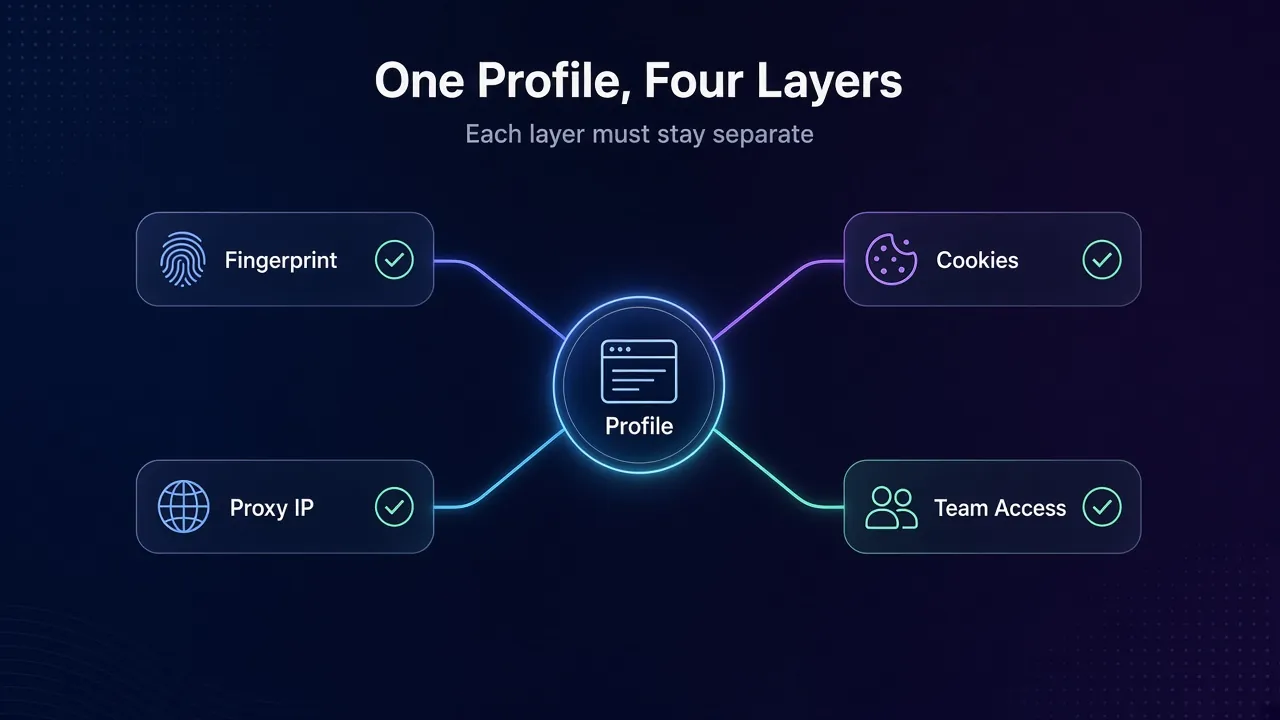
Both are antidetect browsers: each profile gets its own fingerprint, cookies and proxy, so ten accounts look like ten different devices instead of one person juggling tabs.
1AdsPower
AdsPower is the operator’s tool. It ships two browser engines, SunBrowser (Chrome-based) and FlowerBrowser (Firefox-based), plus a Synchronizer that mirrors your actions across windows and a no-code RPA robot. Both are on every plan, even the free one.
It runs on Windows, macOS and Ubuntu, with an iOS app for managing profiles. Its Android app is listed as coming soon, though Android fingerprints already work on desktop.
2GoLogin
GoLogin is the access-anywhere tool. Profiles run in Orbita, its own Chromium-based browser, on desktop, in a web app that launches profiles on GoLogin’s cloud servers, or in an Android app.
Paid plans from Professional 25 up include 2 GB of residential proxy data that refills monthly. That’s handy if you don’t have a proxy provider yet.
Two Very Different Ways to Charge You
The pricing model matters more than the starting price. It decides what you pay when you grow, and growth is the whole point of buying one of these.
1AdsPower: A Calculator, Not a Menu
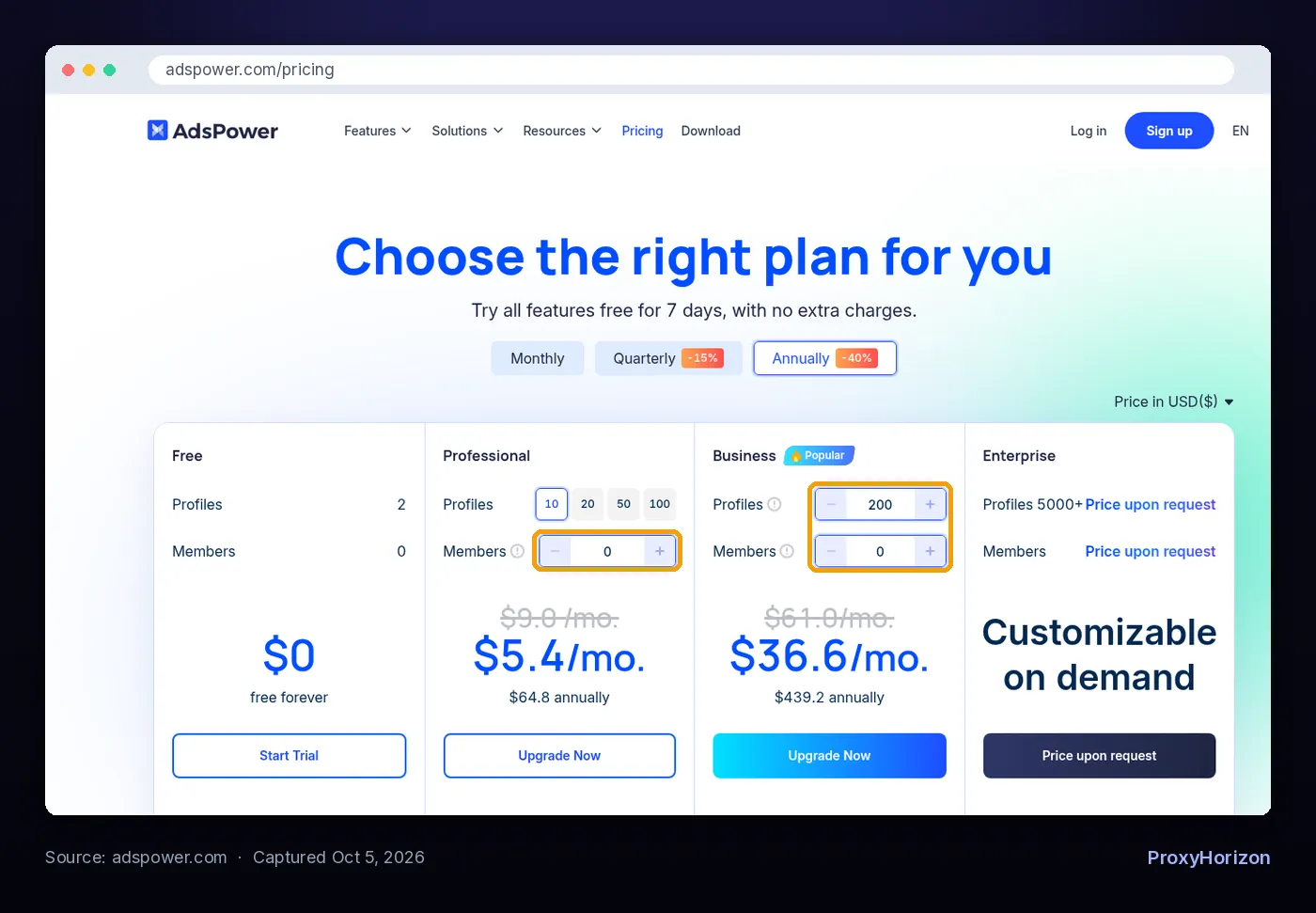
AdsPower has four plans. Free gives you 2 profiles. Professional comes in 10, 20, 50 or 100 profiles at $9, $12, $21 or $36 a month. Business starts at 200 profiles for $61 a month and lets you type any count above that. Enterprise starts at 5,000+ profiles, price on request.
Every paid plan includes one super-administrator. Each extra team member adds $5 a month, or $3 on annual billing. Pay annually and you save 40%. Pay quarterly and you save 15%.
2GoLogin: Fixed Tiers With Extras Built In
GoLogin sells set tiers. Monthly prices are $9 for Professional 10, $19 for 25, $29 for 50 and $39 for 100. Business is $99 for 300 profiles or $139 for 500. Enterprise is $179 for 1,000, and Custom starts at $279 for 2,000.
Annual billing halves every one of those. The free plan gives you 3 profiles with no time limit, though it drops sharing, bulk creation, cloud runs and API access.
Check before you buy: GoLogin’s own pricing doc still lists Business at $119 and Enterprise at $299, while its pricing page shows $99 and $179. The doc itself points to the pricing page as the current source, so trust that one and confirm in the billing screen.
What You’ll Actually Pay at Every Size
Here’s the part most comparisons skip. We matched each profile count to the cheapest plan that covers it, using solo-user prices with no extra seats.
| Profiles you need | AdsPower monthly | GoLogin monthly | AdsPower annual (per month) | GoLogin annual (per month) |
|---|---|---|---|---|
| 10 | $9 (Professional 10) | $9 (Professional 10) | $5.40 | $4.50 |
| 50 | $21 (Professional 50) | $29 (Professional 50) | $12.60 | $14.50 |
| 100 | $36 (Professional 100) | $39 (Professional 100) | $21.60 | $19.50 |
| 300 | $86 (Business) | $99 (Business 300) | $51.60 | $49.50 |
| 500 | $126 (Business) | $139 (Business 500) | $75.60 | $69.50 |
| 1,000 | $197 (Business) | $179 (Enterprise) | $118.20 | $89.50 |
| 2,000 | $297 (Business) | $279 (Custom) | $178.20 | $139.50 |
Read the two halves separately. On monthly billing, AdsPower is cheaper or level all the way to 500 profiles. GoLogin only pulls ahead at 1,000.
On annual billing the picture flips. GoLogin’s 50% discount beats AdsPower’s 40%, so GoLogin is cheaper at every size except 50 profiles, and the gap widens fast past 500.
Our take: if you pay monthly and stay under 500 profiles, AdsPower is the cheaper seat. If you’re happy to commit for a year, or you run 1,000+ profiles, GoLogin usually wins on price alone. But the table above is for one person. Add a teammate and things change.
Team Seats: The Line Item That Flips the Maths
Seats are the biggest hidden cost in this comparison. The two browsers treat them in opposite ways.
AdsPower lets you add members to any paid plan, Professional included, at $5 a month each. GoLogin doesn’t offer team members on Professional at all. They start on Business, which includes one extra seat, and more seats are bought in the billing screen at a price GoLogin doesn’t publish.
Say you’re a three-person agency running 100 client profiles. On AdsPower that’s Professional 100 plus two members: $46 a month, or $27.60 a month billed annually. On GoLogin you need Business 300 just to unlock seats, so you start at $99 a month ($49.50 annually) before paying for the third person.
GoLogin does offer a workaround on Professional: share individual profiles with teammates on free accounts. It works for a handful of profiles. It gets messy once your team manages dozens.
Best for small teams: AdsPower, clearly. At 1,000+ profiles with one or two people, GoLogin’s included seat narrows the gap again.
Fingerprints and Browser Engines
Both browsers do the core job: they replace your real device signals with each profile’s values. GoLogin says Orbita configures 53 fingerprint parameters, covering things like OS, screen, GPU, fonts, canvas and audio rendering, timezone and WebRTC. AdsPower advertises 50+ customizable parameters.
Those counts are vendor claims, and a bigger number doesn’t mean better stealth. What matters is whether the values stay consistent with each other and with your proxy. Our guide to browser fingerprinting explains why a mismatched timezone gives you away faster than a missing parameter.
The real difference is engines. AdsPower gives you a Chrome-based and a Firefox-based browser, so not every profile has to claim to be Chrome. GoLogin runs everything on Orbita, which is Chromium. That’s fine for most work, since Chrome is what most real visitors use.
AdsPower also lists Windows, macOS, iOS, Android and Linux fingerprints. GoLogin’s Android story is different: it’s a real Android app, not just a desktop profile pretending to be a phone.
Warning: neither browser makes you invisible. Sites also look at your IP, your canvas and WebGL fingerprint and how you behave. A great profile on a flagged proxy still gets linked.
Verdict: AdsPower, narrowly, for the second engine. If every profile you run is Chrome anyway, call it a draw.
Automation: RPA Robot vs REST API and Cloud Browser
This is where the two philosophies show most. AdsPower is built for people who don’t code. GoLogin leans toward people who do.
1AdsPower: Point, Click, Repeat
AdsPower’s RPA robot builds workflows without code, and it’s on every plan, including Free. The Synchronizer copies your clicks and typing across many open windows, which suits account warm-up and posting.
For developers, the Local API connects profiles to Selenium, Puppeteer and Playwright. It starts on Professional 10 at 300 requests a minute, rising to 900 on Business and 1,500 on Enterprise. AdsPower also offers an MCP server and an AI Agent for driving profiles in plain language.
2GoLogin: Code and Cloud
GoLogin has no built-in RPA. Instead it offers a REST API with Node.js and Python SDKs, Puppeteer and Selenium examples, and headless or headful launches. Profiles can also run on GoLogin’s cloud, which matters if your laptop can’t hold 30 open browsers.
The catch is the plan gate. GoLogin’s pricing page lists the REST API, SDKs, MCP server and Synchronizer only from Professional 100 ($39 a month). On AdsPower, the same developer gets API access on the $9 plan.
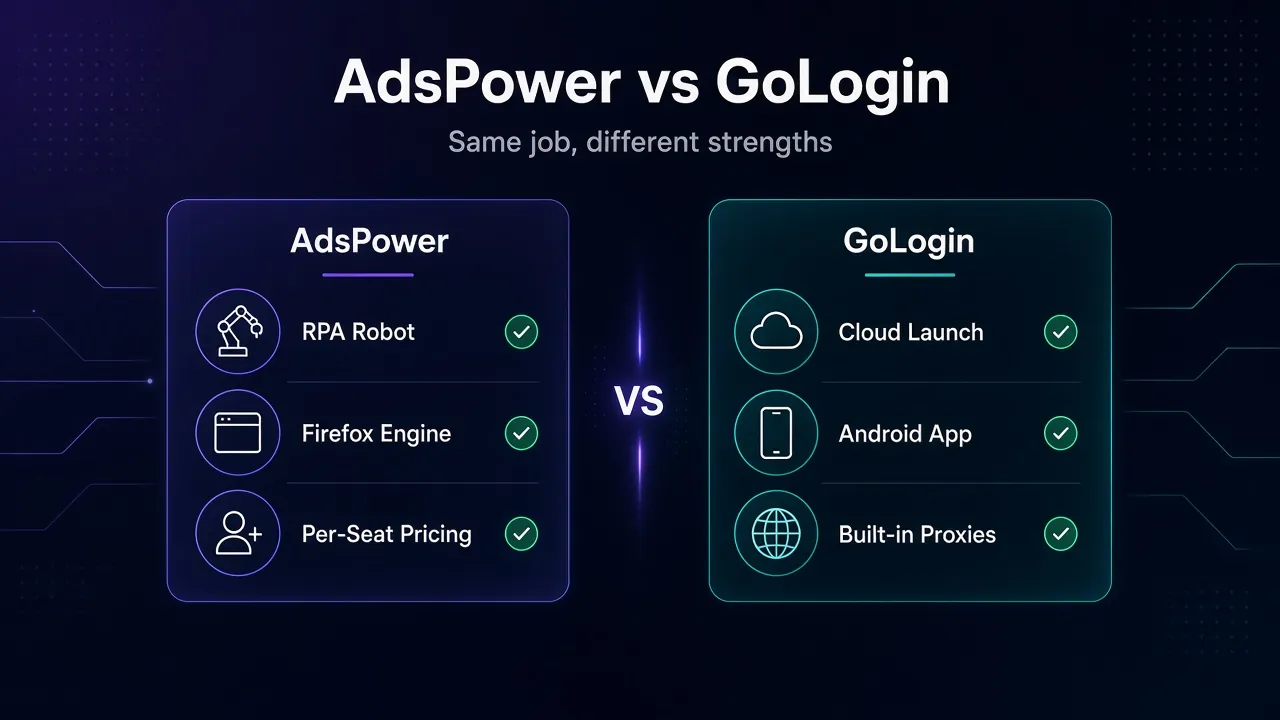
Verdict: AdsPower for no-code automation and cheap API access. GoLogin if you’re a developer who wants cloud-hosted browsers, a topic we cover in antidetect browsers for AI agents.
Where Your Profiles Can Run
AdsPower is a desktop app first. It needs at least a dual-core CPU, 2 GB of RAM and 2 GB of disk, and its profiles run locally. Its pricing page lists no cloud launch for browser profiles. Paid plans sync profile data across computers, so you can switch machines.
GoLogin gives you more places to work. The web app launches profiles on a cloud server, so a Chromebook or a borrowed laptop is enough. The limits are concurrent cloud sessions: 1 on Professional, 2 on Business and 3 on Enterprise. Local desktop launches aren’t limited by plan.
The Android app is the other draw, but it runs one profile at a time. GoLogin doesn’t support iOS, while AdsPower has an iOS app and no Android app yet.
Verdict: GoLogin, if you work from more than one device or a weak machine.
Proxies: Bring Your Own or Use the Built-In Pool
Neither browser hides your IP by itself. That’s the proxy’s job, and it’s the layer most people get wrong. Our explainer on how platforms detect multiple accounts shows why the IP still links profiles with perfect fingerprints.
AdsPower doesn’t sell proxies. It supports HTTP, HTTPS, SOCKS5 and SSH, IPv4 and IPv6, and has a built-in proxy checker. You bring your own provider.
GoLogin sells residential, mobile and datacenter proxies inside the app. Paid plans from Professional 25 up include 2 GB of residential traffic that refills monthly, even on annual plans. Its FAQ says these are rotating only, with static residential IPs still in development. Third-party proxies work too, pasted in bulk.
Our take: 2 GB is a nice starter, not a plan. It covers light browsing on a few accounts. For serious multi-accounting you’ll want a sticky residential proxy from a dedicated provider on either browser, since logged-in accounts don’t like rotating IPs.
Free Plans, Trials and Refunds
Read this section before you pay. It’s the one that costs people money.
Both offer a 7-day trial with all features. After that, AdsPower’s free plan keeps 2 profiles with RPA and the Synchronizer, but no Local API, batch tools or sharing. GoLogin’s keeps 3 profiles, minus sharing, cookie export, bulk creation, cloud runs and API access.
Refunds are where they split hard. AdsPower’s refund policy says no refunds once you’ve confirmed a paid purchase. It also asks you to give notice of non-renewal two working days before your plan expires, or the next cycle can be charged from your account balance.
GoLogin’s terms of service give a full refund on your first purchase if you ask within 14 days (EU and US customers) or 7 days (everywhere else). Recurring payments aren’t refundable, and crypto purchases may be declined.
Common mistake: buying AdsPower’s annual plan on day one to grab the 40% discount. Run the trial on your real targets first, then pay monthly for a cycle. With no refunds, a wrong annual plan is a sunk cost. AdsPower’s full terms are on its refund policy page.
AdsPower vs GoLogin: The Full Comparison Table
| Feature | AdsPower | GoLogin |
|---|---|---|
| Free plan | 2 profiles, forever | 3 profiles, forever |
| Free trial | 7 days, all features | 7 days, all features |
| Cheapest paid plan | $9/mo for 10 profiles ($5.40 annual) | $9/mo for 10 profiles ($4.50 annual) |
| Pricing model | Per-profile calculator above 200 | Fixed tiers |
| Annual discount | 40% (15% quarterly) | 50% |
| Extra team members | $5/mo each on any paid plan | Business and up only, 1 included, extra price not published |
| Browser engines | SunBrowser (Chrome) and FlowerBrowser (Firefox) | Orbita (Chromium) |
| No-code automation | RPA robot and Synchronizer on all plans | Synchronizer from Professional 100, no RPA |
| API access | Local API from $9 plan (300 to 1,500 requests/min) | REST API and SDKs from Professional 100 |
| MCP / AI agents | MCP server and AI Agent | MCP server, agentic workflow from Business 500 |
| Cloud launch | Not listed (desktop app, profile sync on paid plans) | Web app and cloud runs, 1 to 3+ concurrent sessions |
| Mobile apps | iOS app, Android coming soon | Android app (1 profile at a time), no iOS |
| Built-in proxies | None | In-app purchase, 2 GB residential/month from Professional 25 |
| Desktop OS | Windows, macOS, Ubuntu | Windows, macOS, Linux |
| Refunds | None after purchase | First purchase: 14 days (EU/US), 7 days elsewhere |
Want to see them next to other options? Our antidetect browser directory lists both with alternatives.
Which One Should You Pick?
Match your situation to a row. If two rows fit, the higher one usually decides it.
| If you… | Pick | Why |
|---|---|---|
| Work in a team of 2-5 with under 300 profiles | AdsPower | $5 seats on any plan instead of a jump to $99 |
| Want automation without writing code | AdsPower | RPA robot and Synchronizer on every plan |
| Need an API on a small budget | AdsPower | Local API on the $9 plan |
| Pay monthly and run up to 500 profiles | AdsPower | Cheaper or level at every step |
| Run 1,000+ profiles with a small team | GoLogin | Enterprise and Custom undercut AdsPower, with a seat included |
| Pay annually from 100 profiles up | GoLogin | 50% off beats 40% off |
| Work from a weak laptop, a Chromebook or Android | GoLogin | Cloud launch, web app and Android app |
| Want a refund safety net | GoLogin | 7 to 14 days on the first purchase |
Still torn? Our guide on how to choose an anti-detect browser walks through the questions to ask before you commit.
Frequently Asked Questions
The Verdict
For most people reading this, AdsPower wins. It’s cheaper on monthly billing up to 500 profiles and far cheaper the moment you add teammates. It also puts RPA, the Synchronizer and API access on its entry plans.
GoLogin wins in three clear cases: you pay annually from 100 profiles up, you run 1,000+ profiles, or you need your profiles in the cloud or on Android. Its refund window also makes it the lower-risk first purchase.
Our advice: start both free trials on the same day, load each with five real profiles and your actual proxies, and pay monthly for the first cycle. Then decide with your own numbers. For a third opinion, see how GoLogin fares in Multilogin vs GoLogin.