What Is a Headless CMS? Use Cases & Benefits 2026
A clear, honest guide to what a headless CMS is — how it differs from a traditional CMS, its real benefits, use cases, top platforms, and when not to use one.
Most "what is a headless CMS" explainers read like a vendor brochure: all upside, no catch. Here is the honest version up front — headless is a genuinely powerful way to manage content, but it is not automatically "better" than the CMS you already use. It trades editor convenience for developer freedom, and that trade is brilliant for some teams and overkill for others.
The shift is real, though. The headless CMS market was valued at well over $600 million and is growing at roughly 22% a year as brands push content to more places than a single website. Phones, apps, smartwatches, kiosks, and now AI assistants all need the same content — and a traditional, page-bound CMS struggles to feed them all.
So this guide cuts through the hype. You will learn what a headless CMS actually is, how it differs from a traditional one, its real benefits and use cases, the popular platforms, and — the part most articles skip — when you should not use one. We write for developers and builders, so we will keep it practical.
The Quick Answer
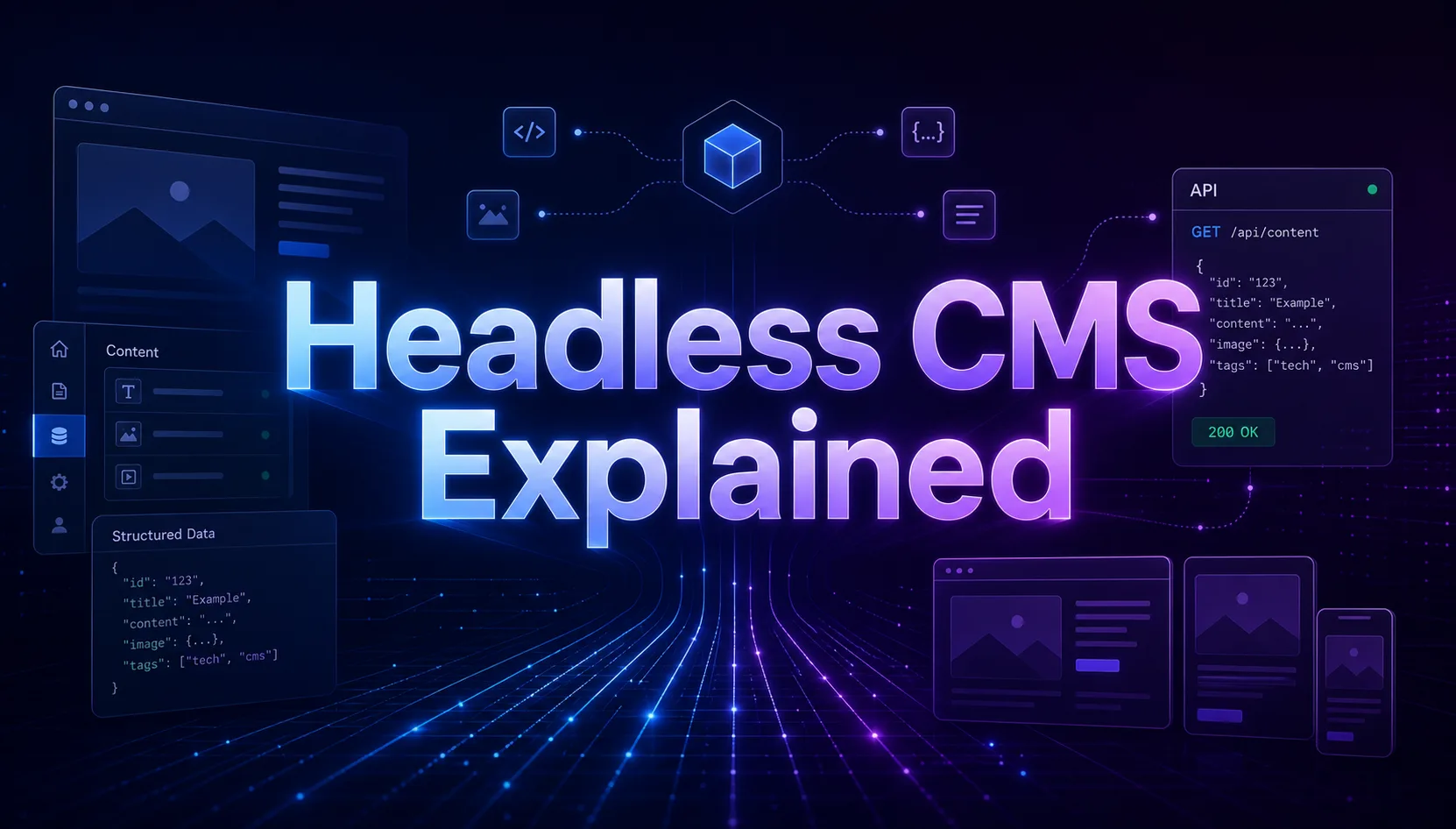
A headless CMS is a content management system that stores and organizes your content but has no built-in front end. Instead of publishing web pages directly, it delivers content as raw data through an API, and your developers display it on any "head" they like — a website, a mobile app, a smart display, or all of them at once.
Our take: choose headless when you need to serve content to multiple platforms or want full control over the front end. Stick with a traditional CMS if you run a single, simple website and want editors live without a developer in the loop.
What Is a Headless CMS?
The name comes from a simple metaphor. A traditional CMS has a "body" (where you manage content) and a "head" (the front end that displays it as web pages), tightly joined together. A headless CMS chops off the head. You keep the body — the editing, storage, and organization — and attach whatever front end you want via an API.
In practice, that means your content lives as structured data — blog posts, products, FAQs — rather than as pre-built HTML pages. A developer requests that data over a REST or GraphQL API and renders it however the project needs. The content does not care whether it ends up on a React site, an iOS app, or a digital billboard.
Headless vs Traditional CMS
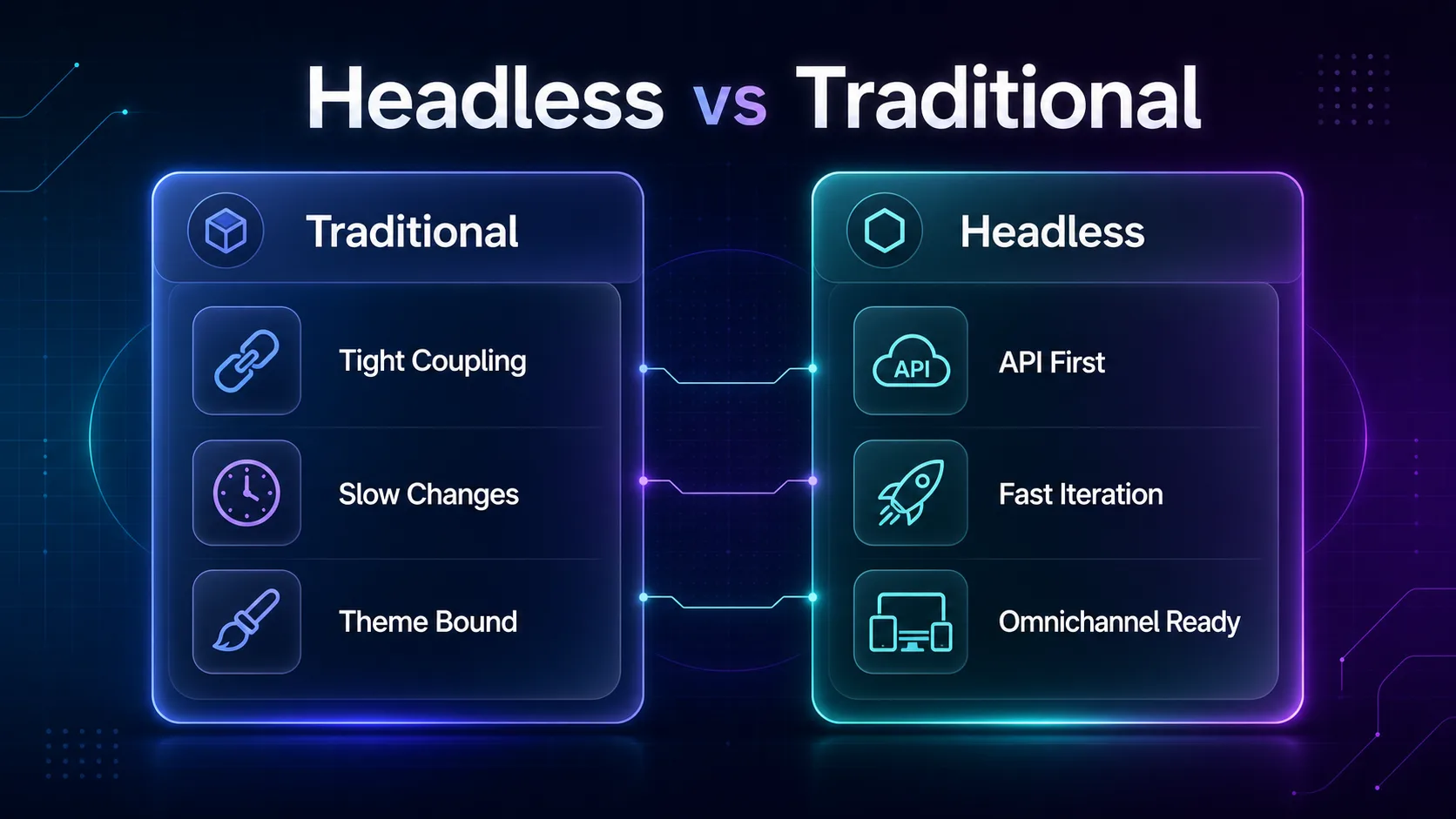
The clearest way to understand headless is to put it next to the monolithic CMS most people know (think classic WordPress). The difference is architectural, and it shapes everything downstream.
| Aspect | Traditional CMS | Headless CMS |
|---|---|---|
| Front end | Built in and coupled to content | Bring your own — any framework |
| Content delivery | Renders finished HTML pages | Serves raw data via API (JSON) |
| Channels | Mainly one website | Web, apps, IoT, kiosks — anything |
| Flexibility | Bound to themes and plugins | Near-total developer freedom |
| Editor experience | Live preview out of the box | Needs a dev to build the front end |
| Best for | Blogs and brochure sites | Multi-channel, custom builds |
Notice the honest trade-off in that table: headless wins on flexibility and reach, but loses the out-of-the-box editor preview. That single row is where most "should we go headless?" debates actually live.
How a Headless CMS Works
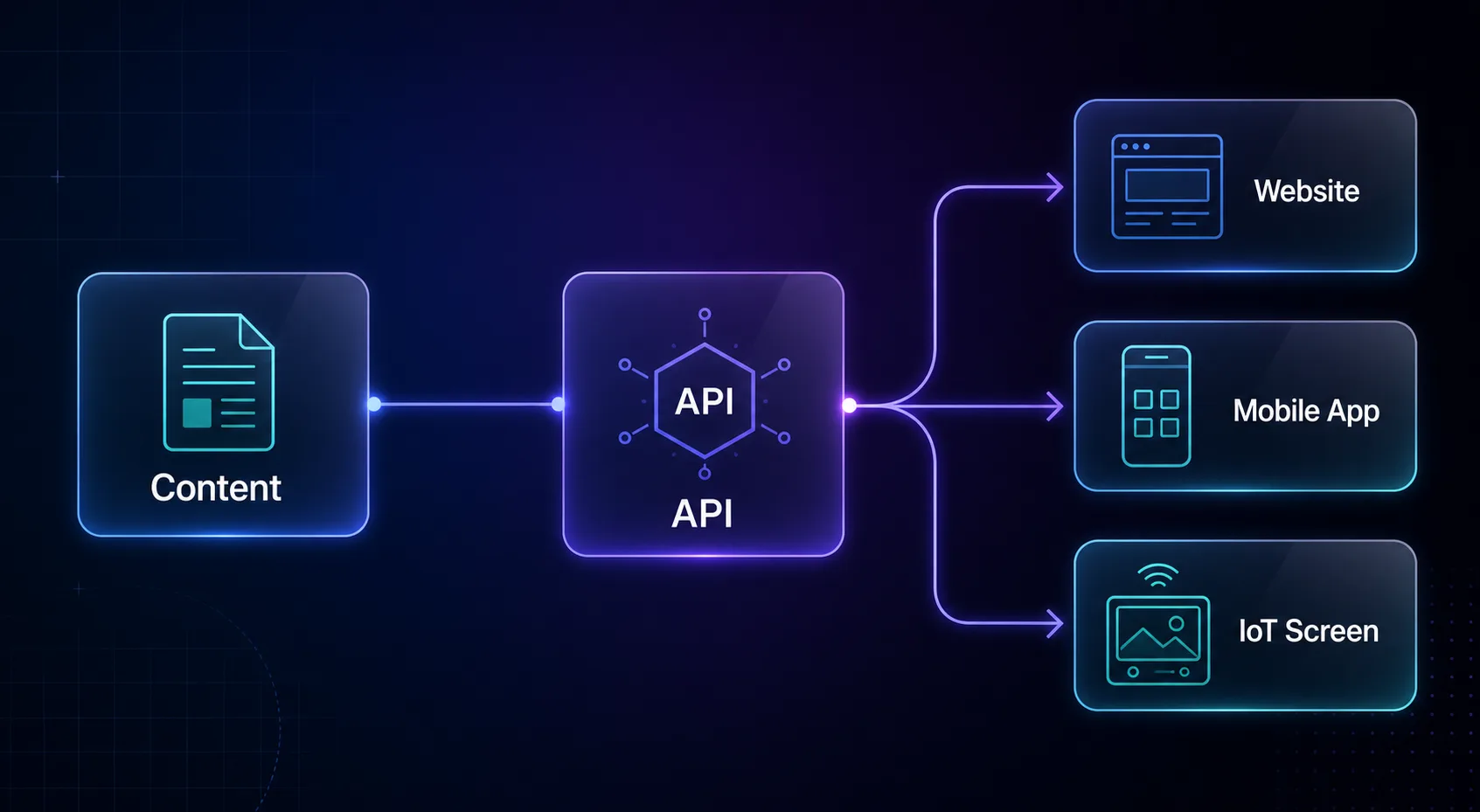
Under the hood, a headless CMS is an API-first content store. Editors create and structure content in the admin dashboard exactly as they would anywhere else. The difference is what happens at publish time.
Instead of generating a web page, the system exposes the content through an API endpoint. Your front end — a Next.js site, a Swift app, a kiosk — calls that endpoint, receives the content as JSON, and renders it. Because the data is clean and structured, the same content can feed ten different front ends without being copied or reformatted. This API-first design is also why headless pairs so naturally with the headless browsing and automation tooling modern developers already use.
Key Benefits of a Headless CMS
The advantages are real, but each comes with a "who is this for" attached. Here is what genuinely matters.
1True omnichannel publishing
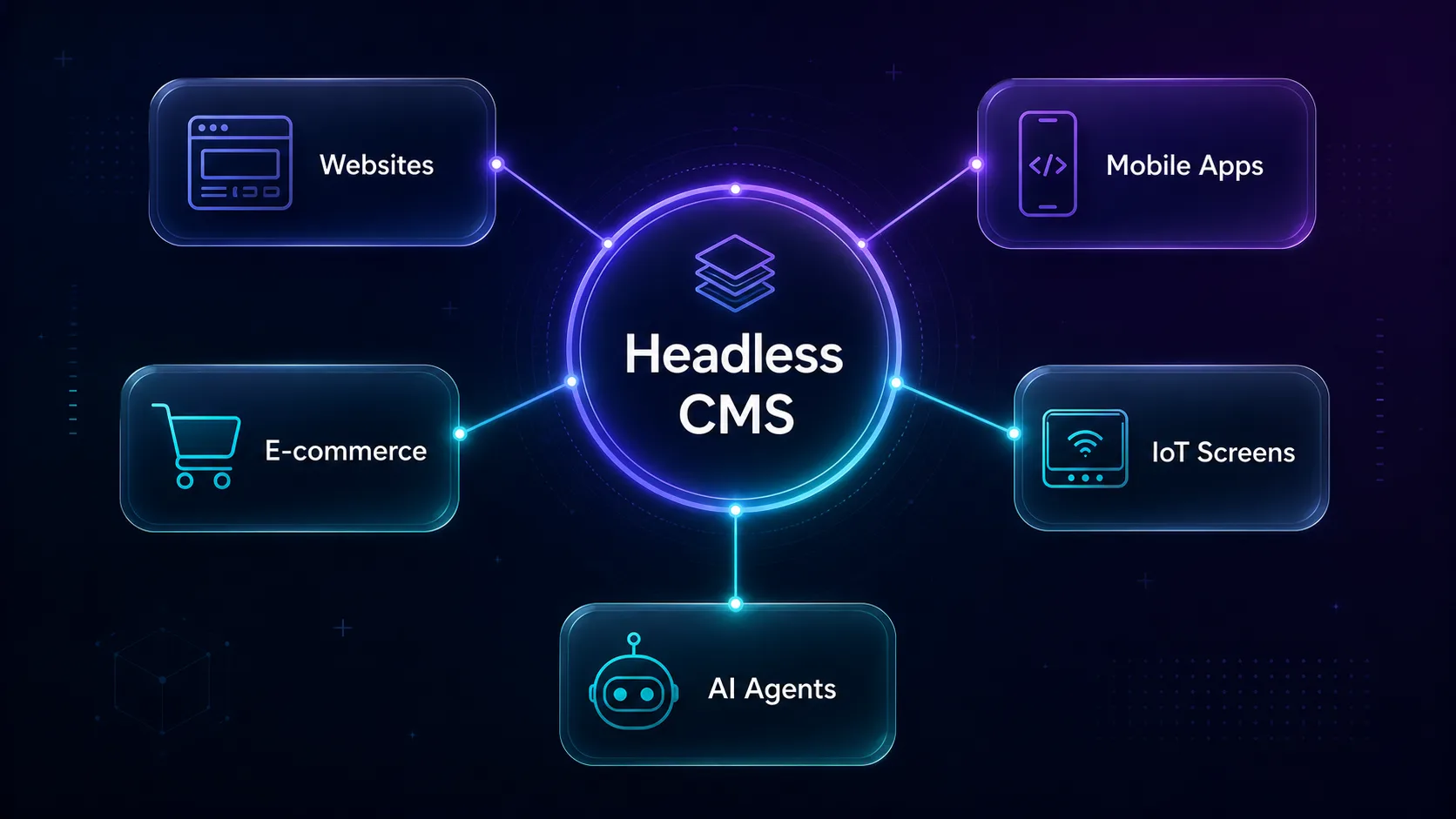
This is the headline benefit. Write content once and deliver it to your website, mobile apps, smartwatches, and IoT screens from one source of truth. No copy-pasting across platforms, no content drift between channels.
2Total front-end freedom
Developers can build with any framework — React, Vue, Svelte, native mobile — instead of bending a theme system to their will. That freedom is why engineering teams tend to love headless and why marketers sometimes do not.
3Better performance and Core Web Vitals
Headless pairs naturally with modern static-site and edge approaches, so pages can be pre-rendered and served fast from a CDN. Faster load times help both users and SEO — though, to be clear, headless does not guarantee speed; a sloppy front end can still be slow.
4Stronger security
Because the content API is decoupled from the public front end, the attack surface shrinks. There is no monolithic admin panel sitting on the same server as your live site, which removes a whole category of common exploits.
5Scalability and future-proofing
When the next channel arrives — a new app, a voice assistant, an AI agent that reads your content — you just point it at the existing API. You are not re-platforming; you are adding a head. That is the real long-term payoff.
Headless CMS Use Cases
Benefits are abstract until you see where headless shines. These are the scenarios where it clearly earns its place.
1JAMstack and modern websites
Static sites built with Next.js, Astro, or Gatsby pull content from a headless CMS at build time for blazing-fast, secure pages. This is the most common headless setup today.
2Mobile and cross-platform apps
An app and a website can share one content source. Update a promo once and it appears on iOS, Android, and the web simultaneously — no separate content pipelines.
3E-commerce and composable stacks
Headless commerce lets brands combine a best-in-class CMS, a separate cart, and a custom front end. It is the backbone of the "composable architecture" trend in retail.
4IoT, kiosks, and digital signage
Screens in stores, airports, and restaurants need content but have no browser-style CMS. An API feeds them all from one dashboard.
5AI and agent-ready content
As AI agents and LLM pipelines start consuming structured content, an API-first CMS is already in the right shape to serve them clean, machine-readable data.
Popular Headless CMS Platforms
The ecosystem splits roughly into API-first SaaS products and open-source, self-hosted options. There is no single "best" — it depends on whether you value managed convenience or full control.
| Platform | Model | Best for |
|---|---|---|
| Contentful | API-first SaaS | Enterprise teams at scale |
| Strapi | Open-source, self-hosted | Developers who want full control |
| Sanity | API-first, real-time | Highly structured, customizable content |
| Storyblok | Visual editor + headless | Marketers and devs together |
| Hygraph | GraphQL-native | Federating content from many sources |
| Directus | Open-source, database-first | Wrapping an existing SQL database |
Headless CMS and the Data-Driven Stack
Here is where headless intersects with our world. Because headless sites serve content over APIs and render on the client, collecting data from them looks different than scraping old-school HTML pages. Often the cleanest path is the JSON API itself; other times the content is rendered by JavaScript and needs a real browser.
If you are pulling data from modern, API-driven or JS-heavy sites, our guides on web scraping with Selenium and browser automation cover the techniques, while bypassing Cloudflare tackles the anti-bot side. For large-scale collection you will also want reliable IPs — start with the types of proxies and our proxy directory. Prefer a managed route? Compare options in Firecrawl vs Apify.
When NOT to Use a Headless CMS
This is the section vendors leave out. Headless is not a free upgrade — it shifts work onto your engineering team, and that is not always worth it.
Skip headless if you run a simple brochure site or small blog, your team has no developers, or your editors need to see exactly what a page looks like as they build it. In those cases a traditional CMS like WordPress is faster, cheaper, and far less frustrating.
Go headless if you publish to multiple channels, want a custom high-performance front end, or expect to add new platforms over time. Match the tool to the job — not to the trend.
Common Mistakes to Avoid With Headless CMS
Most headless regrets trace back to these avoidable errors.
1Going headless for a simple website
If a single marketing site is all you need, headless adds cost and complexity for benefits you will never use. Do not adopt an architecture for problems you do not have.
2Forgetting the editor experience
Developers love the freedom; editors can hate losing live preview. Choose a platform with strong preview tooling (or build it) so your content team is not flying blind.
3Underestimating front-end effort
A headless CMS gives you content, not a website. Someone still has to build and maintain the front end. Budget for that work upfront, or the project stalls.
4Ignoring SEO fundamentals
Headless can be great for SEO, but only if you handle meta tags, structured data, sitemaps, and server-side rendering yourself. The CMS will not do it automatically the way a traditional one might.
5Picking the wrong delivery model
Self-hosted open-source (Strapi, Directus) means you own the maintenance; managed SaaS (Contentful, Sanity) means you pay for convenience. Choosing the wrong one for your team's capacity is a slow, expensive mistake.
Tips for a Successful Headless CMS Setup
- Model content as reusable structures — design clean content types so the same data serves every channel.
- Choose REST or GraphQL deliberately — GraphQL shines when front ends need flexible, precise queries.
- Plan SSR or static generation early — it is the difference between fast, SEO-friendly pages and slow ones.
- Prioritize the editor experience — pick a platform your content team will actually enjoy using.
- Match hosting to your team — managed SaaS for lean teams, self-hosted for those who want control.
What Does a Headless CMS Cost?
Pricing splits along the same line as the platforms themselves, and it is worth understanding before you commit. Open-source options like Strapi and Directus are free to use but not free to run — you pay in hosting, maintenance, and developer time to keep them updated and secure.
Managed SaaS platforms flip that equation. Contentful, Sanity, and Storyblok handle the infrastructure for you, with free or low-cost tiers for small projects that scale up by API calls, users, and content records. Enterprise plans can run into thousands per month. Our take: a lean team usually comes out ahead on managed SaaS, because the "free" self-hosted route quietly costs senior-developer hours that are rarely cheaper than a subscription. Factor in the front-end build either way — that cost exists no matter which CMS you pick.
The Future of Headless CMS
Headless is moving from a developer niche toward the default for serious content operations, and a few trends are accelerating it. Composable architecture — assembling best-of-breed tools instead of one monolith — has made API-first content the norm in enterprise stacks.
The bigger shift is AI. As LLMs and autonomous agents start reading and acting on web content, they need clean, structured, machine-readable data — exactly what an API-first CMS already produces. A headless setup is, in effect, agent-ready by design, which is why "content as data" is becoming a strategic advantage rather than a technical preference. If you are building in that direction, structured content is no longer optional — it is the foundation the next wave of tools will read from.
Frequently Asked Questions
The Bottom Line
A headless CMS is not a magic upgrade — it is a deliberate architectural choice. By separating content from presentation, it gives you the freedom to publish anywhere and build anything, which is exactly what multi-channel, developer-led teams need. But that same separation hands real work to your engineers, which is why a simple website is often better off on a traditional CMS.
The honest rule: match the tool to the job. If you serve content to apps, sites, and screens — or want a custom, high-performance front end — headless is well worth it. If you run one straightforward site, do not adopt complexity you will never use.
Building data-driven products on top of modern, API-first sites? Explore our developer guides on browser automation and choosing the right proxies, or browse the proxy directory to power your next project.
Keep Reading
More articles you might enjoy