How to Scrape Any Website Using Firecrawl in 2026
A step-by-step Firecrawl tutorial using the current SDK: scrape a page, crawl a site, extract JSON with a schema, read PDFs, set location and proxies, and fix empty results.
Most scraping tutorials teach you to hunt for CSS selectors. Then the site renames one class, and your scraper quietly returns nothing.
Firecrawl skips selectors entirely. You give it a URL, and it hands back clean Markdown, HTML or structured JSON, even from pages built with JavaScript.
This guide walks through it with the current SDK, from your first scrape to crawling a whole site and pulling out exact fields. If you’ve copied Firecrawl code from an older tutorial and it won’t run, the SDK changing is probably why.
There’s also a popular piece of advice about Firecrawl and proxies that’s only half true. We’ll clear it up before you spend money on it.
- Firecrawl turns any URL into clean Markdown, HTML or structured JSON with one API call.
- The current Python SDK uses a Firecrawl class with scrape, crawl and map methods, so code from older tutorials won’t run as written.
- A plain scrape costs 1 credit per page, and JSON extraction costs 5.
- Firecrawl Cloud runs every request through its own proxies. Your own proxies only come into play when you self-host.
- Most empty results come from JavaScript that hasn’t finished loading.
What Firecrawl Does, and What It Doesn’t
Firecrawl is a web data API. It loads a page in a real browser and strips the clutter. Then it returns the content in the format you ask for: Markdown, HTML, a screenshot or JSON that matches your schema.
It covers more than single pages. It can crawl a whole site, list every URL on a domain, search the web and read PDFs. The output is built for language models, which is why it’s so popular in AI pipelines. Our Firecrawl review covers the full feature set.
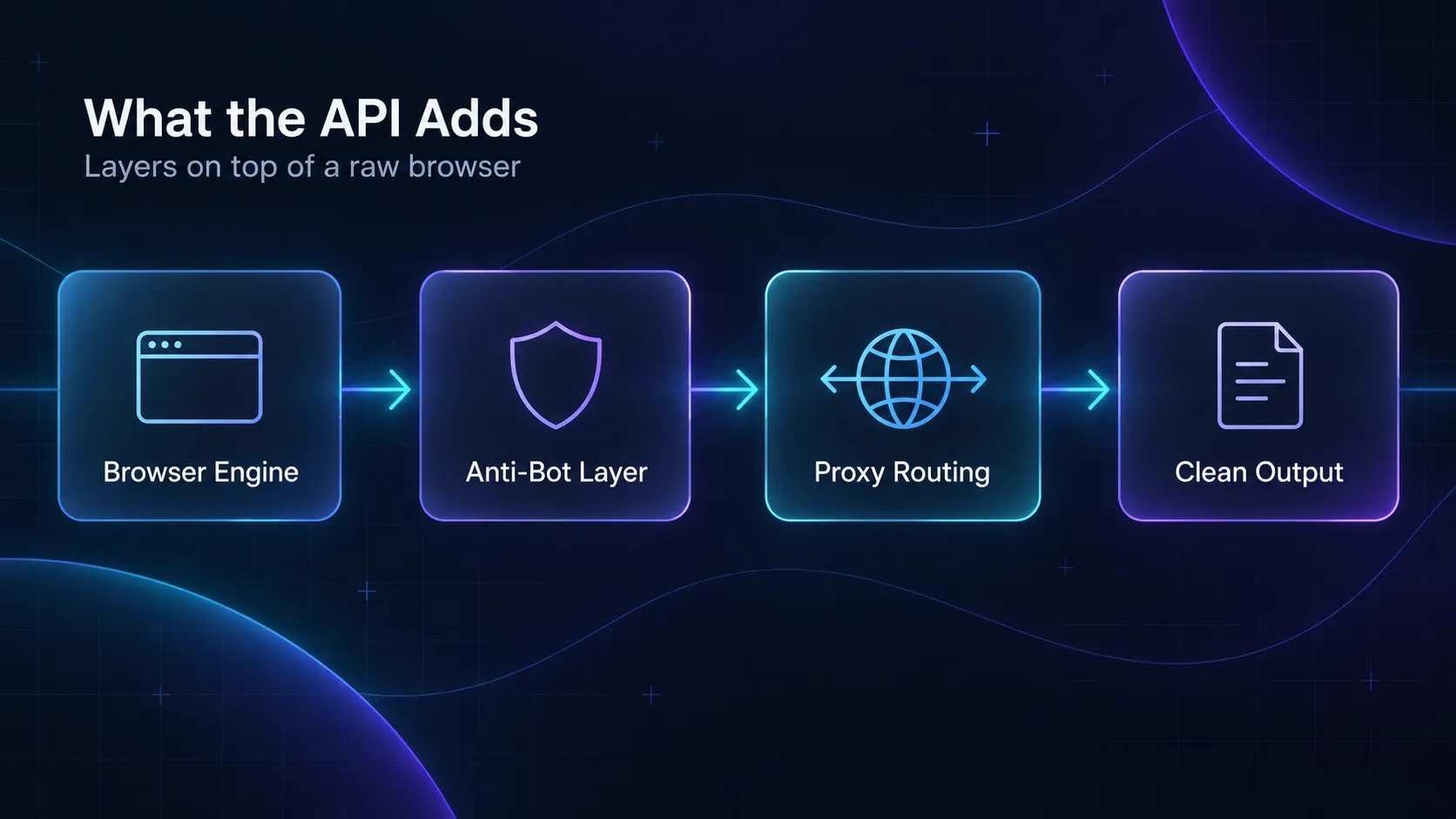
What it doesn’t do is guarantee access to every site. Heavily protected pages can still block it, and it doesn’t make scraping a site legal. We’ll come back to both.
If you’re new to all this, start with what web scraping is. The Firecrawl links on this page are affiliate links, so we may earn a commission if you sign up.
What It Costs Before You Start
Firecrawl bills in credits. The free plan includes 1,000 a month, which is plenty to follow this guide. Here’s what each action costs, from Firecrawl’s pricing page in September 2026.
| Action | Credits |
|---|---|
| Scrape one page | 1 |
| Crawl | 1 per page |
| Map | 1 per page |
| JSON output | 4 extra per page, so 5 in total |
| Search | 2 per 10 results |
| Enhanced proxies | No extra charge |
Paid plans start at $16 a month for 5,000 credits, billed yearly. The cost that surprises people is JSON, so keep that line of the table in mind for later.
Step 1: Get Your API Key
Sign up on Firecrawl’s site and copy your API key from the dashboard. Firecrawl’s docs note that you can try it without a key at lower rate limits, but you’ll want one for anything real.
Keep the key out of your code. Store it in an environment variable called FIRECRAWL_API_KEY and read it from there.
Step 2: Install the SDK
Firecrawl has official SDKs for Python and Node.js, plus a plain REST API. Install the one that matches your stack.
# Python
pip install firecrawl-py

# Node.js
npm install firecrawl
Both SDKs wrap the same API, so everything below works in either language. We’ll use Python.
Step 3: Scrape Your First Page
With the SDK installed and your key set, a single-page scrape takes a few lines.
import os
from firecrawl import Firecrawl

firecrawl = Firecrawl(api_key=os.environ["FIRECRAWL_API_KEY"])

doc = firecrawl.scrape("https://example.com", formats=["markdown", "html"])
print(doc.markdown)
That’s the whole thing. You get the page back as Markdown and HTML, ready to store or pass to a language model. There are no selectors to write and no browser to set up.
Old code warning: tutorials written for the earlier SDK use FirecrawlApp and scrape_url(params=...). The current SDK uses Firecrawl and scrape() with plain keyword arguments, as shown above.
Fixing Empty or Messy Pages
Two settings fix most bad results. Here they are together.
doc = firecrawl.scrape(
    "https://news.example.com/article",
    formats=["markdown"],
    only_main_content=True,
    wait_for=2000,
)
only_main_content strips menus, footers and ads, so you keep the article and lose the noise. wait_for pauses for 2,000 milliseconds, giving JavaScript time to load the content.
Why does that matter? Many modern sites send an almost empty page first, then fill it in with JavaScript. Scrape too early and you get the empty shell. If a page still comes back blank, raise the wait before you blame the tool.
Crawling a Whole Site
When you need more than one page, crawl() follows links across a site and returns every page it finds. It’s how you pull a whole documentation site or blog into a dataset.
crawl = firecrawl.crawl(
    "https://docs.example.com",
    limit=100,
    scrape_options={"formats": ["markdown"]},
)

print(crawl.status, crawl.completed, crawl.credits_used)
for page in crawl.data:
    print(page.metadata.source_url)
The limit caps how many pages get crawled, so a big site can’t drain your credits in one run. This call waits until the crawl finishes. For large jobs, start_crawl() runs it in the background so your script can carry on.
Not sure which pages you need? Run firecrawl.map(url="https://docs.example.com", limit=50) first. It lists a site’s URLs, so you can crawl only the sections that matter. Our guide to scraping large websites with Firecrawl goes deeper on crawl settings.
Extracting Structured Data With a Schema
This is where Firecrawl shines. Instead of text, you ask for JSON that matches a schema you define, and a language model fills in the fields.
from pydantic import BaseModel

class Product(BaseModel):
    name: str
    price: float
    in_stock: bool

doc = firecrawl.scrape(
    "https://store.example.com/item/123",
    formats=[{"type": "json", "schema": Product.model_json_schema()}],
)
print(doc.json)
There are no parsing rules to write, and nothing to fix when the page layout changes. The schema stays the same even when the markup doesn’t.
Don’t need a strict schema? Swap it for a prompt, such as {"type": "json", "prompt": "Extract the product name and price"}, and Firecrawl picks the fields for you.
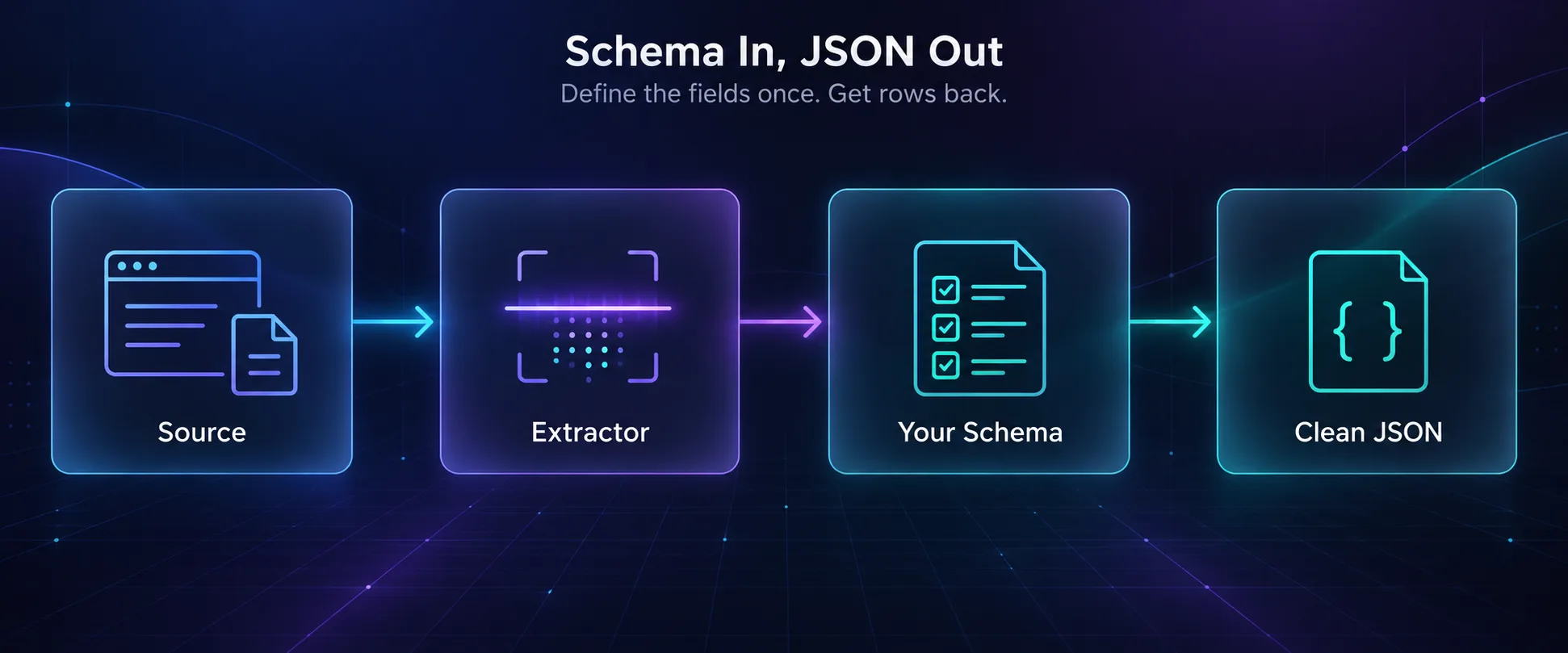
Watch the cost: JSON output costs 5 credits a page, five times a plain scrape. A model can also guess when a field is missing, so validate the output before you trust it. Our guide to data extraction APIs shows how.
Two More Tricks: PDFs and Web Search
1Scraping PDFs
Firecrawl reads PDFs the same way it reads web pages. Point scrape() at the file and ask for Markdown.
doc = firecrawl.scrape("https://example.com/report.pdf", formats=["markdown"])
print(doc.markdown)
That’s handy for annual reports, manuals and research papers, where copying text by hand mangles the tables.
2Searching Before You Scrape
Sometimes you don’t have a URL yet, only a question. search() runs a web search and returns the top results.
results = firecrawl.search("static residential proxies explained", limit=5)
for result in results.web:
    print(result.title, result.url)
Search costs 2 credits per 10 results. Feed the best URLs into scrape(), and you have a small research pipeline in a dozen lines.
Firecrawl and Proxies: What the Docs Actually Say
Here’s the half-true advice from the top of this guide. You’ll often read that you should pair Firecrawl with your own proxies. On Firecrawl Cloud, the docs don’t offer a way to plug them in, and you don’t need to.
Firecrawl routes every request through its own proxies by default, using US IPs unless you say otherwise. You control them with two settings.
doc = firecrawl.scrape(
    "https://shop.example.de/angebote",
    formats=["markdown"],
    location={"country": "DE", "languages": ["de"]},
    proxy="auto",
)
location picks the country and language from the 26 countries listed in Firecrawl’s proxy docs. proxy="auto" retries with enhanced proxies if a basic request fails, and enhanced requests cost no extra credits.
One catch: ask for a country outside that list, and Firecrawl uses the nearest EU or US proxy. It only sets the browser’s location to match, so the site may still see a foreign IP.
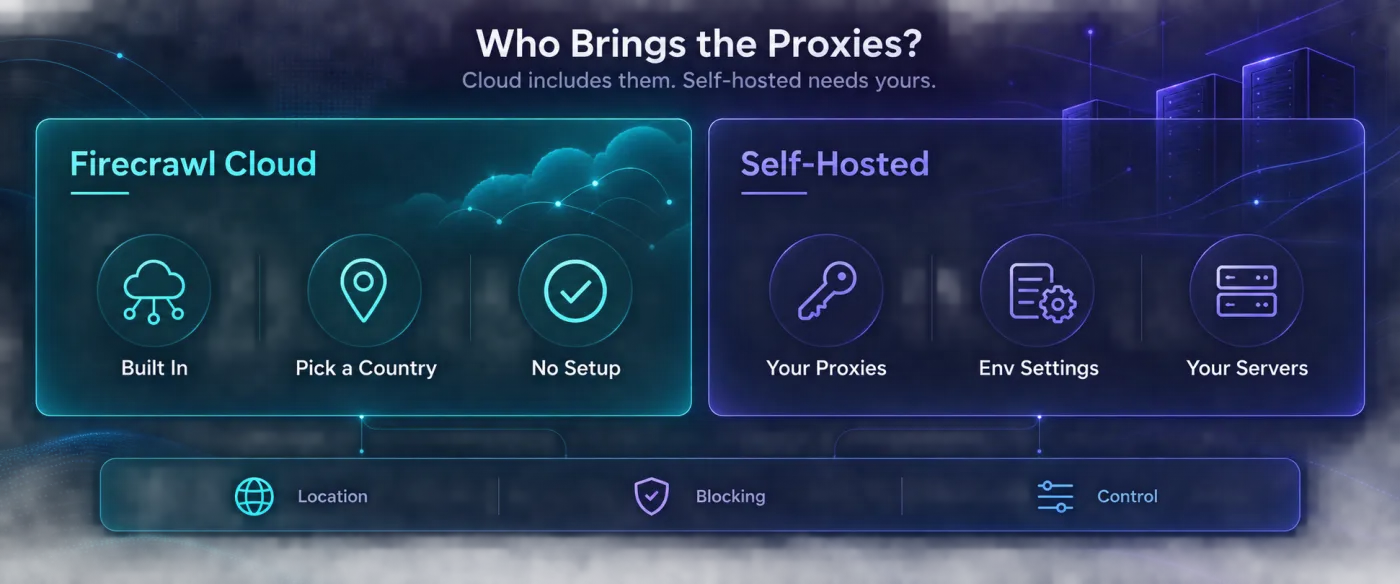
Your own proxies come into play when you self-host Firecrawl. The open-source version reads a proxy from three settings in its .env file: PROXY_SERVER, PROXY_USERNAME and PROXY_PASSWORD.
That’s also where proxies matter most. The self-hosted version leaves out Fire-engine, Firecrawl’s anti-bot service, so residential proxies have to do more of the work. Our Firecrawl alternatives guide covers what else self-hosting leaves out.
Proxies for Self-Hosted Firecrawl
If you self-host, these three providers work well with Firecrawl’s proxy settings. The proxy cards link to our partners, so we may earn a commission if you sign up. You can compare more in our proxy directory.
1Decodo

Decodo’s residential network covers more than 115 million IPs in 195 countries, with a clean dashboard and simple username-and-password setup. That fits Firecrawl’s three proxy settings neatly.
Its country and city targeting also fills the gap Firecrawl Cloud leaves: local IPs in countries outside its list of 26.
2IPRoyal

IPRoyal’s residential traffic never expires, which suits crawls that run in bursts rather than every day. Its pool covers more than 64 million IPs in 195 countries.
Sticky sessions help when a site expects the same IP across several pages, like a paginated listing.
3Oxylabs

Oxylabs is the enterprise choice, with a residential pool of more than 102 million IPs and dedicated account support. It’s built for crawls that run all day, every day.
Pick it when uptime and support matter more than price.
Mistakes That Waste Time and Credits
1Crawling Without a Limit
Launch a crawl on a big site without a limit, and one run can use your whole month of credits. Start small, check the output, then scale up. Treat the first crawl of any new domain as a test.
2Paying JSON Prices for Plain Text
If you’ll read the text yourself or pass it straight to a language model, ask for Markdown. It costs 1 credit a page instead of 5. Save JSON for fields you need in a database.
3Blaming the Tool for Protected Sites
If a site keeps blocking you, set proxy="auto" before you give up. For the toughest targets, our guide to bypassing Cloudflare when scraping covers what else helps.
4Ignoring Robots.txt and Site Terms
Just because you can scrape a page doesn’t mean you should. Check the site’s terms and robots.txt, avoid collecting personal data without a lawful basis, and keep your request rate gentle.
Where Firecrawl Fits Best
Firecrawl earns its place wherever pages change often and you’d rather not maintain selectors.
- AI knowledge bases: crawl a documentation site and feed the Markdown into a vector database. Our guide to using Firecrawl for RAG shows the full pipeline.
- Price monitoring: pull product names, prices and stock status on a schedule with a JSON schema.
- Lead lists: extract company details from directory pages in the same shape every time.
- Research datasets: collect reviews or listings as clean records, ready to analyze.
Frequently Asked Questions
Start Small, Then Let It Crawl
Firecrawl turns scraping from a maintenance job into a few lines of code. Scrape one page, fix empty results with a short wait, crawl with a limit, and switch to JSON only when you need exact fields.
And remember the proxy rule: on Firecrawl Cloud, pick a country with location and let Firecrawl handle the rest. Bring your own proxies only when you self-host.
Your next step: take one page you currently copy by hand and reproduce it with scrape(). Then map the site and crawl just the section you need. Want the bigger picture? Our guide to web scraping with Python covers the rest of the toolkit.
Keep Reading
More articles you might enjoy