What Is a VPN Concentrator? How It Works in 2026
A VPN concentrator runs thousands of remote-access VPN tunnels at once. Here’s how it works, how to size one, why attackers target it, and when Zero Trust is the better choice.
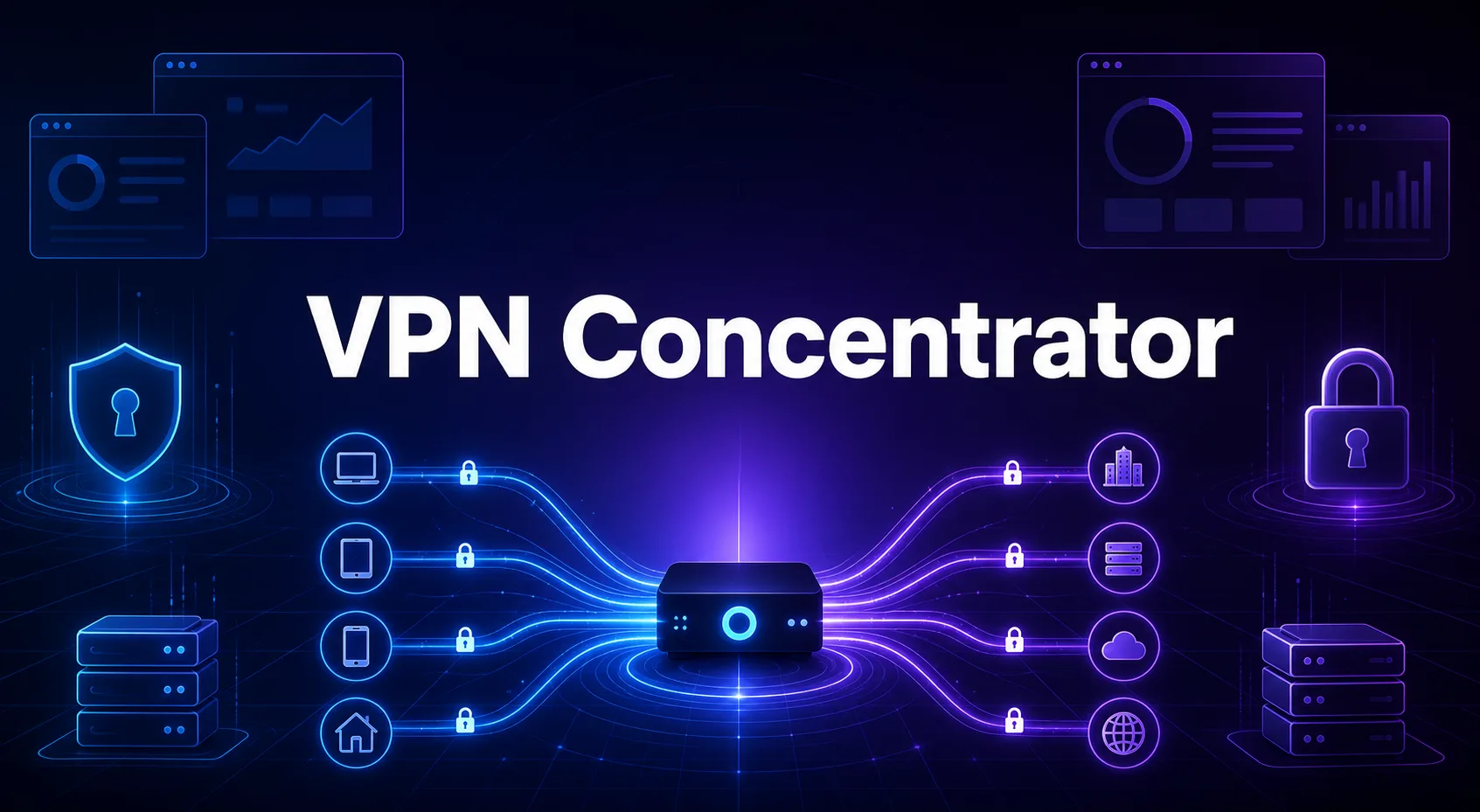
Five remote workers can share a VPN on the office router. Five thousand will knock it over before lunch on Monday.
That’s the job a VPN concentrator was built for. It lets a whole workforce connect to a private network at once, each person in their own encrypted tunnel.
It sounds like plumbing, and mostly it is. But this plumbing faces the open internet and guards the entire network behind it. Some of the most serious security incidents of recent years came straight through it.
So how does a concentrator work, and how big does it need to be? We’ll cover both, plus the question most guides dodge: whether you should still buy one at all.
- A VPN concentrator is a gateway built to run hundreds or thousands of remote-access VPN tunnels at once.
- Routers and firewalls can run VPNs too, but they hit their limits much sooner.
- Cloud VPN gateways have hard caps on users, so size before you buy.
- Internet-facing VPN gateways are a prime target for attackers, so patching speed matters more than features.
- For new deployments, Zero Trust access often fits better, though concentrators still have a place.
What a VPN Concentrator Actually Is
A VPN concentrator is a gateway that sets up, manages and closes a large number of VPN tunnels at the same time. It sits at the edge of a private network and acts as the meeting point for remote workers.
The name describes the job. Hundreds or thousands of tunnels from laptops all over the world get concentrated into one secure entry point.
Think of it as a remote access VPN built for scale. A small business can run a few dozen VPN users on a decent firewall. A company with thousands of remote staff needs something built for that load.
Today it comes in three forms. It can be a dedicated hardware appliance, a virtual appliance on your own servers, or a gateway you rent from a cloud provider.
How a Concentrator Handles Thousands of Connections
Every connection goes through the same three steps. The concentrator just repeats them thousands of times over.
1Checking Who’s Connecting
Before any tunnel opens, the concentrator checks the user’s identity. That usually means a password or certificate plus multi-factor authentication, checked against the company directory through services like RADIUS, LDAP or SAML.
2Building a Tunnel for Each User
Next, it negotiates an encrypted VPN tunnel with the user’s device and agrees on encryption keys. Then it keeps that tunnel alive, along with thousands of others.
That’s the heavy lifting. Encryption takes real processing power, which is why hardware concentrators often include dedicated chips to speed it up.
3Routing Traffic and Enforcing Rules
Finally, it decrypts each user’s traffic and routes it to the systems they’re allowed to reach. Replies get encrypted again on the way back.
Admins also choose between a full tunnel, where all traffic goes through the company, and split tunneling, where only work traffic does. Split tunneling takes a big load off the concentrator, at the cost of less visibility.
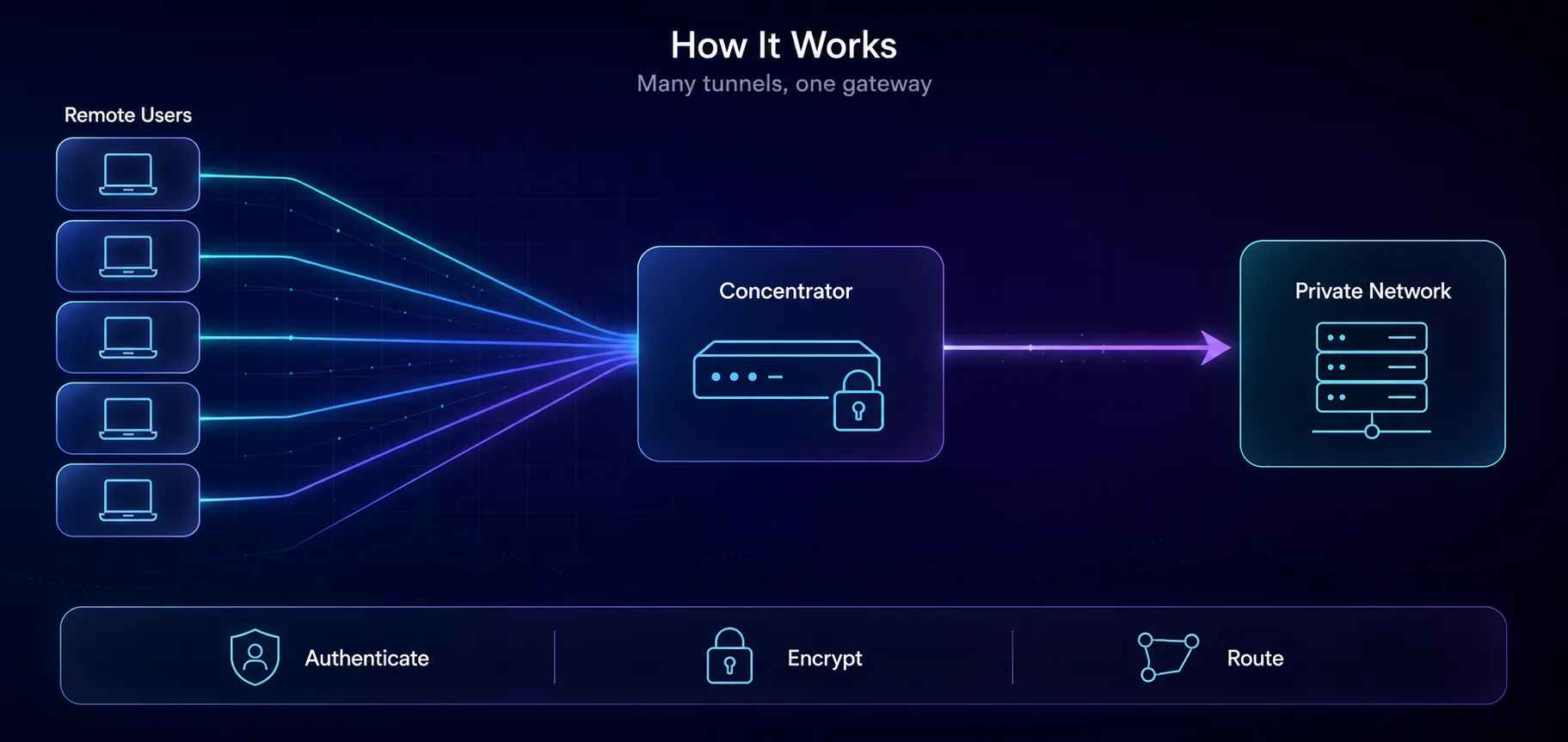
Here’s a moment that tests all three steps. Say 3,000 employees log on within 20 minutes on a Monday morning. The concentrator has to check 3,000 identities and build 3,000 tunnels in that window. That’s why sizing is about connection rate, not just bandwidth.
Concentrator vs Router vs Firewall
These three devices overlap, which causes a lot of confusion. So where’s the line? Mostly focus and scale.
| Device | Main job | VPN capacity | Best for |
|---|---|---|---|
| Router | Directing network traffic | A handful of tunnels | Homes and small offices |
| Firewall | Filtering traffic and blocking threats | Moderate, as an add-on | Small and mid-size businesses |
| VPN concentrator | Running many VPN tunnels | Hundreds to thousands | Large remote workforces |
Modern firewalls blur the line. Many include a remote-access VPN that’s plenty for smaller teams, which is why lots of companies never buy a separate concentrator. It earns its place only when the number of users outgrows what the firewall can handle.
IPsec or SSL? The Protocols Inside
Concentrators build their tunnels with the same two protocol families as any business VPN.
| Protocol | Works at | Best for |
|---|---|---|
| IPsec with IKEv2 | Network layer | Company-managed laptops |
| SSL/TLS | Transport layer | Contractors and browser-based access |
IPsec is the traditional workhorse. It encrypts at the network layer and pairs with IKEv2 for fast, stable reconnections. NIST’s guide to IPsec VPNs is the standard reference.
SSL VPNs use the same TLS encryption that secures websites. They get through strict firewalls easily, and some work straight from a browser with no app to install. Many concentrators support both, with IPsec for company devices and SSL for everyone else.
Remote staff sit behind home routers, so IPsec’s old trouble with NAT still comes up. Our guide to VPN passthrough explains that problem and its fixes.
How Many Users Can One Gateway Take?
This is where concentrator projects go wrong. People size for bandwidth and forget that every gateway also has a hard limit on users.
Cloud gateways make those limits easy to see. Here are the ceilings for Microsoft’s zone-redundant Azure VPN Gateway tiers, from its gateway documentation.
| Azure gateway tier | Max IKEv2 or OpenVPN users | Throughput benchmark |
|---|---|---|
| VpnGw1AZ | 250 | 650 Mbps |
| VpnGw2AZ | 500 | 1 to 1.25 Gbps |
| VpnGw3AZ | 1,000 | 1.25 to 2.5 Gbps |
| VpnGw4AZ | 5,000 | 5 Gbps |
| VpnGw5AZ | 10,000 | 10 Gbps |
Every tier also caps SSTP, Microsoft’s own VPN protocol, at 128 connections. So a company with 2,000 remote staff needs the VpnGw4AZ tier, even if its bandwidth needs are modest. The user cap bites first.
Licensing adds its own ceiling. Many vendors license remote access per user, so the license count can bite before the hardware does.
Paying by the hour works differently. AWS Client VPN charges $0.10 an hour for each network association and $0.05 an hour for each connected user, according to its pricing page. Rates vary by region.
Say 500 people work eight-hour days, 22 days a month. That’s 88,000 connection hours, or about $4,400 a month, plus around $73 for one association running all month.
Our take: cloud gateways remove the hardware, not the sizing problem. Count your peak number of simultaneous users first, then pick the tier.
What Happens When the Concentrator Goes Down?
Here’s the uncomfortable part of sending every remote worker through one box. If it fails, everyone’s offline at once.
So production setups rarely run a single concentrator. The usual answer is an active-standby pair, where a second unit takes over if the first one dies. Bigger setups run several active units behind a load balancer and spread users across them.
Cloud gateways handle part of this for you. The AZ in Azure’s tier names means the gateway is spread across availability zones, so one failing data center doesn’t take it down.
Check before you buy: ask how long failover takes and whether users have to reconnect. A short blip is fine. Making 3,000 people log in again at the same moment is its own Monday morning.
A Front Door on the Internet: The Security Catch
A concentrator has to face the internet. That’s its whole job. It also means a single flaw in it can let attackers straight into the network behind it.
This isn’t theoretical. In January 2024, the US Cybersecurity and Infrastructure Security Agency issued Emergency Directive 24-01. It ordered federal agencies to deal with two flaws in Ivanti’s Connect Secure VPN gateways, which attackers had exploited since December 2023.
The lesson applies to every vendor: treat your concentrator as your most exposed system.
- Patch it within days of a security fix, not at the next maintenance window.
- Require multi-factor authentication for every user.
- Keep its admin interface off the public internet.
- Log every login and alert on unusual ones.
- Limit what VPN users can reach once they’re inside.
Why Zero Trust Is Replacing Many Concentrators
The concentrator comes from an older security model: build a strong wall, then trust everyone who gets inside. That model is fading, and the concentrator is fading with it.
So what’s wrong with the old model? One login usually opens up a whole network, so a stolen password reaches a lot. All traffic funnels through one gateway, which becomes a bottleneck. And routing cloud-app traffic through the office adds delay for no benefit.
Zero Trust Network Access, or ZTNA, flips the model. It checks every request and grants access to single apps, not the whole network. NIST describes the approach in its Zero Trust Architecture guide.
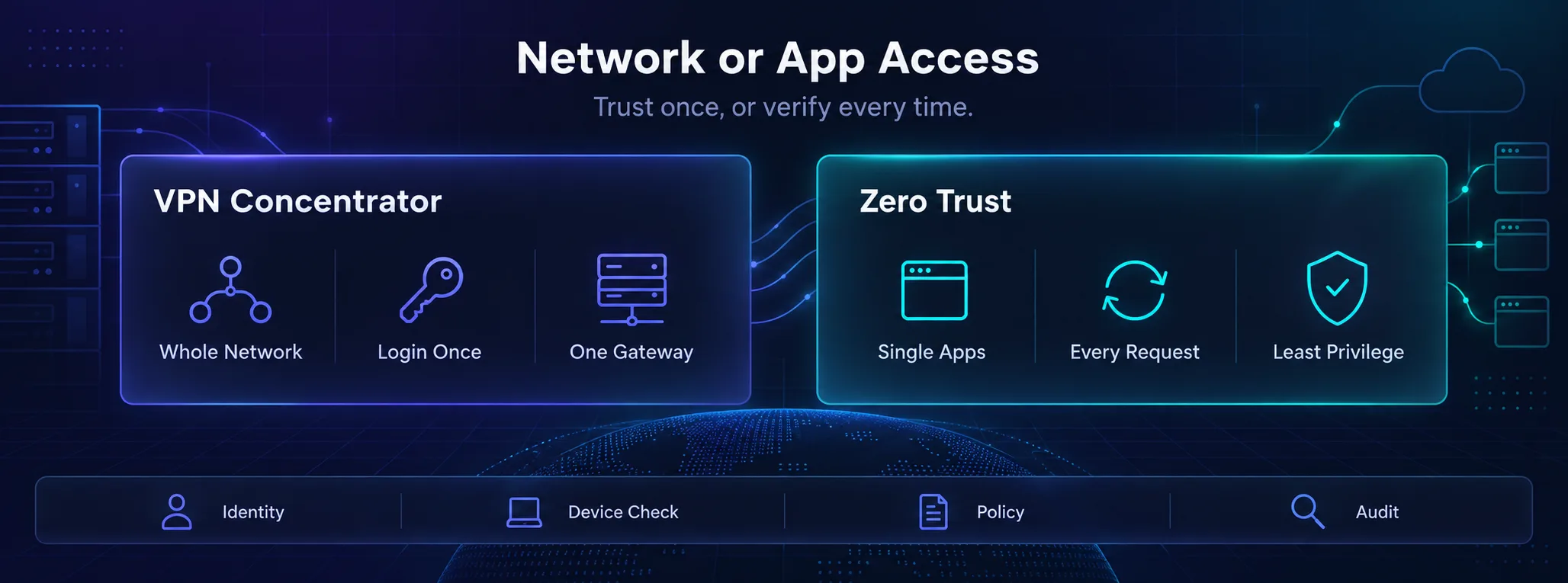
Analysts saw the shift coming. Gartner predicted that by 2025, at least 70% of new remote access deployments would run mainly on ZTNA rather than VPN. At the end of 2021, that figure was under 10%.
Our take: concentrators still make sense for older apps that need full network access and for linking whole offices together. For a new deployment, pilot Zero Trust first and keep the concentrator for what’s left.
Do You Actually Need One?
Here’s the quick answer, by situation.
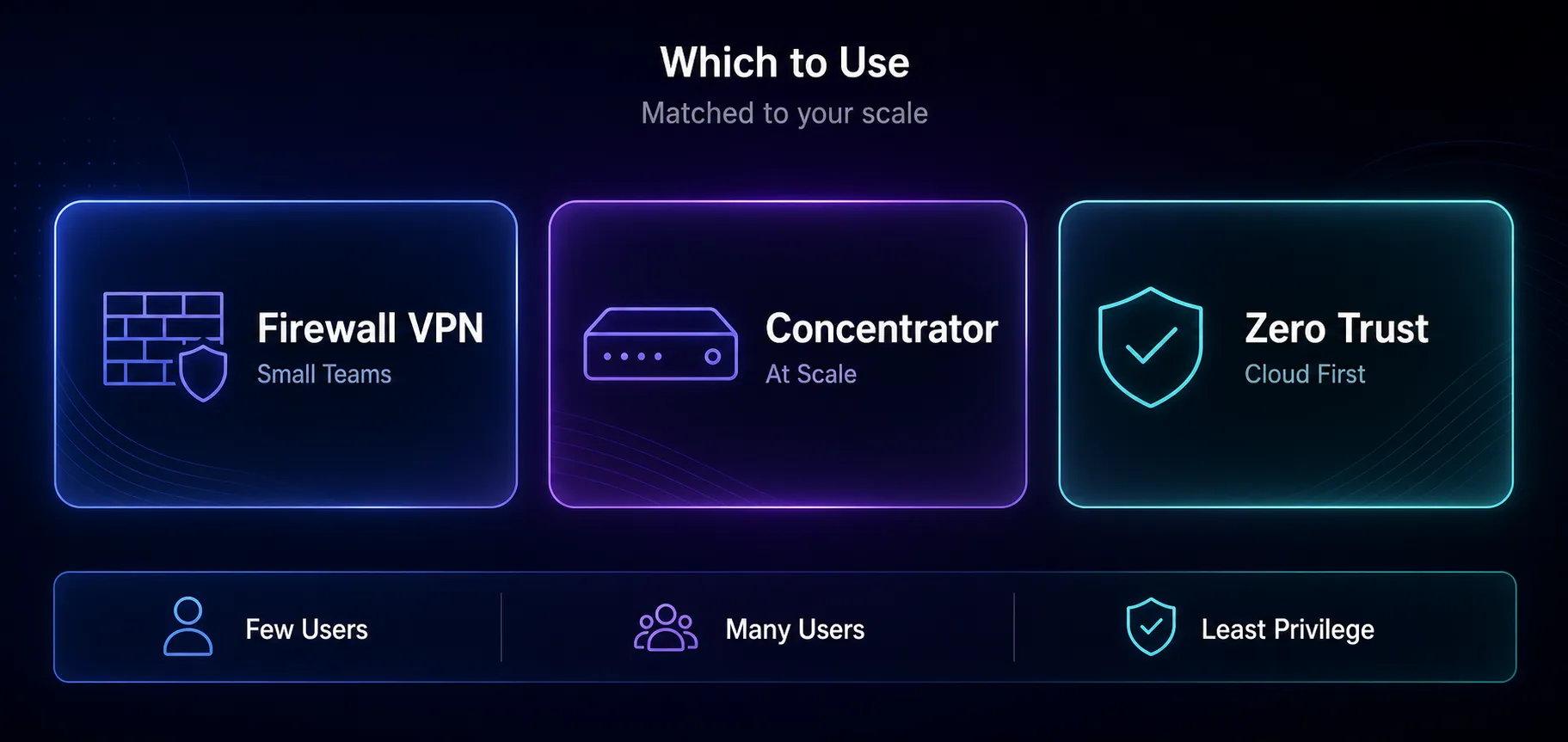
| Your situation | Best fit |
|---|---|
| A few dozen remote staff | The VPN built into your firewall |
| Hundreds to thousands of users on mostly in-house systems | A VPN concentrator or cloud VPN gateway |
| Cloud apps, contractors or personal devices | Zero Trust Network Access |
| Just you, protecting your own browsing | A consumer VPN app |
Myths That Muddle VPN Concentrators
1It’s Just an Expensive Router
A router’s job is directing traffic, and it can handle a few tunnels on the side. A concentrator is built for one job: running thousands of tunnels at once. The specialization is the point.
2Hardware Always Beats Software
Not anymore. Virtual and cloud gateways scale up in minutes and don’t need a trip to the data center. That’s why many new deployments skip the physical box.
3A VPN Makes the Network Safe
A tunnel protects data in transit, not the devices on either end. If a remote laptop is infected, the VPN can carry that infection straight into your network. That’s why device checks matter as much as encryption.
What If You Just Want a VPN for Yourself?
Then you don’t need a concentrator at all. It’s company infrastructure, not a privacy tool. If you’re new to this, start with what a VPN is and how it works.
For your own browsing, a consumer VPN app is the right tool, and these three are the ones we trust. The VPN cards link to our partners, so we may earn a commission if you sign up.
1NordVPN

NordLynx speeds, an audited no-logs policy and RAM-only servers make NordVPN a strong all-rounder for personal privacy. See how it compares in NordVPN vs Surfshark.
2Surfshark

Unlimited devices on one plan and a simple app make Surfshark an easy pick for a whole household. Its no-logs policy has been independently audited, too.
3Proton VPN

Proton VPN is open source and independently audited, with a free plan we’d actually recommend. Running a team instead? See our guide to the best VPNs for remote teams.
Frequently Asked Questions
Buy for the Network You’ll Have, Not the One You Had
A VPN concentrator is the heavy-duty version of a remote access VPN. It checks thousands of users, builds their tunnels and routes their traffic, which is exactly what a router can’t do at scale.
Whether you need one comes down to size and direction. If most of your systems still live in your own data center, a concentrator or cloud gateway makes sense. If they’re moving to the cloud, start with Zero Trust.
Your next step: count your peak number of simultaneous remote users and list the apps they need. That tells you which tool fits. And if you just want privacy for yourself, compare consumer VPNs in our VPN directory or with the comparison tool.
Keep Reading
More articles you might enjoy