What Are Datacenter Proxies? 2026 Complete Guide
What are datacenter proxies? A complete guide to how they work, datacenter vs residential, when to use them (and when not to), and the top providers.
Datacenter proxies are the fastest and cheapest proxies you can buy — and understanding why tells you everything about when to use them. They are quick and affordable precisely because they do not come from real internet providers; they come from cloud servers. That is their superpower and their weakness in a single sentence.
Here is the honest version most guides skip: that same speed and low cost is exactly what makes datacenter proxies easier to detect and block. Sophisticated websites can tell a data-center IP from a real home connection, so datacenter proxies are brilliant on lenient targets and the wrong tool for tough anti-bot sites. Knowing that difference saves you money and failed requests.
This complete guide explains what datacenter proxies are, how they work, how they compare to residential proxies, when to use them, and — just as importantly — when not to. If you want the wider map first, our overview of the types of proxies puts them in context.
The Quick Answer
Our take: datacenter proxies are IP addresses hosted on cloud servers in data centers, not tied to a real internet provider or home device. They are extremely fast and cheap because they are produced in bulk on shared infrastructure, making them ideal for speed-sensitive, high-volume tasks on sites that do not aggressively block bots. Their weakness is detectability — for hard targets like social media or major search engines, you want residential proxies instead.
What Are Datacenter Proxies?
A datacenter proxy is an intermediary IP address that lives on a server in a data center — the same kind of cloud infrastructure that hosts websites and apps. When you route your traffic through one, the website you visit sees the data-center IP instead of your own.
The defining trait is their origin. Unlike residential proxies, which use IPs assigned by internet providers to real homes, datacenter IPs are created in bulk by hosting companies. That means they are cheap to produce and blazing fast, but they also share recognizable patterns that make them identifiable as non-residential. For more on how networks identify IPs, see our explainer on what an ASN is.
How Do Datacenter Proxies Work?
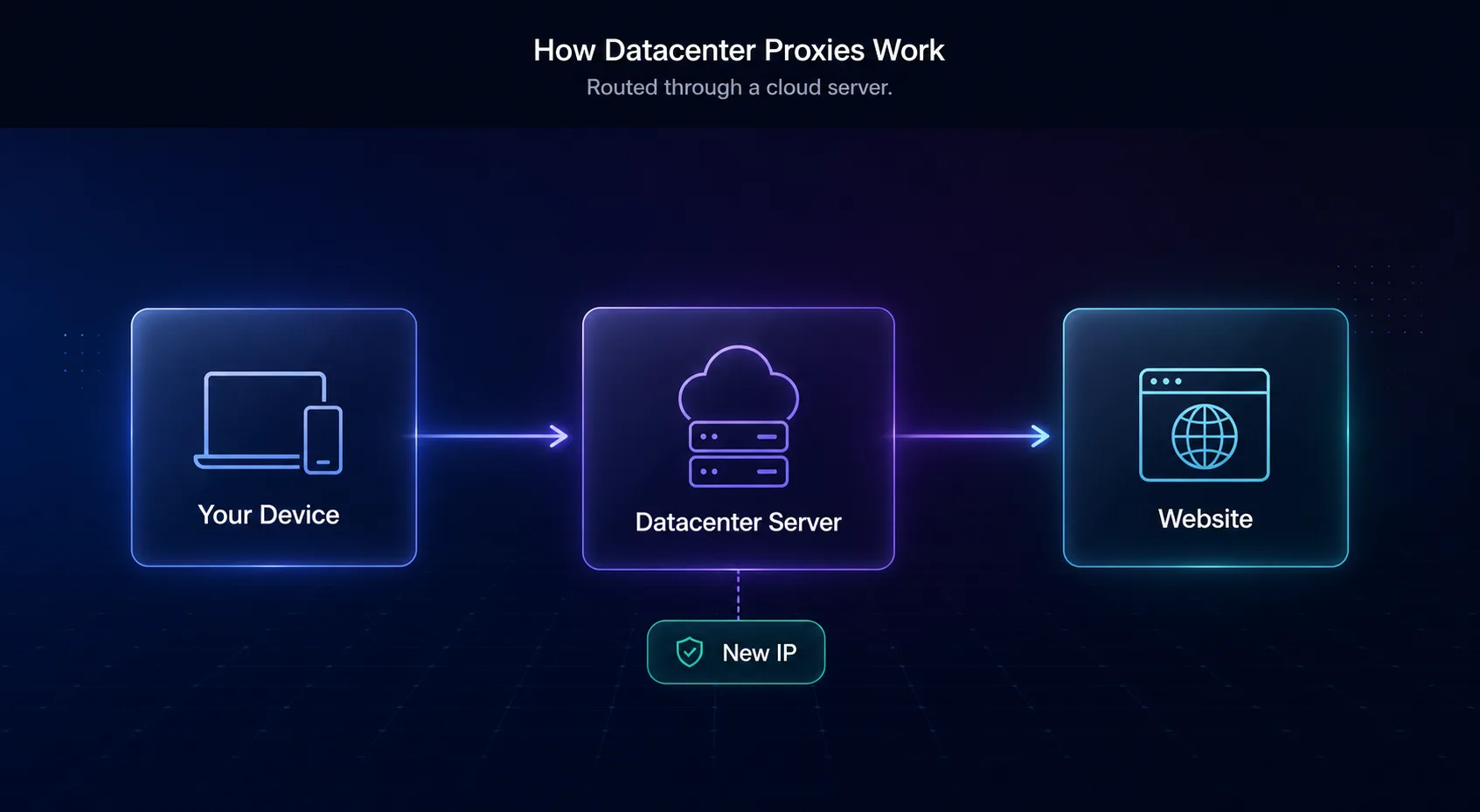
The mechanics are simple. Instead of connecting directly to a website, your request first goes to the datacenter proxy server. That server forwards your request using its own IP address, receives the response, and passes it back to you. The target site only ever sees the proxy's IP and location, not yours — your real address and identity stay hidden behind the server.
Because these servers sit in high-bandwidth data centers with fast, stable connections, the round trip is extremely quick — far faster than routing through a real home device. Providers own large blocks of these IPs, so they can offer huge quantities cheaply and rotate them easily. Speed and scale are the whole point.
Datacenter vs Residential Proxies
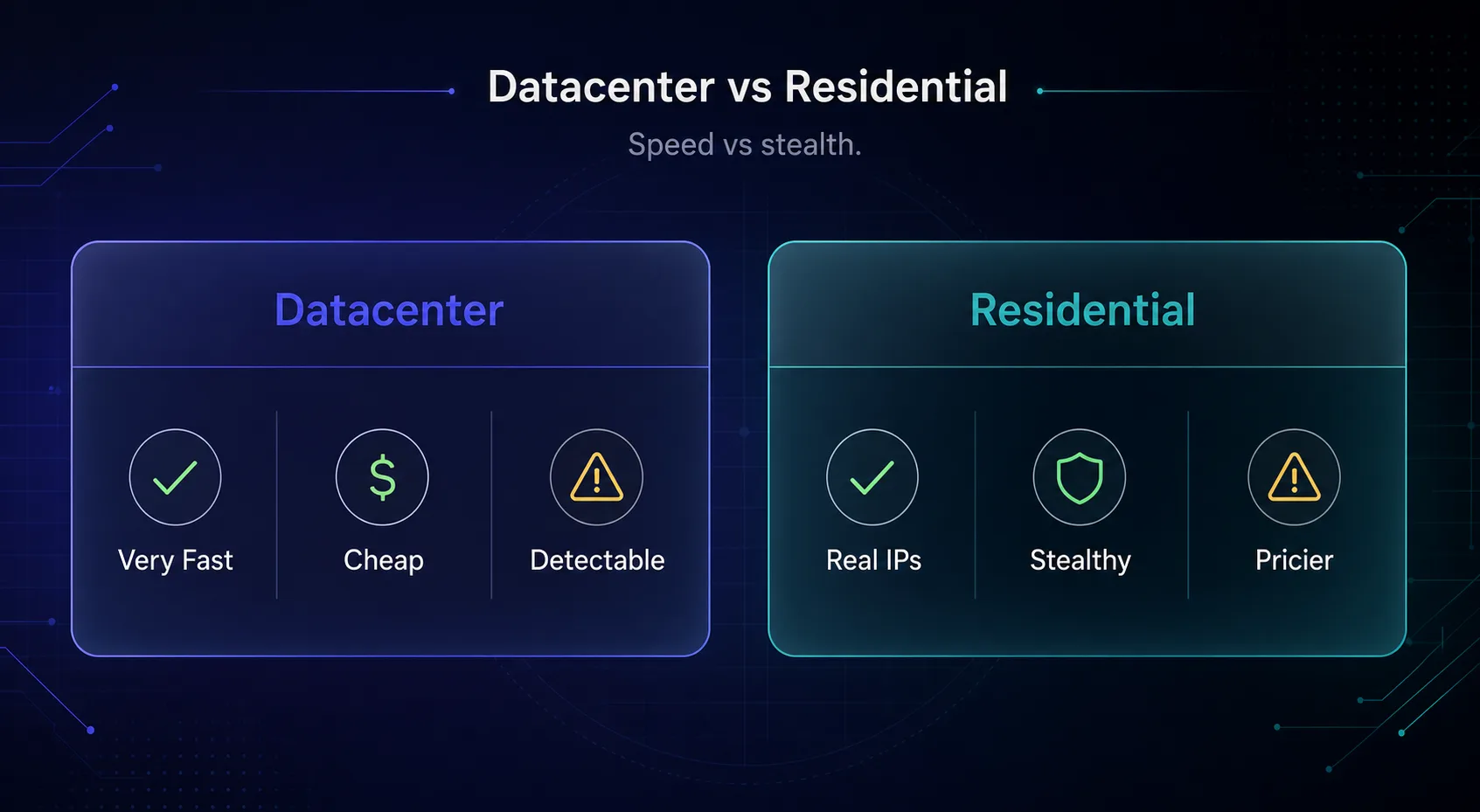
This is the comparison that decides most purchases. The two proxy types trade off along the same axis: speed and cost versus stealth.
| Feature | Datacenter | Residential |
|---|---|---|
| Source | Cloud servers / data centers | Real home devices (ISPs) |
| Speed | Very fast | Slower |
| Cost | Cheap | Expensive |
| Detection risk | Higher | Low |
| IP pool | Large blocks | Millions of real IPs |
| Best for | Speed & bulk on lenient sites | Tough anti-bot targets |
Our take: neither is better — they are for different jobs. Use datacenter proxies when speed and cost matter and the target is not aggressively defended. Use residential when you need to look like a real user on a site that fights bots. Many teams keep both. Compare residential picks in our best residential proxies guide.
Types of Datacenter Proxies
Not all datacenter proxies are sold the same way, and the model you choose affects both cost and reliability. The main split is shared versus dedicated.
| Aspect | Shared | Dedicated (Private) |
|---|---|---|
| Users per IP | Many | You only |
| Cost | Cheapest | Higher |
| Reliability | Can be inconsistent | Consistent |
| Ban risk | Higher (others' behavior) | Lower |
| Best for | Light, budget tasks | Serious, consistent work |
Shared proxies split each IP among many users, which is cheapest but means someone else's behavior can get the IP flagged. Dedicated (private) proxies give you exclusive use of an IP, so performance and reputation are entirely in your hands. There are also rotating datacenter proxies, which cycle you through many IPs automatically — ideal for spreading requests during scraping.
Pros and Cons of Datacenter Proxies
A quick, honest balance sheet before you buy.
1The advantages
Datacenter proxies are the fastest proxy type, by far the cheapest, and available in huge quantities. Their speed and low cost make them perfect for high-volume tasks where every millisecond and every dollar counts, and providers can supply thousands of IPs instantly. That combination of speed, scale, and low cost is genuinely unmatched by any other proxy type, which is why datacenter proxies remain the default for large, budget-conscious operations.
2The drawbacks
They are the easiest proxies to detect, because their IPs belong to known data-center ranges rather than real ISPs. Sites with strong anti-bot systems block them quickly, and shared datacenter IPs can arrive already flagged from other users. For hard targets, that unreliability outweighs the price advantage — a cheap proxy that gets blocked on the first request costs more in wasted time than a pricier one that works.
When Should You Use Datacenter Proxies?
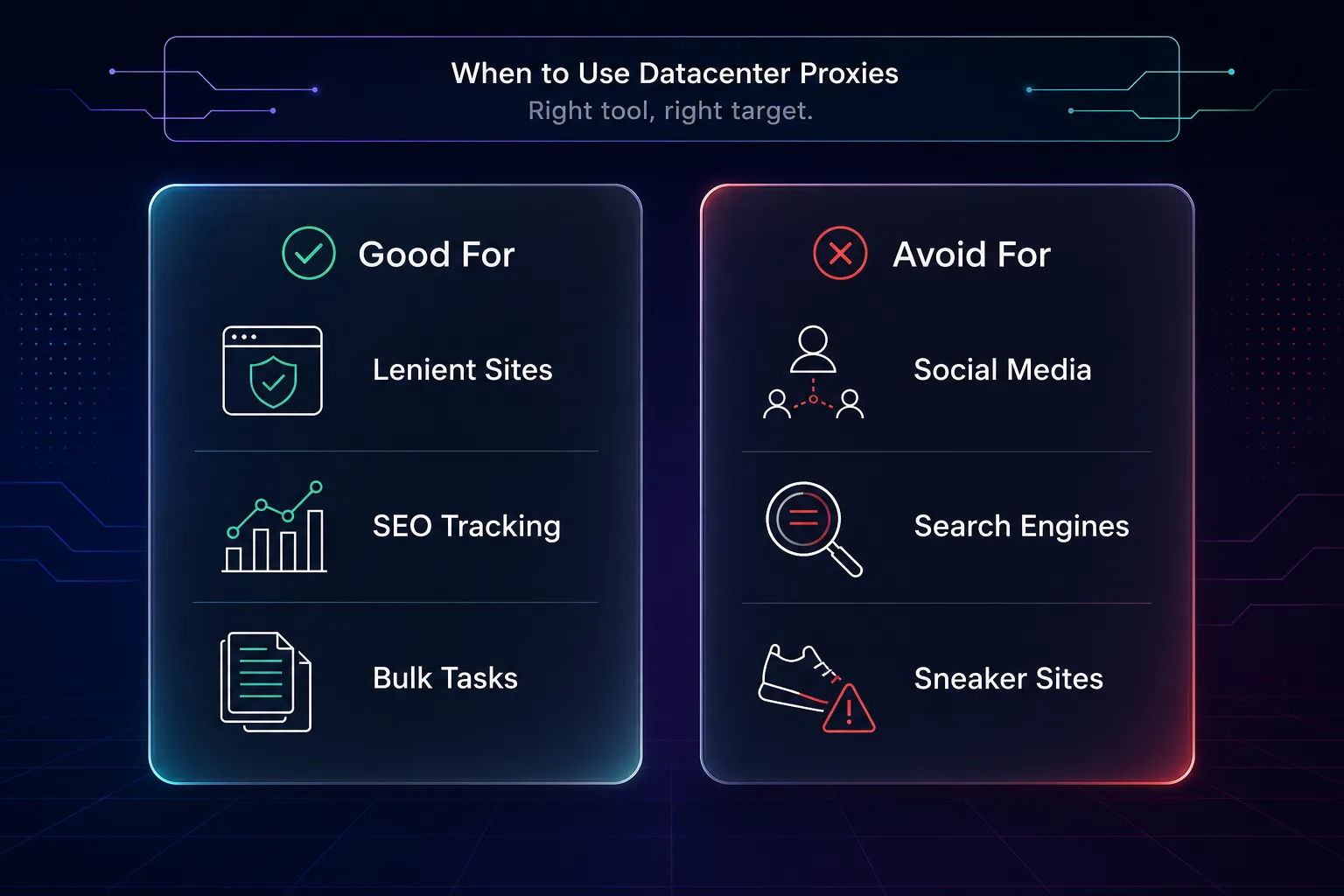
Datacenter proxies shine when speed and cost matter more than stealth. Reach for them in these cases.
- High-volume scraping of lenient sites — where the target does not aggressively block bots.
- SEO and rank tracking — fast, cheap checks across many keywords and locations.
- Price and market monitoring — on sites without heavy anti-bot defenses.
- Bulk tasks on a budget — where you need many requests cheaply and speed is critical.
In all of these, the low cost and high speed of datacenter proxies deliver real value. For the cheapest options specifically, see our cheapest proxies for web scraping roundup.
When NOT to Use Datacenter Proxies
This is the section that saves you the most grief. Datacenter proxies are the wrong tool whenever the target actively hunts for bots.
Avoid datacenter proxies for social media (Instagram, TikTok, Facebook), major search engines at scale, sneaker and ticket sites, and any platform with serious anti-bot protection. These sites maintain lists of data-center IP ranges and block them on sight, so you will burn through proxies and get nowhere. For those targets, residential or mobile proxies that look like real users are the only reliable choice. Using datacenter proxies there is the single most common and costly mistake buyers make.
Top Datacenter Proxy Providers
If datacenter proxies fit your use case, provider quality still matters — cheap-but-dead IPs are no bargain. These are the ones we rate most highly; see the full ranked list in our best datacenter proxy providers guide.
1Webshare

Webshare is our top pick for datacenter proxies, famous for exceptional value and a genuine free tier of datacenter IPs to start. Its clean dashboard and instant proxy generation make it the easiest and cheapest way into datacenter proxies. For anyone testing the waters or running budget-sensitive projects, it is the natural first stop before spending anything.
2Decodo

Decodo offers reliable, well-managed datacenter proxies alongside a large residential network, so you can mix both under one account and switch proxy types as a target's defenses demand, without juggling multiple vendors. Its balance of price, speed, and dashboard usability suits everyone from solo users to teams, and sticky sessions let you hold a consistent datacenter IP when a task needs continuity rather than constant rotation.
3Oxylabs

Oxylabs is the enterprise choice, with premium datacenter proxies built for high-concurrency, mission-critical workloads. It costs more, but for large-scale operations the reliability and support justify the price. Its infrastructure is built for high concurrency, so success rates hold up even when you are firing enormous request volumes.
How to Choose a Datacenter Proxy
Three quick questions narrow it down fast.
1Shared or dedicated?
On a tight budget with light tasks, shared is fine. For consistent performance and lower ban risk, pay a little more for dedicated (private) proxies you do not share with strangers.
2How tough is your target?
Be honest about the site. Lenient targets are perfect for datacenter proxies; if the site fights bots hard, no datacenter proxy will save you — switch to residential before you waste money.
3What matters most, price or reliability?
Webshare wins on pure value, while Oxylabs wins on enterprise reliability. Match the provider to whether you are optimizing for cost or for uptime at scale.
How Are Datacenter Proxies Detected?
Understanding detection explains why datacenter proxies fail on tough sites — and it is more mechanical than mysterious. Every IP address belongs to an organization, identified by its ASN (Autonomous System Number). Datacenter IPs trace back to hosting companies like AWS, Google Cloud, or dedicated proxy providers, not to consumer internet providers.
Anti-bot systems simply check that ASN. If an IP belongs to a known data-center range rather than a residential ISP, it is instantly suspicious — and many sites maintain public and private blocklists of these ranges. On top of that, shared datacenter IPs may already carry a bad reputation from other users' activity, and a flood of requests from one narrow IP block is an obvious bot signal. None of this requires sophisticated fingerprinting; the origin of the IP gives the game away. That is the fundamental ceiling on what datacenter proxies can do against well-defended targets.
ISP Proxies: A Middle Ground
If you want datacenter speed with better stealth, there is a hybrid worth knowing about: ISP proxies, also called static residential proxies. These are hosted on data-center servers for speed but registered under real internet-provider ASNs, so to a website they look residential while performing like datacenter.
That combination makes ISP proxies excellent for tasks that need both consistency and a trustworthy IP — long-lived sessions, account management, and moderately defended targets. They cost more than plain datacenter proxies but less than rotating residential, and they solve the exact weakness that holds datacenter proxies back. If your target is too tough for datacenter but you still want speed, ISP proxies are often the sweet spot.
Common Mistakes to Avoid With Datacenter Proxies
The errors that turn a cheap, fast proxy into wasted money.
1Using them on tough anti-bot sites
The number one mistake. Pointing datacenter proxies at Instagram, Google at scale, or sneaker sites is a fast route to blocks. Match the proxy to the target: hard sites need residential, not datacenter.
2Choosing the cheapest shared proxies for serious work
Rock-bottom shared proxies come with rock-bottom reliability, since you inherit other users' reputation. For anything that matters, dedicated proxies are worth the small premium.
3Relying on free datacenter proxy lists
Free public proxies are slow, overcrowded, frequently already banned, and sometimes malicious. They are fine for a five-minute test and a liability for real work. A cheap paid provider like Webshare is a far safer floor.
4Not rotating IPs during scraping
Hammering a site from a single datacenter IP gets it flagged fast. Use rotating datacenter proxies or a pool so requests spread across many IPs and no single one stands out.
Frequently Asked Questions
The Bottom Line
Datacenter proxies are the speed-and-savings option: IPs hosted on cloud servers that deliver the fastest performance at the lowest price. That makes them ideal for high-volume tasks — scraping lenient sites, SEO tracking, price monitoring — where cost and speed matter most. The trade-off is detectability, because their IPs are recognizably non-residential.
So the rule is simple and worth remembering: use datacenter proxies for speed on sites that do not fight bots hard, and switch to residential the moment your target gets serious about blocking. Get that match right and datacenter proxies are unbeatable value. Ready to choose? Browse our best datacenter proxy providers, explore the full proxy directory, or brush up on the types of proxies to see how each fits your project.