How Websites Track You Online 2026: Beginner Guide
A complete beginner's guide to how websites track you — cookies, IP, browser fingerprinting, pixels and supercookies — and the layered defense that actually works.
Most people believe online tracking is just cookies — clear them and you are invisible. That belief is comforting and completely wrong. Cookies are the tip of the iceberg; websites have a whole toolbox that follows you around the web, and some of it survives long after you hit "clear browsing data".
This is not a fringe concern. Studies of the modern web, including the Electronic Frontier Foundation's Cover Your Tracks project, show that the average site loads multiple third-party trackers and that a typical browser is unique enough to be identified without a single cookie. In other words, you are being followed by methods most people have never heard of.
This beginner-friendly guide maps the entire toolbox: every major way websites track you, in plain English, plus what you can actually do about each one. By the end you will understand not just that you are tracked, but exactly how — which is the only way to defend yourself sensibly. Want the IP piece first? Our guide on whether websites can see your IP is a good primer.
The Quick Answer
Our take: websites track you through cookies, your IP address, browser fingerprinting, tracking pixels, and cross-site trackers embedded on the pages you visit — building a profile of who you are and what you do. No single tool stops all of it, so real protection is layered: a privacy browser with tracker blocking, cookie hygiene, and a VPN to hide your IP. Crucially, clearing cookies alone does not make you private.
Why Do Websites Track You?
Before the how, the why — because it explains everything. Tracking is the business model of the free web. Your attention and data are the product being sold, and tracking is how it gets packaged.
Sites and advertisers track you for three main reasons: targeted advertising (showing you ads based on your behavior), analytics (understanding how people use a site), and personalization (tailoring content and recommendations). Some of this genuinely improves your experience; much of it feeds a vast data-broker economy that profiles you across the entire internet. Understanding the motive makes the methods below far less mysterious.
How Websites Track You: The Main Methods
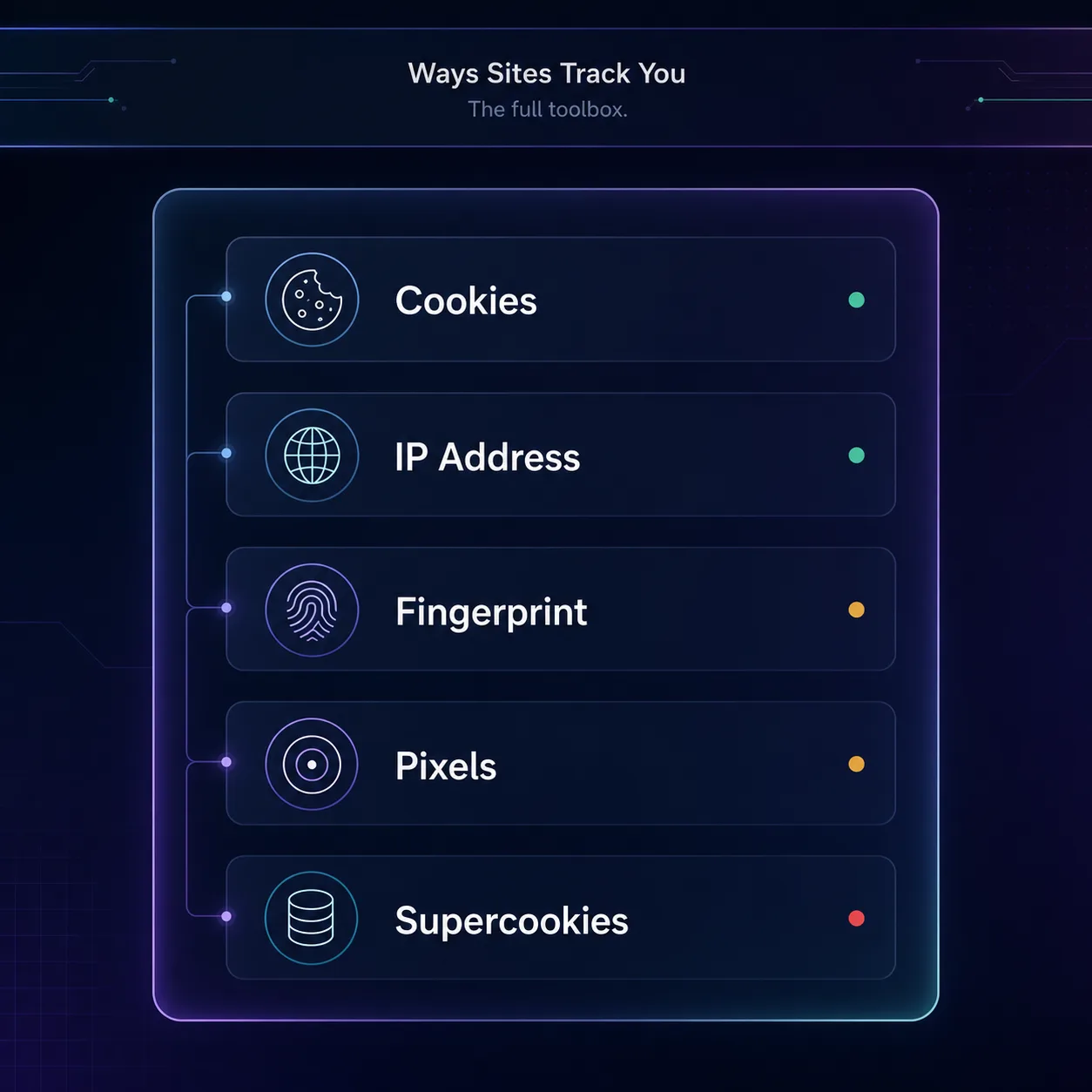
Here is the full toolbox, from the familiar to the ones that will surprise you. Each works differently, which is exactly why no single defense covers them all.
| Method | What it does | Easy to block? |
|---|---|---|
| Cookies | Store an ID in your browser | Yes — clear or block |
| IP address | Reveals location & network | Yes — VPN or proxy |
| Browser fingerprinting | IDs you by device traits | Hard |
| Tracking pixels | Log opens and page visits | Partly — blockers |
| Cross-site trackers | Follow you across sites | Partly — blockers |
| Supercookies | Persistent IDs that survive clearing | Hard |
1Cookies
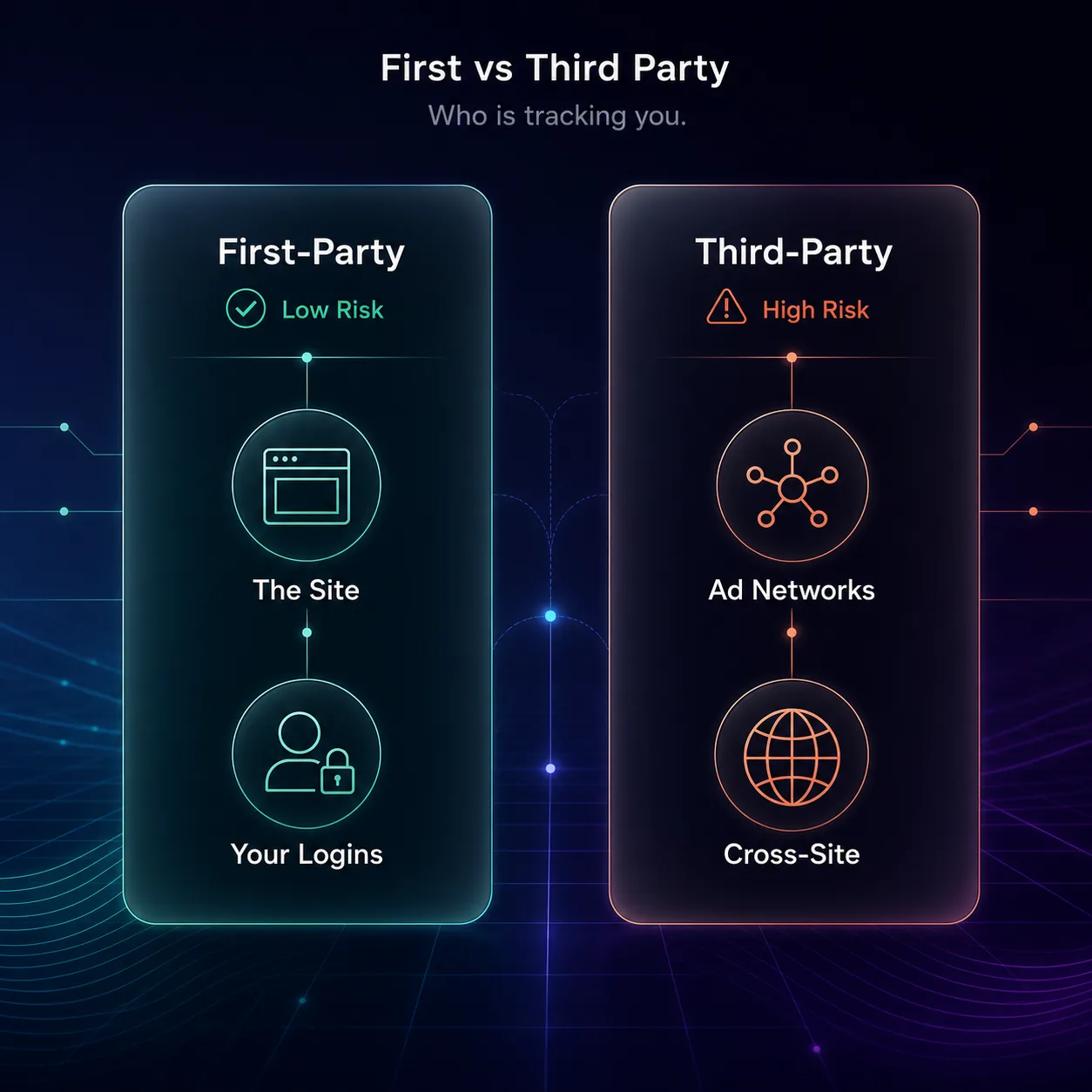
Cookies are small text files a site stores in your browser to remember you. First-party cookies (from the site you are on) handle useful things like keeping you logged in. Third-party cookies, set by other companies embedded on the page, follow you from site to site to build an ad profile — the classic tracking method. You can clear or block these, but they are only the beginning.
2Your IP Address
Every site you visit sees your IP address, which reveals your approximate location and internet provider. It acts as a rough identifier and a way to tie your visits together. Unlike cookies, you cannot delete your IP — you can only hide it behind a VPN or proxy.
3Browser Fingerprinting
This is the sneaky one. Your browser broadcasts dozens of details — screen size, fonts, timezone, operating system, graphics hardware — and the combination is often unique enough to identify you with no cookies at all. Because it needs nothing stored on your device, fingerprinting survives clearing your cookies and even incognito mode. Learn the mechanics in our guide on how browser fingerprinting works.
4Tracking Pixels and Web Beacons
A tracking pixel is a tiny, invisible image (often 1x1) embedded in a page or email. When it loads, it silently tells the tracker that you opened the email or visited the page, along with your IP and device details. It is how marketers know you opened their newsletter — no click required.
5Cross-Site Trackers and Scripts
Many sites embed third-party scripts — ad networks, analytics, social buttons — that quietly log your activity and share it across the web. A single "Like" button or embedded ad can report your visit back to a company you have never dealt with, stitching your behavior together across hundreds of sites.
6Supercookies and Local Storage
Beyond normal cookies, sites can stash identifiers in local storage, IndexedDB, and other browser nooks — sometimes called "supercookies". These persist even when you clear standard cookies, and some techniques can even respawn deleted cookies. They are deliberately hard to remove, which is the point.
First-Party vs Third-Party Tracking
Not all tracking is equal, and the distinction is the key to understanding your privacy. It comes down to who is doing the tracking.
| Aspect | First-party | Third-party |
|---|---|---|
| Set by | The site you are visiting | Other companies on the page |
| Main purpose | Logins, preferences, cart | Cross-site ad profiling |
| Privacy risk | Low | High |
| Being phased out? | No | Yes — browsers are blocking it |
First-party tracking is mostly benign and often useful. Third-party tracking is the privacy problem, which is why modern browsers and regulations are increasingly restricting it — though trackers are already shifting to fingerprinting to compensate.
What Do Websites Actually Learn About You?
Individually, each method reveals a little. Combined, they build a startlingly complete profile. Trackers can assemble your approximate location, device and browser, the sites you visit, what you search and buy, your interests, and rough demographics — then link it to an ID that follows you everywhere.
This data is aggregated and sold by data brokers, creating detailed dossiers used for advertising and beyond. The uncomfortable truth is that no single tracker knows everything, but the ecosystem collectively knows a lot. That is why privacy is worth protecting even if you feel you have "nothing to hide" — as we argue in why online privacy matters.
How to Stop Websites From Tracking You
Here is the honest part most guides skip: no single tool stops all tracking. Because the methods are different, real protection is layered. Stack these and you dramatically reduce how much of you is trackable.
1Use a privacy browser and tracker blocker
The biggest win. A browser with strong tracking protection, plus a content blocker, stops most third-party trackers, pixels, and scripts before they load. See our picks for the best browsers for blocking trackers and our Chrome vs Firefox privacy comparison.
2Practice cookie hygiene
Reject non-essential cookies on consent banners, block third-party cookies in your settings, and clear cookies regularly. It will not stop fingerprinting, but it removes the most common tracking layer. Our guide on whether to accept cookies covers the nuances.
3Hide your IP with a VPN
A VPN replaces your real IP with the server's, removing one of the identifiers trackers rely on and stopping your ISP from logging your browsing. It handles the network layer that browsers and blockers cannot. These are the ones we rate most highly — see the full list in our VPN directory.
NordVPN

NordVPN is our best overall pick, with fast speeds, an audited no-logs policy, and built-in Threat Protection that also blocks trackers and malicious domains — a useful bonus for an anti-tracking setup.
Surfshark

Surfshark is the best value, covering unlimited devices at a budget price, with its own CleanWeb tracker-and-ad blocker included. Ideal for protecting a whole household from IP-level tracking.
Proton VPN

Proton VPN is the privacy purist's choice, from the Proton Mail team, with an audited no-logs stance and a genuinely unlimited free tier. A strong pick if minimizing your digital trail is the priority. On a budget, see our best free VPNs.
4Reduce your fingerprint
Anti-fingerprinting is the hardest layer. Privacy browsers that randomize or standardize your fingerprint help, and avoiding unnecessary extensions reduces your uniqueness. It is not perfect, but it lowers how identifiable you are.
The Tracking You Cannot Simply Delete
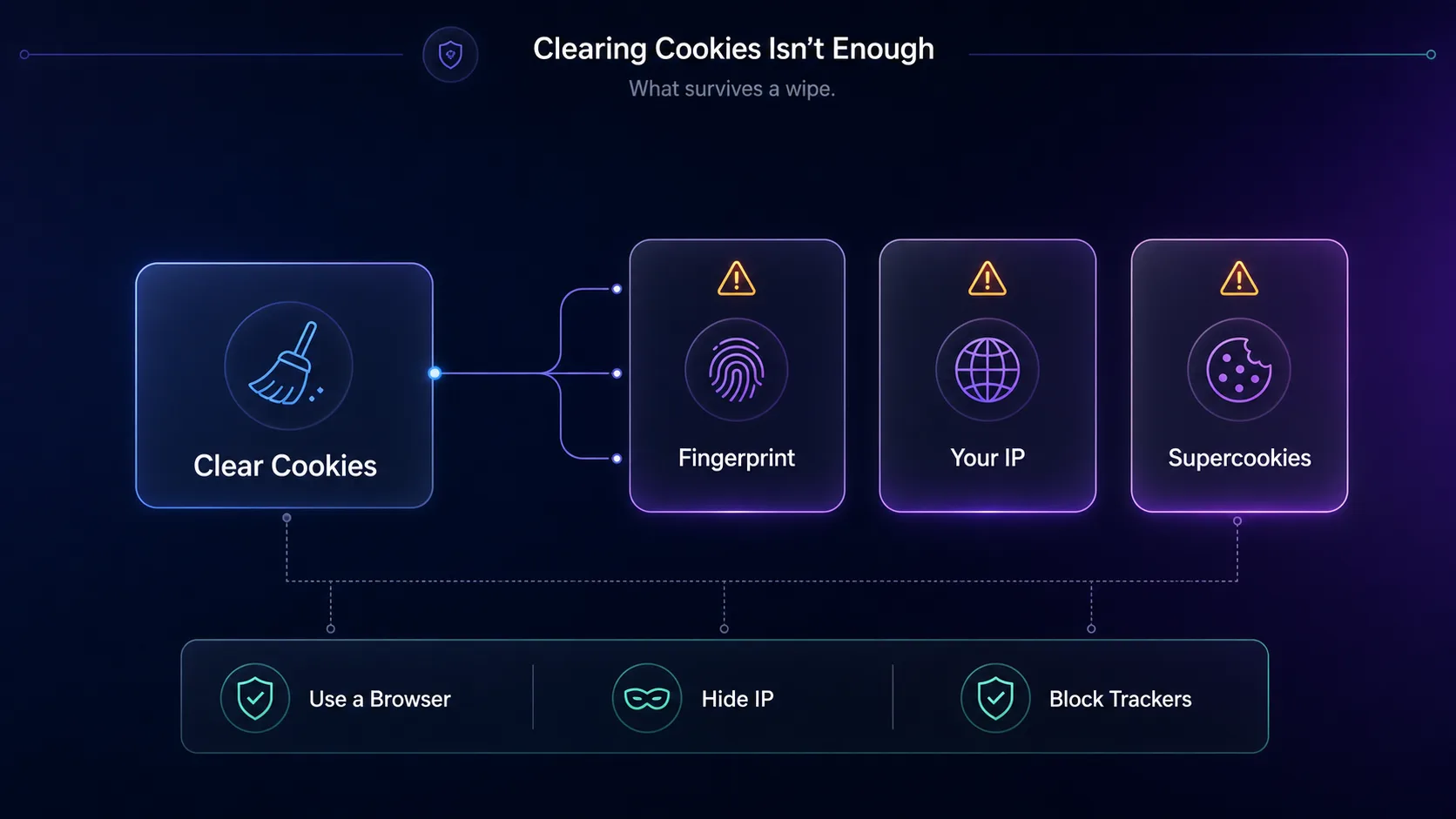
This is the part beginners most need to hear, and the part that makes cookie-clearing feel falsely reassuring. Two major methods do not care that you cleared your history.
Browser fingerprinting needs nothing stored on your device — it identifies you from your browser's own characteristics, so clearing cookies and using incognito does nothing to stop it. Supercookies and respawning techniques deliberately hide identifiers where normal cleanup misses them. This is exactly why privacy is layered rather than a single "delete" button: to counter fingerprinting you need a browser built to resist it, not just a tidy cookie jar. And incognito mode, despite the name, hides none of this — see VPN vs incognito mode.
Common Misconceptions
The myths that leave beginners less protected than they think.
1"Clearing cookies makes me untrackable"
It removes one layer, not all of them. Fingerprinting, your IP, and supercookies keep working after a cookie wipe. Cookie hygiene helps, but it is a start, not a finish.
2"Incognito mode stops tracking"
Private browsing only stops your browser saving local history. Websites still see your IP and can fingerprint you exactly as before. It is local privacy, not anonymity.
3"A VPN alone stops all tracking"
A VPN hides your IP and stops ISP-level logging, but it does not touch cookies or fingerprinting. It is one essential layer among several, not a complete solution on its own.
4"Only shady sites track you"
Nearly every commercial site tracks visitors, including major, reputable ones — it is how the ad-funded web works. Tracking is the norm, not the exception, which is why defense has to be proactive.
How to Check If You Are Being Tracked
You do not have to take any of this on faith — you can see it for yourself. The easiest way is a browser privacy tool that reveals how identifiable you are. The EFF's Cover Your Tracks tests your browser against real tracking techniques and shows whether your fingerprint is unique and whether trackers are being blocked.
You can also open your browser's developer tools and watch the network requests fire off to ad and analytics domains the moment a page loads — often dozens on a single news site. A good tracker-blocker extension will show a live count of what it stops on each page. Seeing the numbers is the fastest way to understand just how much tracking happens on an ordinary visit, and it makes the layered defenses above feel a lot less abstract.
Is Website Tracking Even Legal?
Mostly yes — but with rules, and they are tightening. In regions with strong privacy laws, tracking is legal only with your consent, which is why you see cookie-consent banners everywhere. Regulations like the EU's GDPR and California's CCPA require sites to disclose tracking, obtain consent for non-essential cookies, and let you opt out or request your data.
The honest caveat: consent banners are often designed to nudge you into clicking "accept all", and enforcement is uneven, so the legal framework protects you far less in practice than it looks on paper. That gap is exactly why technical defenses — blockers, a VPN, good browser choices — matter more than trusting sites to respect your preferences. Rely on the tools, not the fine print.
Frequently Asked Questions
The Bottom Line
Websites track you with far more than cookies — IP addresses, browser fingerprinting, tracking pixels, cross-site scripts, and supercookies all work together to profile you across the web. The single most important thing to understand as a beginner is that clearing cookies is not enough, because several of these methods do not use cookies at all.
The good news is that a layered defense works: a privacy browser with tracker blocking, sensible cookie hygiene, a VPN to hide your IP, and a fingerprint-resistant setup together remove most of your trackability. Start with the browser and blocker, add a VPN from our VPN directory, and read our practical walkthrough on how to stop apps and websites tracking you. To see how identifiable your own browser is, the EFF's Cover Your Tracks tool is a real eye-opener.