Amazon Web Scraping Guide 2026: Methods & Proxies
A complete Amazon web scraping guide: methods with Python code, why you need residential proxies, and how to bypass Amazon's CAPTCHAs, IP bans, and blocks.
Here is the reality that most Amazon scraping tutorials leave out: the tidy little Python script they show you will work for about ten requests, and then Amazon will hit you with a CAPTCHA and stop you cold. Amazon is one of the most aggressively defended sites on the internet, and scraping it reliably is a different game from scraping a small blog.
That is not a reason to give up — Amazon holds some of the most valuable public data anywhere, from pricing and reviews to rankings and stock levels, and businesses scrape it every single day for competitive intelligence and market research. It just means you need the right approach: realistic requests, residential proxies, and a plan for the blocks Amazon throws at you.
This guide covers all of it honestly — the methods (with code), why you need proxies, the common blocks and how to get past them, and when to just use a scraper API instead. If you are new to scraping, our web scraping with Python primer is a good warm-up.
The Quick Answer
Our take: you can scrape Amazon with Python and libraries like BeautifulSoup for small jobs, but for anything at scale you will need residential proxies to rotate IPs and realistic headers to avoid detection. Amazon fights bots hard with CAPTCHAs, IP bans, and rate limits, so the two reliable paths are (1) a custom scraper with quality proxies, or (2) a managed Amazon scraper API that handles the blocks for you. Which you choose depends on your scale and how much you want to maintain.
Is It Legal to Scrape Amazon?
Scraping publicly available data is generally legal, and courts have broadly supported the right to collect public web data. Amazon product listings, prices, and reviews are public, so scraping them for research or price monitoring is common practice.
That said, be responsible. Amazon's Terms of Service prohibit automated access, and its robots.txt disallows scraping many paths — so scraping can violate Amazon's terms even where it is not illegal. Never scrape personal data, respect rate limits so you do not harm the service, and consider official routes like the Amazon Product Advertising API for commercial use. Scrape public data thoughtfully, and stay clear of anything behind a login.
What Can You Scrape From Amazon?
Amazon is a goldmine of structured public data, which is exactly why it is worth the effort. The most commonly scraped fields include product titles and descriptions, current and historical prices, star ratings and review counts, full review text, seller information, Best Seller rankings, and stock availability.
Businesses use this for competitor price monitoring, market research, review analysis, and tracking their own listings. Each product has a unique ASIN (Amazon Standard Identification Number) that makes it easy to target specific items and build a repeatable scraping pipeline around a known list of products. For price-tracking use cases specifically, see our best proxies for price monitoring guide.
Methods to Scrape Amazon
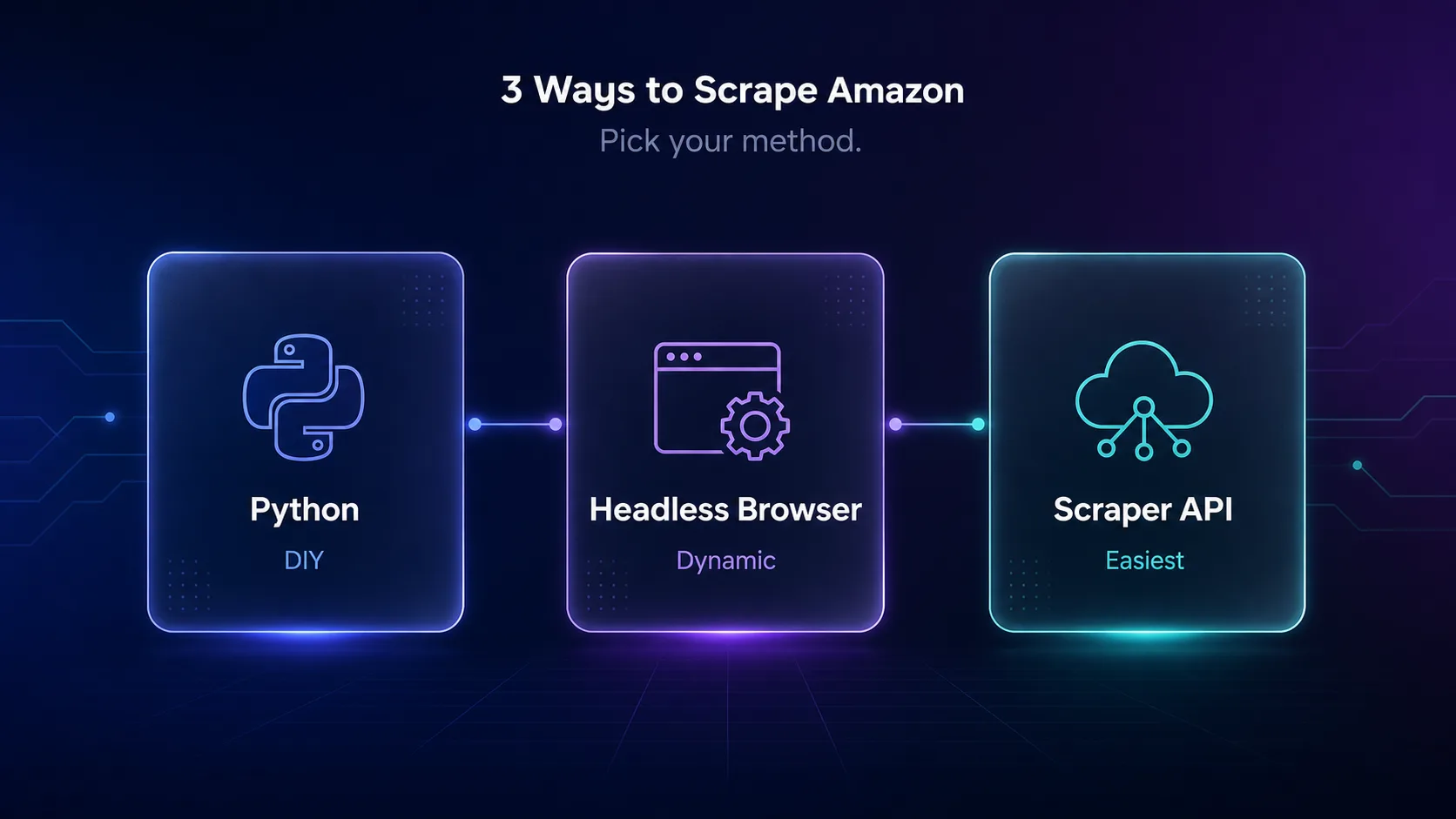
There are three main approaches, and the right one depends on your scale and technical comfort. Here is how they compare.
| Method | Difficulty | Handles JavaScript | Best for |
|---|---|---|---|
| Python + BeautifulSoup | Easy | No | Small jobs, learning |
| Headless browser (Playwright) | Medium | Yes | Dynamic, JS-heavy pages |
| Scraper API | Easiest | Yes | Scale, avoiding blocks |
Most of a static Amazon product page can be parsed with simple HTML requests, but some data loads via JavaScript and needs a headless browser like Playwright. A scraper API skips all of it by handling proxies, browsers, and blocks for you. As a rule, start with the simplest method that returns the data you need, and only add complexity — a headless browser, then an API — when Amazon's defenses force your hand.
Amazon Web Scraping With Python
Let us look at the DIY method. This basic example uses Python's requests and BeautifulSoup to pull a product's title and price, routed through a proxy with realistic headers — the minimum you need to avoid an instant block.
import requests
from bs4 import BeautifulSoup

# Route through a rotating residential proxy
proxy = "http://USER:PASS@gate.provider.com:7000"
proxies = {"http": proxy, "https": proxy}

# Realistic headers so the request looks like a real browser
headers = {
    "User-Agent": "Mozilla/5.0 (Windows NT 10.0; Win64; x64) AppleWebKit/537.36",
    "Accept-Language": "en-US,en;q=0.9",
}

url = "https://www.amazon.com/dp/PRODUCT_ASIN"
resp = requests.get(url, headers=headers, proxies=proxies, timeout=20)

soup = BeautifulSoup(resp.text, "html.parser")
title = soup.select_one("#productTitle")
price = soup.select_one(".a-price .a-offscreen")

print(title.get_text(strip=True) if title else "Title not found")
print(price.get_text(strip=True) if price else "Price not found")
This works for a handful of requests, but scale it up and Amazon will block the IP fast. The fix is proper proxy rotation and pacing, which is where most of the real engineering effort actually goes. Notice the proxy is doing the heavy lifting — without it, even this small script fails quickly.
Why You Need Proxies for Amazon
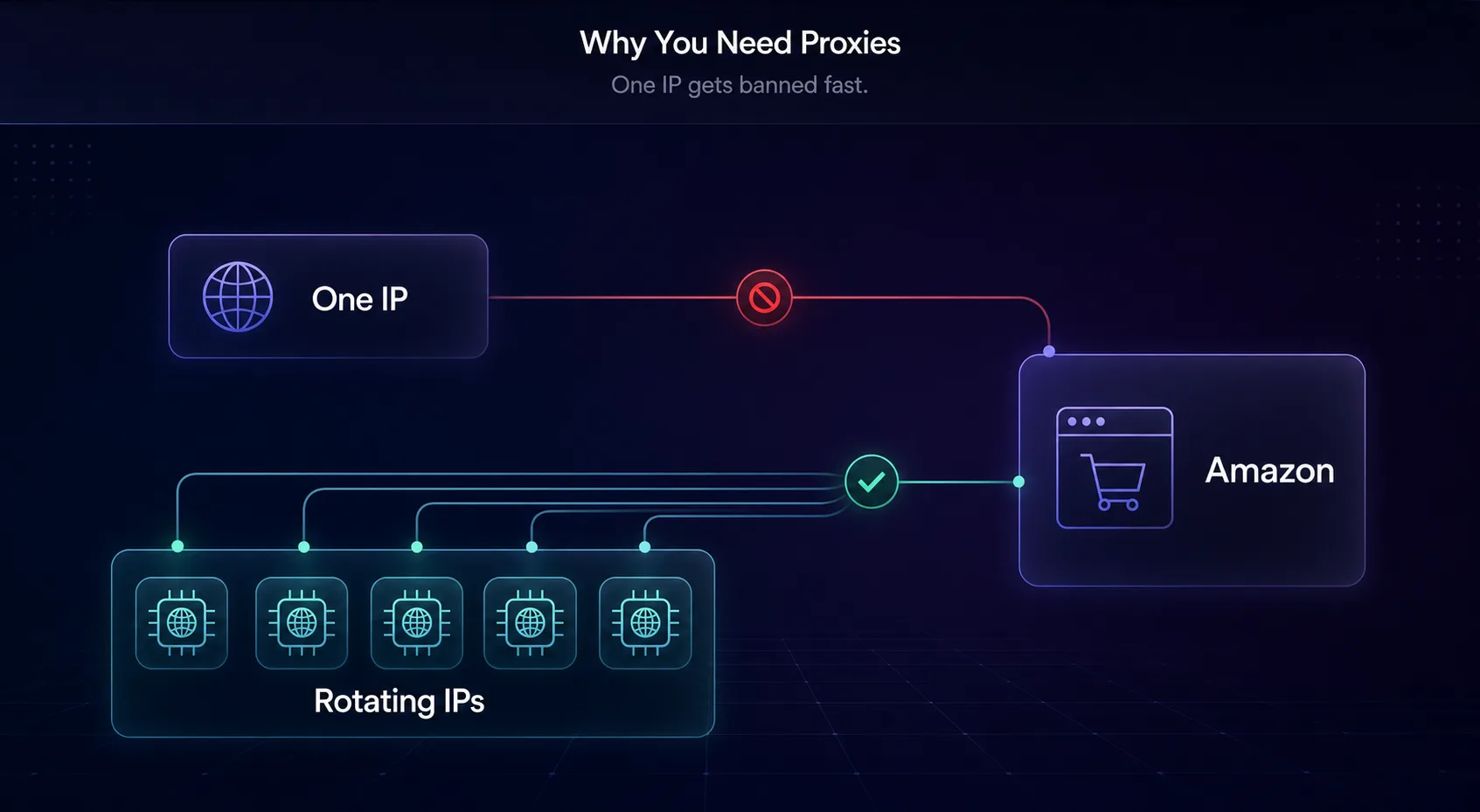
Proxies are not optional for Amazon scraping at any real scale — they are the core requirement. Amazon tracks the IP address of every request, and once it sees too many hits from one address, it blocks it. Rotating through many IPs is the only way to keep collecting data.
There is a second reason: geo-targeting. Amazon shows different prices, availability, and even different sites by country, so to scrape a specific region you need proxies located there. You will also want a large enough pool that requests are spread thin across many addresses, since even residential IPs get flagged if you push too much traffic through any single one. And crucially, the type of proxy matters enormously — datacenter proxies get flagged fast on Amazon, so residential proxies that look like real shoppers are strongly preferred. Learn the difference in our guides on datacenter proxies and why scraping needs proxies.
Best Proxies for Amazon Scraping
For Amazon, residential proxies are the reliable choice — they use real ISP IPs that blend in with genuine shoppers. These are the providers we rate most highly; see more in our best residential proxies guide.
1Decodo

Decodo is our all-round pick for Amazon, with a large residential pool, easy rotation, and strong geo-targeting so you can scrape specific Amazon marketplaces. Its balance of price and reliability suits everyone from solo sellers to data teams, and sticky sessions let you hold a consistent IP through a multi-page product crawl when you need continuity.
2Oxylabs

Oxylabs is the enterprise choice, with a massive residential network and even a dedicated Amazon scraper API if you would rather skip the infrastructure. For large-scale, mission-critical Amazon data, its success rates are hard to beat, and having both raw proxies and a ready-made Amazon API under one roof means you can start simple and scale without switching vendors.
3IPRoyal

IPRoyal is the value champion, offering residential proxies with non-expiring traffic at approachable prices — ideal for smaller or intermittent Amazon scraping projects that do not need enterprise volume. The pay-for-what-you-keep model means occasional scrapes do not waste a monthly allowance you never fully use.
Common Amazon Blocks and How to Bypass Them
Amazon has a deep toolkit for stopping scrapers. Knowing each block and its fix is the difference between a scraper that runs for months and one that dies on day one.
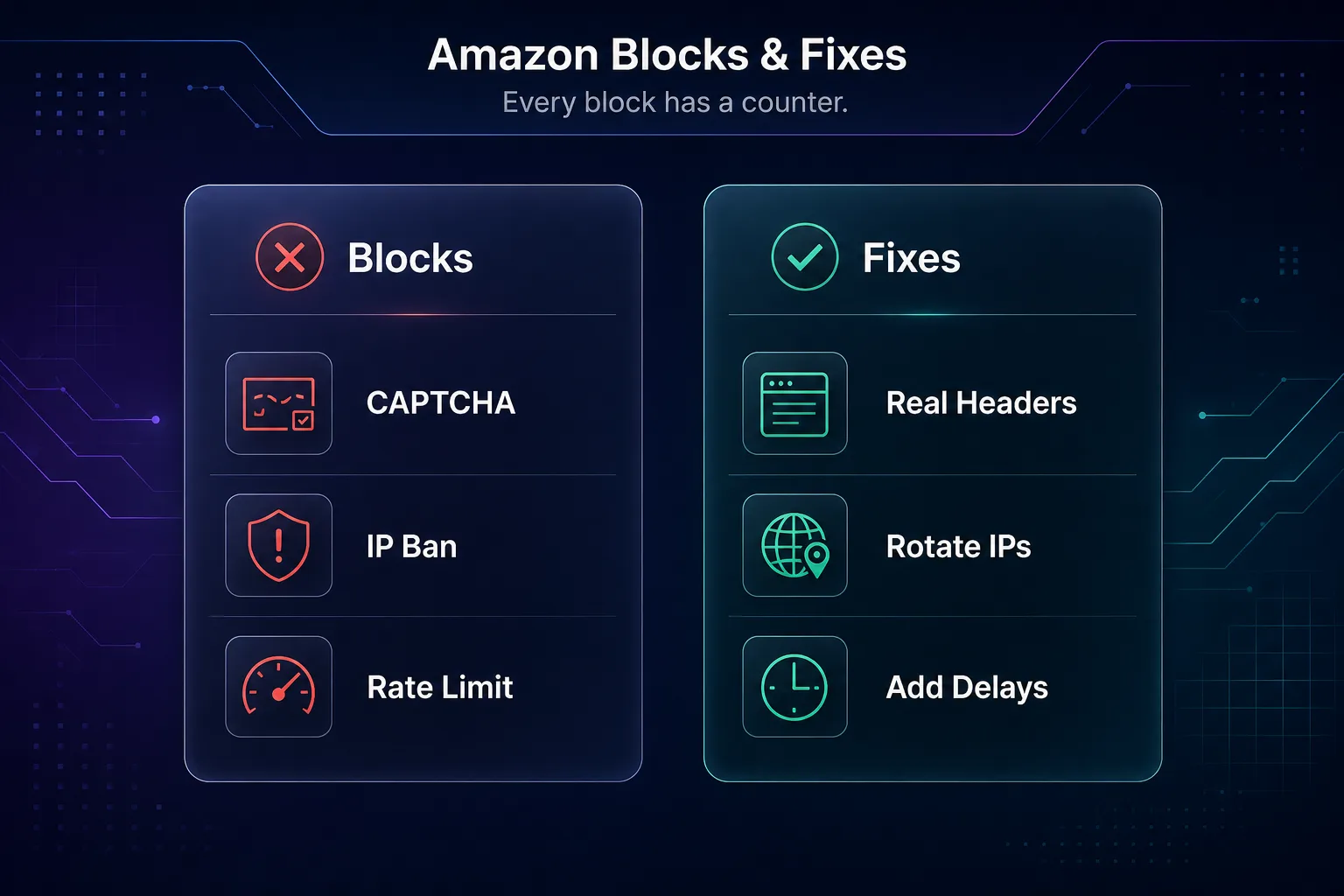
| Block | What triggers it | How to fix it |
|---|---|---|
| Robot Check / CAPTCHA | Suspicious traffic pattern | Residential proxies + realistic headers |
| IP ban | Too many requests from one IP | Rotate IPs frequently |
| Rate limiting | Requests sent too fast | Add randomized delays |
| Empty or wrong data | Layout changes or geo mismatch | Update selectors, set the right region |
1The "Robot Check" CAPTCHA
Amazon's most common defense is the "Enter the characters you see" page. It triggers when your traffic looks automated. The fix is to look human: use residential proxies, realistic browser headers, and human-like pacing so you never get flagged in the first place.
2IP bans and rate limiting
Send too many requests from one IP or too quickly, and Amazon blocks the address. Rotate through a pool of residential IPs and add randomized delays between requests to stay under the radar. This is the single most important habit for long-running scrapers.
3Changing page layouts
Amazon frequently tweaks its HTML, which quietly breaks scrapers that rely on fixed selectors. Build in error handling, monitor for empty results, and be ready to update your selectors — or let a scraper API absorb these changes for you.
Scraper APIs: The Easy Alternative
If maintaining proxies, browsers, and anti-block logic sounds like a lot, that is because it is. A scraper API is the pragmatic shortcut: you send a product URL or ASIN, and the service handles proxies, CAPTCHAs, JavaScript rendering, and retries, returning clean structured data.
For many teams, this is the smarter choice — you trade a per-request cost for zero maintenance and near-100% success rates, even as Amazon changes its defenses. We compare the leading options in our best Amazon scraper APIs guide. Build your own if you need full control and want to minimize cost; use an API if you value reliability and your time.
Best Practices for Amazon Scraping
- Always use residential proxies and rotate them — datacenter IPs get flagged fast on Amazon.
- Send realistic headers, including a proper User-Agent and Accept-Language.
- Add randomized delays between requests to mimic human behavior.
- Target by ASIN for precise, efficient product scraping.
- Handle errors gracefully — expect layout changes and CAPTCHAs, and retry sensibly.
- Cache what you collect — never re-scrape the same page twice; store results to cut cost and load.
How to Scale Your Amazon Scraper
A script that scrapes one product is easy; scraping thousands reliably is where the real work lives. Scaling an Amazon scraper is less about clever parsing and more about disciplined infrastructure.
The essentials are a large pool of rotating residential proxies so no single IP is overused, concurrency control to run many requests in parallel without overwhelming the target, and a queue system so failed requests are retried rather than lost. Add monitoring that alerts you when success rates drop — usually the first sign Amazon has changed its layout or started blocking your IPs. Cache results so you never re-scrape the same page unnecessarily, and stagger your requests across time to look organic. At a certain volume, the maintenance burden is exactly why many teams switch to a scraper API instead of scaling their own stack.
Common Mistakes to Avoid
The errors that get Amazon scrapers blocked or produce garbage data.
1Using datacenter proxies
Cheap datacenter IPs are the fastest route to a ban on Amazon, which flags their ranges aggressively. Use residential proxies that look like real shoppers — it is the single biggest factor in staying unblocked.
2Scraping too fast
Firing requests as fast as your code allows is an obvious bot signal. Add randomized delays and keep your request rate reasonable; patience beats a fast scraper that dies in minutes.
3Sending no or fake headers
Requests without a realistic User-Agent and browser headers are trivially detected. Always send headers that mimic a real browser, and vary them so you do not look like a single automated client.
4Not handling layout changes
Amazon updates its HTML often, silently breaking scrapers that assume fixed selectors. Build in error handling, monitor for empty results, and treat selector maintenance as an ongoing task rather than a one-time setup.
Frequently Asked Questions
The Bottom Line
Amazon web scraping is absolutely doable, but it is not the beginner-friendly exercise many tutorials pretend it is. Amazon actively fights bots with CAPTCHAs, IP bans, and constant layout changes, so the tidy script that works for ten requests will not survive at scale. Success comes down to looking like a real shopper.
That means the two reliable paths are a custom scraper with rotating residential proxies and realistic behavior, or a managed scraper API that handles the blocks for you. Choose the DIY route for control and lower cost; choose an API for reliability and less maintenance. Ready to build? Grab quality IPs from our proxy directory, compare the best residential proxies, or skip the hassle with the best Amazon scraper APIs.