Best Instagram Proxies for Safe Account Management in 2026
The best Instagram proxies for safe account management in 2026, compared for mobile and residential IP trust, sticky sessions, and anti-ban reliability.
Instagram is one of the hardest platforms to run multiple accounts on, and the proxy underneath is what decides whether you succeed or get banned in a week. Log two accounts in from the same IP and Instagram links them. Use a flagged datacenter address and you're blocked before you post. The right proxy is the foundation of safe account management.
But "the right proxy" for Instagram is specific. It's mobile-first and aggressive about detection, so you need high-trust IPs that look like real users, stay consistent per account, and cover the right locations. This guide ranks the best Instagram proxies in 2026 for safe account management, with the honest trade-offs and how to choose.
If you want the prevention playbook alongside the tools, pair this with our guide on avoiding Instagram bans with proxies.
Why Instagram Needs Special Proxies
Instagram links accounts through IP, device fingerprint, and behaviour. The IP is the strongest and easiest signal to fix, which is why a dedicated, high-trust proxy per account is non-negotiable for anyone running more than one profile.
Because Instagram is a mobile app, traffic from real 4G and 5G carrier IPs blends in best, while datacenter ranges stand out instantly. That's the core reason generic cheap proxies fail here. For the full detection picture, see how platforms detect multiple accounts.
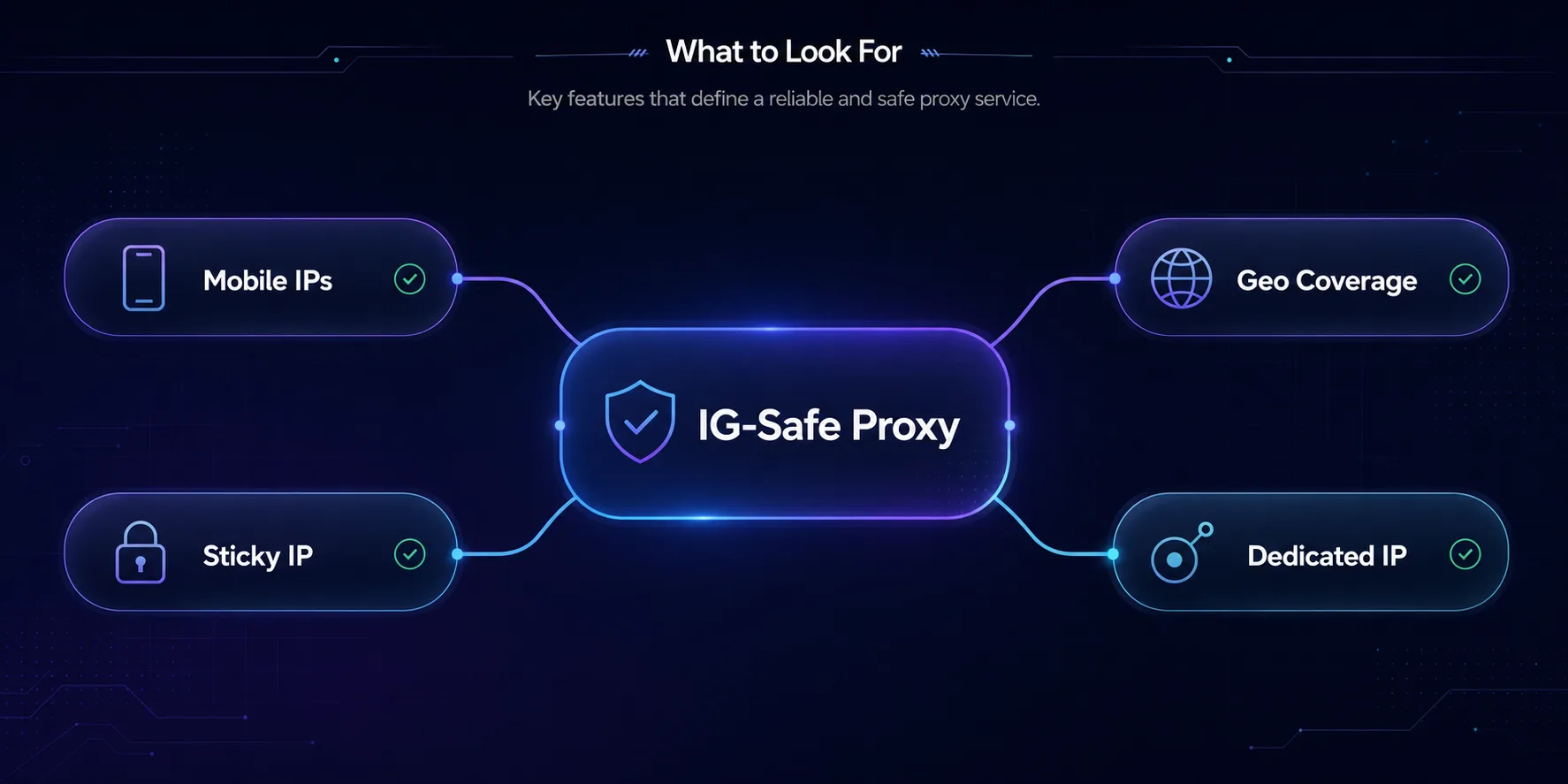
What to Look for in an Instagram Proxy
1Mobile or Residential IPs
High-trust IPs that look like real users. Mobile is the gold standard for Instagram; residential is the solid, cheaper backup.
2Sticky Sessions
Each account needs a stable IP that holds for the session, not one that rotates mid-task and trips Instagram's alarms.
3Good Geo-Coverage
Match each account's IP to its target country so location and content stay consistent.
4Dedicated IPs
For account safety, a private IP per account beats a shared pool, since you're not sharing an address with someone else's flagged activity.
The Best Instagram Proxies in 2026
How we picked: we weighed IP trust and mobile/residential sourcing, sticky-session support, geo-coverage, dedicated-IP options, and anti-ban reputation on social platforms. Some links are affiliate links and we may earn a commission, which never changes our rankings.
1PyProxy

Best for high-volume automation. PyProxy backs a 90M+ residential pool with mobile IPs and full SOCKS5 support, which is the profile Instagram automation needs. Its unlimited-bandwidth daily plan is a real advantage when your workflow runs heavy actions around the clock without metering every gigabyte. The pool is large and sticky sessions keep each account on a stable address, so it scales from a handful of profiles to serious multi-account setups.
2Decodo

Best all-rounder. Decodo (formerly Smartproxy) pairs clean residential and mobile IPs with an easy dashboard and sticky sessions, making it the natural pick for managing several Instagram accounts without a steep learning curve. Great geo-coverage and beginner-friendly pricing make it the safest starting point for most people. Power users running very aggressive automation may eventually want dedicated mobile IPs.
3SOAX

Best for IP quality and targeting. SOAX offers a large, clean pool of residential and mobile IPs with granular country, city, and ISP targeting, invaluable when your accounts need to look convincingly local. Its filtered, whitelisted IPs keep quality high, which matters when a flaky IP means a flagged account. Pricing sits in the mid-to-premium band, so it's a precision tool for serious operators.
4NodeMaven

Best for stable multi-account sessions. NodeMaven's long sticky sessions and filter-first approach screen out low-quality IPs before they reach you, which is exactly what multi-account Instagram work needs. Both residential and mobile are available, so you can match IP trust to each account's risk. It's newer and smaller than the giants, but that account-focus is a real strength.
5IPRoyal

Best budget option. IPRoyal's non-expiring residential traffic and cheap mobile plans make it ideal if you run automation occasionally rather than around the clock. Coverage spans 195 countries with sticky sessions, so you can keep each account consistent without overspending. The pool is smaller than the giants, so very high-concurrency work may see more retries.
6Oxylabs

Best for speed and stability. Oxylabs runs a 102M+ residential network alongside dedicated ISP proxies, which pair the trust of a residential IP with the low latency and consistent throughput of a static line, valuable when a session involves uploads or watch-time. Enterprise-grade infrastructure and SLAs make it built for reliability at scale. The honest caveat is a premium price aimed more at businesses than individuals.
7Webshare

Best for testing. Webshare offers a genuinely usable free tier and some of the cheapest paid plans around, making it the ideal place to test your setup before scaling. The trade-off is scale and trust: a smaller pool across fewer countries makes it a poor fit for heavy account automation. Start here to prototype, then graduate to mobile or residential once you run real accounts.
Mobile vs Residential vs Datacenter for Instagram
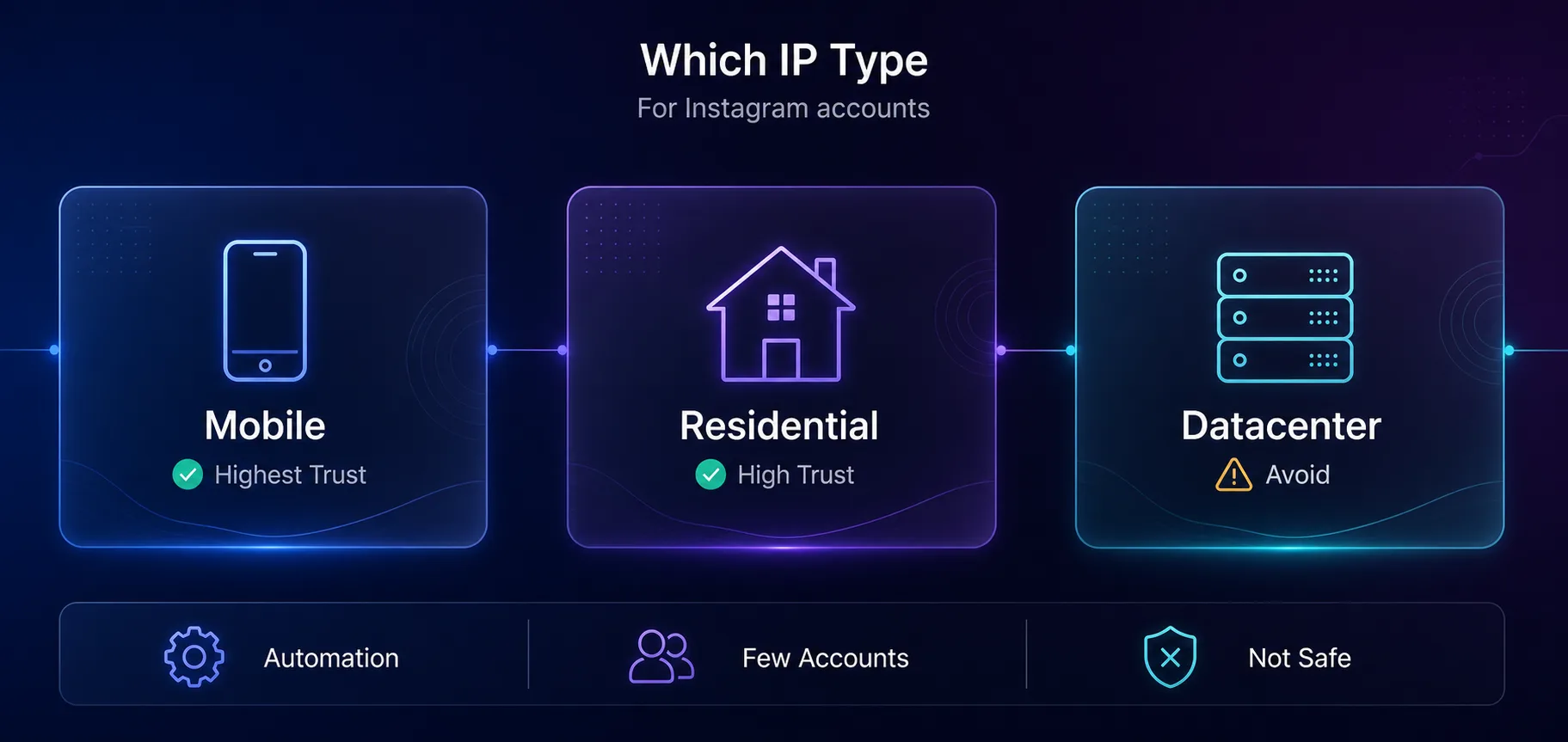
Choosing the proxy type matters as much as choosing the provider. Here's how they compare for Instagram specifically:
| Proxy Type | Instagram Trust | Speed | Cost | Best For |
|---|---|---|---|---|
| Mobile (4G/5G) | Highest | Medium | $$$ | Heavy automation, many accounts |
| Residential | High | Medium | $$ | A few accounts, lighter use |
| Datacenter | Low | Fastest | $ | Avoid for account work |
Our take: reach for mobile proxies when your workflow is aggressive, and residential proxies for one or two accounts. Skip datacenter IPs for anything you log into.
Instagram Proxy Pricing Compared
Mobile proxies cost more for their trust; residential is billed per gigabyte. Match the model to your volume. Approximate positioning (always verify current pricing):
| Provider | Best IP Type | Sticky Sessions | Best Fit |
|---|---|---|---|
| PyProxy | Residential + Mobile | Yes | High-volume automation |
| Decodo | Residential + Mobile | Yes | All-round value |
| SOAX | Residential + Mobile | Yes | Quality and targeting |
| NodeMaven | Residential + Mobile | Long sticky | Multi-account |
| IPRoyal | Residential + Mobile | Yes | Budget |
| Oxylabs | Residential + ISP | Yes | Speed, stability |
| Webshare | Datacenter + Residential | Yes | Testing |
Check before you buy: the cheapest per-GB rate is a trap if the IPs are already flagged. Weigh IP quality and dedicated-IP options, not price alone. Browse live specs in our proxy directory.
How to Choose an Instagram Proxy
1How Many Accounts Are You Running?
One or two accounts are fine on quality residential IPs. Dozens of accounts or aggressive automation call for dedicated mobile proxies, where each account sits on a carrier IP that's very hard to ban.
2How Aggressive Is Your Activity?
Light posting and engagement suit residential. Heavy automation, mass actions, or growth tools push you toward mobile, which absorbs aggressive behaviour far better.
3Which Regions Do You Need?
Match the proxy location to each account's audience. If you manage accounts across countries, prioritize geo-coverage and city-level targeting from SOAX or Decodo.
4What's Your Budget?
Students and small operators win with IPRoyal or Webshare. Serious multi-account operations justify mobile from PyProxy or NodeMaven.
Common Mistakes to Avoid
1Sharing One IP Across Accounts
The fastest way to link and lose accounts. Each account needs its own dedicated IP, full stop.
2Using Datacenter Proxies
Instagram flags datacenter ranges quickly. Reserve them for non-account tasks and use mobile or residential for anything you log into.
3Ignoring Your Fingerprint
A clean IP with a botty browser or device fingerprint still gets caught. Pair proxies with separate profiles, as our guide on antidetect browsers explains.
4Chasing the Cheapest Price
Bargain pools are often recycled and pre-flagged, so you burn money on banned accounts. Judge by success and account survival, not the sticker rate.
Frequently Asked Questions
The Bottom Line
For safe Instagram account management, trust beats everything. PyProxy is our top pick for high-volume mobile-first automation; Decodo is the best all-round choice; SOAX nails quality and targeting; NodeMaven keeps sessions stable; IPRoyal wins on budget; Oxylabs on speed; and Webshare is the place to test.
Whichever you choose, stick to the fundamentals: one dedicated IP per account, mobile or residential over datacenter, and separate profiles with human-like pacing. Get those right and your accounts stay off Instagram's radar.
Ready to pick? Compare live specs in our proxy directory, read the prevention playbook in avoiding Instagram bans, or learn the workflow in running multiple Instagram accounts.
Keep Reading
More articles you might enjoy