What Is a No-Logs VPN? How Audits Prove It (2026)
Every VPN says it keeps no logs. Here’s what a no-logs VPN really stores, how independent audits and court cases prove it, and the red flags to watch.
Every VPN says it keeps no logs. Not all of them mean it.
That’s a problem, because a VPN sees everything your internet provider used to see. If it quietly records your real IP and connection times, your privacy depends on a promise you can’t check.
Some “no logs” providers have already handed records to investigators. Others had their servers seized and gave up nothing. The difference wasn’t the marketing.
This guide explains what a no logs VPN really is, how independent audits test the claim, which court cases count as proof, and the red flags that should make you walk away.
- No logs should mean no record that ties your real IP to your activity.
- Connection logs can identify you even without browsing history.
- An audit is a dated snapshot, and the assurance level matters.
- Server seizures and court orders that find nothing are the strongest proof.
- Several no-logs VPNs have been caught logging, so check the evidence.
What Does “No Logs” Actually Mean?
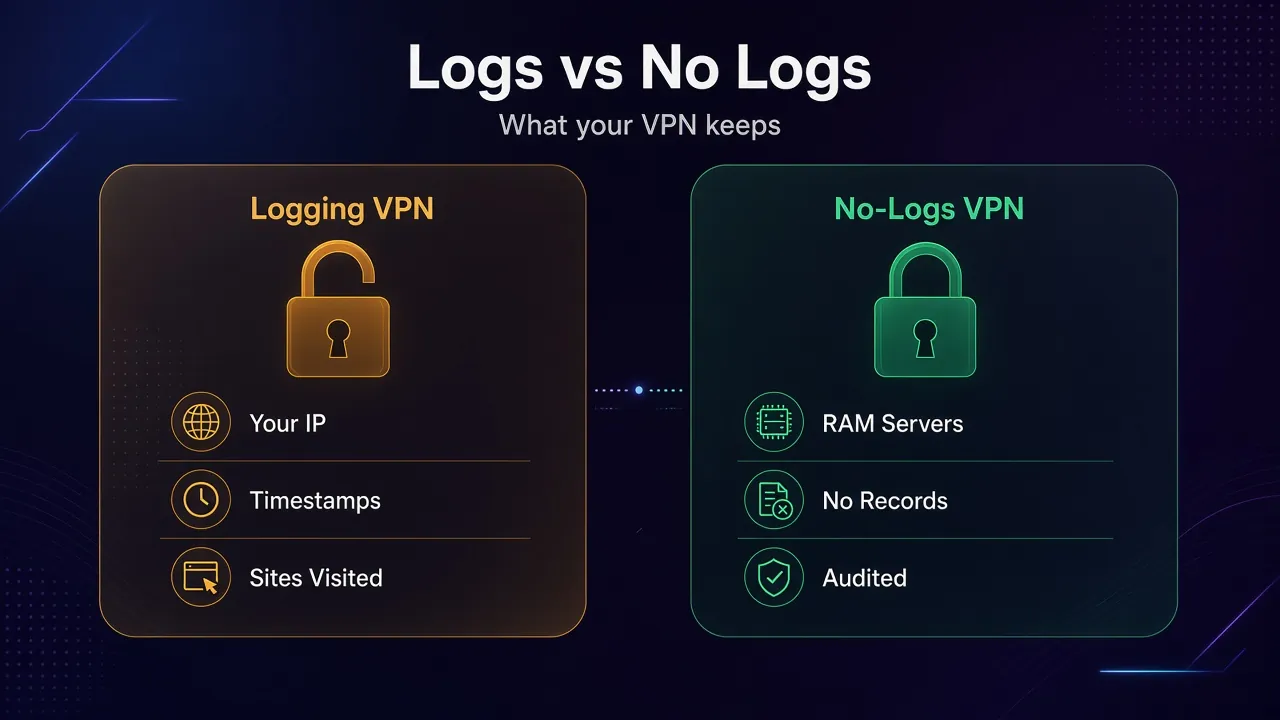
A no-logs VPN doesn’t store records that could link you to what you did online. That means no browsing history, no DNS queries, and no record of your real IP next to the server and time you used.
VPN logs come in a few flavors, and the type matters more than the label.
| Log type | What it records | Why it matters | No-logs VPN should |
|---|---|---|---|
| Activity logs | Sites visited, DNS lookups, traffic contents | Shows exactly what you did | Never keep them |
| Connection logs | Your real IP, connect and disconnect times, server used | Can tie a VPN IP back to you | Never keep them |
| Aggregate stats | Total load per server or country, app versions | Not tied to one person | Keep only anonymous totals |
| Account data | Email, payment record, subscription status | Proves you’re a customer, not what you did | Keep the minimum to bill you |
Connection logs are the sneaky ones. They don’t show a single website, yet they’re often enough. If an investigator knows a VPN IP did something at 21:14, a log of who held that IP at 21:14 finishes the job.
Why a No-Logs VPN Still Knows a Few Things About You
Zero data is impossible for a paid service. The VPN needs your email to send receipts and some way to know your subscription is active.
Most providers also collect anonymous operating stats. Securitum’s 2025 audit of Proton VPN, for example, found Proton collects device type by operating system, the total number of connections per country, and which protocol people use. None of it was tied to a user.
Our take: that’s fine. What isn’t fine is a privacy policy that says “no logs” on the homepage and then lists IP addresses and timestamps further down. Read the “what we collect” section, not the banner.
How a No-Logs Audit Works
A no-logs audit is an outside firm checking whether the provider’s servers and processes match its privacy promise. The provider hires the auditor, agrees the scope, and gives them access. The auditor then issues a report saying what it found.
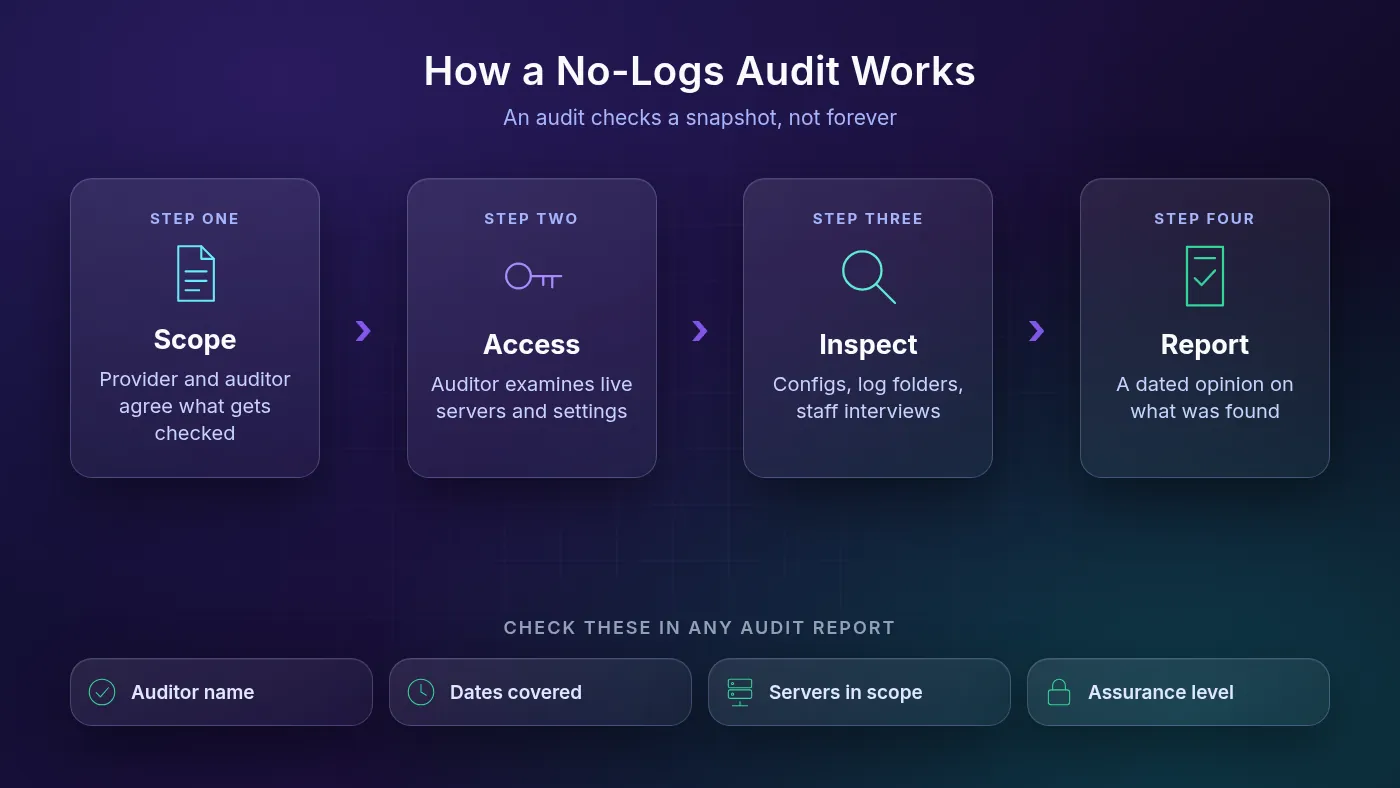
In practice, auditors interview engineers, inspect live server configurations, look inside log folders, and review how changes get deployed. Proton’s list of audit questions even covers whether an alert fires if someone flips a logging setting from false to true.
Sounds airtight, right? Not quite. Three details decide how much an audit is worth.
1Reasonable vs Limited Assurance
Most VPN audits follow ISAE 3000, an international standard for non-financial assurance work. Under it, the auditor gives either reasonable assurance (the stronger, positive conclusion) or limited assurance (a lighter review that only says nothing wrong turned up).
NordVPN describes its 2025 Deloitte engagement as reasonable assurance. KPMG gave ExpressVPN reasonable assurance in 2025. Deloitte’s 2024 report for Private Internet Access, by contrast, is labeled limited assurance. Both count. One simply digs deeper.
2Snapshot, Not a Guarantee
An audit checks a window of time. Deloitte reviewed NordVPN between November 10 and December 12, 2025. KPMG assessed ExpressVPN’s setup “as of” February 28, 2025, under a Type 1 engagement, which looks at how controls are designed at a point in time.
Nothing in those reports covers what happens next month. That’s why yearly audits beat a single old one.
3Who Drove the Keyboard
Some audits are operator-assisted. Securitum’s 2025 Proton report describes two consultants spending three days on site in Zürich while Proton’s engineers walked them through live servers. That’s normal, but it means auditors saw what was shown to them.
Check before you trust: read the scope section. Which server types were included? Were all regions covered? Was it the infrastructure, or only the privacy policy wording?
Which VPNs Have Published No-Logs Audits?
Here are the big names with recent no-logs audits, taken from each provider’s own announcement. We checked every page in October 2026.
| VPN | Auditor | Latest no-logs audit | Who can read the report |
|---|---|---|---|
| NordVPN | Deloitte Lithuania | Sixth assessment, Nov to Dec 2025 (reasonable assurance) | Logged-in NordVPN users |
| Proton VPN | Securitum | Fifth consecutive yearly audit, 2026 report | Anyone (public PDF) |
| ExpressVPN | KPMG | TrustedServer and privacy policy, as of Feb 28, 2025 | Anyone who accepts KPMG’s terms |
| Surfshark | Deloitte | Announced June 2025 (standard, static, multiport servers) | Logged-in Surfshark users |
| Private Internet Access | Deloitte Audit Romania | Third review, announced 2025 (2024 report: limited assurance) | Anyone (downloadable) |
Notice the last column. Proton publishes the full report for anyone. NordVPN and Surfshark keep theirs behind an account login. That isn’t a red flag on its own, but a public report lets journalists and researchers pick it apart.
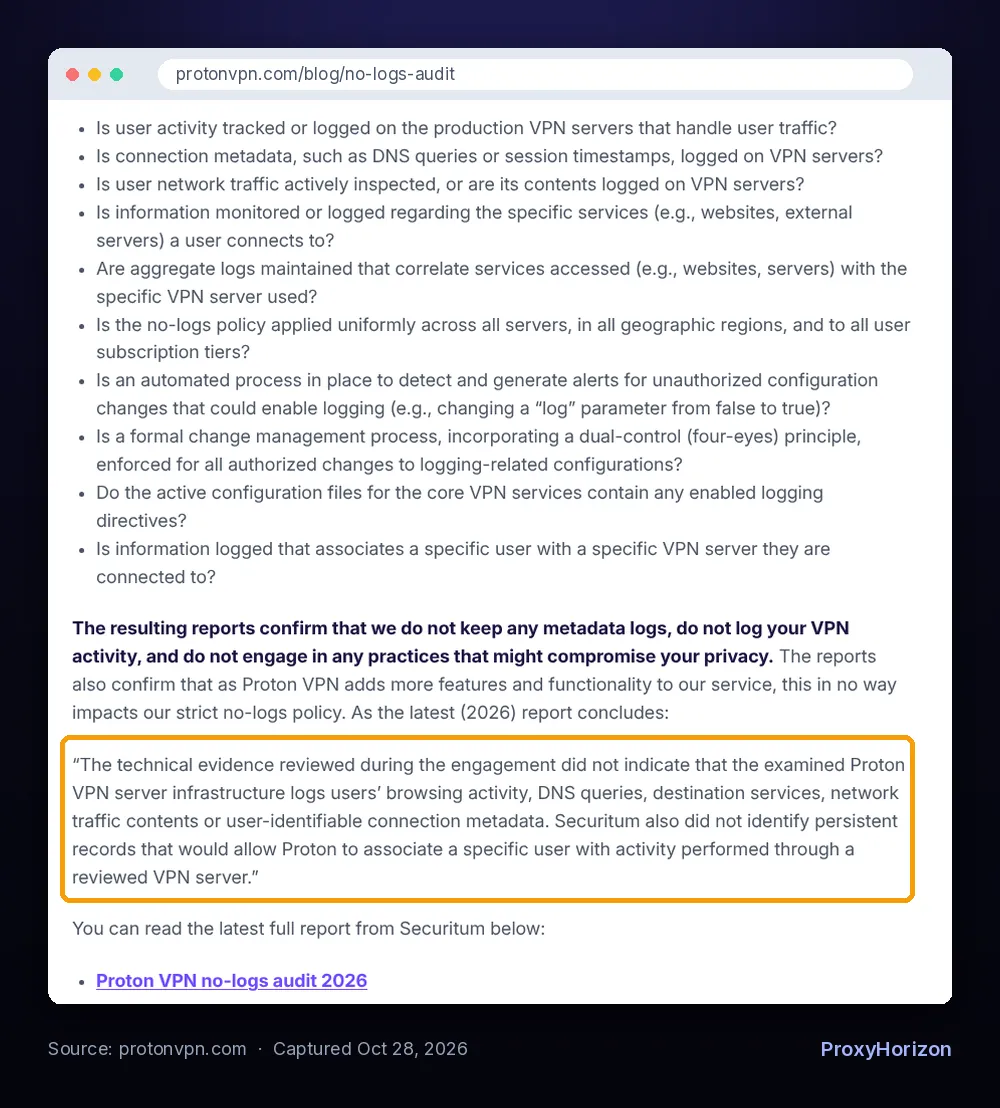
You can read the full list and every past report on Proton’s no-logs audit page. NordVPN’s summary of its sixth engagement is on the NordVPN blog.
Court Cases and Raids: The Proof Audits Can’t Fake
The strongest evidence of a no-logs policy is a moment when someone with legal power asked for logs and got nothing. An audit is a planned visit. A raid isn’t.
- ExpressVPN, Turkey (2017): investigators of the Russian ambassador’s assassination seized an ExpressVPN server in January 2017. ExpressVPN said it held no connection or activity logs, and that the seizure and inspection of the server confirmed it.
- Private Internet Access, US courts: PIA says it was subpoenaed for user activity logs in 2016 and 2017 and had none to hand over. TorrentFreak covered the court records in 2018.
- Mullvad, Sweden (2023): on April 18, 2023, at least six Swedish police officers arrived at Mullvad’s office with a search warrant. According to Mullvad’s own account, they left without taking anything, because the customer data they wanted didn’t exist.
- Proton VPN, legal orders: Proton says its policy has been tested in over 400 legal cases, where it was ordered to hand over logs and couldn’t.
RAM-only servers help here too. ExpressVPN’s TrustedServer runs entirely in memory and reinstalls its software at every startup, so a reboot wipes the machine. PIA says all its servers are RAM-only. A seized box with nothing on disk has little to give.
Our guide on whether governments can track VPN users covers what authorities can still see without any VPN logs at all.
When “No Logs” Turned Out to Be False
The cautionary tales are just as useful. Each one failed in a different way.
PureVPN (2017). An FBI affidavit in a cyberstalking case said PureVPN identified the same customer connecting from his home IP and his workplace IP. PureVPN’s privacy policy at the time admitted it recorded connection times and bandwidth, despite “no logs” marketing. TorrentFreak reported that PureVPN later had its no-logs policy audited by Altius-IT.
IPVanish (2016). Court papers showed its then-owner, Highwinds, gave Homeland Security a suspect’s name, email, real Comcast IP and connection times. StackPath, which bought IPVanish in 2017, said that was under previous management.
UFO VPN (2020). Comparitech researchers found an unsecured database holding 894 GB of UFO VPN logs, including plain-text passwords, IP addresses and timestamps, from a provider that advertised zero logs.
The pattern? A policy that hedged, an ownership change nobody noticed, and a free app with sloppy security. If you’re weighing a free service, read our honest take on whether free VPNs are safe first.
Red Flags in a No-Logs Claim
You don’t need to read server configs to spot trouble. These signs are visible from your browser.
- The policy contradicts the homepage. “No logs” up top, then “we collect your IP address and session times” in the fine print.
- No audit at all, or a single audit from years ago with nothing since.
- The audit only covers the privacy policy text, not the servers. Proton calls this a sleight of hand.
- No auditor name, dates or scope. A badge that says “audited” with no report behind it proves nothing.
- A free service with no clear business model. Someone pays for the servers, and it may be your data.
- Vague ownership. If you can’t tell who runs the VPN or where it’s based, you can’t judge who might demand its data.
- No transparency report. Good providers publish how many legal requests they get and what they could hand over.
Common mistake: treating “military-grade encryption” as proof of privacy. Encryption protects your traffic from the café Wi-Fi. It says nothing about what the VPN company writes down.
Why the VPN’s Home Country Still Matters
A no-logs policy is only as strong as the laws that let a provider keep it. If local law forces data retention, the company has to log or break the law.
That’s why providers lean on their base. Proton says Swiss law places no logging requirements on its VPN. Mullvad says Swedish law doesn’t require it to collect data on users’ activity. ExpressVPN pointed to the British Virgin Islands’ lack of data retention rules in its 2017 statement on Turkey.
Jurisdiction isn’t a shield against every order, though. Mullvad still got a police visit. What saved its users was that there was nothing to take.
Real-world tip: check where the company is legally registered, not just where its marketing says it’s “based”. The legal entity is the one that receives the court order.
How to Check a VPN’s No-Logs Claim in Ten Minutes
Here’s a quick routine before you pay for any plan.
- Open the privacy policy and search for “IP address”, “timestamp” and “retain”. Note what’s collected and for how long.
- Find the latest audit. Check the auditor, the dates, the scope and the assurance level. Older than about 18 months? Ask why.
- Search for real-world tests: court cases, server seizures or police visits involving the provider.
- Look for RAM-only servers and a published transparency report or warrant canary.
- Test for leaks yourself. A perfect policy is useless if your browser exposes your real IP. Run a DNS leak test and check for a WebRTC leak while connected.
Then switch on the kill switch. If the tunnel drops, it stops your traffic from slipping out under your real IP.
What a No-Logs VPN Can’t Protect
A no-logs policy limits what the VPN company knows. It doesn’t make you anonymous.
If you log in to Google or Instagram, those services know it’s you, VPN or not. Websites can still track you with cookies and browser fingerprinting. And your payment method still links your name to the subscription.
In plain English: a no-logs VPN removes one big witness. It doesn’t remove all of them. Pair it with a privacy-focused browser and sensible account habits.
Frequently Asked Questions
Trust the Evidence, Not the Banner
“No logs” is a promise. An audit is a dated check of that promise, and a raid or court order that comes up empty is the hardest proof you’ll get.
Our take: pick a provider with a recent, named audit you can actually read, a privacy policy that matches its marketing, and ideally a real-world test it has already survived. Skip anything that can’t show you all three.
Ready to compare? Start with our shortlist of VPN services for privacy, then check plans and features side by side in the VPN directory.
Keep Reading
More articles you might enjoy