Apify Pricing (2026): API Cost, Plans & Benefits
Apify pricing for 2026 explained: how compute units work, every plan compared, the proxy and storage costs outside your subscription, and how to cut your bill.
Apify is one of the most capable web scraping platforms available, but its pricing confuses almost everyone at first. It is not a simple per-request API fee. You pay a monthly subscription that includes a usage allowance, then consume that allowance through compute units, proxies, and storage, and some scrapers on the marketplace carry their own charges on top.
That structure is genuinely flexible, and it is also why people struggle to answer the basic question: what will this actually cost me? The answer depends on how much compute your jobs burn, which is a very different mental model from paying per page.
This guide breaks down Apify pricing in 2026: how the compute unit model works, what every plan includes, the costs that sit outside your subscription, how to estimate a real workload, and how to bring the bill down. Let us make it make sense.
- Apify charges a monthly subscription that includes a usage allowance, then bills consumption on top of it.
- Usage is measured in compute units, where one unit is roughly one gigabyte of memory running for one hour.
- Proxies, storage, and data transfer are billed separately, and residential proxy traffic is usually the biggest hidden cost.
- Plans run from a free tier with a small monthly credit up through Starter, Scale, and Business, plus custom Enterprise.
What Is Apify?
Apify is a cloud platform for web scraping and browser automation. Its distinguishing feature is the Actor: a containerised program that runs on Apify infrastructure. You can build your own Actors in JavaScript or Python, or pick from thousands of ready-made ones in the Apify Store for common targets like search results, social platforms, marketplaces, and maps.
That marketplace model is why pricing has more moving parts than a single-purpose scraping API. You are not just buying requests, you are renting compute, storage, proxies, and sometimes someone else’s scraper. For a fuller look at the product itself, see our Apify review.
How Apify Pricing Works
There are three layers to your bill, and understanding them separately is the key to predicting cost.
Layer one is your subscription. Each paid plan has a monthly fee that includes a matching amount of platform usage credit. On most plans the included usage is roughly equal to the plan price, so a subscription is best understood as prepaid usage plus higher limits and better rates.
Layer two is platform usage. This is metered consumption: compute units, storage operations, and data transfer. It draws down your included credit first, then bills as overage.
Layer three is Actor-specific charges. Many Store Actors are free to use and you pay only the underlying platform usage. Others are commercial, charging either a monthly rental fee or a price per result, and that sits on top of everything else.
A note on pricing: the figures below are indicative and rounded for clarity. Apify updates plans, rates, and Actor pricing models regularly, so always confirm current numbers on the official Apify pricing page before committing.
Compute Units: The Core of Apify Billing
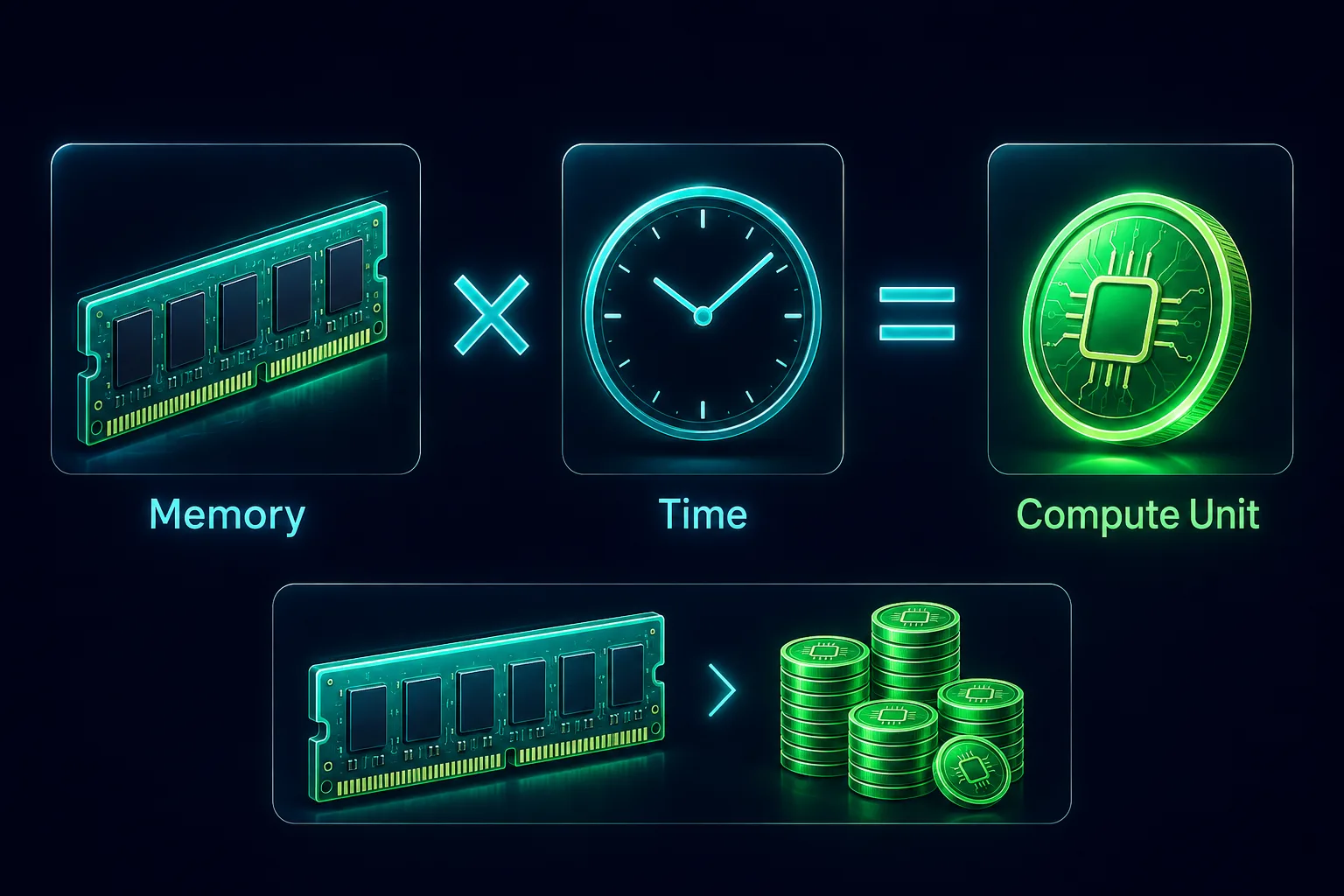
If you take one thing away, make it this. A compute unit (CU) is Apify’s unit of processing, and it is defined by memory multiplied by time: roughly 1 GB of RAM running for 1 hour equals 1 compute unit.
This has an important consequence that trips people up. Your cost is not driven by how many pages you scrape, it is driven by how much memory your Actor is allocated and how long it runs. An Actor configured with 4 GB of memory running for 30 minutes consumes 2 CUs regardless of whether it fetched ten pages or ten thousand.
That means the two biggest levers on your bill are memory allocation and runtime efficiency. Over-provisioning memory doubles your cost for no benefit, and a slow, badly parallelised scraper costs more than a fast one doing identical work. It also means lightweight HTTP scraping is dramatically cheaper than full browser automation, since a headless browser needs far more memory and time per page.
Apify Plans and Prices
Apify offers a free tier plus several paid plans that scale on included usage, concurrency, and support.
| Plan | Indicative Price | Included Usage | Best For |
|---|---|---|---|
| Free | $0 | $5 monthly credit, $0.20 per compute unit | Testing and hobby projects |
| Starter | $19/mo | $19 prepaid usage, $0.20 per compute unit | Solo devs, small jobs |
| Scale | $199/mo | $199 prepaid usage, $0.16 per compute unit | Production workloads |
| Business | $999/mo | $999 prepaid usage, $0.13 per compute unit | High volume, teams |
| Enterprise | Custom | Custom | SLAs, dedicated support |
1The Free Plan
Apify’s free tier gives you a modest monthly platform credit with no card required, which is genuinely enough to run Store Actors on small jobs and evaluate the platform properly. Concurrency and retention limits are tighter, so treat it as a real evaluation tier rather than a production one.
2Starter and Scale
Starter suits individual developers and small recurring jobs. Scale is where most serious production usage lands, with a much larger included allowance, higher concurrency, and better effective rates on compute.
3Business and Enterprise
Business targets teams running heavy, continuous workloads, while Enterprise adds custom limits, SLAs, and dedicated support. As with most platforms, higher tiers lower your effective per-unit cost, so committing up can be cheaper than paying overage on a smaller plan.
The Costs That Sit Outside Your Subscription
This is where surprise bills come from, because compute is rarely the whole story.
1Proxies
Usually the single largest add-on. Apify offers datacenter proxies, which are inexpensive, and residential proxies billed per gigabyte at rates comparable to standalone providers. If you scrape defended targets that require residential IPs, this can easily exceed your compute spend. It is worth comparing against dedicated providers in our roundup of the best residential proxies for web scraping.
2Storage and Data Transfer
Apify stores your results in datasets and key-value stores, and both reads and writes count as billable operations. High-frequency writes on a large crawl add up quietly, and data retention beyond your plan’s window costs extra.
3Paid Actors
Store Actors come in three flavours: free (you pay only platform usage), rental (a fixed monthly fee to use them), and pay per result (a set price per item returned). Pay-per-result is the most predictable model for budgeting because it decouples your cost from runtime, which is a genuine advantage if your job is slow.
How to Estimate What Apify Will Cost You
Costs vary a lot by target. For a concrete view of how pay-per-result and residential bandwidth stack up on social data, see our breakdown of the best Apify Actors for social media scraping.
A workable estimate takes about five minutes and beats guesswork.
Start by running your job once on the free tier and reading the actual CU consumption from the run log. That single number is worth more than any calculator, because it captures your real memory allocation and runtime. Multiply it by your expected monthly run count to get baseline compute.
Then add proxy cost separately: estimate gigabytes of traffic and multiply by the per-GB residential rate, or use the far cheaper datacenter option if your target tolerates it. Add any Actor rental or per-result fees. Finally add a buffer, because real workloads hit retries and slow pages that inflate runtime.
The rule of thumb is that browser-based scraping costs several times more per page than HTTP scraping, so if your estimate looks alarming, that is usually the first thing to examine.
How to Reduce Your Apify Costs
Because billing is memory multiplied by time, most savings come from engineering rather than negotiation.
1Right-Size Your Memory
The most common waste on the platform. Allocating 8 GB to an Actor that runs fine on 2 GB multiplies your compute bill four times for no gain. Test at lower memory and raise it only if the run fails or slows.
2Avoid a Browser When You Do Not Need One
Headless browsers are expensive in both memory and runtime. If the data is present in the raw HTML or available via an underlying API, plain HTTP requests cost a fraction as much. Reserve browser rendering for genuinely dynamic pages.
3Use Datacenter Proxies Where They Work
Residential bandwidth is the priciest line item. Many targets do not require it, so test with datacenter proxies first and escalate only for the domains that block them.
4Cut Runtime, Not Just Requests
Since you pay for wall-clock time, concurrency is a cost optimisation as well as a speed one. Efficient queueing keeps workers busy rather than idling, a topic we cover in how large-scale crawlers manage request queues.
5Prune What You Store
Write only the fields you need and avoid pushing huge raw payloads into datasets on every item. Storage operations are cheap individually and meaningful at scale.
A Worked Example: Apify vs Per-Request Pricing
Abstract models are hard to judge, so consider a concrete job: scraping 50,000 product pages once a month.
On a per-request scraping API charging a fixed price per successful call, your cost is simple multiplication and completely predictable. You know the bill before you start, and it does not matter whether each page takes one second or thirty.
On Apify, the same job could cost meaningfully less or considerably more, depending entirely on execution. If those pages yield to plain HTTP requests and your Actor runs at modest memory with good concurrency, the compute consumed is small and the per-page cost undercuts a per-request API comfortably. If instead you render every page in a headless browser at 8 GB with limited parallelism, runtime balloons and the same 50,000 pages can cost several times more.
That is the honest trade-off. Per-request APIs sell predictability; Apify sells a lower floor that you have to earn through engineering. If nobody on your team will profile and tune the Actor, the predictable option may genuinely be the cheaper one in practice.
What Happens If You Exceed Your Plan?
Running past your included usage does not stop your jobs dead. Consumption beyond the allowance is billed as overage at your plan’s rate, so pipelines keep running and you see the difference on the invoice.
That is convenient but worth watching, because a misconfigured Actor can burn through an allowance quickly and quietly. Set usage alerts, check consumption after any change to memory settings or concurrency, and remember that moving up a tier often costs less than sustained overage on a smaller one, since higher plans carry better effective rates.
Does Apify Offer Free Credits or Discounts?
There are a few ways to pay less. The free tier provides a recurring monthly credit indefinitely, not a one-off trial, which makes it viable for genuinely small workloads on an ongoing basis. Apify has historically run programmes for startups, students, and open-source projects offering additional credit, so it is worth asking if you qualify.
Beyond that, the meaningful lever is annual or committed billing on larger plans, and negotiating directly once your usage is substantial enough to justify a custom arrangement. As with most usage-based platforms, the biggest savings still come from optimising consumption rather than from discounts.
Apify Pros and Cons on Price
Weighing the model honestly, here is where it helps and where it stings.
- Genuinely usable free tier with a monthly credit and no card required
- Thousands of ready-made Actors remove most build cost for common targets
- Pay-per-result Actors make budgeting predictable regardless of runtime
- Included usage credit means a subscription is effectively prepaid consumption
- Full control over memory and runtime, so costs are directly optimisable
- Compute unit billing is harder to predict than a simple per-request price
- Residential proxy traffic can quietly exceed your compute spend
- Browser-based Actors are several times more expensive per page than HTTP ones
- Over-provisioned memory silently multiplies the bill
Verdict
Excellent value if you tune memory and runtime and keep browser use targeted, but the compute model punishes teams that deploy without measuring.
How Apify Pricing Compares
Against simpler scraping APIs that charge per successful request, Apify trades predictability for flexibility. A per-request API is easier to forecast, while Apify can be substantially cheaper at volume if your jobs are efficient, and substantially more expensive if they are not.
Against building your own infrastructure with raw proxies, Apify costs more per page but removes the work of hosting, scheduling, storage, retries, and scaling. The comparison that matters most for many teams is with markdown-focused tools, which we cover in Firecrawl vs Apify and our roundup of the best web scraping APIs.
Is Apify Worth It?
For recurring or complex scraping work, yes. The platform absorbs hosting, scheduling, storage, proxy rotation, retries, and scaling, and the Store often removes the build step entirely. Measured against the engineering time those would otherwise consume, the subscription is usually the cheaper side of the trade.
Where it is not worth it is the simple end. A single page turned into clean text, or one trivial extraction you will never repeat, does not justify learning compute units and the Actor model. Teams that need finance-grade predictability may also prefer a flat per-request API even at a higher unit cost, simply because forecasting matters more to them than the floor price.
Wondering what teams actually build with it? Our guide to the best use cases of Apify covers lead generation, price monitoring, AI pipelines and more.
Frequently Asked Questions
The Bottom Line
Apify pricing is a subscription that prepays usage, plus metered consumption measured in compute units, plus separate charges for proxies, storage, and any commercial Actors. Once you internalise that a compute unit is memory multiplied by time, the whole model becomes predictable and, importantly, optimisable.
The teams that find Apify expensive are almost always the ones running over-provisioned browser Actors on residential proxies without measuring. The teams that find it excellent value right-size memory, use HTTP where they can, reserve residential IPs for targets that demand them, and lean on Store Actors instead of building from scratch.
Start on the free tier, measure one real run, and extrapolate from actual numbers rather than estimates. For a full look at the platform itself, read our Apify review.
Keep Reading
More articles you might enjoy