Can Your ISP See Incognito Browsing? 2026 Guide
Can your ISP see incognito browsing? Yes — private mode is local only. Here is exactly what incognito hides, what it does not, and how to truly stay private.
You open an incognito window, and the browser reassures you that you're now browsing privately. It's easy to assume that means invisible. But there's a large gap between what incognito mode actually does and what most people think it does — and that gap is exactly where your privacy leaks.
The confusion is widespread. In one widely cited study, researchers found that a majority of users held at least one significant misconception about private browsing, with many wrongly believing it hides their activity from their internet provider, their employer, and the websites they visit.
So can your ISP see your incognito browsing? The short answer is yes — incognito does almost nothing to stop your ISP from seeing where you go. This guide explains exactly what incognito mode hides, what it doesn't, who can still watch, and how to actually make your browsing private.
The Short Answer: Yes, Your ISP Can See It
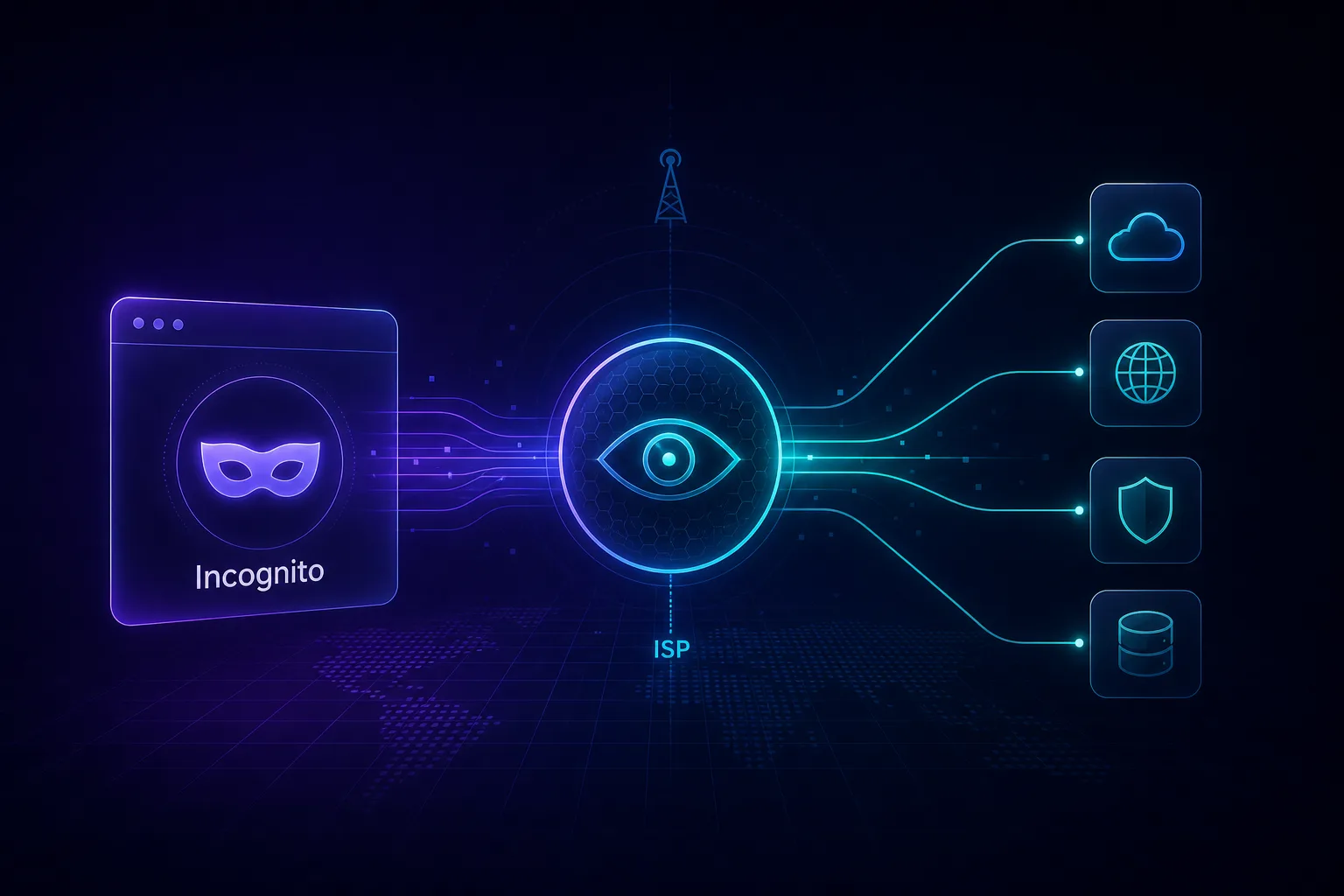
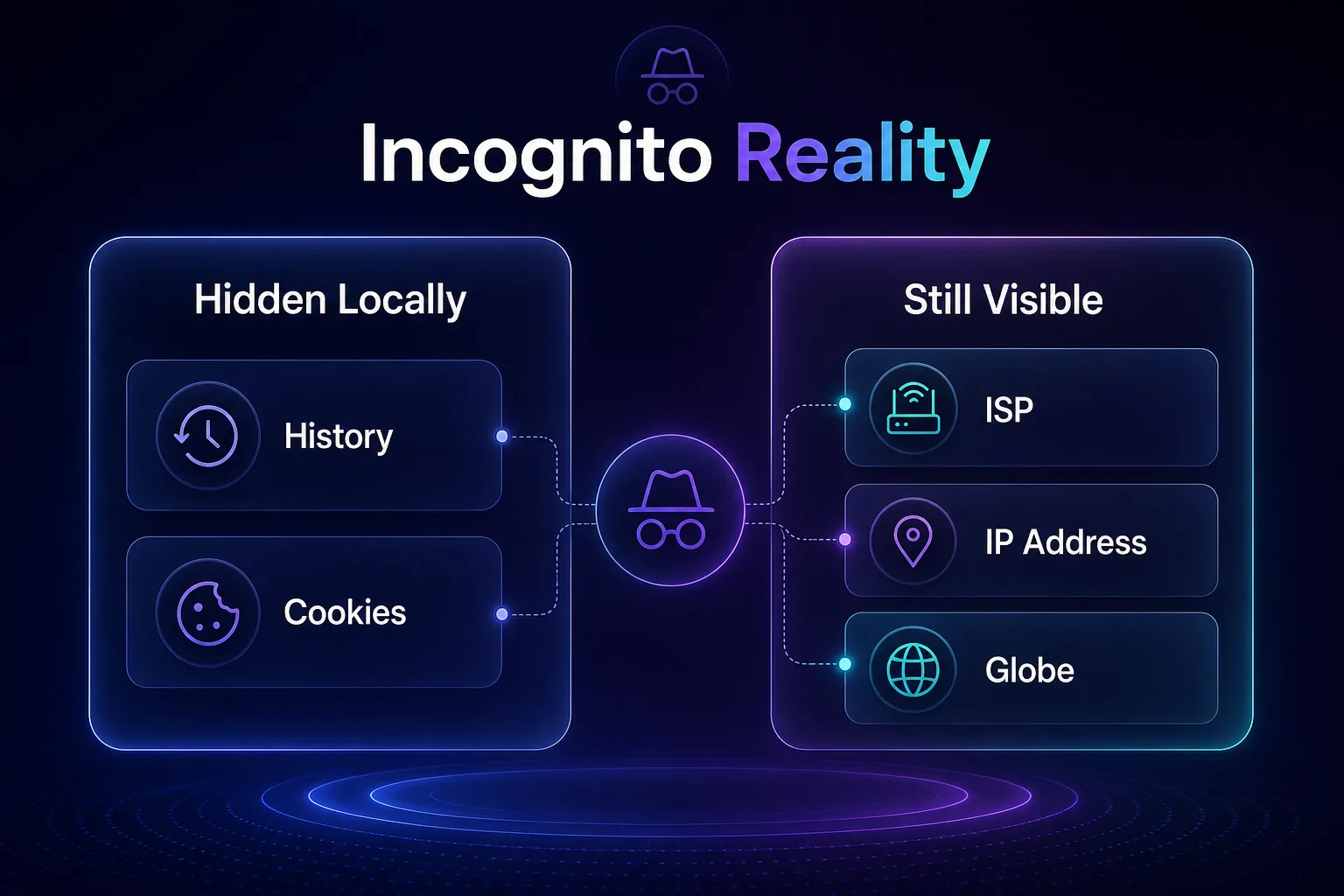
Incognito mode is a local privacy tool, not a network one. It stops your own browser from saving your history, cookies, and form data on your device — and that's essentially all it does.
Your internet service provider sits between your device and every website you visit. It routes all your traffic, so it can see the domains you connect to regardless of whether you're in a normal window or an incognito one. Private browsing changes nothing about that connection.
In other words, incognito hides your browsing from other people who use your device — not from your ISP, the websites you visit, your employer, or anyone monitoring the network. Understanding that distinction is the key to real online privacy.
What Incognito Mode Actually Does
Incognito (called Private Browsing in Firefox and Safari) is genuinely useful for what it's designed to do. When you close an incognito window, the browser discards that session's local traces.
Specifically, incognito mode prevents your browser from saving your browsing history, cookies, site data, and information entered in forms for that session. It also starts the session without your existing cookies, which is handy for logging into a second account or getting a clean view of a site.
That's the whole scope. It's a local convenience feature — perfect for shared computers, checking a flight price without cookie influence, or keeping a surprise gift search out of your history. It was never designed to make you anonymous online.
What Incognito Mode Does NOT Hide
This is where the misconceptions cause real harm. Incognito leaves a long list of things fully visible, and your ISP sits at the top of it.
| What You Do | Hidden by Incognito? |
|---|---|
| Local browsing history on your device | Yes |
| Cookies saved after the session | Yes |
| The websites you visit (from your ISP) | No |
| Your IP address (from websites) | No |
| Activity visible to your employer/school network | No |
| Browser fingerprinting by websites | No |
| Downloaded files and bookmarks | No |
The pattern is clear: incognito controls what's stored locally, but does nothing about what leaves your device. Everything upstream — your ISP, the sites you load, and any network you're on — sees the same traffic as always.
How Much Can Your ISP Actually See?
Your ISP has a uniquely complete view of your online life because every request you make travels through its network. Even with modern encryption, it sees more than most people expect.
Thanks to HTTPS, your ISP generally cannot see the specific pages you view or the content you exchange with a site — that traffic is encrypted. But it can still see the domain names you connect to (via DNS lookups and SNI), the timing and volume of your traffic, and how long you spend connected.
In practice, that means your ISP knows you visited a particular health forum, streaming service, or retailer, even if it can't read the exact page. In many countries, ISPs are legally permitted — sometimes required — to log this activity, and some sell anonymized browsing data. Incognito mode does nothing to change any of it.
What Your ISP Actually Does With Your Browsing Data
Knowing your ISP can see your activity is one thing; understanding what it does with that visibility is what makes the privacy stakes concrete. This is not hypothetical — it shapes what shows up in your ads, your bills, and sometimes legal records.
First, most ISPs log your activity for a period of time. In many countries, data-retention laws require providers to keep records of the domains you connect to and the timestamps for months or even years, and these logs can be requested by law enforcement or handed over under subpoena. Incognito mode leaves no gap in those records because it never touches your connection.
Second, some ISPs monetize browsing data. Depending on your jurisdiction and the fine print of your contract, providers may sell aggregated or anonymized browsing insights to advertisers and data brokers, feeding the same profiling economy that tracks you across the web. Research has repeatedly shown that supposedly anonymized browsing data can often be re-identified.
Third, ISPs can use what they see to shape your traffic — throttling video streaming, prioritizing certain services, or injecting notices. And in some regions, ISPs enforce content blocks based on the domains they observe. None of this is affected by private browsing, and all of it is exactly what a VPN's encryption is designed to prevent. If you are curious how far network-level tracking reaches, our guide on whether governments can track VPN users covers the wider surveillance picture.
The takeaway is that your ISP is not a neutral pipe. It is a commercial entity with legal obligations and business incentives, sitting in the one position that sees everything you do online. Incognito does nothing to change that relationship — only encryption does.
Who Else Can See Your Incognito Browsing?
Your ISP isn't the only observer. Incognito's local-only protection leaves several other parties with a clear view of your activity.
| Observer | Can They See Your Activity? |
|---|---|
| Your ISP | Yes — domains, timing, volume |
| Websites you visit | Yes — your IP, fingerprint, behavior |
| Employer / school network | Yes — if on their Wi-Fi or device |
| Public Wi-Fi operator | Yes — network-level visibility |
| Search engines (if signed in) | Yes — tied to your account |
Websites in particular can still identify you through your IP address and browser fingerprinting, which works even in incognito because it relies on your device's configuration, not stored cookies.
How to Actually Hide Your Browsing From Your ISP
If your goal is genuine privacy from your ISP, you need to encrypt and reroute your traffic at the network level. Incognito can't do that, but a few tools can.
The most effective option is a VPN, which routes all your traffic through an encrypted tunnel to a remote server. Your ISP then sees only that you're connected to a VPN — not which sites you visit. For higher-stakes anonymity, the Tor network routes traffic through multiple relays, though it's slower.
Encrypted DNS (DNS over HTTPS) and HTTPS-everywhere help by hiding some lookup details, but they don't mask your destination the way a VPN does. For most people, a reputable no-logs VPN is the single most effective step — and it works alongside incognito, not instead of it.
A useful mental model: incognito protects you from people who share your device, while a VPN protects you from everyone beyond it. The two operate at different layers and solve different problems, so the strongest everyday setup simply uses both together.
Best VPNs to Hide Browsing From Your ISP
A VPN only protects you if you can trust it — a logging VPN just moves the surveillance from your ISP to the provider. These three are independently audited, no-logs services that reliably hide your traffic from your ISP. Compare more in our VPN directory.
1NordVPN

Ideal as an all-rounder, NordVPN pairs audited no-logs policies with a huge server network and fast speeds, so encrypting your traffic barely affects browsing. Its Threat Protection also blocks trackers and malicious sites at the network level.
Obfuscated servers hide the fact that you're using a VPN at all, useful on restrictive networks. For most people wanting to hide activity from their ISP without hassle, it's a dependable default.
2Proton VPN

Best for privacy purists, Proton VPN is open source, independently audited, and based in Switzerland under strong privacy laws. Its genuinely usable free tier makes it the easiest no-risk way to shield your browsing from your ISP.
Secure Core routing sends traffic through multiple servers for extra protection against network surveillance. For users who want maximum trust, it sets the standard.
3Surfshark

Best value for households, Surfshark allows unlimited simultaneous connections, so every device you own can hide its traffic on a single plan. Its CleanWeb feature blocks ads and trackers as a bonus layer.
Despite the low price, it maintains audited no-logs policies and solid speeds. For covering a whole household affordably, it's the standout pick.
Common Incognito Myths to Stop Believing
Private browsing is one of the most misunderstood features on the internet. Clearing up these myths is the fastest way to stop leaking data you thought was hidden.
1Myth: Incognito Makes You Anonymous
This is the biggest and most dangerous myth. Incognito only stops local storage on your device — it does nothing to hide your IP address, your identity, or your traffic from your ISP and the websites you visit. Anonymity requires masking your IP and encrypting your connection, which incognito simply does not do.
2Myth: Your ISP Can't Track You in Incognito
Your ISP routes all your traffic regardless of browser mode, so it sees the same domains, timing, and volume whether you're incognito or not. Private browsing is invisible to your ISP — it happens entirely inside your browser and never changes how your connection works.
3Myth: Websites Can't Identify You
Websites still see your IP address and can fingerprint your device the moment you connect, even in incognito. Because fingerprinting relies on your hardware and software configuration rather than cookies, clearing cookies or going incognito does nothing to stop it.
4Myth: Incognito Protects You on Public Wi-Fi
On an unsecured public network, incognito offers zero extra protection — the network operator and others can still observe your traffic. Only encryption from a VPN genuinely protects you on public Wi-Fi. Assuming incognito is enough here is a common and risky mistake.
5Myth: Incognito Blocks Viruses and Tracking
Incognito is not a security tool. It won't stop malware, phishing, or trackers that fingerprint you, and it won't block ads. Pairing your browser with a strong content blocker and, ideally, a VPN with threat protection is what actually reduces those risks.
Best Practices for Truly Private Browsing
- Use a no-logs VPN to hide your traffic from your ISP and encrypt your connection, especially on public Wi-Fi.
- Combine incognito with a VPN — let incognito handle local traces while the VPN handles the network layer.
- Choose a privacy-respecting browser — see our comparison of Chrome vs Firefox for privacy to pick the right foundation.
- Manage cookies and trackers deliberately — our guide on whether to accept cookies on websites covers the essentials.
- Check what you're leaking — use our free tool to check your IP address and see what sites see about you.
Frequently Asked Questions
Conclusion: Incognito Is Local, Not Invisible
The honest answer to the question is simple: yes, your ISP can see your incognito browsing. Private mode is a local convenience that clears your history and cookies on your own device — it was never built to hide you from your ISP, the websites you visit, or the network you're on.
That doesn't make incognito useless; it makes it misunderstood. Use it for what it's good at, but don't mistake it for anonymity. The moment your traffic leaves your device, incognito's protection ends.
For genuine privacy from your ISP, encrypt your connection with a trustworthy, no-logs VPN from our VPN directory, compare your options in our side-by-side tool, and go deeper with our guide on why online privacy matters more than ever.
Keep Reading
More articles you might enjoy