What Is an MTProto Proxy? A Complete Guide (2026)
What an MTProto proxy is, how it works, why it exists, whether it is safe, and how to add one to Telegram, explained in plain English with no jargon.
If you spend any time in Telegram, you’ve probably come across the term “MTProto proxy,” often shared as a link in a channel promising to speed up your connection or unblock the app. But what actually is an MTProto proxy, and how is it different from the ordinary proxies you might already know about?
In short, an MTProto proxy is a special kind of proxy built by Telegram, for Telegram, with one clever trick up its sleeve: it disguises your connection so that networks can’t easily tell you’re using a proxy at all. That single feature is why MTProto proxies have become the go-to tool for accessing Telegram in places where it’s blocked.
This guide explains what an MTProto proxy is in plain English, how it works, why it exists, whether it’s safe, and how to set one up. No jargon, no assumptions, just a clear picture of one of Telegram’s most useful and misunderstood features.
What Is an MTProto Proxy?
An MTProto proxy is a proxy server that uses Telegram’s own MTProto protocol to route your Telegram traffic through a different server, hiding your real IP address in the process. The name comes from “Mobile Transport Protocol,” the encryption and transport system Telegram uses for all its communication. Telegram released official MTProto proxy software so anyone could run one.
What sets it apart from a normal proxy is obfuscation. A regular proxy connection looks like a proxy connection to any network watching it, which makes it easy to detect and block. An MTProto proxy scrambles its traffic to look like ordinary, meaningless encrypted data, so it slips past the filters that censors use to spot and shut down proxies. That’s its whole reason for being.
One important limit: an MTProto proxy works only with Telegram. It’s not a general tool for your whole device or browser, the way a SOCKS5 proxy or VPN would be. It exists purely to get Telegram connected.
How an MTProto Proxy Works
When you connect Telegram through an MTProto proxy, your app doesn’t talk to Telegram’s servers directly. Instead, it sends its traffic to the proxy server first, which then forwards it on to Telegram and relays the responses back to you. To the network you’re on, all it sees is a stream of encrypted data heading to some server, with no obvious sign that it’s Telegram traffic or that a proxy is involved.
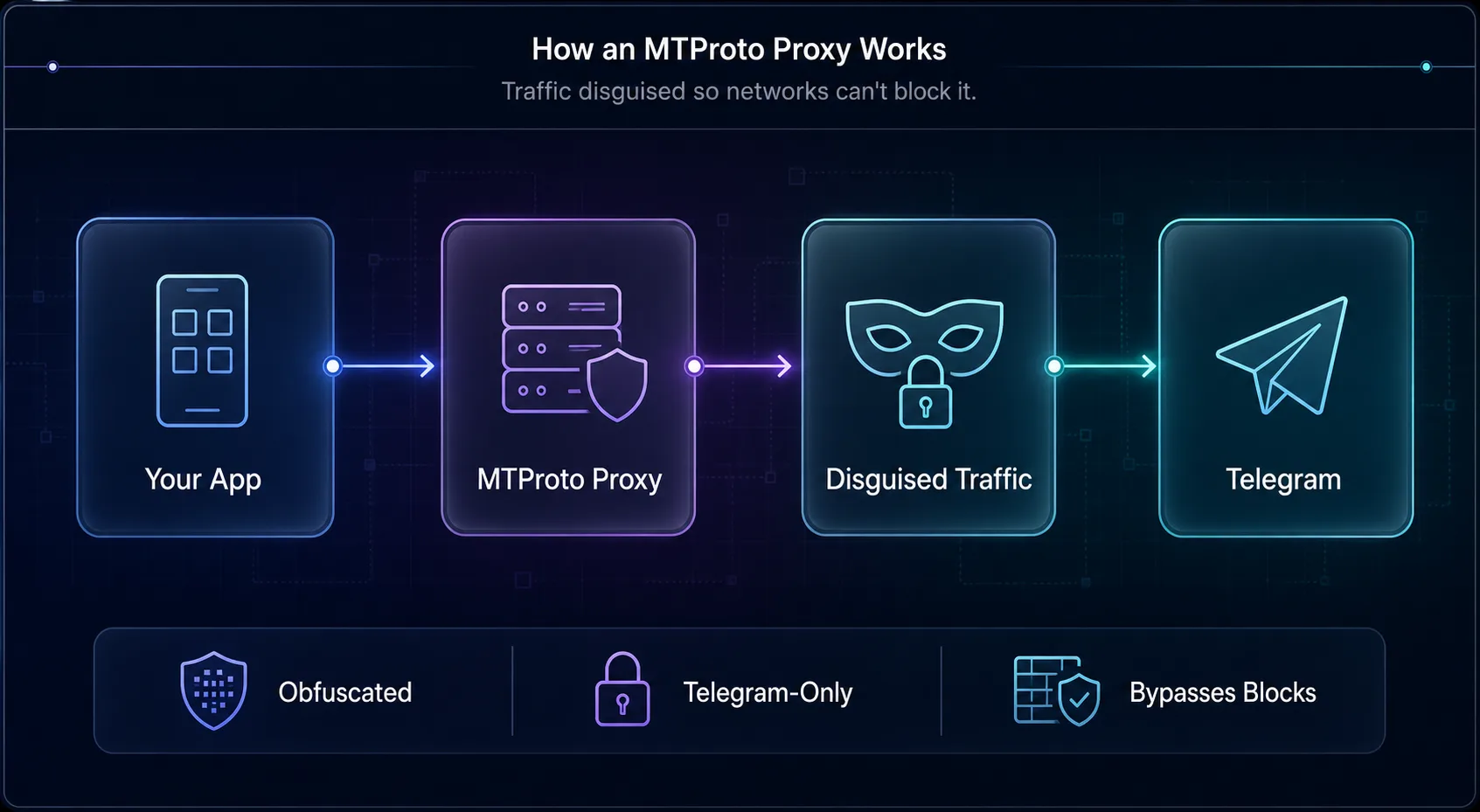
Your Telegram app routes through the MTProto proxy, which disguises the traffic and forwards it to Telegram.
The magic is in that disguise. Deep-packet inspection, the technology networks use to identify and block specific kinds of traffic, relies on recognizable patterns. MTProto’s obfuscation removes those patterns, making the connection look generic. So even on a network actively trying to block Telegram, the app keeps working because the network can’t tell what it’s looking at.
What Makes It Different From a Regular Proxy
The clearest way to understand MTProto is to compare it with a standard proxy like SOCKS5. Both reroute your traffic and hide your IP, but they’re built for different jobs.
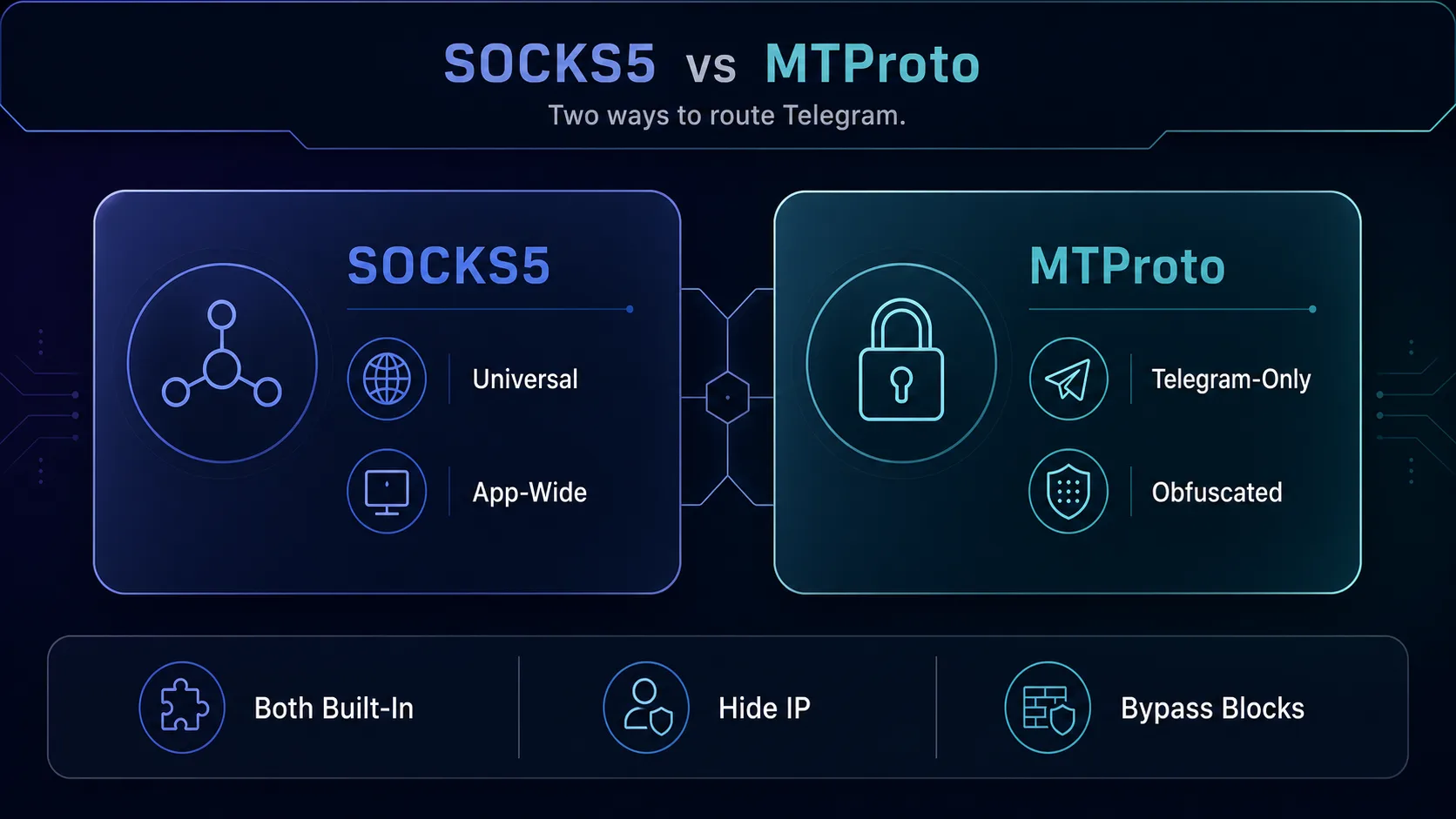
A regular SOCKS5 proxy is universal but detectable; MTProto is Telegram-only but disguised.
A regular SOCKS5 proxy is a universal standard: it works with any app, is sold by proxy providers, and is prized for privacy, geo-targeting, and running multiple accounts. But its traffic is identifiable as a proxy, so a determined censor can block it. MTProto flips those trade-offs, it only works with Telegram and is rarely sold commercially, but its obfuscation makes it far harder to block. For a full side-by-side, see our comparison of SOCKS5 vs MTProto for Telegram.
Why MTProto Proxies Exist
MTProto proxies exist for one core reason: censorship resistance. Telegram is banned or heavily restricted in a number of countries, and governments there try to block it at the network level. Ordinary proxies and even some VPNs can be detected and cut off, but MTProto’s disguise makes it stubbornly hard to filter, giving people a reliable way to keep messaging when the app is officially blocked.
Because Telegram released the server software for free and made adding a proxy as easy as tapping a link, a whole ecosystem of public MTProto proxies grew up around it, shared through channels and websites so that anyone in a restricted region can find a working server in seconds. It’s a tool built around a real-world need: keeping communication open where authorities try to close it.
Are MTProto Proxies Safe?
MTProto proxies are reasonably safe in the sense that they don’t weaken Telegram’s built-in encryption, your chats stay as private as they always are, because the proxy only relays your already-encrypted traffic. The obfuscation is about hiding that a proxy is in use, not about adding extra encryption. So your messages themselves are not exposed to the proxy operator’s prying eyes.
The real risk is metadata and trust. Because most public MTProto proxies are run by anonymous operators, a malicious one could log which server you connect to, your IP address, and connection timing, even if it can’t read your messages. Some proxies also attach a “sponsored channel” that appears in your chat list, a way for operators to promote content in exchange for running the free server. None of this exposes your conversations, but it’s a reason to use proxies only from sources you trust. Our guide on whether authorities can track proxy and VPN users digs into the metadata angle.
How to Get and Use an MTProto Proxy
Getting an MTProto proxy is refreshingly simple. Most are shared as a special link, either a tg://proxy?... or https://t.me/proxy?... link, that contains the server address, port, and a secret key. Tapping that link opens Telegram and offers to connect you with one tap, filling in all the technical details automatically. You’ll find these links posted in public "proxy" channels and on websites that maintain live lists.
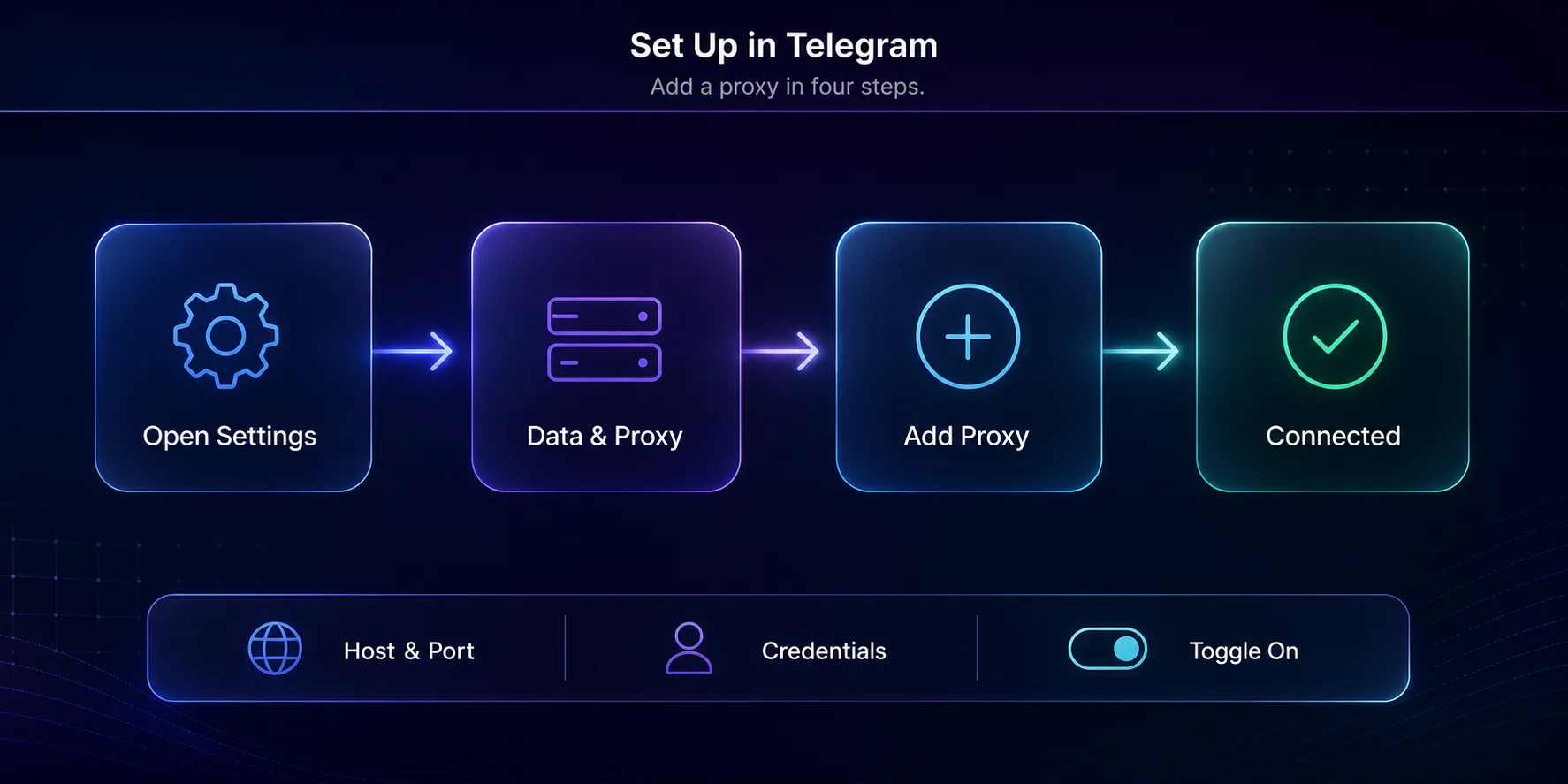
Tapping a proxy link auto-fills the details, or add one manually under Settings.
You can also add one manually under Settings → Data and Storage → Proxy → Add Proxy, choosing "MTProto" and entering the server, port, and secret by hand. Either way, remember the safety rule: only use links and servers from sources you trust, since a proxy link points your traffic wherever its creator decides. For the complete walkthrough on mobile and desktop, see our guide to using proxies in Telegram.
Free Public vs Self-Hosted MTProto Proxies
There are two ways to get an MTProto proxy, and they suit different needs. Free public proxies are the most common: no cost, instantly available, and perfect for casually unblocking Telegram. The downsides are that they’re shared by many users (so they can be slow or overcrowded), they come and go, and you’re trusting an anonymous operator.
Self-hosting is the alternative for anyone who wants full control. Telegram provides free, official server software you can run on a cheap virtual server (VPS) in a country of your choice. It takes a little technical setup, but you get a private, fast proxy that only you use and that you completely trust. For occasional unblocking, public is fine; for reliability and privacy, self-hosting wins. If your needs go beyond Telegram, a proper SOCKS5 proxy from a provider is worth considering instead.
Why Telegram Created MTProto Proxies
MTProto proxies didn’t appear by accident. Telegram introduced official support for them in 2018, at a time when several governments were attempting to block the app outright. Standard proxies and even some VPNs were being detected and filtered, so Telegram needed a circumvention tool that its adversaries couldn’t easily fingerprint. The answer was a proxy that spoke Telegram’s own protocol and disguised its traffic as ordinary encrypted data.
By releasing the server software for free and making connection as simple as tapping a link, Telegram effectively crowdsourced its own censorship resistance. Volunteers and communities around the world began running proxies so that users in restricted regions could always find a working entry point. That grassroots network is a big part of why Telegram has stayed reachable in places where other apps went dark.
How to Spot a Reliable MTProto Proxy
Not every public MTProto proxy is worth connecting to, so a few signs help you tell the good from the bad. A reliable proxy connects quickly and stays connected without constant drops; a server that keeps timing out is overloaded or poorly maintained. Look for reasonable speed on photos, videos, and voice, since a badly run proxy makes everything crawl.
Be wary of proxies that bombard you with aggressive sponsored channels or that come from sources you can’t verify, as those are the ones most likely to be harvesting metadata. The safest options are proxies shared by established, reputable communities, or better still, one you self-host so you control it end to end. If reliability matters more than convenience, self-hosting or a paid SOCKS5 provider will always beat a random free link.
On Android specifically, the menu paths and the settings that break proxies are covered in our Telegram proxy setup guide for Android. If you have an MTProto link, see how to add an MTProto proxy.
Frequently Asked Questions
The Bottom Line
An MTProto proxy is Telegram’s purpose-built answer to censorship: a proxy that disguises its own traffic so it can keep the app connected even on networks that try to block it. It doesn’t touch your encryption, works only with Telegram, and is usually free, all of which make it a brilliantly simple tool for one specific job.
Just remember the trade-offs: public proxies mean trusting an anonymous operator, so stick to sources you trust or self-host for full control. If your needs go beyond unblocking Telegram, a versatile SOCKS5 proxy or one of the best proxies for Telegram may serve you better. And if you’re weighing the two protocols directly, our SOCKS5 vs MTProto guide lays out exactly when to pick each.
Keep Reading
More articles you might enjoy