How Websites Detect Proxy Traffic (2026)
How websites detect proxy traffic: IP databases, revealing headers, open ports, WebRTC and DNS leaks, geo mismatches, and how to actually stay undetected.

You route your traffic through a proxy, load a site, and it still greets you with a CAPTCHA, a "this content isn't available in your region" message, or a flat block. The proxy connected fine. So how did the site know? The answer is that hiding your IP is only half the job, and websites have a whole toolkit for spotting proxy traffic that goes well beyond checking a single address.
With automated traffic now rivaling human traffic online (Imperva), sites have every reason to sniff out proxies, and the good ones are frighteningly good at it. They cross-reference IP databases, read the headers your request carries, scan for open ports, and catch leaks your browser springs behind your back. Understanding how websites detect proxy traffic is what separates a proxy that quietly works from one that gets flagged on arrival.
This guide breaks down every major tell: the IP lookups, the revealing headers, the anonymity levels that matter, and the leaks that betray you. Then we'll cover how to actually stay hidden. It pairs naturally with our guide on how proxy IP reputation works, which covers the scoring side of the same problem.
Why Websites Bother Detecting Proxies
Detection isn't paranoia; it's business. Sites block or challenge proxy traffic to stop fraud, prevent scraping of their data, enforce regional licensing (think streaming catalogs), and limit abuse like fake accounts and ad fraud. From their side, a hidden IP is a signal that someone might be doing something they'd rather prevent.
That's worth remembering, because it shapes how aggressive detection is on any given site. A small blog barely checks. A streaming platform, a bank, a sneaker drop, or a ticketing site checks everything. The same proxy that sails through one target gets flagged instantly on another, and the difference is how much that site has invested in catching proxies like the systems that power anti-bot detection.
The Signals That Reveal a Proxy
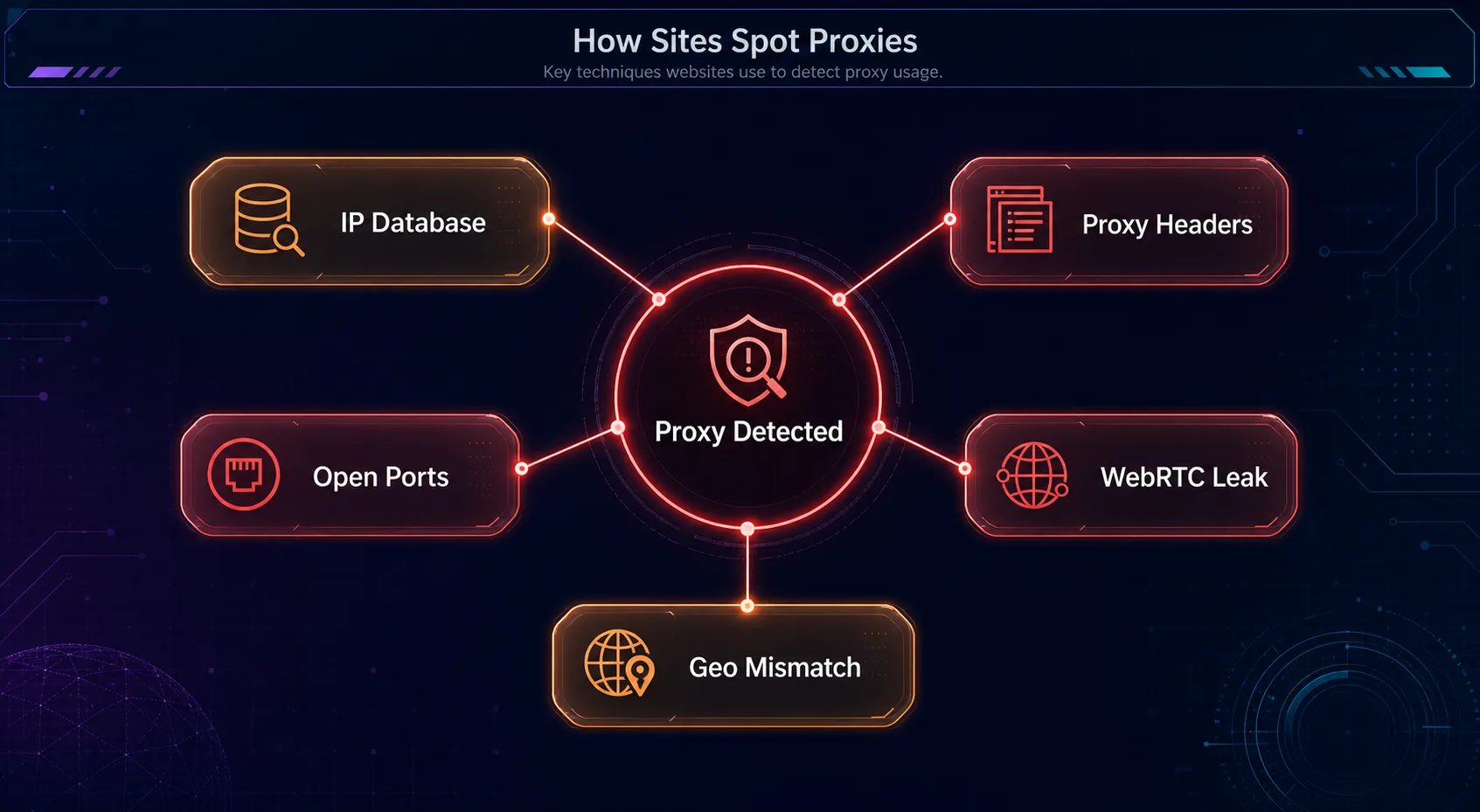
Websites rarely rely on one check. They stack several, and any single strong tell can flag you. Here are the ones that matter, roughly in the order a site applies them.
1IP Databases and ASN Lookups
The first and cheapest check is looking your IP up in a proxy-detection database. Services like IP2Proxy, IPQualityScore, and MaxMind maintain huge lists that classify addresses as proxy, VPN, or datacenter. If your IP sits in a hosting company's ASN, it's flagged as a datacenter address in milliseconds, no other evidence needed. This is why cheap datacenter proxies fail the fastest.
2Revealing HTTP Headers
Every request carries headers, and a poorly configured proxy adds ones that announce its presence. The classic tells are Via, X-Forwarded-For (documented on MDN), and Proxy-Connection. A transparent proxy even passes your real IP along inside X-Forwarded-For, defeating the entire point. Sites read these headers first thing, so a proxy that adds them is caught before any deeper analysis runs.
3Open Port Scanning
Some detection systems scan the connecting IP for ports commonly used by proxy software, like 3128, 8080, or 1080. An address that's openly listening on a known proxy port is a strong signal it's a proxy server rather than a home computer. Real residential devices almost never expose these, which is another reason residential IPs pass where server IPs don't.
4WebRTC and DNS Leaks
This one catches people who think they're safe. Your browser's WebRTC feature can reveal your real IP address through a direct connection, even while your traffic is routed through a proxy. DNS leaks do the same thing at the lookup level, sending your requests to your real ISP's resolver. A site that sees a proxy IP for the connection but your real IP via WebRTC knows exactly what's happening. You can spot this by using a tool to check your IP address and confirming WebRTC doesn't expose a second one.
5Location and Latency Mismatches
Finally, sites look for inconsistencies. If your IP geolocates to Germany but your browser timezone is set to New York and your language is English-US, that mismatch is suspicious. Round-trip latency that's far too high for the claimed location is another tell. Real users are internally consistent; a hastily configured proxy often isn't.
Transparent, Anonymous, and Elite Proxies
Not all proxies hide you equally, and the difference comes down to which headers they send. This is the single most misunderstood part of proxy privacy, so it's worth getting straight.
| Proxy level | Sends proxy headers? | Reveals your real IP? | Detection risk |
|---|---|---|---|
| Transparent | Yes | Yes (in X-Forwarded-For) | Very high, offers no anonymity |
| Anonymous | Yes (Via/Proxy headers) | No | Medium, hides your IP but flags as a proxy |
| Elite (high-anonymity) | No | No | Low, looks like a normal direct request |
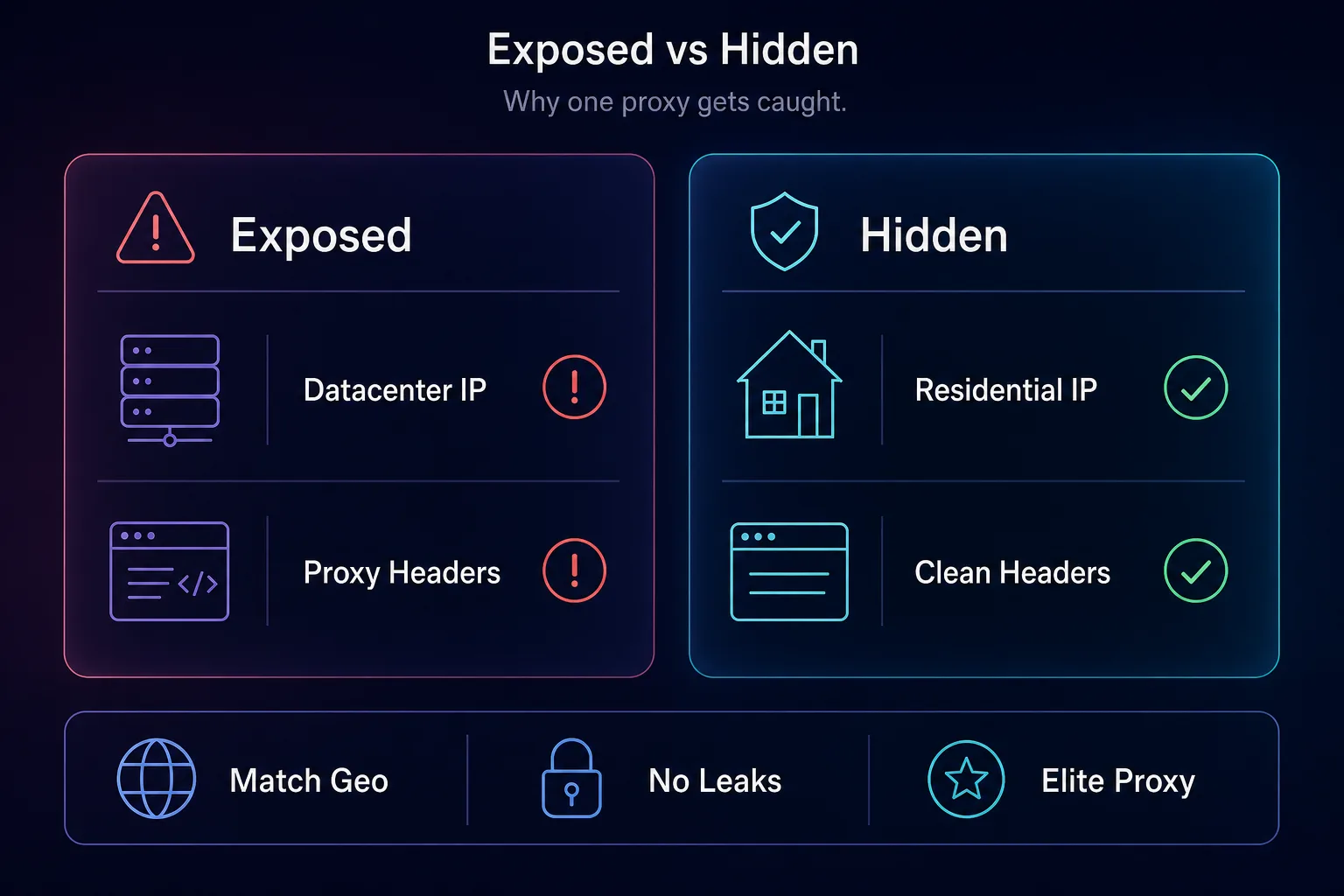
An elite proxy sends no proxy-identifying headers and doesn't leak your IP, so the request looks like an ordinary one. That's the baseline you want. But even an elite proxy on a datacenter IP still gets caught by the database lookup, which is why the IP type underneath matters as much as the anonymity level on top.
What Happens When You're Detected
Detection rarely means a blunt "access denied." Sites have a menu of responses, and the subtle ones are the most dangerous because you don't notice them. You might get a hard block or a CAPTCHA, sure. But you might also be silently served different content: inflated prices, a stripped-down page, fake "out of stock" results, or a honeypot designed to waste a scraper's time.
The quiet responses are why proxy detection matters even when nothing appears to fail. If a travel site shows a detected proxy higher fares, or a scraper collects deliberately poisoned data, you're making decisions on bad information without realizing it. A working connection is not the same as an undetected one, and the gap can cost you money or data quality.
How to Avoid Proxy Detection
Let's be honest up front: nothing is perfectly undetectable, and anyone promising otherwise is selling. What you can do is close the tells one by one until you blend in on all but the most aggressive targets. It comes down to a few things working together.
Start with the IP. Use residential proxies or mobile proxies so the database lookup sees a real ISP, not a data center. Use an elite proxy that strips proxy headers. Disable WebRTC in your browser and lock down DNS so nothing leaks your real IP. And keep everything consistent: match your timezone and language to the IP's location so there's no geo mismatch. Layer those and most sites have nothing obvious to catch. For the toughest targets, you'll also need a real browser fingerprint on top, since the IP is only one part of the picture.
Proxies Built to Stay Undetected
The foundation of staying hidden is the IP itself, so the provider you choose does most of the heavy lifting. How we picked: we favored providers with genuine residential and mobile IPs, elite-level anonymity, and clean pools that don't show up in proxy databases. A quick disclosure: some links below are affiliate links, and we may earn a commission if you sign up, which never changes our picks.
1IPRoyal

IPRoyal is the accessible way to get genuinely residential IPs that pass database checks. Its residential and mobile addresses come from real devices, so they don't trip the datacenter flag, and the non-expiring traffic model suits occasional use. For staying under the radar without a big budget, it's a strong entry.
The pool is smaller than the enterprise names and the dashboard is deliberately simple. For most personal, detection-sensitive tasks, that's exactly enough.
2NodeMaven

NodeMaven is built for exactly this problem. Its filter-first system screens IPs for quality before they reach you, so you're pulling from a cleaner slice that's far less likely to appear in a proxy database. Long sticky sessions also keep your identity stable, which avoids the inconsistency tells.
It's a smaller, newer network than the giants, so it's about IP quality over raw scale. If you keep getting flagged on other pools, its cleaner IPs are a direct fix.
3SOAX

SOAX pairs clean, well-vetted residential and mobile IPs with precise geo-targeting, which is the key to avoiding location mismatches. You can match the IP's country and city to the profile you're presenting, closing the geo-inconsistency gap that catches sloppier setups.
Costs can climb as you scale and some features sit on higher tiers, but for geo-accurate, low-detection use, it's a reliable choice. Compare all three in our proxy provider directory.
Proxy Detection Methods at a Glance
Here's the whole detection toolkit in one view, matched to the fix for each. Before you point a proxy at a sensitive target, run yourself through these checks the same way a site would.
| Detection method | What it catches | How to avoid it |
|---|---|---|
| IP database lookup | Datacenter and known-proxy IPs | Use vetted residential or mobile IPs |
| Header inspection | Via and X-Forwarded-For tells | Use elite proxies that strip proxy headers |
| Open port scan | Exposed proxy ports | Residential IPs that don't listen on them |
| WebRTC / DNS leak | Your real IP behind the proxy | Disable WebRTC and lock down DNS |
| Geo / latency check | Location vs timezone mismatch | Match locale and timezone to the IP |
| Reputation / blocklist | Flagged, previously abused IPs | Use a clean pool; rotate off flagged IPs |
The practical move is to run your own setup through an IP-and-proxy checker and a leak test before any real job. Confirm four things: the IP reports as residential rather than datacenter, no proxy headers pass through, WebRTC doesn't expose a second address, and the geolocation matches your browser's timezone. If all four line up, you've closed the common tells. If any don't, you've just found exactly what to fix, and a few minutes here saves a burned IP later.
Common Mistakes That Expose Your Proxy
Most detection happens because of avoidable errors, not clever defenses. Fix these and your flag rate drops sharply.
1Using Datacenter IPs Where Stealth Matters
A datacenter IP is flagged by a database lookup before any other check runs. On detection-heavy sites, it doesn't matter how clean your headers are. Use residential or mobile IPs when staying hidden is the goal, and save datacenter for lenient targets.
2Ignoring WebRTC and DNS Leaks
You can route every request through a perfect proxy and still leak your real IP through WebRTC or DNS. Many people never check for it. Disable WebRTC, use the proxy's DNS, and verify with a leak test before trusting a setup.
3Settling for Anonymous Instead of Elite
An anonymous proxy hides your real IP but still announces itself through Via and proxy headers. Sites reading those know you're on a proxy even if they can't see who you are. Use elite, high-anonymity proxies that send no proxy-identifying headers at all.
4Mismatching Location Details
An IP in one country with a browser timezone, language, or currency from another is a textbook inconsistency. Detection systems love these. Match your timezone, locale, and language to the IP's real location so the whole profile tells one story.
5Reusing Flagged IPs
An IP already sitting in a proxy database or on a blocklist is burned before you start. Cheap and free pools are full of them. Choose a provider that vets its IPs, and rotate away from any address that starts drawing challenges.
Frequently Asked Questions
The Bottom Line
Hiding your IP is only the start. Websites detect proxies by stacking signals: database lookups, revealing headers, open ports, WebRTC and DNS leaks, and location mismatches. A working connection can still be a detected one, and detection often shows up as silent price changes or poisoned data rather than an honest block. The whole game is consistency, looking like a normal user at every layer, not just at the IP.
To actually stay hidden, start with clean residential or mobile IPs from a provider that vets its pool, use elite proxies that strip headers, kill your leaks, and match your location details. IPRoyal is the budget-friendly entry, NodeMaven leads on filtered clean IPs, and SOAX nails geo-accuracy. Close the tells one by one, and compare the options in our proxy provider directory before you commit.
Keep Reading
More articles you might enjoy