How Anti-Bot Systems Detect Automated Browsers (2026)
How anti-bot systems detect automated browsers: the full detection stack from IP reputation and TLS fingerprints to behavior, plus how to reduce your footprint.
You write a clean Playwright script, point it at a target, and it works beautifully on your machine. Then you deploy it and the blocks start: CAPTCHAs, empty pages, silent 403s. The frustrating part is that nothing in your code changed. What changed is that a real anti-bot system got a good look at your browser and decided it wasn't human.
Automated traffic now rivals human traffic across the web (Imperva), so major sites run sophisticated defenses that profile every visitor. Understanding how anti-bot systems detect automated browsers is the difference between a scraper that quietly works and one that quietly fails. These systems don't rely on a single trick; they stack signals, from your IP to your TLS handshake to how your mouse moves, and weigh them together.
This guide maps the entire detection stack: what gives Selenium, Playwright, and headless Chrome away, who the big anti-bot vendors are, and how to reduce your footprint honestly. We'll link the deep dives on each layer as we go, so treat this as the map and follow the threads that matter to you.
What Counts as an "Automated Browser"
An automated browser is any real browser driven by code instead of a person: Selenium, Playwright, and Puppeteer are the big three, usually running headless Chrome or Firefox on a server. They render pages like a normal browser, which is exactly why they're useful for scraping and testing, and also why they're worth detecting.
The problem is that automation frameworks leave traces. They expose flags a normal browser doesn't, run in environments that look nothing like a real user's laptop, and behave with a mechanical precision no human has. Detection systems have spent years cataloging these tells. Every layer below is a different place they look.
The Layers of Bot Detection
Modern anti-bot defense is a funnel. Cheap, fast checks run first (your IP, your TLS handshake), and only traffic that survives gets the expensive scrutiny (behavioral analysis, challenges). A bot doesn't need to fail every layer to get caught; failing one badly is often enough.
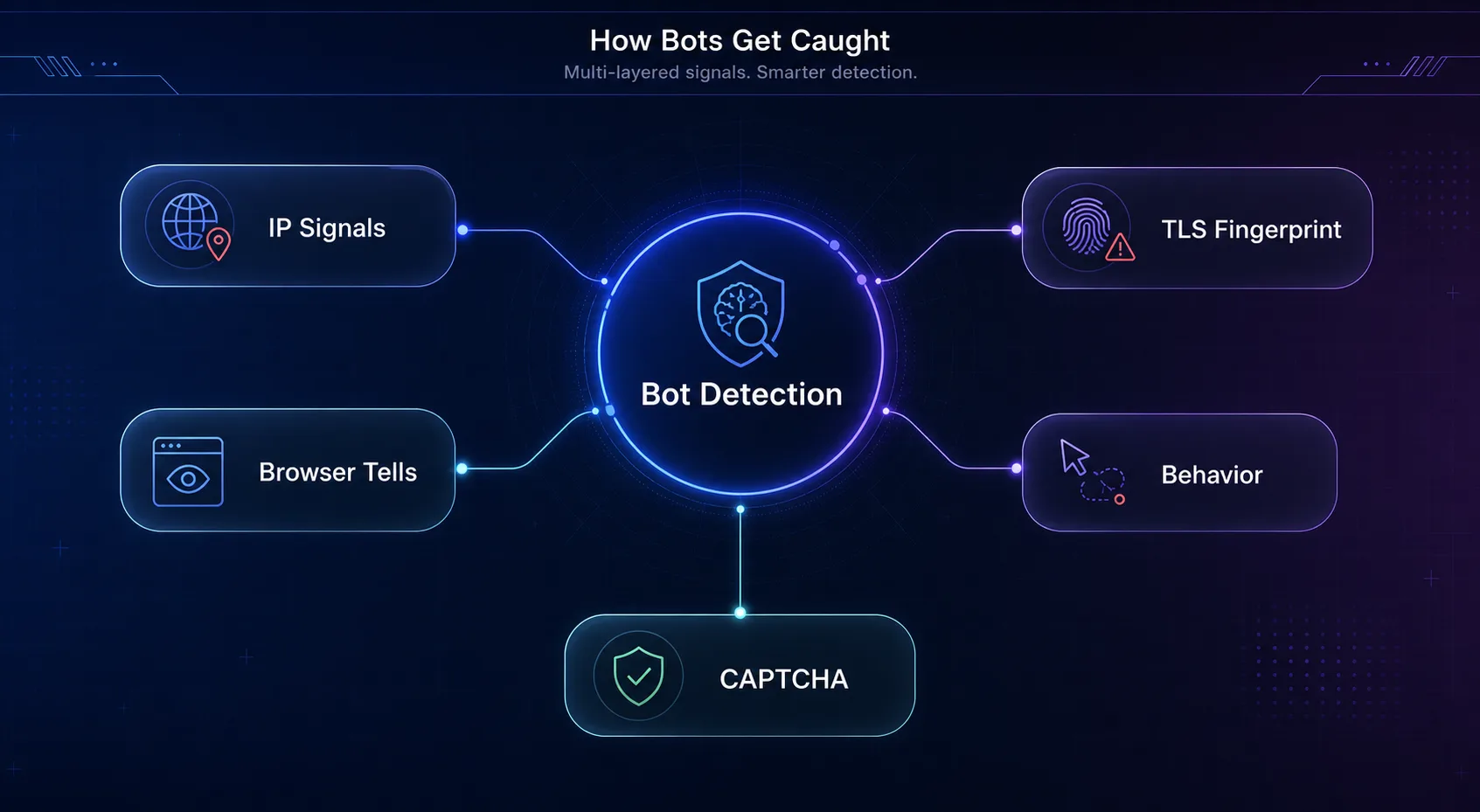
| Layer | What it inspects | What trips up a bot |
|---|---|---|
| Network / IP | IP reputation, ASN, request rate | Datacenter IPs, flagged addresses, request floods |
| TLS / HTTP/2 | The handshake and header fingerprint | Library signatures that don't match the claimed browser |
| Browser fingerprint | JavaScript environment, canvas, WebGL, fonts | Automation flags, headless tells, mismatched attributes |
| Behavior | Mouse, scroll, timing, interaction | No mouse movement, inhuman speed, robotic precision |
| Challenge | CAPTCHAs and JavaScript challenges | Inability to execute or solve like a real browser |
The rest of this guide walks each layer in the order a request hits them.
The Signals That Give Automated Browsers Away
Here's where the detection actually happens. Each of these is a distinct check, and serious anti-bot systems run all of them.
1Network and IP Signals
The first and cheapest check is your IP. Systems look at its reputation, whether it belongs to a datacenter ASN, and how fast requests are arriving. A flood of requests from a known hosting range is the easiest bot signal there is. This is why a datacenter IP often fails before your browser is even inspected, and why the type of proxy you use matters as much as the browser you drive. Systems that specialize in this overlap heavily with how APIs detect VPN and proxy traffic.
2TLS and HTTP/2 Fingerprints
Before any web content loads, your client negotiates a TLS handshake, and the exact way it does so forms a fingerprint (JA3 and JA4). The catch for bots is consistency: if your User-Agent claims to be Chrome but your TLS handshake matches a Python library, that mismatch is a dead giveaway. The same applies to HTTP/2 frame settings and header ordering. Our deep dive on TLS fingerprinting covers exactly how JA3 and JA4 expose scrapers.
3Browser Fingerprint Tells
Once JavaScript runs, the page can interrogate your browser directly. The classic tell is navigator.webdriver, a flag (documented on MDN) that automation sets to true. Beyond that, systems read your browser fingerprint: canvas and WebGL rendering, installed fonts, screen size, and hardware hints. Headless environments have their own tells, like missing plugins or a screen that renders too perfectly, and any attribute that contradicts another (a mobile User-Agent on a desktop-sized screen) raises the score.
4Behavioral Analysis
The hardest layer to fake is behavior. Real people move the mouse in curves, pause unpredictably, scroll erratically, and take time to read. Bots often skip the mouse entirely, click with pixel-perfect precision, and navigate faster than any human could. Advanced systems build a behavioral profile over the session, so even a well-disguised browser can be caught by moving like a machine.
5Challenges and CAPTCHAs
When a system is unsure, it escalates to a challenge: a CAPTCHA, or an invisible JavaScript puzzle like Cloudflare's Turnstile that a real browser solves silently. These test whether the client can execute complex JavaScript and interact like a human. A stripped-down or headless setup that can't complete the challenge fails here, which is the visible tip of all the scoring underneath.
The Anti-Bot Vendors Doing the Work
Most sites don't build this themselves; they buy it. A handful of vendors dominate, and knowing them tells you what you're up against on any given target.
| Vendor | Known for |
|---|---|
| Cloudflare | Enormous reach, Turnstile challenges, JavaScript and fingerprint checks |
| DataDome | Real-time machine-learning bot scoring, aggressive on e-commerce |
| HUMAN (PerimeterX) | Behavioral and fingerprint analysis, account-fraud focus |
| Akamai Bot Manager | Enterprise-grade, layered risk scoring at scale |
They all share the same philosophy: combine many weak signals into one confident verdict. That's why beating just one layer rarely works, and why getting past Cloudflare takes a consistent setup rather than a single trick.
Real User vs Automated Browser
Step back and the whole game is a consistency check. A real user arrives with a clean residential IP, a matching fingerprint, and messy human timing. An automated browser tends to contradict itself somewhere, and contradictions are what get scored.
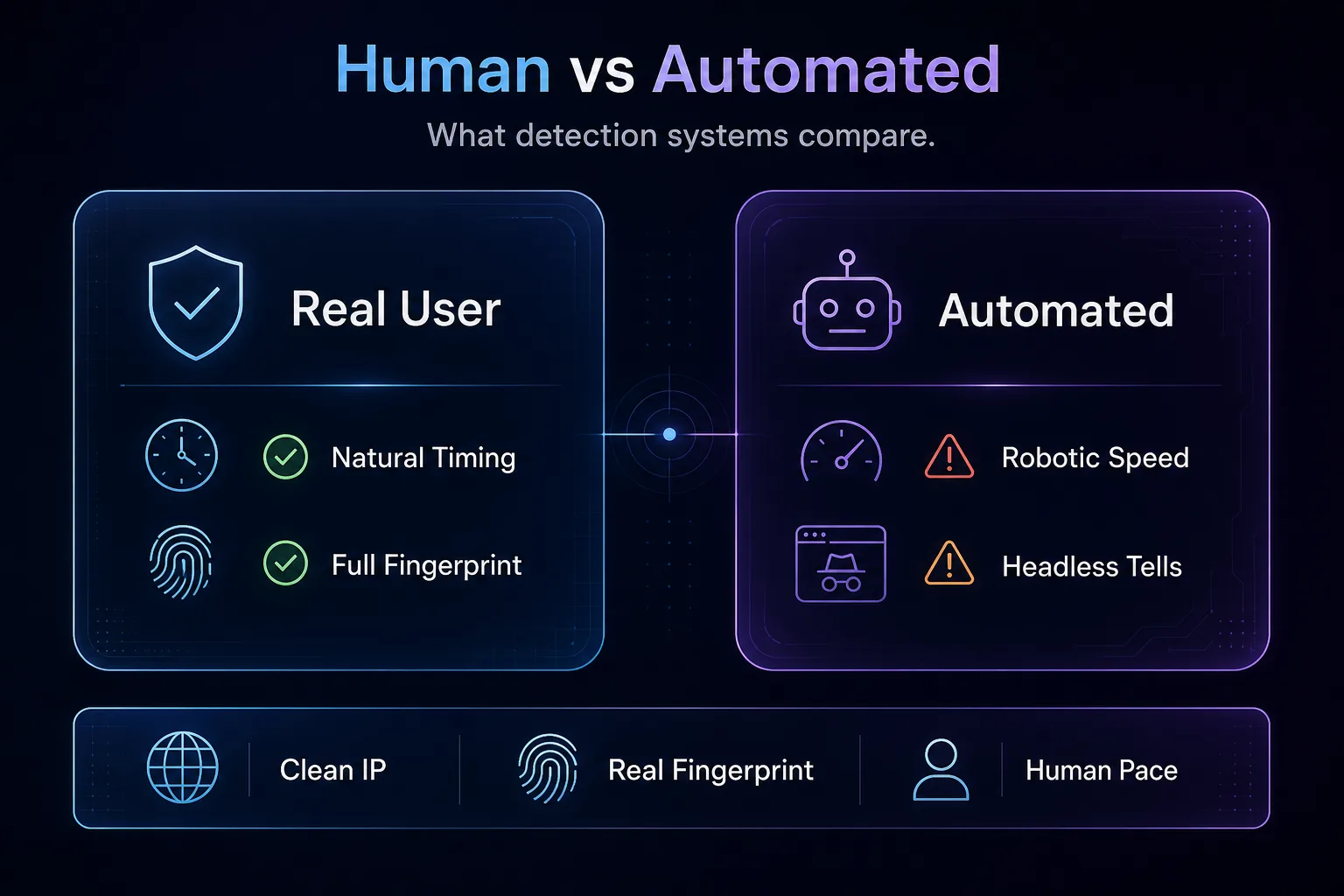
The lesson is that no single fix makes you invisible. A clean IP with an obvious headless fingerprint still fails. A perfect fingerprint firing 50 requests a second still fails. You have to look human at every layer at once, which is far harder than any one tutorial admits.
How to Reduce Detection (Honestly)
Let's be straight: nothing makes automation perfectly undetectable, and anyone selling "100% undetectable" is overselling. What you can do is close the biggest gaps so you blend in on all but the most aggressive targets. That means four things working together.
Use clean residential proxies so the IP layer looks like a real user, not a data center. Run a real browser with a consistent, genuine fingerprint rather than a stock headless setup, which is where antidetect browsers earn their keep. Add human-like behavior: randomized timing, real mouse paths, and sane request rates. And keep everything consistent, because a mismatch between layers is what gets you caught. Undetected automation drivers help with the obvious flags, but they're a starting point, not a finish line.
Antidetect Browsers That Help
When the fingerprint layer is your problem, an antidetect browser is the direct tool: it gives each session a real, consistent fingerprint and slots your proxy in cleanly. How we picked: we favored mature fingerprinting, reliable proxy integration, and strong track records. A quick disclosure: some links below are affiliate links, and we may earn a commission if you sign up, which never changes our picks.
1Multilogin

Multilogin is the veteran and the pick for serious, quality-first work. Its fingerprint management is among the most convincing available, which matters against the strictest anti-bot systems, and its team features suit agencies running many profiles. If detection is costing you real money, it's the safe choice.
The trade-off is price: Multilogin sits at the premium end, so it's more than a casual user needs. For professionals whose success rate is the bottom line, though, the quality justifies it.
2AdsPower

AdsPower is the popular value pick, balancing strong fingerprinting with friendly pricing and a generous free tier. It's a favorite for e-commerce and multi-account management, with good automation support for driving profiles programmatically. For most users it hits the sweet spot of capability and cost.
It's less enterprise-focused than Multilogin, and very heavy users may outgrow it. But as a first serious antidetect browser, it's hard to beat on value.
3GoLogin

GoLogin is the beginner-friendly option, with a clean interface and a gentle learning curve. It covers the fingerprinting essentials, runs on the major platforms, and includes cloud profiles, which makes it an easy entry point for anyone new to antidetect browsing. Setup is quick and forgiving.
Its fingerprinting isn't quite as battle-tested as Multilogin's against the toughest targets, but for most day-to-day multi-accounting it's plenty. Compare all three in our antidetect browser directory.
How to Test If Your Browser Looks Automated
Before you point automation at a real target, check what you actually look like. Guessing wastes IPs; a few quick tests show you exactly which layer is leaking.
Start with the fingerprint. Open a fingerprint-audit page (community tools like CreepJS or a bot-detection sandbox) in your automated browser and read what it reports: does navigator.webdriver show true, do the canvas and WebGL values look real, does the User-Agent match the screen size and platform? Any red flag there is a fingerprint problem you can fix. Then verify the network layer by checking your proxy's IP reputation and confirming it isn't a flagged datacenter range.
Finally, test behavior and the real target together. Run your script against the actual site, not just a sandbox, and watch for CAPTCHAs, soft blocks, or suspiciously empty responses that signal you're being scored down even when nothing throws an error. Compare an automated run against a normal manual visit; the gaps between the two are precisely what detection systems see. Iterating against these checks first is far cheaper than discovering the flags mid-job.
Common Mistakes That Get Automated Browsers Flagged
Most detection happens because of avoidable errors, not clever defenses. Fix these and your success rate jumps.
1Relying on a Datacenter IP
Running automation through a cheap datacenter proxy fails at the very first layer. The IP gets classified as non-residential before your browser is even inspected. Clean residential or mobile IPs are the baseline, not an upgrade.
2Leaving Headless Defaults On
Stock headless Chrome broadcasts that it's automated through flags like navigator.webdriver and telltale missing features. Shipping it as-is is the fastest way to get flagged. Patch the obvious tells or use a real browser environment instead.
3Behaving Too Perfectly
No mouse movement, instant form fills, and requests fired faster than any human could click all scream automation. Perfection is a tell. Add randomized delays, real interaction, and human pacing so the behavioral layer sees a person.
4Mismatched Fingerprint Details
A User-Agent claiming iPhone with a desktop screen size, or a Chrome UA with a Python TLS handshake, is an instant contradiction. Detection thrives on inconsistency, so every layer has to tell the same story about who you are.
5Treating One Fix as the Whole Solution
Buying great proxies but ignoring the fingerprint, or nailing the fingerprint but hammering the site, leaves an open door. Anti-bot systems score you across all layers at once, so a partial disguise is no disguise. Consistency across every layer is the actual goal.
If you want the request-level view of this rather than the defender-side one, our layer-by-layer breakdown of how browser automation traffic differs from normal HTTP requests walks through the exact signals on the wire.
Frequently Asked Questions
The Bottom Line
Anti-bot systems win by stacking signals. They check your IP, your TLS handshake, your browser fingerprint, and your behavior, then combine those weak hints into one confident verdict. A working browser and a trusted one are different things, and the gap shows up as CAPTCHAs and blocks. No single fix closes it, because the whole model is built to catch you contradicting yourself.
The honest path is consistency: clean residential IPs, a genuine fingerprint, human-like behavior, and no mismatches between them. For the fingerprint layer specifically, Multilogin leads on quality, AdsPower wins on value, and GoLogin is the easiest start. Pair one with good proxies, respect the sites and laws you work with, and browse the options in our antidetect browser directory when you're ready to lower your footprint.
Keep Reading
More articles you might enjoy