The Best Proxies for Telegram in 2026
The best proxies for Telegram in 2026 — compared for unblocking, multi-account management, bots, and scraping, with SOCKS5 setup, pricing, and pitfalls.

Telegram passed a billion monthly active users in 2026 (per founder Pavel Durov), and it is blocked or throttled in more countries than almost any other messenger, Iran, China, and Russia among them. That single fact explains why "Telegram proxy" is such a loaded search: for some people it means getting access at all, and for others it means running dozens of accounts, bots, or channels without getting banned.
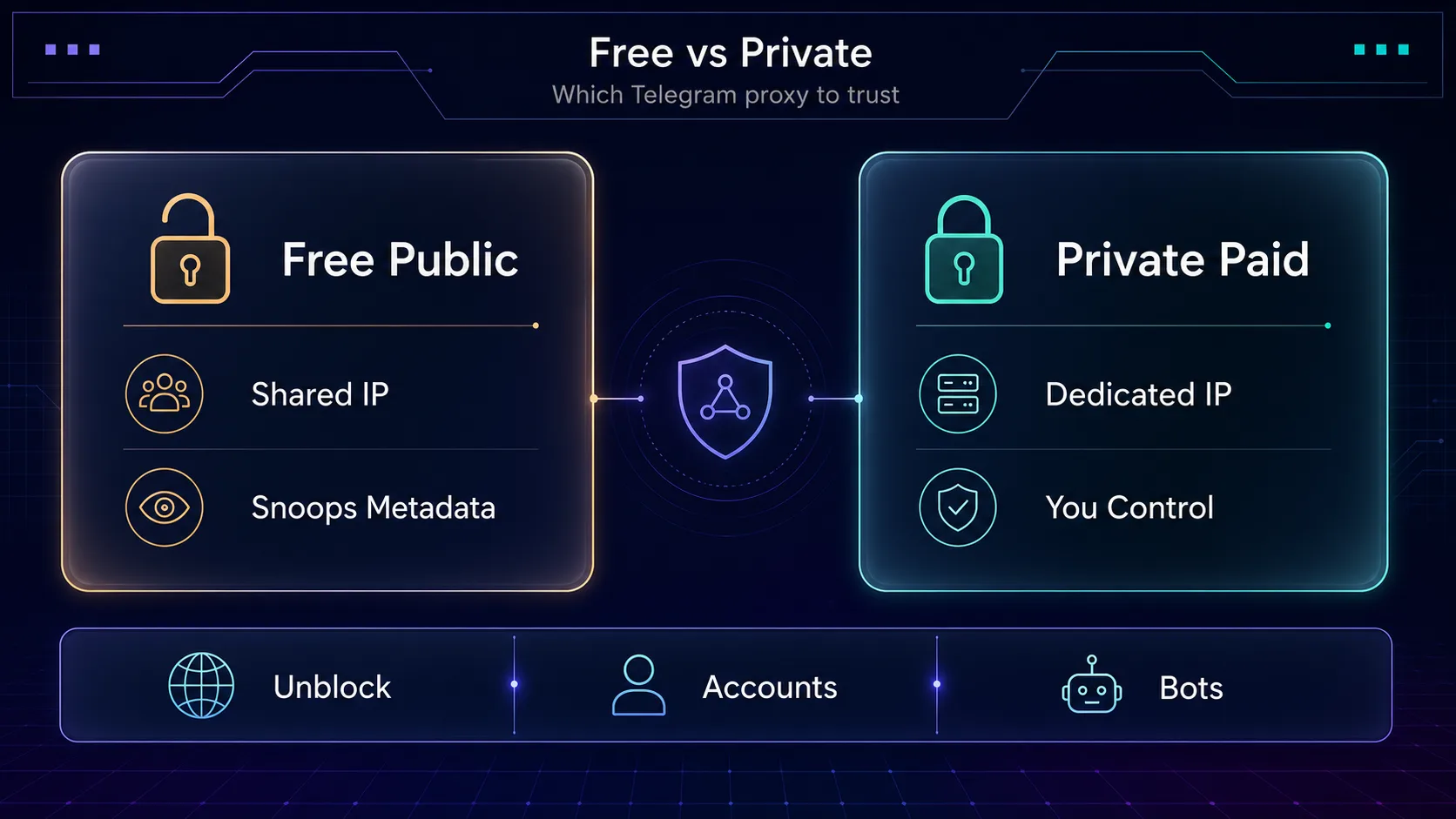
Here is the uncomfortable truth most lists skip: the free MTProto proxy links floating around public channels are the worst possible choice for anything serious. They are slow, crowded, and, because your traffic flows through a stranger’s server, a genuine privacy risk. If Telegram is part of your workflow, the proxy is not an afterthought; it is the layer that decides whether your accounts survive.
This guide is built for decisions. You will get our shortlist of the best proxies for Telegram in 2026, a clear breakdown of SOCKS5 vs MTProto vs residential/mobile, a quick setup walkthrough, honest pricing logic, and the mistakes that get accounts flagged. By the end, you will know exactly which proxy fits your Telegram use case.
- Telegram natively supports two proxy types: SOCKS5, the universal standard, and MTProto, its obfuscated protocol.
- Use SOCKS5 for privacy, geo-targeting, and running multiple accounts, and MTProto to beat censorship.
- For multiple accounts, give each its own clean residential or mobile IP to avoid bans.
- You can add a proxy in seconds under Telegram’s Settings, then Data and Storage, then Proxy.
Why Telegram Users Need Proxies
Telegram runs into two very different problems, and proxies solve both. The first is access: where the app is censored, a proxy routes your connection through a server in a free country so Telegram works again. The second is identity: Telegram links accounts by IP, device, and behavior, so operators running multiple accounts, bots, or marketing channels need clean, separate IPs to avoid mass bans.
Common jobs people use Telegram proxies for:
- Unblocking Telegram in regions where it is censored or throttled.
- Running multiple accounts for marketing, community management, or arbitrage without linking them.
- Powering bots and automation: mass DMs, auto-posting, scraping public channels, from stable IPs.
- Managing channels and groups across regions for growth and moderation.
- Privacy: hiding your real IP from bot APIs and third-party tools.
Access needs a fast, reliable IP in the right country. Identity work needs high-trust residential or mobile IPs that do not get flagged the moment you log a second account in.
SOCKS5 vs MTProto vs Residential Proxies for Telegram
This is where most Telegram guides get vague, so let us be precise. There are two things being chosen at once: the protocol (how the proxy talks to Telegram) and the IP source (what kind of address you get).
MTProto is Telegram’s own proxy protocol, built to disguise traffic and beat censorship. It is convenient, Telegram has native support, but public MTProto lists are shared, unstable, and untrustworthy. SOCKS5 is a general-purpose protocol Telegram also supports natively; paired with a private residential or mobile IP, it is the reliable choice. If you are new to protocols, our guide to HTTP, HTTPS and SOCKS5 proxies explains the difference.
The IP source matters more than the protocol. Here is how the three types compare for Telegram:
| Proxy Type | Telegram Trust | Best Use | Cost |
|---|---|---|---|
| Mobile (4G/5G) | Highest | Heavy automation, multi-account | $$$ |
| Residential | High | Account management, unblocking | $$ |
| Datacenter / SOCKS5 | Low–Medium | Simple personal unblocking | $ |
Our take: for personal access, a cheap SOCKS5 or datacenter IP in a free country is fine. For account and bot work, use mobile proxies or residential proxies, mobile carries the highest trust because carrier IPs are shared by thousands of real users, making them hard to ban. Never use free public MTProto for anything with an account attached.
The Best Proxies for Telegram in 2026
How we picked: we weighed IP quality and residential/mobile sourcing, SOCKS5 support, geo-coverage for censored regions, sticky sessions for account work, anti-ban reputation on social platforms, and transparent pricing. We have used several directly; where our read is based on public pricing and docs rather than a live test, we say so. Prices below are approximate. Disclosure: some links are affiliate links and we may earn a commission, it never changes our rankings.
1Live Proxies

Best for private, dedicated IPs. Live Proxies takes the opposite approach to the per-GB giants. Instead of renting bandwidth from a shared pool, you get a fixed allocation of residential or mobile IPs reserved to your account for the plan window. On Telegram account work that matters more than raw pool size, because an IP nobody else is touching is an IP that has not already been flagged by somebody else’s automation.
SOCKS5 is supported on every plan, which is exactly what Telegram’s own proxy settings expect, and sticky sessions hold for up to 24 hours, long enough to keep a logged-in session on one exit. Country, city and ASN targeting helps when you need an exit in a specific region rather than just a specific country. The trade-off is the model itself: a fixed IP plan costs more than metered bandwidth if you are only running one or two accounts casually.
2Decodo

Best for most Telegram users. Decodo (formerly Smartproxy) pairs clean residential IPs with SOCKS5 support and an easy dashboard, which makes it the natural first pick for both unblocking and account work. A pool north of 115M IPs across 195+ countries means you can nearly always find a fast exit in a free region.
Rotating and sticky sessions cover both scraping and logged-in accounts, and the pricing is beginner-friendly. The catch: teams running very aggressive automation may eventually want dedicated mobile IPs. For everyone else, it is the most reliable all-rounder. See how it compares in Oxylabs vs Decodo.
3IPRoyal

Best for budget and pay-as-you-go. IPRoyal’s standout feature is non-expiring residential traffic plus SOCKS5 support, you buy a bandwidth balance and it does not vanish monthly. For occasional Telegram unblocking or light account work, that alone saves real money.
Coverage spans 195 countries with city and ISP targeting, and it also sells dedicated mobile and datacenter options if you scale up. The trade-off is a smaller residential pool than the giants, so very high-concurrency bot work may see more retries. For most individuals, it is excellent value.
4PyProxy

Best for budget-friendly automation. PyProxy pairs a 90M+ residential pool with SOCKS5 support and dedicated mobile IPs, a combination that suits Telegram automation and multi-account work. Mobile and clean residential addresses are the hardest for any platform to ban because they are shared by large numbers of real users.
You can rotate through the residential pool or hold a sticky IP per account, and native SOCKS5 drops straight into Telegram. The honest caveat: PyProxy is a value-focused provider, so its dashboard and support are leaner than the enterprise names, and mobile country depth is narrower. For cost-conscious automation, it earns its place.
5SOAX

Best for censorship bypass and precise geo-targeting. SOAX offers one of the largest clean pools on this list (191M+ IPs) with granular targeting down to country, region, city, and ISP, invaluable when you need a reliable exit inside or near a censored region.
Its filtered, whitelisted IPs keep quality high, which matters when a flaky IP means a dropped Telegram session. Both residential and mobile are available. Our take: more than a casual unblocker needs, but ideal for operators who care about exactly where their traffic appears to originate.
6NodeMaven

Best for stable multi-account sessions. NodeMaven’s edge is the longest sticky sessions on the market plus a filter-first approach that screens out low-quality IPs before they reach you. For running several Telegram accounts, an IP that stays put is worth more than raw pool size.
It offers both residential and mobile IPs, so you can match trust level to each account’s risk. Pair it with disciplined multi-account hygiene and each account keeps a consistent identity. It is newer and smaller than the giants, but that account-focus is a genuine strength.
7Oxylabs

Best for enterprise-scale Telegram scraping. Oxylabs is the heavyweight, 102M+ residential IPs, 195 countries, enterprise SLAs, and a mature API with strong documentation. If you are scraping public Telegram channels or running large bot fleets, this is infrastructure that will not blink under load.
It also offers advanced rotation and dedicated support. The catch is predictable: premium pricing that is more than a solo operator needs. For a serious team, the reliability pays for itself. Compare the field in our best residential proxies for scraping roundup.
8Webshare

Best for the tightest budgets and testing. Webshare is the value entry point, with a genuinely usable free tier, cheap datacenter and residential plans, and native SOCKS5. For personal Telegram unblocking or learning the ropes, it lowers the barrier to almost nothing.
The trade-off is scale and trust: a smaller pool (10M+ IPs) across fewer countries makes it a poor fit for heavy account automation. Our take: start here to test and unblock, then graduate to residential or mobile once you run real accounts. See where it lands in Oxylabs vs Webshare.
Telegram Proxy Pricing Compared
Telegram is light on bandwidth compared to video, so per-GB residential costs go further here than on streaming targets. Mobile is billed higher for its trust. Approximate positioning (always verify current pricing):
| Provider | Type | SOCKS5 | Best Fit |
|---|---|---|---|
| Live Proxies | Residential + Mobile | Yes | Private dedicated IPs |
| Decodo | Residential | Yes | All-round value |
| IPRoyal | Residential + Mobile | Yes | Pay-as-you-go |
| PyProxy | Residential + Mobile | Yes | Budget automation |
| SOAX | Residential + Mobile | Yes | Geo precision |
| NodeMaven | Residential + Mobile | Yes | Multi-account |
| Oxylabs | Residential | Yes | Scale scraping |
| Webshare | Datacenter + Residential | Yes | Testing/budget |
Check before you buy: the cheapest per-GB rate is a trap if the IPs are already flagged, you waste bandwidth on failed logins. Weigh IP quality, replacement policy, and geo-coverage, not price alone. Browse live specs in our proxy directory.
How to Set Up a Proxy in Telegram
Telegram has native proxy support, so you do not need extra software. The exact path varies slightly by platform, but the flow is the same:
1Add a SOCKS5 proxy
Open Settings → Data and Storage → Proxy Settings → Add Proxy, choose SOCKS5, then enter the host, port, username, and password from your provider’s dashboard. Toggle it on and Telegram routes through the proxy immediately.
2Use it for calls and connections
Enable "Use proxy for calls" if you want voice traffic routed too. You can save several proxies and switch between them, handy for testing different exit countries or rotating IPs across accounts.
3One proxy per account
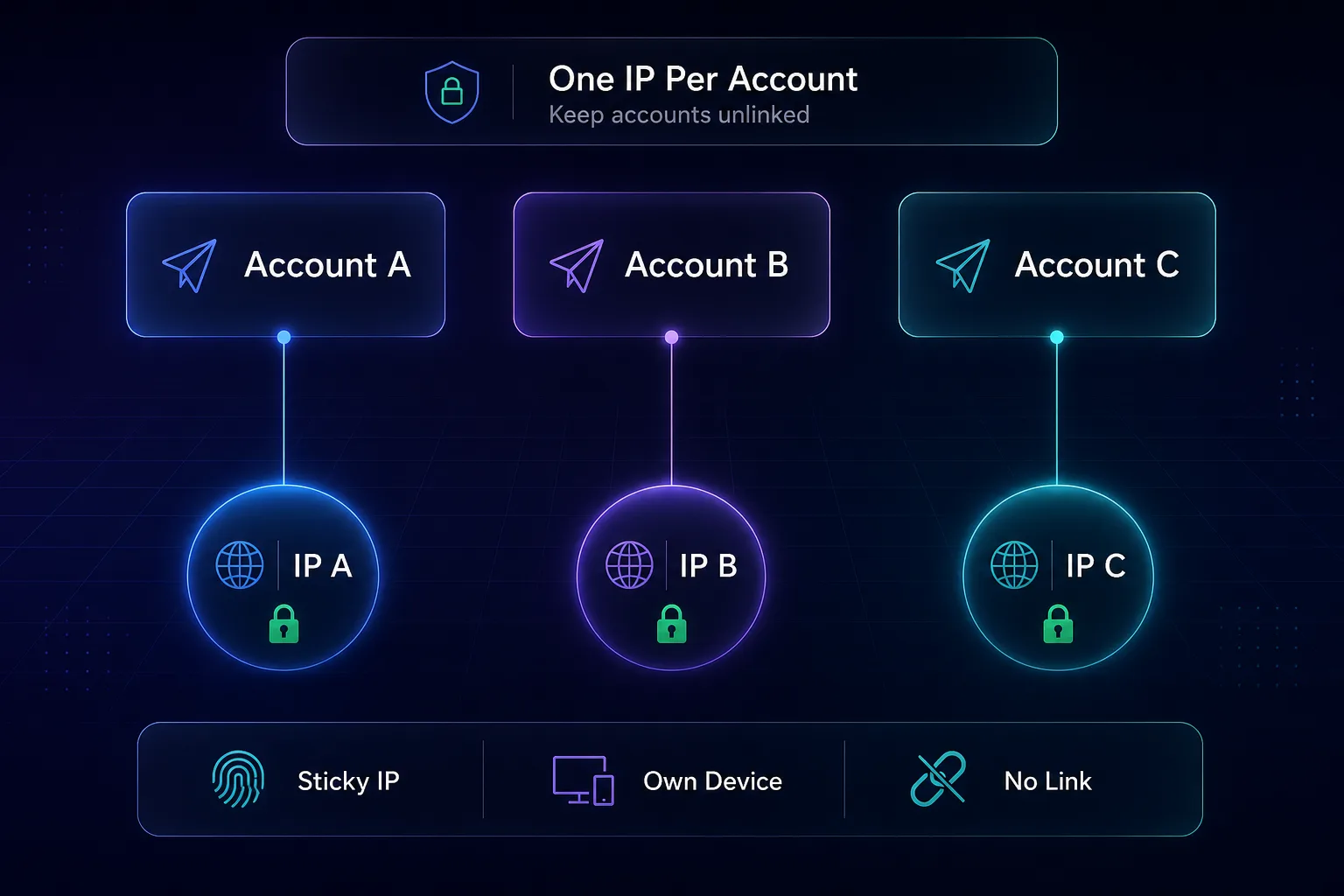
If you run multiple accounts, use a separate Telegram client or device profile per account and assign each its own proxy. Sharing one IP across accounts is the fastest way to get them linked and banned.
How to Choose a Telegram Proxy
1Access or accounts?
If you only need to unblock Telegram on your own device, a cheap SOCKS5 or datacenter IP in a free country does the job. If you manage accounts, bots, or channels, you need high-trust residential or mobile IPs. Naming the goal narrows the list instantly.
2How many accounts are you running?
One or two accounts are fine on quality residential IPs. Dozens of accounts or aggressive automation call for dedicated mobile proxies, where each account sits on a carrier IP that is extremely hard to ban. Match trust to risk.
3Which regions do you need?
For censorship bypass, prioritize providers with reliable coverage near your location, SOAX and Oxylabs lead on granular geo-targeting.
4What is your budget?
Occasional users win with IPRoyal’s non-expiring traffic or Webshare’s free tier. Heavy automation justifies mobile from PyProxy or NodeMaven.
Common Mistakes to Avoid With Telegram Proxies
1Using free public MTProto proxies
Those shared links in public channels route your traffic through an unknown operator who can see your connection metadata. They are slow, unstable, and a privacy hazard. For anything beyond throwaway access, use a private paid proxy you control.
2Putting every account behind one IP
Running ten accounts through a single IP links them together, flag one and the rest can fall. Assign each account its own sticky residential or mobile IP so they read as separate, independent users. This is the core discipline of safe multi-accounting.
3Using datacenter IPs for automation
Datacenter ranges are easy to classify, so heavy bot activity through them gets flagged fast. Reserve datacenter or plain SOCKS5 for simple personal unblocking, and use residential or mobile for automation and account work.
4Ignoring device and behavior fingerprints
A clean IP with a botty pattern still gets caught. Telegram also looks at device signals and behavior, so pair proxies with realistic pacing, warmed accounts, and separate device profiles. The proxy is one layer, not the whole wall.
5Chasing the cheapest price per gigabyte
Bargain residential pools are often recycled and already flagged on messaging platforms. You pay less per GB and then burn it on failed logins and challenges. Judge cost by successful sessions, not the sticker rate.
Tips for Using Telegram Proxies Safely
- Test a small plan first. Quality varies by location and target, validate on a little traffic before buying big.
- Warm new accounts up. Sudden mass activity from a fresh account looks automated.
- One identity per account. Same IP, same device profile, same behavior per account, consistency is trust.
- Match geo to purpose. An account that claims one country but connects from another is an easy inconsistency to spot.
- Respect rate limits. Human-like delays beat raw speed, and pacing beats hammering the API.
Is Using a Proxy on Telegram Legal and Safe?
Using a proxy is legal in most countries, and Telegram itself builds in proxy support precisely because so many users live under censorship. A private, paid proxy from a reputable provider is safe, your traffic is already encrypted by Telegram.
The honest nuance: local laws on circumventing censorship vary, and mass automation or spam can violate Telegram’s Terms of Service even where it is not illegal. We do not encourage anything that breaks the law or a platform’s rules, we encourage informed, responsible use for privacy, access, and legitimate account management.
Our take: the real risk is not the proxy but who runs it. Free public proxies can inspect your metadata; a paid provider you trust cannot see your messages. If your only goal is private personal access rather than automation, a VPN may be simpler, see our proxy vs VPN breakdown.
Frequently Asked Questions
Conclusion
There is no single "best" proxy for Telegram, there is the best one for your job. For most users, Decodo is the confident all-round pick. Choose PyProxy for budget mobile automation, NodeMaven for stable multi-account sessions, SOAX for censorship bypass and geo precision, Oxylabs for enterprise scraping, IPRoyal for pay-as-you-go value, and Webshare to test on a budget.
Whatever you pick, the fundamentals hold: never trust free public proxies with an account, use one sticky IP per account, prefer residential or mobile over datacenter for automation, and judge cost by successful sessions. Get those right and Telegram treats your traffic like the real users it belongs to.
Ready to choose? Compare live specs in our proxy directory, line two providers up with our comparison tool, or read our companion guide on the best proxies for YouTube. Start small and scale what works.