Proxy vs VPN: What's the Difference? 2026 Guide
Proxy vs VPN explained: the real differences in encryption, speed, scale, and cost — plus exactly when to use each, whether to use both, and which to choose.
Here is the honest truth most "proxy vs VPN" articles bury: neither one is better. They solve different problems. A proxy is a scalpel — it reroutes specific traffic, at scale, cheaply. A VPN is a blanket — it encrypts everything on your device for privacy. Pick the wrong one and you either overpay for protection you do not need or expose data you meant to hide.
The confusion is understandable, and it is expensive. The VPN market alone is worth well over $40 billion, and a huge share of buyers grab a VPN when a proxy would have done the job better and cheaper — or vice versa. The two tools overlap just enough to blur together, and plenty of "guides" nudge you toward whichever pays the bigger commission.
So this guide keeps it straight. You will learn exactly what each one does, the real differences that matter, when to use which, whether you can run both, and which to choose for your actual use case. If you are new to the basics, our explainer on what proxies are is a good primer.
The Quick Answer
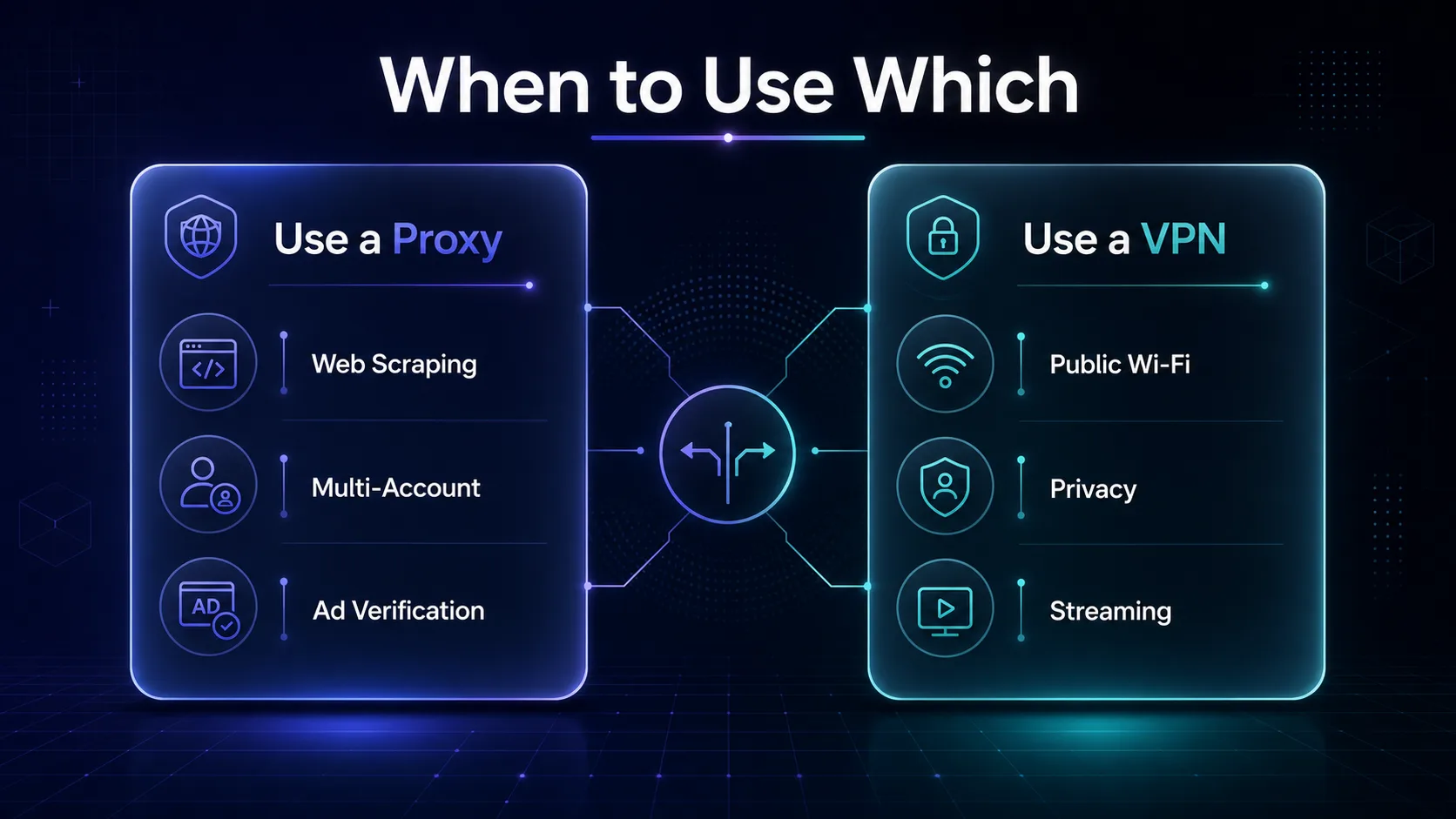
Our take: use a proxy when you need to route specific traffic through many IPs at scale — web scraping, managing multiple accounts, ad verification, or geo-testing. Use a VPN when you want to encrypt all your device traffic for privacy and security — public Wi-Fi, personal browsing, or streaming. The core split: a proxy hides your IP for one app; a VPN encrypts everything for your whole device.
What Is a Proxy?
A proxy server sits between your app and the internet, forwarding your requests through a different IP address. The website you visit sees the proxy's IP, not yours. That is the whole job — swap the visible IP address, usually for a single app or browser rather than your entire system.
Most proxies do not encrypt your traffic; they just relay it. Their real strength is scale and variety: providers offer millions of IPs across many countries and types, so you can rotate through thousands of addresses. That is why proxies power web scraping, price monitoring, and multi-account work. If you want the full breakdown, see the types of proxies and our guide to residential proxies.
What Is a VPN?
A VPN (Virtual Private Network) creates an encrypted tunnel between your device and a VPN server. All your traffic flows through that tunnel, so your IP is hidden and your data is scrambled — unreadable to your ISP, network snoops, or anyone on the same Wi-Fi.
The key words are encrypted and all. A VPN protects your entire device — every app, not just the browser — and secures the data itself, not just your IP. That makes it the right tool for privacy and security, though it typically gives you one IP from a limited set of locations at a time.
Proxy vs VPN: The Head-to-Head Comparison
The clearest way to see the difference is side by side. This is the table to bookmark.
| Feature | Proxy | VPN |
|---|---|---|
| Encryption | Usually none | Always (AES-256 / ChaCha20) |
| Coverage | Per-app or per-browser | Entire device |
| Speed | Very fast (no encryption overhead) | Slightly slower (encryption cost) |
| What it hides | Your IP address only | Your IP + all traffic contents |
| Scale | Thousands of IPs, rotation | One IP at a time, fewer locations |
| Best for | Scraping, multi-account, geo at scale | Privacy, security, streaming |
| Cost model | Pay per GB or per IP | Flat monthly subscription |
| Setup | Per-app configuration | One app, one click |
The Key Differences That Actually Matter
The table shows the what; here is the why behind the four differences that decide your choice.
1Encryption: the biggest split
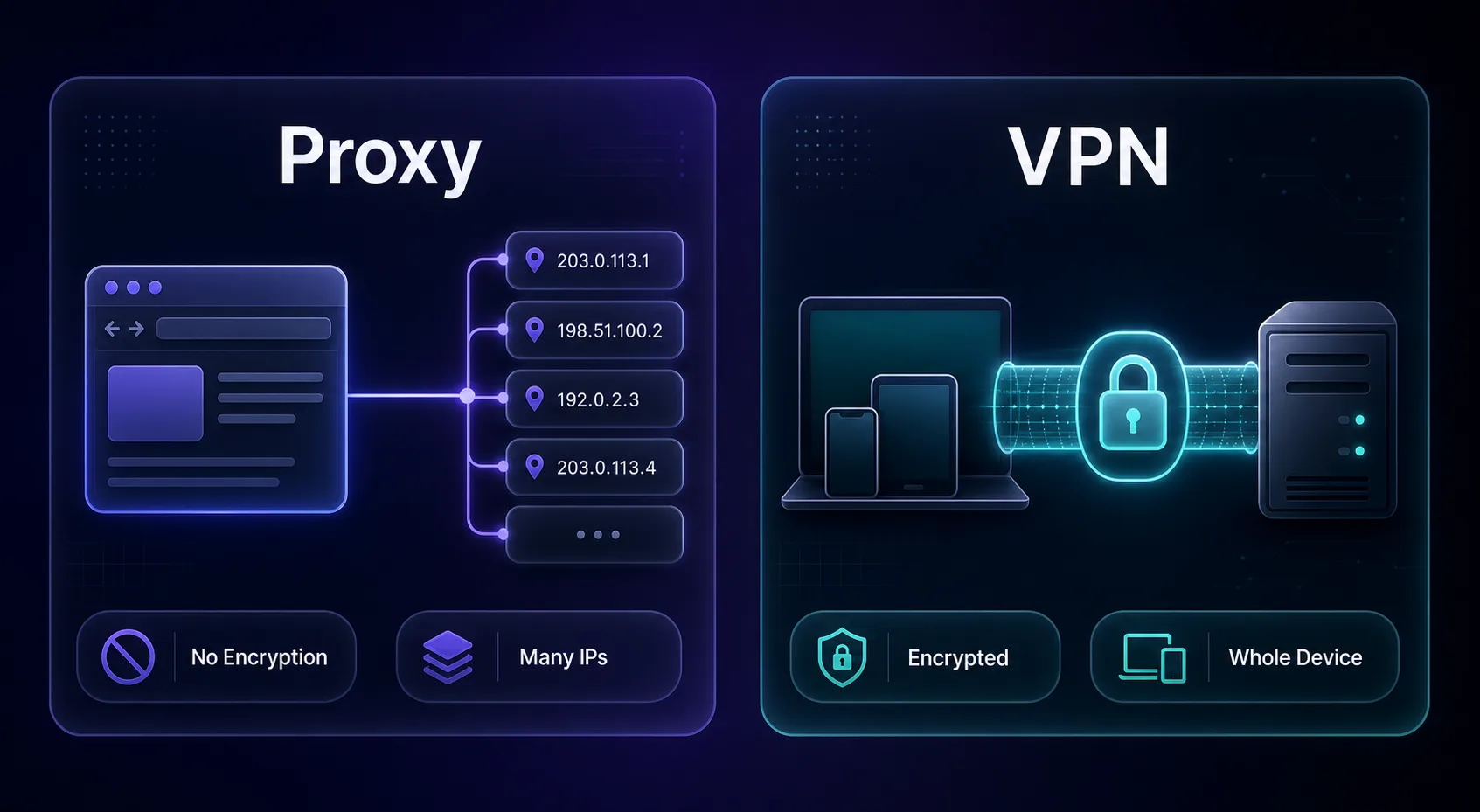
This is the headline difference. A VPN encrypts your traffic so no one can read it; a standard proxy does not. If your goal is privacy or safety on untrusted networks, encryption is non-negotiable — and only the VPN delivers it out of the box.
2Scope: one app vs the whole device
A proxy usually routes a single app or browser, which is a feature, not a limitation — you can send Firefox through a proxy while everything else stays direct. A VPN captures your entire device. Want granular control? Proxy. Want blanket coverage? VPN.
3Scale: rotation vs a single tunnel
Proxies shine when you need many IPs. Providers offer rotating pools of thousands of addresses, which is essential for scraping and multi-account work without tripping rate limits. A VPN gives you one IP at a time from a limited server list — great for you, useless for scraping at scale.
4Cost: pay-per-use vs flat fee
VPNs are simple flat monthly subscriptions. Proxies usually bill by bandwidth or IP count, which scales with usage — cheap for light tasks, pricier at heavy volume. For a single user wanting privacy, a VPN is the better value; for data operations, a proxy is far more economical per request.
When Should You Use a Proxy?
Reach for a proxy when the job is about IP variety and scale, not encryption.
- Web scraping and data collection — rotate IPs to avoid blocks (this is the #1 use case).
- Managing multiple accounts — give each account its own IP, ideally with an antidetect browser.
- Ad verification and SEO tracking — check ads and rankings from many locations.
- Price and market monitoring — see localized pricing at scale.
Best for: developers, agencies, and businesses doing anything at volume. Setting one up is quick — see our guide to setting up a proxy in Firefox.
When Should You Use a VPN?
Reach for a VPN when the job is about privacy, security, and covering your whole device.
- Privacy on public Wi-Fi — encrypt your traffic on cafe, hotel, and airport networks.
- Personal browsing privacy — hide activity from your ISP and trackers.
- Streaming geo-blocked content — a one-click way to change your region.
- Bypassing censorship — encrypted tunnels are harder to block and inspect.
Best for: everyday users who want safety and simplicity. If streaming is your goal, our picks for the best VPNs for gaming and streaming are a good start.
Can You Use a Proxy and a VPN Together?
Yes — and power users often do. You can run a VPN for whole-device encryption while routing a specific browser or tool through a proxy for its IP. The VPN secures everything; the proxy handles targeted, high-scale IP work on top.
The trade-off is added latency (two hops) and more moving parts, so it is overkill for casual use. But for a researcher who wants both encryption and rotating IPs, the combination is genuinely useful. For data pipelines specifically, our take on VPN vs proxy for data collection goes deeper.
Which Should You Choose? A Use-Case Cheat Sheet
Skip the theory — match your goal to the tool.
| Your goal | Best tool |
|---|---|
| Web scraping / data collection | Proxy (residential or rotating) |
| Managing many accounts | Proxy + antidetect browser |
| Ad verification / SEO at scale | Proxy |
| Privacy on public Wi-Fi | VPN |
| Hiding all device traffic | VPN |
| Streaming geo-blocked shows | VPN (a proxy can work too) |
| Torrenting safely | VPN |
| Both encryption and scale | Proxy + VPN together |
Top Proxy Providers to Consider
If a proxy is your answer, IP quality decides success. These are the providers we rate most highly — browse the full list in our proxy directory.
1Decodo

Decodo is our all-round default — a large residential pool, easy rotation, and a clean dashboard that suits everyone from solo scrapers to small teams. It offers both rotating and sticky sessions, so you can rotate freely or hold one IP when a task needs consistency.
2Oxylabs

Oxylabs is the enterprise pick, with a massive network and precise geo-targeting for large-scale data work. It costs more, but the reliability earns it.
3IPRoyal

IPRoyal is the value champion, known for non-expiring residential traffic and approachable pricing — great for individuals and smaller projects.
Top VPNs to Consider
If encryption and privacy are the goal, these are our top VPNs — see the full lineup in the VPN directory.
1NordVPN

NordVPN is our best overall pick, pairing the fast NordLynx protocol with strong security features and a huge server network. Compare it in our NordVPN vs Surfshark breakdown.
2Surfshark

Surfshark is the best value, with unlimited device connections and strong speeds at a budget price — ideal for a whole household. Its DDoS-resistant servers and beginner-friendly apps make it a painless first VPN.
3ExpressVPN

ExpressVPN is the premium, consistency-first option, with excellent apps and router support. It is the priciest here, but reliably fast and easy.
Common Misconceptions
Clearing up the myths that lead people to the wrong tool.
1"A VPN is always more private than a proxy"
For personal privacy, yes — a VPN encrypts. But for anonymity at scale (many rotating IPs), a residential proxy network can be harder to attribute to one person than a single VPN IP shared by thousands. Different kinds of privacy.
2"Proxies are not secure at all"
Standard proxies do not encrypt, but HTTPS still protects the data between you and secure sites. A proxy on an HTTPS connection is not sending your passwords in the clear — it just is not adding its own encryption layer like a VPN does.
3"A VPN can do everything a proxy does"
Not for scale. A VPN cannot give you thousands of rotating IPs, so it cannot replace a proxy for scraping or multi-account work. They overlap on geo-unblocking, not on scale.
4"Free proxies and free VPNs are fine"
Both are risky. Free proxies are slow and often malicious; free VPNs frequently log and sell your data — which defeats the entire purpose. For anything real, a low-cost paid option is the honest choice.
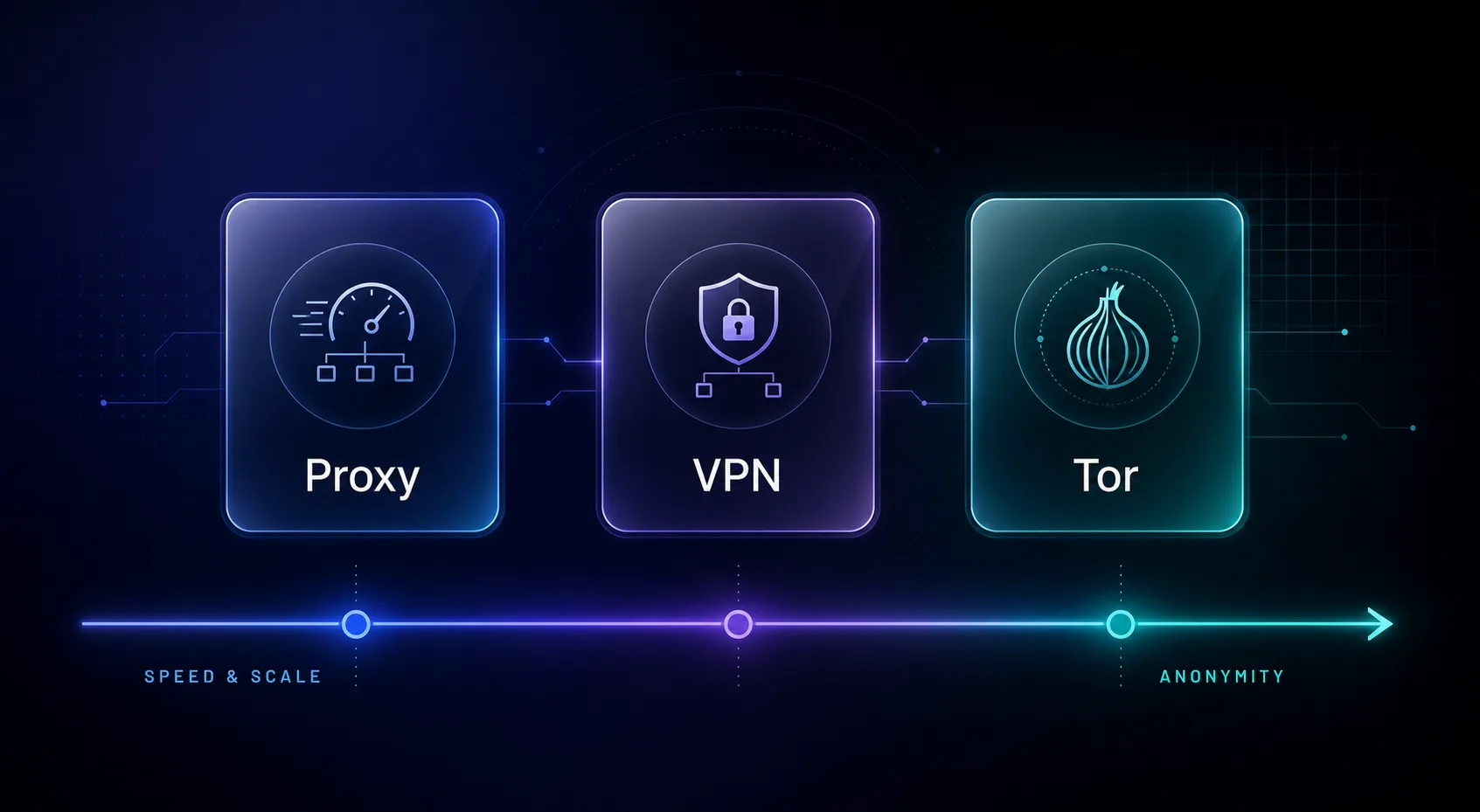
Proxy vs VPN vs Tor: Where Does Tor Fit?
Once you understand proxy vs VPN, a third option often comes up: Tor. It is worth knowing where it sits, because people frequently weigh all three.
Tor routes your traffic through several volunteer-run relays, each peeling back one layer of encryption — hence "the onion router." It offers the strongest anonymity of the three, but it is slow and unsuitable for scale or streaming. Think of it this way: a proxy is fast and built for scale, a VPN balances privacy and speed for daily use, and Tor maximizes anonymity at the cost of speed. Most people want a VPN or proxy; Tor is for high-stakes anonymity. For a deeper look, see our VPN vs Tor comparison.
Does the Type of Proxy Change the Answer?
When a proxy is the right call, the kind of proxy matters just as much as the proxy-vs-VPN decision itself. Not all proxies are equal.
Datacenter proxies are fast and cheap but easier for sites to detect. Residential proxies use real home IPs and look like ordinary users, making them the go-to for tough targets. Mobile proxies carry the highest trust for the strictest sites. There is also a protocol choice — HTTP versus SOCKS5 — that affects what traffic you can route. If a proxy is your answer, our guides on the types of proxies and HTTP vs SOCKS5 will help you pick the right one. A VPN, by contrast, hides most of this complexity behind a single app — part of why it is the easier tool for non-technical users.
Frequently Asked Questions
The Bottom Line
Proxy vs VPN is not a contest — it is a fork in the road. If you need encryption and whole-device privacy, a VPN is the answer. If you need many IPs at scale for scraping, multi-account work, or geo-testing, a proxy wins hands down. And when you need both, you can run them together.
The honest rule is simple: match the tool to the job, not to the marketing. For data work, start with a proxy from our proxy directory; for privacy and streaming, pick a VPN from the VPN directory. Still deciding between privacy tools? Our VPN vs Tor comparison is a useful next read.
Keep Reading
More articles you might enjoy