Best Residential Proxies for YouTube in 2026
The best residential proxies for YouTube in 2026 — compared for channel management, ad verification, geo-unblocking, and scraping, with honest pricing and pitfalls.
YouTube sees well over two billion logged-in users every month (Google), and it watches every one of them closely. Fire a handful of requests from the wrong IP — a datacenter range, a flagged subnet, a shared free proxy — and you get the same greeting: an "unusual traffic" wall, a CAPTCHA loop, or a quietly limited channel. That is rarely a code bug. It is an IP-trust problem.
Whether you run multiple channels, verify how ads render abroad, unblock region-locked videos, or scrape public YouTube data, the proxy layer decides whether you look like a real viewer or a bot. And here is the uncomfortable truth most "best YouTube proxy" lists skip: the cheapest option is almost never the one that survives YouTube's detection.
This guide is built for decisions, not fluff. You will get our shortlist of the best residential proxies for YouTube in 2026, a breakdown of residential vs datacenter vs mobile, real pricing logic, and the mistakes that get accounts flagged — so you know which provider fits your workflow and why.
Why YouTube Flags the Wrong IPs
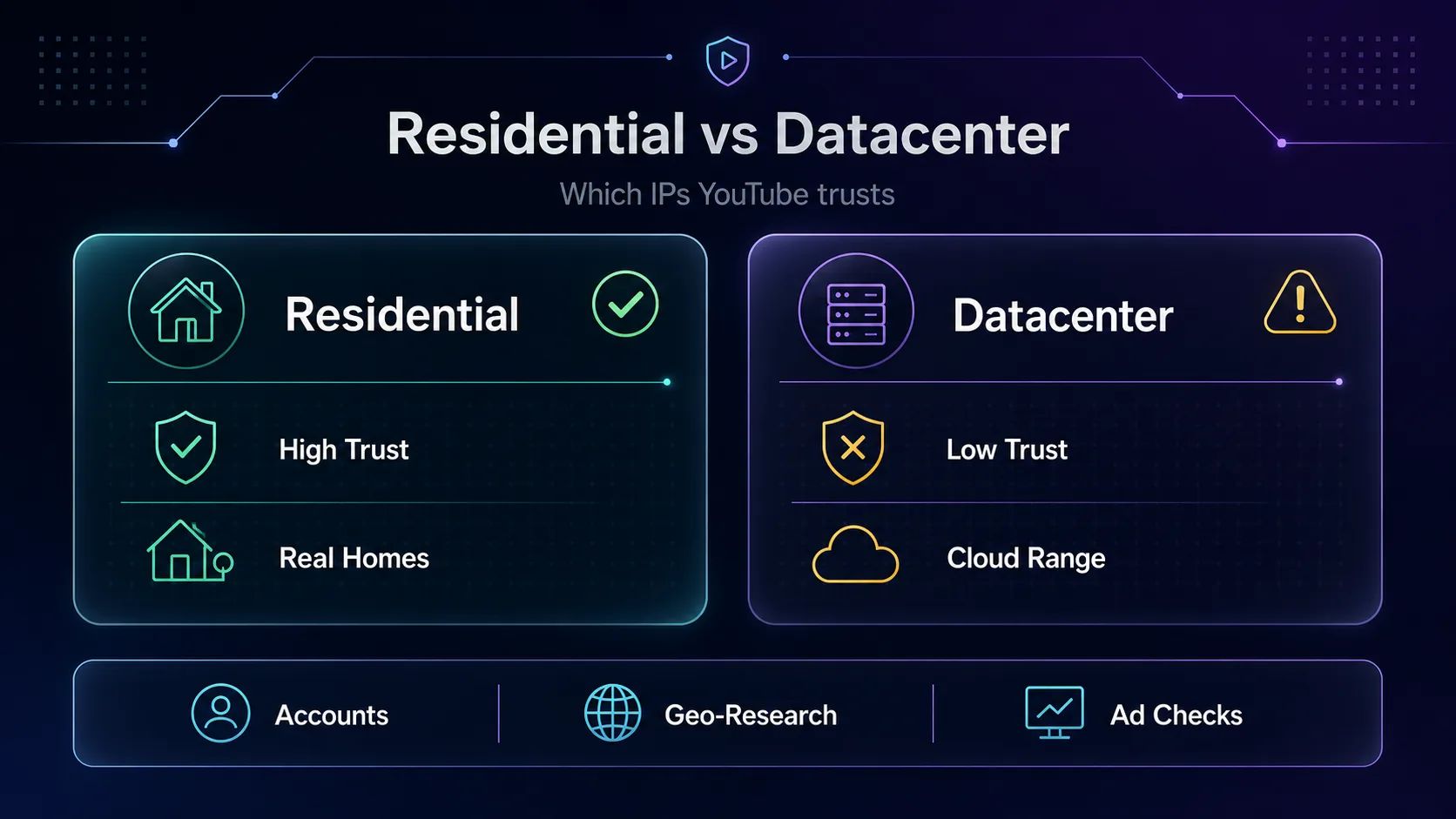
YouTube — and Google's wider anti-abuse stack behind it — classifies traffic partly by IP reputation. Residential IPs belong to real homes via real ISPs, so they carry the trust of ordinary users. Datacenter IPs sit in known cloud ranges that are trivial to identify and cluster.
In plain English: a datacenter proxy on YouTube stands out like a scooter in an F1 race. It might load a video, but the moment you log in, upload, comment, or repeat an action, the risk of a challenge spikes. Residential proxies route your traffic through those genuine home IPs, so YouTube treats the session more like a normal viewer.
Our take: for anything that touches a logged-in account, residential (or mobile) is the only serious choice. Datacenter proxies still have a place for high-volume, logged-out scraping where speed and cost matter more than stealth. If you are new to the distinction, our explainer on what a residential proxy is unpacks it fully.
What YouTube Actually Uses Proxies For
Not every YouTube job needs the same proxy. Matching the tool to the task is half the battle:
- Multiple channel management — keep each channel on its own stable, trusted IP so they are not linked and mass-flagged.
- Ad verification — see the exact ads, placements, and pricing YouTube serves in a specific country or city.
- Geo-unblocking for research — watch region-locked videos, music, or premieres that are unavailable in your location.
- Public data scraping — collect video metadata, comments, trends, and keyword data for SEO and market research at scale.
- Localized QA — check how your own channel, thumbnails, and recommendations appear to viewers abroad.
The first three lean on account trust and precise geo-targeting (residential/mobile). The last two lean on volume and rotation.
The Best Residential Proxies for YouTube in 2026
How we picked: we weighed IP-pool quality and residential sourcing, geo-coverage (city and ISP targeting), sticky-session support for account work, rotation control for scraping, transparent pricing, and hands-on reputation with social and streaming targets. We have used several directly; where our read is based on public pricing and docs rather than a live test, we say so. All prices below are approximate. A brief disclosure: some links here are affiliate links, and we may earn a commission. It never changes our rankings.
1Decodo

Best for most YouTube users. Decodo (formerly Smartproxy) hits the sweet spot of clean residential IPs, an easy dashboard, and pricing that does not punish beginners. With a pool north of 115M IPs across 195+ countries and both rotating and sticky sessions, it covers channel management, geo-research, and light scraping from one account.
In our experience it is the provider we recommend first when someone is not sure what they need. The catch: power users running enterprise-scale scraping may eventually want more granular API control. For everyone else, it is the fastest path to reliable YouTube access. See how it stacks up in our Oxylabs vs Decodo comparison.
2IPRoyal

Best for budget-conscious and pay-as-you-go users. IPRoyal's headline feature is non-expiring residential traffic — you buy a bandwidth balance and it does not vanish at the end of the month. For creators who dip into proxies occasionally rather than daily, that alone can save real money.
Coverage spans 195 countries with city and ISP targeting, and the entry price is among the friendliest for genuine residential IPs. The trade-off is a smaller pool than the giants, so for very high-concurrency scraping you may see more retries. For account work and moderate volume, it is excellent value.
3SOAX

Best for precise geo-targeting and ad verification. SOAX runs one of the largest clean pools on this list (191M+ IPs) with granular targeting down to country, region, city, and ISP. If your YouTube work depends on where the request appears to come from — checking localized ads or region-locked catalogs — this is the one to test.
The whitelisted, filtered IP approach keeps quality high, which matters on a target as strict as YouTube. Pricing sits in the mid-to-premium band, so it is less of a casual pick and more of a precision instrument. Our take: overkill for simple unblocking, ideal for serious market research.
4Geonode

Best for bandwidth-heavy streaming on a budget. Geonode's standout is an unlimited-bandwidth option on its residential plans, which is a real advantage on YouTube where video playback burns data fast. Instead of watching a per-GB meter during watch-time testing, you can run long sessions without the bill climbing.
Its budget residential pricing keeps costs down for high-volume, playback-heavy work, and the pool covers the major markets you are likely to test. The honest caveat: it is a value-focused network, so raw IP quality and support depth trail the premium names, so test your target regions first. For data-hungry YouTube tasks on a tight budget, it is a smart fit.
5NodeMaven

Best for multi-account management. NodeMaven's differentiator is the longest sticky sessions on the market plus a filter-first approach that screens out low-quality IPs before they reach you. For running several YouTube channels, a stable IP that stays put is worth more than raw pool size.
Pair it with an multi-account workflow and each channel keeps a consistent, trusted identity — the single biggest factor in avoiding linked-account bans. It is newer and smaller than the giants, but for account-heavy operators that focus is a feature, not a limitation.
6Oxylabs

Best for enterprise-scale YouTube data scraping. Oxylabs is the heavyweight: 102M+ residential IPs, 195 countries, enterprise SLAs, and a mature API with strong documentation. If you are pulling YouTube metadata, comments, or trend data at serious volume, this is infrastructure that will not blink.
It also offers a dedicated scraping API that handles rendering and blocks for you. The catch is predictable — it is premium-priced and heavier than a solo creator needs. For a team, the reliability pays for itself; for a beginner, it is more than the job requires. Compare the options in our best residential proxies for web scraping roundup.
7Webshare

Best for the tightest budgets and testing. Webshare is the value entry point, with a genuinely usable free tier and some of the cheapest paid residential plans around. For learning the ropes, running small tests, or light logged-out tasks, it lowers the barrier to almost zero.
The trade-off is scale and coverage: a smaller pool (10M+ IPs) across fewer countries means it is not the tool for heavy account work or wide geo-research. Our take: start here to experiment, then graduate to a larger pool once your workflow demands it. See where it lands in Oxylabs vs Webshare.
Residential vs Datacenter vs Mobile Proxies for YouTube
Choosing the proxy type matters as much as choosing the provider. Here is how the three stack up for YouTube specifically:
| Proxy Type | YouTube Trust | Speed | Cost | Best For |
|---|---|---|---|---|
| Residential | High | Medium | $$ | Account work, geo-research, ad verification |
| Mobile (4G/5G) | Highest | Medium | $$$ | Aggressive automation, hardest targets |
| Datacenter | Low | Fastest | $ | High-volume logged-out scraping only |
Our take: residential is the default for YouTube. Reach for mobile proxies only when a workflow is aggressive enough that even residential IPs get challenged — they carry the highest trust because many real users share each carrier IP. Save datacenter proxies for logged-out, high-throughput scraping where a block just means a retry, not a banned account. For the full landscape, see our guide to the different types of proxies.
YouTube Proxy Pricing Compared
Residential proxies are billed per gigabyte, and YouTube is bandwidth-heavy — video eats data far faster than text. Approximate entry pricing (always verify on the provider's site):
| Provider | Pool Size | Countries | Model | Best Fit |
|---|---|---|---|---|
| Decodo | 115M+ | 195+ | Per GB, plans | All-round value |
| IPRoyal | 32M+ | 195 | Non-expiring GB | Pay-as-you-go |
| SOAX | 191M+ | 195 | Per GB, flexible | Geo precision |
| Geonode | Residential | Global | Unlimited-BW option | Bandwidth-heavy value |
| NodeMaven | 30M+ | 195 | Per GB, sticky | Multi-account |
| Oxylabs | 102M+ | 195 | Per GB, enterprise | Scale scraping |
| Webshare | 10M+ | 50 | Free + cheap paid | Testing/budget |
Check before you buy: the cheapest per-GB rate is a trap if the IPs are low quality — you burn bandwidth on retries and challenges. Weigh IP quality, replacement policy, and geo-coverage, not price alone. Browse the full field in our proxy directory.
How to Choose a YouTube Proxy
1What is your YouTube use case?
Start here. Account management and ad verification demand high-trust residential or mobile IPs with sticky sessions. Bulk data scraping tolerates rotation and can mix in datacenter IPs. Simple geo-unblocking needs coverage in the right country, not much else. Naming the job narrows the shortlist instantly.
2Do you need sticky sessions or rotation?
Logged-in work needs sticky sessions — the same IP held for minutes or hours so your channel is not jumping addresses mid-task. Scraping many public pages benefits from rotation, spreading requests across many IPs to dodge rate limits. Most providers here offer both; make sure yours does.
3How much geo-coverage do you need?
If you only unblock one region, almost any provider works. If you verify ads or research catalogs across dozens of markets, prioritize pool size and city/ISP targeting — SOAX and Oxylabs lead here. Coverage you will never use is not worth paying for.
4What is your budget and volume?
Estimate your monthly gigabytes honestly — video is heavy. Occasional users win with IPRoyal's non-expiring traffic; heavy teams get better rates from Oxylabs at volume or unlimited bandwidth from Geonode; testers start free on Webshare.
Common Mistakes to Avoid With YouTube Proxies
1Using datacenter proxies for account work
This is the number-one cause of flagged channels. Datacenter ranges are the easiest traffic for YouTube to classify, so logging in or automating through them invites challenges fast. Reserve datacenter IPs for logged-out scraping and use residential or mobile for anything account-related.
2Putting every account behind one IP
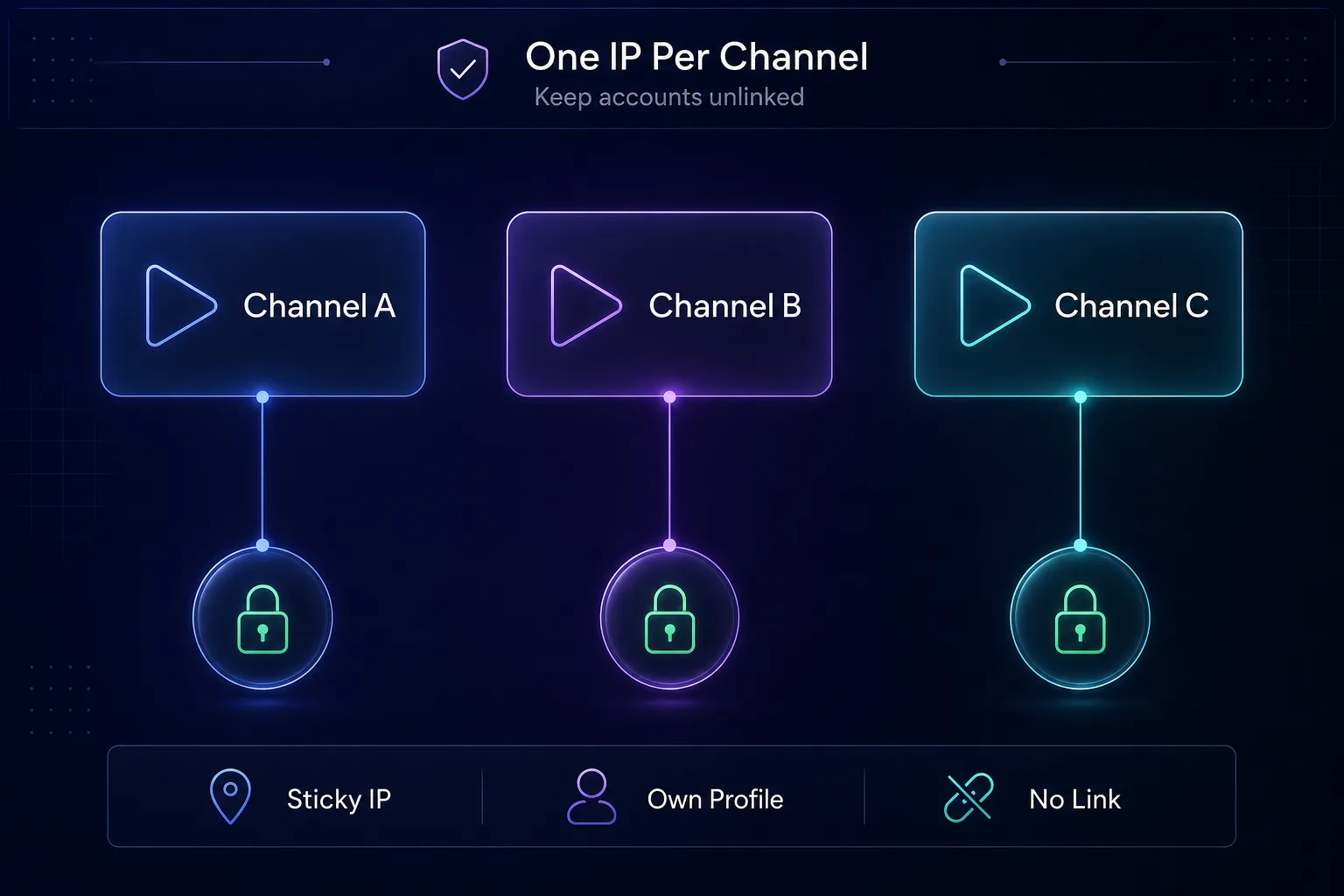
Running ten channels through a single shared IP links them together — flag one and the rest can fall like dominoes. Assign each account its own sticky residential IP so they read as separate, independent users. This is the discipline serious multi-account operators live by.
3Ignoring your browser fingerprint
A clean IP with a botty fingerprint still gets caught. Your user agent, headers, cookies, and canvas signals matter as much as the IP. Pair proxies with a proper anti-tracking setup or an antidetect browser for account isolation — the proxy is one layer, not the whole wall.
4Chasing the cheapest price per gigabyte
Bargain-basement residential pools are often recycled, overused, or already flagged on YouTube. You pay less per GB and then waste that bandwidth on CAPTCHAs and retries. Judge cost by successful requests, not the sticker rate.
5Rotating IPs mid-session on logged-in accounts
Rotation is great for scraping and terrible for a logged-in session. If your IP changes while you are signed in, YouTube sees a user teleporting across the country mid-action — a textbook bot signal. Lock sticky sessions for account work and save rotation for public, logged-out requests.
Tips for Using Proxies With YouTube Safely
- Always test a small plan first. Quality varies by location and target — validate on a few gigabytes before committing to a large plan.
- Warm up new accounts slowly. Sudden bursts of activity from a fresh channel look automated.
- Match your geo to your content. A channel that claims one country but always connects from another is an easy inconsistency to spot.
- Keep one identity per account. Same IP, same browser profile, same fingerprint per channel — consistency is trust.
- Respect rate limits. Human-like delays between actions beat raw speed, and pacing beats hammering a target.
Is Using Proxies on YouTube Legal?
Using a proxy is legal, and proxies have countless legitimate uses — privacy, testing, ad verification, and collecting public data. What matters is what you do through them.
The honest nuance most guides dodge: automating engagement, faking views, or mass-managing accounts can violate YouTube's Terms of Service, even when it is not illegal. Scraping public data sits in a grey area shaped by ToS and local law. We do not encourage anything that breaks a platform's rules or the law — we encourage informed, responsible use.
Our take: proxies are a tool, like a car. Legal to own and drive; your responsibility how you use them. Stick to legitimate research, QA, verification, and privacy, and read the platform's terms before you automate. If your goal is simply private viewing rather than automation, a VPN may fit better — see our proxy vs VPN breakdown.
Frequently Asked Questions
Conclusion
There is no single "best" residential proxy for YouTube — there is the best one for your job. For most users, Decodo is the confident all-round pick. Choose SOAX for geo precision, NodeMaven for multi-account stability, Geonode for bandwidth value, Oxylabs for enterprise scraping, IPRoyal for pay-as-you-go value, and Webshare to test on a budget.
Whatever you pick, remember the fundamentals: residential over datacenter for account work, one sticky IP per channel, a clean fingerprint alongside the proxy, and quality over the cheapest per-GB rate. Get those right and YouTube treats your traffic like the real users it belongs to.
Ready to choose? Compare live specs in our proxy directory, or line two providers up with our comparison tool. Start small, test on your real workflow, and scale what works.