How to Unfreeze a TikTok Account: Causes & Fixes (2026)
How to unfreeze a TikTok account in 2026: the real causes, step-by-step fixes, how to appeal, and how to stop your account being frozen again.

You open TikTok and something's wrong. You can't post, your videos won't upload, engagement has fallen off a cliff, or you're locked out entirely. Your account is frozen, and the panic sets in fast, especially if that account is your livelihood.
Here's the good news: most frozen TikTok accounts can be recovered, and the freeze is usually a response to a specific trigger rather than a permanent verdict. Figure out what set it off, take the right steps, and you're often back to normal within days.
This guide walks through what a frozen account actually is, the real reasons TikTok freezes them, the exact steps to get yours unfrozen, and how to stop it happening again. Let's get your account back.
What Does a Frozen TikTok Account Mean?
A frozen account is one TikTok has restricted, usually temporarily, while it reviews suspicious activity. You might still log in but find you can't post, comment, or gain followers, or you may be locked out completely pending verification.
It's worth separating three things people lump together, because the fix for each is different.
| State | What it means | Usually reversible? |
|---|---|---|
| Frozen | Temporarily restricted pending review | Yes, often within days |
| Shadowbanned | Reach quietly limited, no notice | Yes, lifts over time |
| Banned | Permanently removed for violations | Rarely, appeal only |
A freeze is the most recoverable of the three. If you've been fully banned, your only route is an appeal, but a freeze usually just needs the right response.
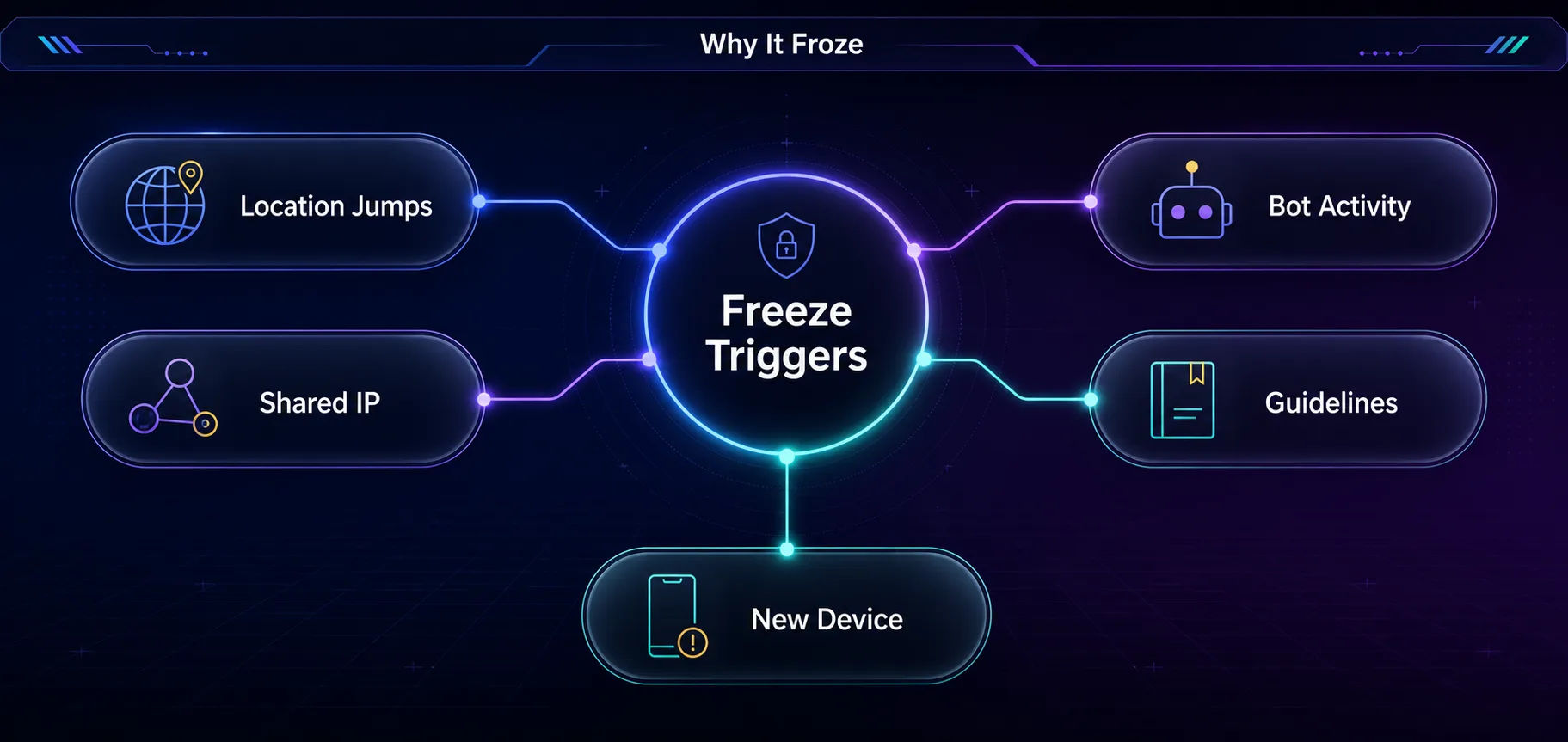
Why TikTok Freezes Accounts
Freezes are triggered, not random. Knowing the cause points you straight at the fix.
1Sudden Location or IP Changes
This is one of the most common and least understood triggers. If your account logs in from one country today and another tomorrow, TikTok sees a red flag for a hijacked or bot-run account. Frequent IP jumps, including from a flaky VPN, can freeze an otherwise clean account.
2Multiple Accounts on One IP
Running several accounts from the same connection links them together. When TikTok spots that pattern, it can freeze some or all of them at once, since it reads them as coordinated or fake.
3Aggressive or Bot-Like Activity
Mass following, rapid liking, spammy commenting, or anything that looks automated triggers the system fast. New accounts that behave aggressively out of the gate are especially likely to be frozen.
4Community Guideline Issues
Content that trips TikTok's rules, or a cluster of reports from other users, can freeze an account pending human review. Sometimes it's a false positive, which is exactly what the appeal process is for.
5Logging in from a New Device
A fresh device or a big change in your usual pattern can prompt a security freeze until you verify it's really you. This one is usually the quickest to clear.
| Likely cause | Fastest fix |
|---|---|
| New device login | Verify your identity when prompted |
| Location or IP jumps | Stay on one stable connection |
| Shared IP across accounts | Give each account its own IP |
| Bot-like activity | Stop automation, then wait it out |
| Content or guideline flag | Submit a calm, factual appeal |
How to Unfreeze Your TikTok Account
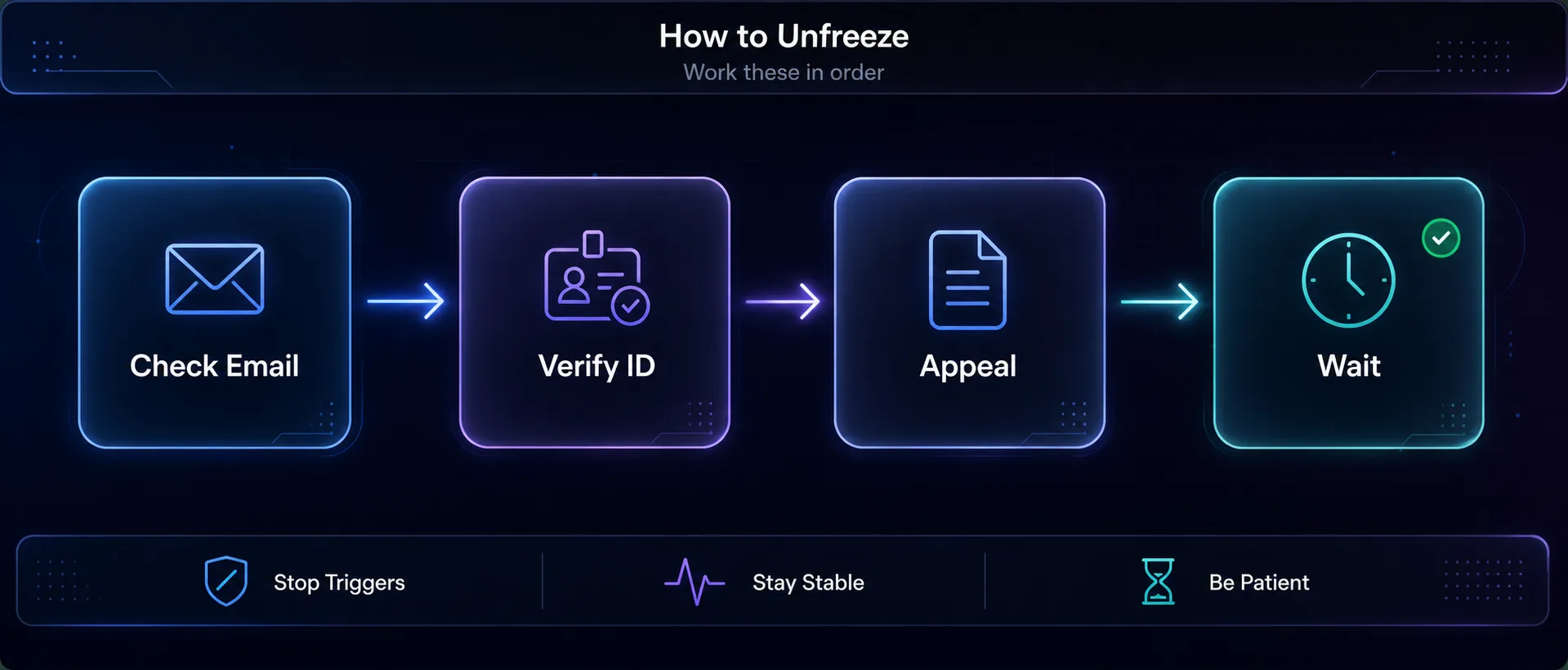
Work through these in order. Most freezes clear at one of the early steps.
1Check Your Email and Notifications
TikTok often explains the freeze and tells you what it needs, whether that's identity verification or an acknowledgement of a guideline. Start here before doing anything drastic.
2Verify Your Identity
If prompted, complete any verification TikTok asks for, such as confirming your phone number, email, or a security check. Security freezes usually lift the moment you prove the account is yours.
3Submit an Appeal
If the freeze is tied to content or a suspected violation, use the in-app appeal. Go to your profile, open Settings and privacy, then Report a problem, and follow the flow. Be polite, concise, and factual. Explain calmly if you believe it's a mistake.
4Stop the Triggering Behaviour
Pause whatever likely caused it. Stop any automation, stop rapid follow or like activity, and stay on one stable connection. Continuing the behaviour that caused the freeze will only extend it.
5Wait It Out
Many freezes are time-limited and lift on their own within 24 to 72 hours once the flagged behaviour stops. Resist the urge to log in repeatedly or create a new account, both of which can make things worse.
How to Stop It Happening Again
Prevention beats recovery. A few habits keep your account off TikTok's radar.
- Keep your connection consistent. Don't hop between countries or use an unstable VPN that changes your IP constantly. Steady location signals trust.
- Warm new accounts up slowly. Build activity gradually rather than mass-following on day one.
- Avoid automation on personal accounts. Bots and aggressive tools are the fastest path back to a freeze.
- Follow the guidelines. Know what content and behaviour TikTok restricts, and stay clear of the edges.
- Don't run many accounts from one IP. If you manage several, each needs its own stable, separate identity.
For Multi-Account Users: Fix the IP Problem
If you run several TikTok accounts for marketing or clients, the shared-IP trigger is your biggest risk, and it's the one that freezes accounts in batches. The fix is giving each account its own consistent IP so they don't look linked. This is exactly what our guide on proxies for TikTok automation covers, and pairing proxies with an antidetect browser keeps each account genuinely separate. Three proxy services we rate for this:
1SOAX

A 191M+ pool of clean residential and mobile IPs with granular country, city, and ISP targeting. Mobile IPs carry the highest trust on TikTok because carrier addresses are shared by thousands of real users, and SOAX's filtered addresses keep each account on a stable, trusted IP for account work.
2Decodo

Clean residential and mobile IPs with sticky sessions and easy geo-targeting, so each account keeps a stable, consistent location. A great all-round pick for managing several accounts.
3IPRoyal

Budget-friendly residential and mobile options with non-expiring traffic, ideal if you run accounts occasionally. Compare the field in our proxy directory.
Common Mistakes When Your Account Is Frozen
1Creating a New Account Immediately
Spinning up a replacement from the same device and IP often links it to the frozen one and gets it frozen too. Fix the original first.
2Logging In Over and Over
Repeated login attempts during a freeze can look like exactly the suspicious activity that caused it. Give it space.
3Continuing the Triggering Behaviour
If automation or rapid activity froze the account, doing more of it resets the clock. Stop completely while the review runs.
4Ignoring the Email
TikTok often tells you what it needs. Skipping the notification and guessing at fixes just wastes time.
Frequently Asked Questions
The Bottom Line
A frozen TikTok account feels like a disaster, but it's usually a recoverable response to a specific trigger, not a permanent judgment. Work the steps in order: read the notification, verify your identity, appeal if it's content-related, stop whatever caused it, and give it time. Most freezes clear within a few days.
The bigger win is not needing this guide twice. Keep your connection steady, warm accounts up, skip the automation on personal profiles, and if you run several accounts, give each its own separate identity so a single flag can't freeze them all.
If multi-account management is your situation, the shared-IP trigger is the one to fix first. Read our guide on proxies for TikTok automation, learn how platforms detect multiple accounts, or browse a mobile pool in the proxy directory to keep every account safe.
Keep Reading
More articles you might enjoy