How to Warm Up New Accounts in an Antidetect Browser (2026)
A day-by-day account warm-up routine for antidetect browser profiles: build cookies on the right proxy, pace activity like a real user, and respect each platform’s gates.

Most new accounts don’t die from a bad fingerprint. They die from a bad first week.
You build a clean antidetect profile, attach a proxy, sign up, and start posting, following and messaging on day one. By day three the account wants a phone check, or it’s quietly restricted.
Account warm up in an antidetect browser fixes most of that. It’s not magic and it’s not a fixed number of likes. It’s a slow, believable ramp from “brand-new browser” to “normal user,” done inside the same profile every time.
This guide gives you a day-by-day routine, shows how to build cookies with the tools Multilogin and GoLogin ship, and explains the pacing rules that keep new profiles alive. There’s also one myth most warm-up guides repeat that you can safely ignore.
- Most new accounts get flagged for their behavior in the first week, not their fingerprint.
- There’s no magic number of days or likes; move on when each stage stays quiet.
- Build cookies on the same proxy the account will use, or the history works against you.
- Platform gates like Reddit karma and YouTube verification can’t be skipped by browsing.
- At scale, share the workflow but never copy the behavior across accounts.
What Account Warm-Up Actually Means
Warm-up is building normal history on a new account before you push it into heavy use. That covers two layers: browser history (cookies) before signup, and account activity after it.
Multilogin’s warm-up guide puts the order simply: sign in, explore relevant content, interact gradually, then build up to your regular workflow (checked October 24, 2026).
Here’s the myth: that there’s a magic formula, so many days and so many likes a day, that makes any account safe. Multilogin itself says there’s no universal number of days, likes, follows or comments that works for every account. We agree. Treat any fixed quota as a rough starting point, not a rule.
Our take: the goal isn’t to fake a life. It’s to make the account’s first weeks look like what they are: a real person slowly settling into a new tool.
Why Brand-New Profiles Get Flagged So Fast
A fresh antidetect profile is, by design, a browser with no past. No cookies, no logins, no history. That’s normal for a new laptop, but it’s unusual right before a signup followed by 200 actions.
Platforms look at much more than the device. Our breakdown of how social media platforms detect multiple accounts covers the main signals: IP and network, browser fingerprinting, shared contact details and behavior.
Warm-up targets the last one. A perfect fingerprint can’t save an account whose behavior screams “script.” In plain English: the browser gets you through the door, and pacing decides whether you’re allowed to stay.
Before Day One: Set Up the Profile Once
Every warm-up step happens inside one profile with one proxy, so get that pairing right before you collect a single cookie. Changing it later throws away the history you built.
- One profile, one account, one IP. Our guide to pairing proxies with an antidetect browser walks through the setup in Multilogin, GoLogin and AdsPower.
- Pick a stable IP type. Multilogin recommends static ISP proxies when one profile needs one stable IP over time. Sticky residential or mobile sessions also work if they hold long enough.
- Leave the default fingerprint alone. Multilogin warns that random adjustments can make the environment less consistent.
- Close the leaks. Timezone, language and geolocation should follow the proxy, and a WebRTC leak shouldn’t expose your real IP.
- Separate the contact details. Use a distinct email and phone number per account. Shared details make it easier for a platform to link accounts.
Common mistake: building cookies on your home connection, then switching the proxy on for signup. Multilogin specifically advises against collecting cookies without a proxy and using them later with a different IP, because the location jump can raise flags.
How to Build Cookies Without Faking a Life
Cookies are small pieces of data a site stores in the browser to remember you between visits. MDN’s cookie guide explains the mechanics. For warm-up, the point is simple: a profile with some ordinary browsing history looks less like a fresh automation shell.
Multilogin’s setup guide lists four ways to get there: browse manually, use pre-made cookies, run its CookieRobot, or import cookies from an existing session. Here’s how the main options compare.
Disclosure: ProxyHorizon may earn a commission if you buy through some links on this page.
1Manual Browsing
Open the profile and use it like a person would. Read the news for the proxy’s region, search for things related to the account’s niche, watch a video, accept a cookie banner or two.
It’s slow, but it’s the most natural option and it costs nothing beyond proxy traffic. For a handful of high-value accounts, it’s our first pick.
2Multilogin CookieRobot

CookieRobot visits a list of sites inside stopped profiles and collects cookies for you. You select up to 10 stopped profiles, click “Run CookieRobot,” add the sites, and run it. Multilogin lists it as available on Pro 50 and higher plans.
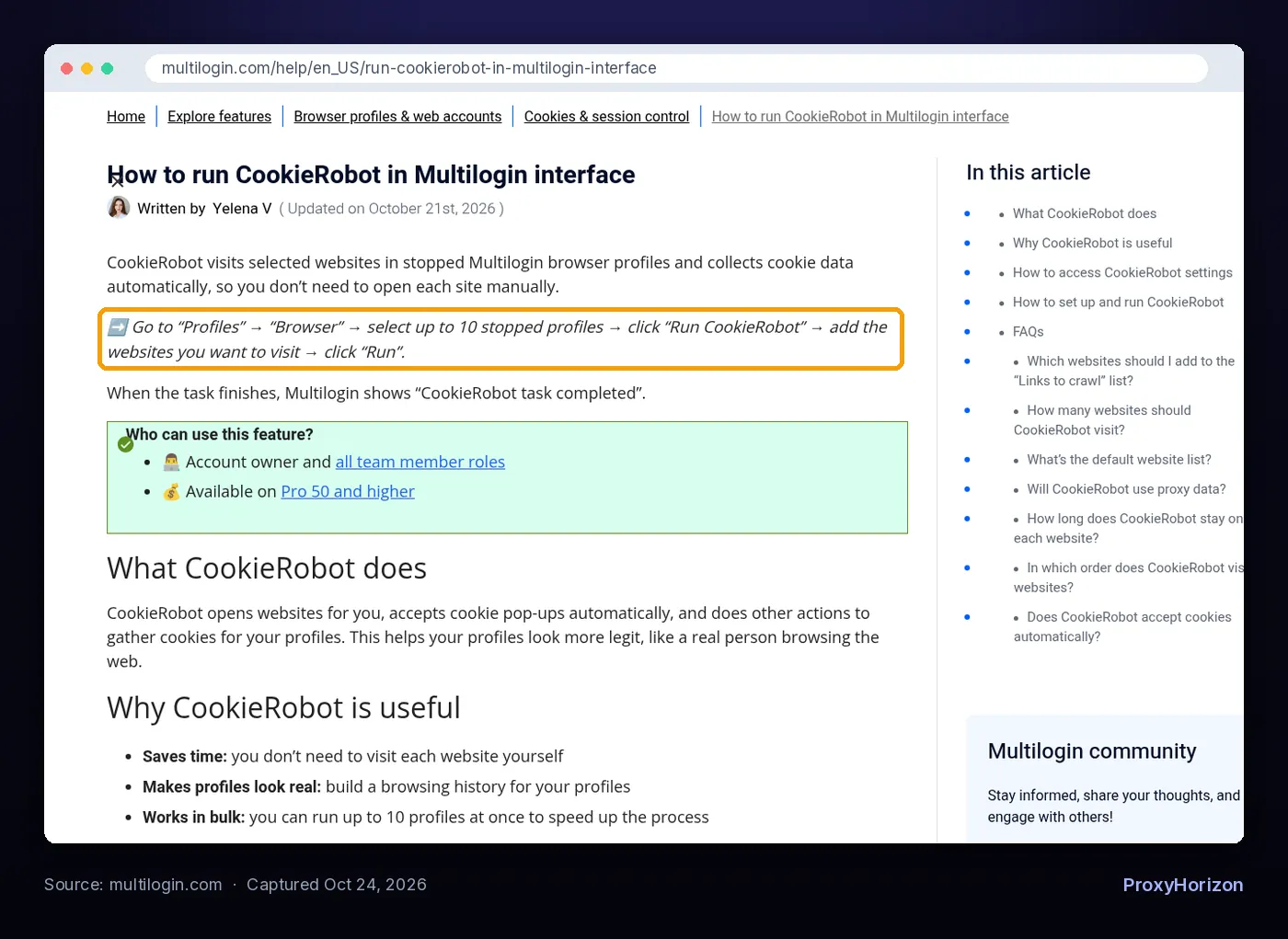
A few details from its help page matter more than the button itself:
- It spends around 3 minutes on each site, performs 3 actions, shuffles the order and accepts cookie pop-ups.
- Add sites relevant to your use case, popular sites in your target region and your target domain.
- Match the domain to the region. A UK Amazon account should use amazon.co.uk, not amazon.com.
- Run it in balanced batches a few times over several days, not one huge list at once.
3GoLogin Cookie Bot

GoLogin’s Cookie Bot visits common websites and simulates scrolling and clicking. You run it from the profile’s three-dot menu under Automation, and it works on several profiles at once.
You can turn off image loading to save proxy data, toggle scrolling, and let it accept cookie requests. GoLogin’s own best practices: run it before logging into a new account, keep the proxy enabled, and don’t run it too often on the same profile.
Check before you buy: neither tool guarantees anything. Multilogin says plainly that CookieRobot helps build browsing history but doesn’t guarantee lower detection risk or prevent restrictions.
A Day-by-Day Account Warm-Up Routine
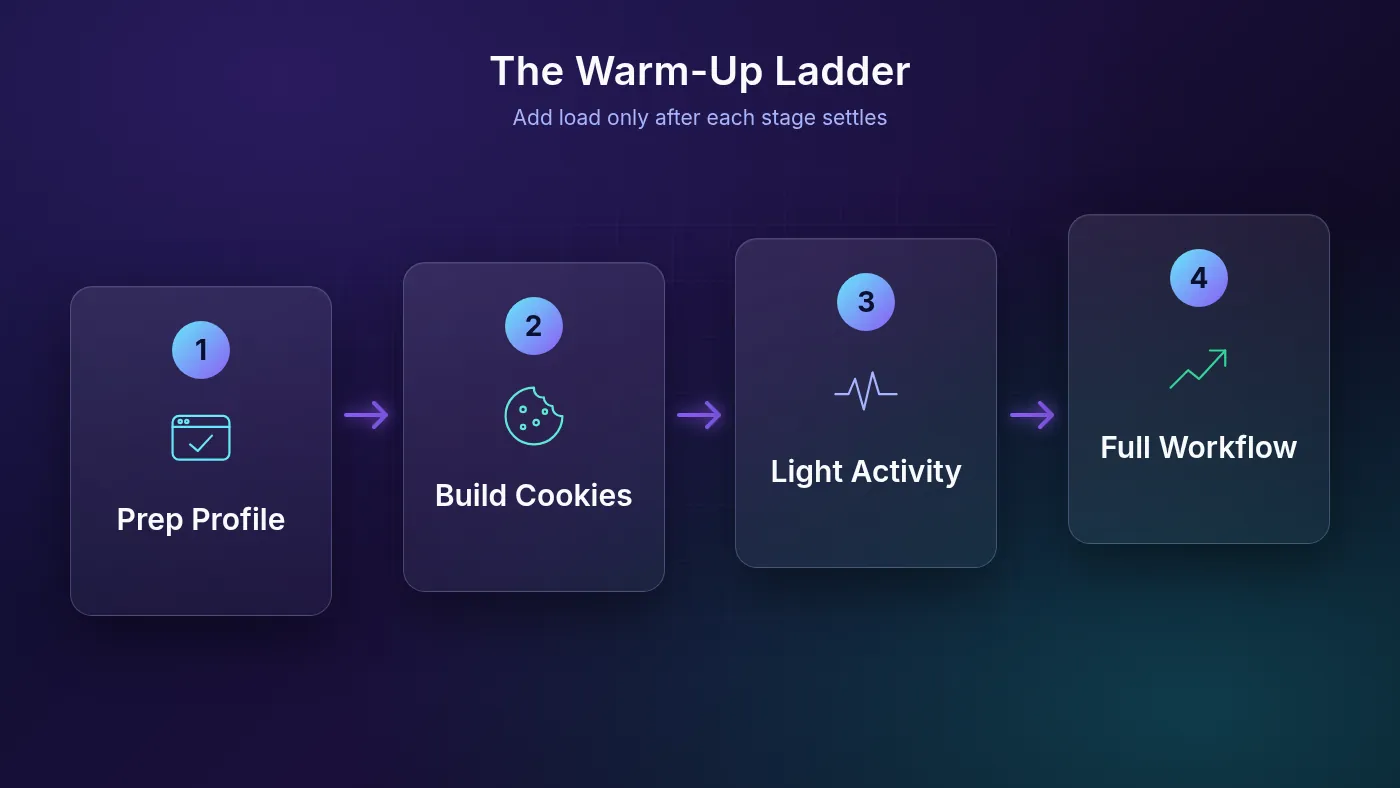
The routine below is a template with gates, not a countdown. Move to the next stage only when the current one feels uneventful: no surprise verifications, no blocked actions, no warnings.
| Stage | What you do | Move on when |
|---|---|---|
| Days 1-2: profile prep | Set the proxy, check for leaks, build cookies by browsing or with a cookie bot in short batches | The profile opens cleanly on the same IP every time |
| Day 2-3: signup | Create the account with real, separate contact and recovery details; complete the basic profile | Any verification is passed and you can log in again without friction |
| Days 3-7: light use | Short sessions; read, search, follow a few accounts in your niche; one or two genuine interactions | No action blocks or new verification prompts |
| Week 2: steady use | Regular sessions; first original posts; more engagement, still relevant to the niche | Activity feels routine and nothing gets flagged |
| Week 3 onward: full workflow | Normal posting schedule, outreach, shop or ad tools, raised gradually | You keep adding load in small steps |
Why these windows? They line up with what platforms and tool makers actually say. Multilogin calls a few days of gradual activity a useful starting point for some new TikTok and Instagram accounts. Reddit’s business guide suggests observing and engaging during your first week or two before promoting.
Real-world tip: keep a one-line log per account: date, what you did, anything odd. When an account stumbles, you’ll know which change caused it.
Platform Rules That Change the Timeline
Different platforms gate new accounts in different ways. Warm-up can’t skip a hard requirement, so learn the rule first.
- Reddit: account age, karma, a verified email and each community’s rules can decide whether you can post at all. Reddit’s business guide recommends a 90/10 split between ordinary participation and brand messaging, with disclosure.
- YouTube: features unlock by verification and history. Phone verification unlocks intermediate features such as custom thumbnails, videos over 15 minutes and live streaming. Advanced features need channel history or ID verification, according to YouTube Help.
- Instagram and TikTok: complete the profile, start with a little genuine activity, and avoid mass following, commenting or messaging. Instagram’s Community Guidelines treat artificially collected likes or followers, repetitive comments and repeated unsolicited commercial contact as spam.
- Facebook: account history and authenticity matter a lot here. Our list of antidetect browsers for Facebook accounts covers the tools, and the rules section below covers what Meta allows.
That YouTube detail is the one most guides miss. Watching random videos for a week doesn’t build useful channel history. Verifying the channel and uploading the content you planned does.
Natural vs Robotic Pacing
Platforms judge patterns over time, not single clicks, so the shape of your activity matters more than any one action.
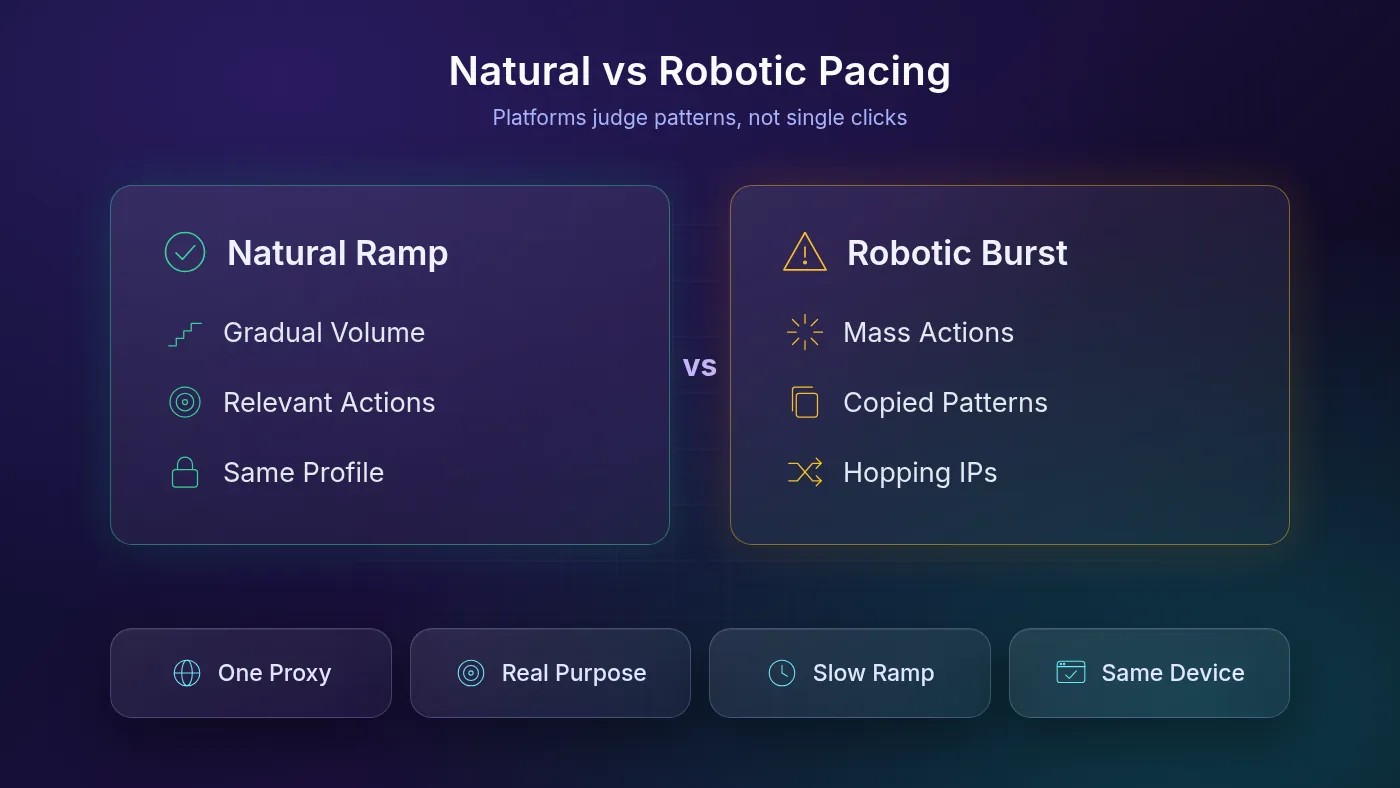
Five pacing rules cover most of it:
- Ramp, don’t jump. Each week should look like a slightly busier version of the last, never a sudden spike.
- Stay on topic. A cooking account that follows chefs makes sense. One that follows 50 random crypto pages on day two doesn’t.
- Vary the session. Real people read more than they act. Mix scrolling and searching with the occasional like or comment.
- Keep the environment fixed. Same profile, same proxy, same location, every session.
- Type like a person. Pasting a bio instantly is a tiny tell. Multilogin’s “Paste as human” option (Ctrl + Shift + H) enters pasted text as simulated keystrokes.
Warming Up 10+ Accounts Without Cloning Behavior
Scale is where most warm-ups fall apart. The temptation is to write one script and run it on every profile. Don’t.
Multilogin says there’s no universal bulk warm-up sequence to copy across accounts, and it warns against identical engagement patterns across large groups. Automation doesn’t change the platform’s rules.
Say you run 12 fashion creator accounts. Share the general workflow, but give each account its own niche, its own creators to follow and its own schedule. Stagger signups across days so the accounts don’t all hit the same milestone together.
If you’re still choosing a tool for this, our guide to the top antidetect browsers for multi-account management compares team features, and the antidetect browser directory lists current options.
When Warm-Up Isn’t the Problem
More warm-up won’t fix a broken setup. If accounts keep hitting checks, run through these before spending another week browsing:
- Another VPN or proxy is running. A system VPN, VPN extension or proxy app can interfere with the profile. Turn it off and test again.
- The proxy died. Use the profile’s proxy check, confirm you still have traffic, and replace the IP if needed.
- The account moved. Opening it in a new profile or on a new device can trigger a new-device verification.
- The platform has its own gate. Reddit karma or a YouTube verification step won’t clear by itself.
Warning: any seller promising “aged” or “pre-warmed” accounts that never get checked is overselling. Warm-up lowers friction. It doesn’t remove a platform’s right to restrict an account.
Where Warm-Up Crosses the Line
Warm-up is fine for legitimate multi-account work: agencies running client accounts, sellers keeping stores separate, teams that need isolated sessions. It is not a tool for evading bans or faking engagement.
Meta’s authentic identity policy asks people to have one Facebook account in the name they use every day. Meta does offer Additional Profiles for different interests, but it doesn’t allow accounts created to deceive others or evade enforcement.
So check each platform’s terms before you scale. If an account was banned, warming up a replacement to dodge that ban is exactly what these policies target.
Frequently Asked Questions
Slow Down to Scale Up
The best account warm-up routine is boring on purpose. One profile, one stable IP, cookies built on that same IP, then a gradual climb from light use to your real workflow. Move up a rung only when the last one stays quiet.
Our take: stop chasing magic numbers. Follow the platform’s own gates, keep each account’s behavior unique, and fix setup problems before blaming the warm-up. A slow first week costs far less than a restricted account.
Your next step: set up one test profile with a dedicated proxy, warm it up with the table above, and keep a short log. Once it survives three quiet weeks, copy the process, not the behavior, to the rest.
Keep Reading
More articles you might enjoy