How to Use Proxies With Python Requests (2026 Tutorial)
Route Python Requests through HTTP, HTTPS or SOCKS proxies the right way: authentication, sessions, environment variables, rotation, timeouts and the errors you’ll hit, with copy-paste code for each.

Your scraper works perfectly on your laptop. Then you point it at a real target, fire a few hundred requests, and every response turns into a 403 or a CAPTCHA.
The fix usually starts with routing those requests through a proxy. In Python’s Requests library, that takes one extra argument. Getting it right every time takes a little more.
This tutorial shows how to use proxies with Python Requests: HTTP, HTTPS and SOCKS proxies, authentication, sessions, environment variables, simple rotation, and the errors you’ll hit along the way. Every snippet is copy-paste ready.
- Pass a proxies dictionary with both http and https keys, and always include the scheme in the proxy URL.
- Put credentials in the URL as user:pass@host, URL-encoded, and keep them out of your code.
- Environment variables can override session.proxies. Pass proxies per request or set trust_env to False.
- Install requests[socks] for SOCKS and use socks5h so DNS lookups go through the proxy.
- Always set a timeout, and rotate from a list or use a rotating gateway for scale.
How Do Proxies Work in Python Requests?
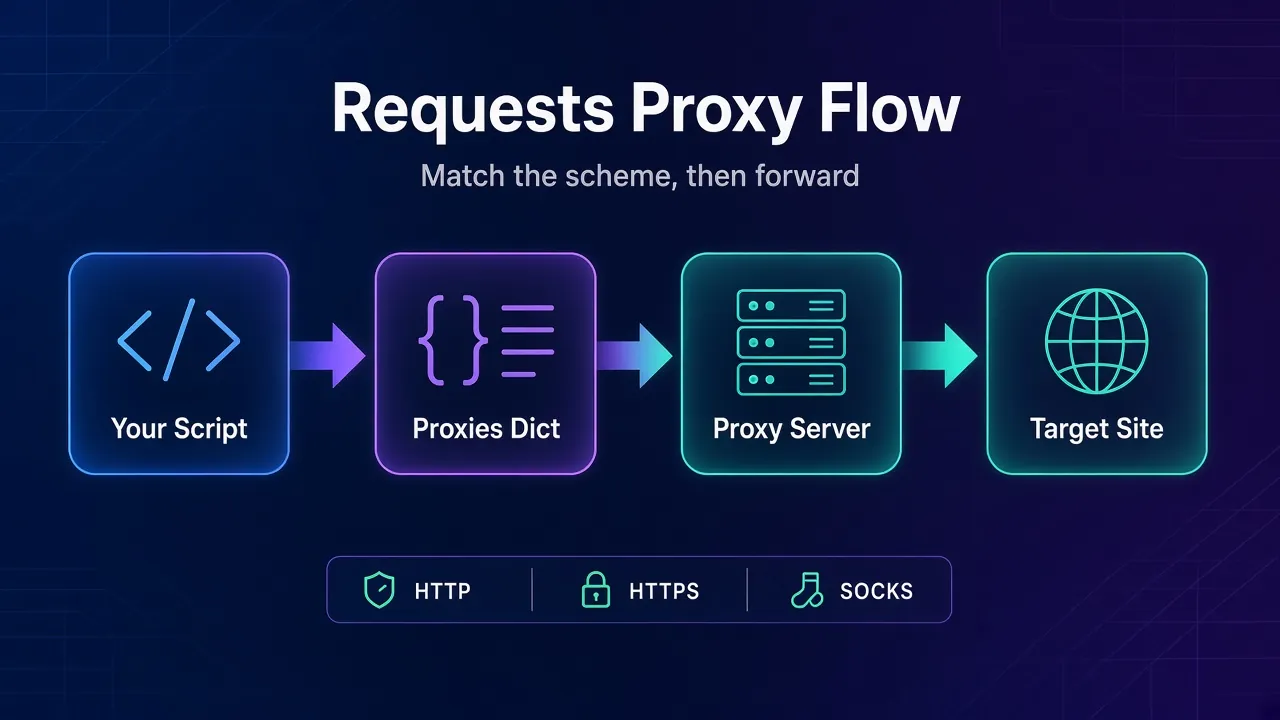
Requests decides which proxy to use by looking at the scheme of the URL you’re requesting. You give it a dictionary that maps schemes to proxy URLs, and it picks the matching entry for each request.
So the key "https" doesn’t mean “an HTTPS proxy”. It means “use this proxy when the target URL starts with https://”. The value is the proxy’s own address, and it usually starts with http://, because most proxies accept plain HTTP connections and tunnel HTTPS traffic through them.
If you need a refresher on the protocol differences, our guide to HTTP vs HTTPS vs SOCKS5 proxies covers them in plain English.
Install Requests and Check Your Real IP
Requests 2.34.2 is the current release on PyPI and needs Python 3.10 or newer (checked October 22, 2026). Install it with pip:
python -m pip install requestsBefore adding a proxy, check what IP a website sees today. The httpbin.org/ip endpoint returns the address your request came from as JSON:
import requests

r = requests.get("https://httpbin.org/ip", timeout=10)
print(r.json())  # {"origin": "your real IP"}
Keep that output handy. Once the proxy is set up, the same request should show the proxy’s IP instead.
How to Set a Proxy for a Single Request
Pass a proxies dictionary to any request method. This is the pattern the official Requests documentation starts with:
import requests

proxies = {
    "http": "http://203.0.113.10:8080",
    "https": "http://203.0.113.10:8080",
}

r = requests.get("https://httpbin.org/ip", proxies=proxies, timeout=10)
print(r.json())
Replace 203.0.113.10:8080 with the host and port from your provider’s dashboard. Two details trip people up here:
- Always include the scheme. The docs are explicit that proxy URLs must include it. Write
http://203.0.113.10:8080, never just203.0.113.10:8080. - Set both keys. If you only set
"http", every https:// request goes out directly from your own IP, and you won’t get an error telling you so.
You can also target one host only. A key in the form scheme://hostname matches requests to that exact scheme and hostname, so {"https://example.com": "http://203.0.113.10:8080"} sends only example.com traffic through the proxy.
How to Add Proxy Authentication
Most paid proxies need a username and password. Requests handles HTTP Basic auth when you put the credentials in the proxy URL:
import os
from urllib.parse import quote

import requests

user = quote(os.environ["PROXY_USER"], safe="")
password = quote(os.environ["PROXY_PASS"], safe="")
proxy = f"http://{user}:{password}@gate.example-proxy.com:7777"

proxies = {"http": proxy, "https": proxy}
r = requests.get("https://httpbin.org/ip", proxies=proxies, timeout=10)
print(r.status_code, r.json())
The quote() call matters more than it looks. If your password contains @, : or #, an unencoded URL breaks and you’ll see confusing connection or 407 errors.
Keep credentials out of your code and your Git history. The Requests docs warn that storing usernames and passwords in an environment variable or a version-controlled file is a security risk, so a secrets manager or an untracked .env file loaded at runtime is the safer habit.
Many providers also let you whitelist your server’s IP instead. Then you skip the username and password entirely, which is handy on a fixed VPS.
How to Use a Proxy With a Requests Session
If you’re making many requests, use a Session. It reuses connections, keeps cookies between requests, and lets you set the proxy once:
import requests

proxy = "http://user:pass@gate.example-proxy.com:7777"

with requests.Session() as session:
    session.proxies.update({"http": proxy, "https": proxy})
    session.headers.update({"User-Agent": "Mozilla/5.0 (Windows NT 10.0; Win64; x64)"})

    for url in ["https://httpbin.org/ip", "https://httpbin.org/headers"]:
        r = session.get(url, timeout=10)
        print(url, r.status_code)
There’s one catch the official docs flag with a warning: values in session.proxies can be overwritten by environment proxy variables. If your machine or container has HTTPS_PROXY set, it can win over what you set on the session.
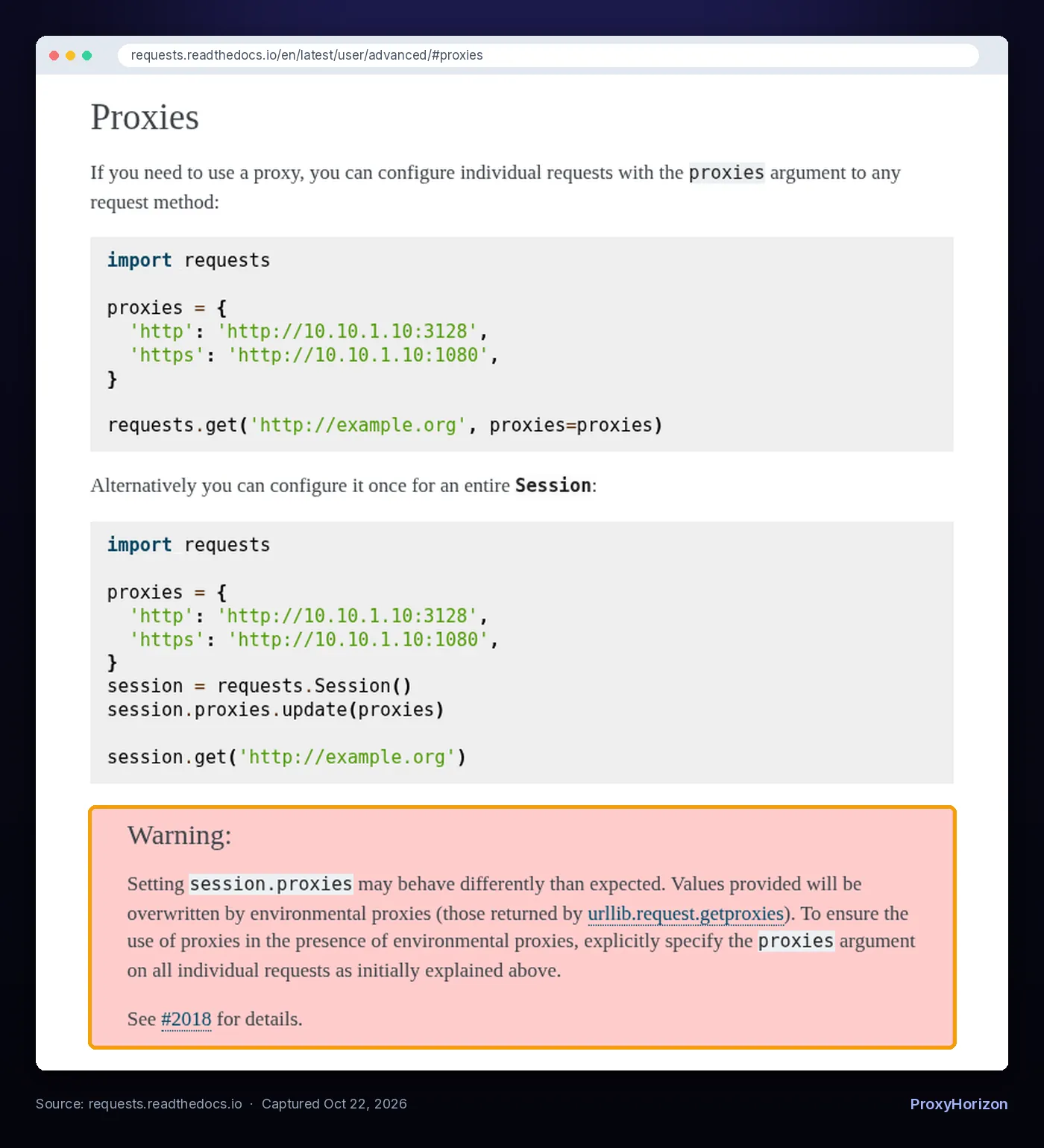
You have two clean ways around it:
- Pass
proxies=on every request, which the docs recommend when environment proxies are present. - Set
session.trust_env = False. The API docs describetrust_envas trusting environment settings for proxy configuration, default authentication and similar, so turning it off makes the session ignore those variables. It also stops Requests reading credentials from a.netrcfile.
A session also keeps the same cookies across requests. That pairs well with a sticky IP when you need to stay logged in. Our guide to sticky vs rotating proxy sessions explains when to hold one IP and when to switch.
How to Set Proxies With Environment Variables
When you don’t pass proxies, Requests reads the standard variables http_proxy, https_proxy, no_proxy and all_proxy, in lowercase or uppercase. This is useful when you can’t edit the code, or when every tool in a container should use the same proxy:
export HTTP_PROXY="http://203.0.113.10:8080"
export HTTPS_PROXY="http://203.0.113.10:8080"
export NO_PROXY="localhost,127.0.0.1,.internal.example.com"
python scraper.py
NO_PROXY lists hosts that should skip the proxy, such as local services and internal APIs. ALL_PROXY is a fallback for any scheme, and the docs show it with a SOCKS URL.
The downside is that environment variables are invisible in your code. When a request mysteriously goes through the wrong proxy, a leftover HTTPS_PROXY in your shell or Docker image is the first thing to check.
How to Use SOCKS5 Proxies With Requests
SOCKS support has been built into Requests since version 2.10.0, but it needs an optional dependency. Install the socks extra, which pulls in PySocks:
python -m pip install "requests[socks]"Then use a socks5:// or socks5h:// URL as the proxy value:
import requests

proxy = "socks5h://user:pass@203.0.113.20:1080"
proxies = {"http": proxy, "https": proxy}

r = requests.get("https://httpbin.org/ip", proxies=proxies, timeout=15)
print(r.json())
The letter h is the important part. According to the docs, socks5 resolves domain names on your machine, while socks5h asks the proxy server to resolve them. With plain socks5, your own DNS server still sees every domain you visit, which is a classic DNS leak.
For more SOCKS patterns, including async libraries, see our full guide on how to use SOCKS5 proxies in Python.
How to Rotate Proxies in Python Requests
Requests has no built-in rotation. You either rotate on your side, picking a different proxy for each request, or use a provider’s rotating gateway, where one address hands out a new IP for you.
Rotating on your side takes a few lines:
import random

import requests

PROXIES = [
    "http://user:pass@203.0.113.10:8080",
    "http://user:pass@203.0.113.11:8080",
    "http://user:pass@203.0.113.12:8080",
]

def fetch(url, attempts=3):
    for _ in range(attempts):
        proxy = random.choice(PROXIES)
        try:
            r = requests.get(
                url,
                proxies={"http": proxy, "https": proxy},
                timeout=(3.05, 20),
            )
            if r.status_code == 200:
                return r
        except requests.exceptions.RequestException as e:
            print(f"{proxy} failed: {e}")
    return None

resp = fetch("https://httpbin.org/ip")
print(resp.json() if resp else "All attempts failed")
This retries with a fresh proxy whenever one fails or returns a non-200 status. It’s fine for small jobs. For health checks, banning dead proxies and weighting by success rate, follow our tutorial on building a simple proxy rotator in Python.
A rotating gateway is simpler still: you point both keys at one host, and the provider assigns a new IP per request or per session. Most residential proxy plans work this way. If you’re deciding which pool to buy, read residential vs datacenter proxies first, or browse options in our proxy directory.
Add Timeouts and Retries
Proxies add a hop, and hops fail. The Requests docs point out that requests don’t time out unless you set a timeout, so a dead proxy can hang your script for minutes or more.
Always pass a timeout. A tuple sets the connect and read limits separately, and the docs suggest a connect timeout slightly above a multiple of 3, such as (3.05, 27).
For automatic retries on flaky connections or rate limits, mount urllib3’s Retry on a session:
import requests
from requests.adapters import HTTPAdapter
from urllib3.util.retry import Retry

retry = Retry(
    total=3,
    backoff_factor=0.5,
    status_forcelist=[429, 502, 503, 504],
    allowed_methods=["GET", "HEAD"],
)

session = requests.Session()
session.mount("http://", HTTPAdapter(max_retries=retry))
session.mount("https://", HTTPAdapter(max_retries=retry))
session.proxies.update({"http": "http://203.0.113.10:8080", "https": "http://203.0.113.10:8080"})

r = session.get("https://httpbin.org/status/200", timeout=(3.05, 20))
print(r.status_code)
The backoff spaces out each retry, which is kinder to the target and less likely to get your proxy IP flagged.
Common Proxy Errors in Requests (and How to Fix Them)
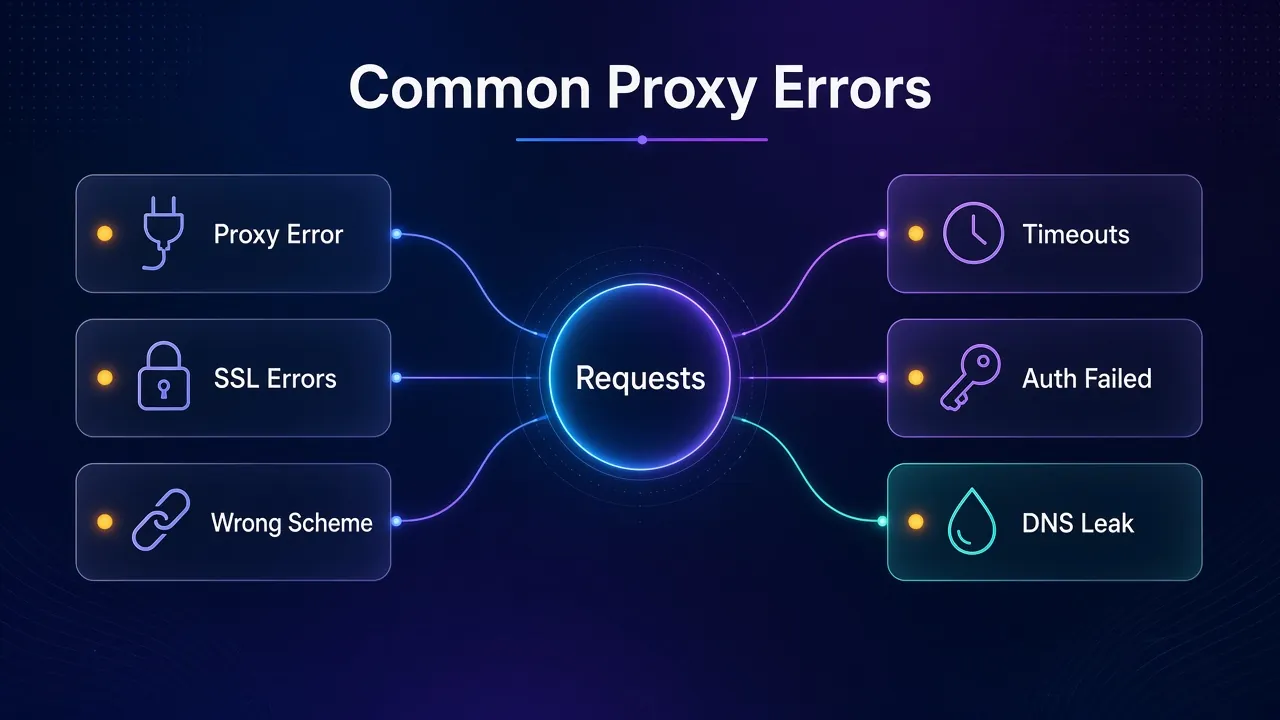
When a proxy fails, Requests usually tells you why. Here’s what each error means and what to try first.
| Error or symptom | Likely cause | What to try |
|---|---|---|
ProxyError | The proxy refused or dropped the connection, or the host or port is wrong | Check the address and port, confirm the proxy is online, test it with curl |
407 Proxy Authentication Required | Wrong or missing credentials, or special characters not encoded | URL-encode the username and password, or whitelist your IP |
ConnectTimeout | The proxy didn’t answer in time | Lower the connect timeout and retry with another proxy |
SSLError | An intercepting proxy presents a certificate your machine doesn’t trust | Point REQUESTS_CA_BUNDLE at the provider’s CA file, not verify=False |
| Your real IP still shows | Only the "http" key is set, or an environment variable is overriding the session | Set both keys, pass proxies= per request or use trust_env = False |
InvalidSchema: Missing dependencies for SOCKS support | PySocks isn’t installed | Run pip install "requests[socks]" |
In code, ProxyError is a subclass of ConnectionError, so catching requests.exceptions.RequestException handles all of these in one place. The API docs note that a ConnectTimeout is always safe to retry.
About SSL: if your provider decrypts HTTPS traffic, the Requests docs say your machine has to trust the proxy’s root certificate. Use REQUESTS_CA_BUNDLE for that. Turning verification off with verify=False makes the error go away, but it also means you can no longer tell whether you’re talking to the real site.
If the proxy itself works but the target keeps blocking you, that’s a different problem. Our guide on how to handle CAPTCHAs when web scraping covers headers, pacing and when to switch IP types.
Putting It Together in a Scraper
A production-ready Requests setup for scraping usually combines four things: a session, a proxy (fixed or rotating), a realistic User-Agent, and timeouts with retries. Everything above slots together in that order.
If you’re starting the scraper itself from scratch, our step-by-step web scraping with Python tutorial covers parsing with BeautifulSoup, pagination and saving results. Plug your proxy session into it and you’re set.
Frequently Asked Questions
The Bottom Line
Using a proxy in Python Requests is one dictionary: map "http" and "https" to your proxy URL, scheme included, and pass it with proxies=. The rest is about doing it reliably.
Set both keys, encode your credentials, prefer socks5h over socks5, always add a timeout, and watch for environment variables quietly overriding your session. Those five habits prevent almost every “why is my real IP showing?” moment.
Start with one proxy and the httpbin.org/ip check, confirm the IP changes, then add rotation once your scraper actually needs it.
Keep Reading
More articles you might enjoy