Best ISP Proxy Providers in 2026 (Static Residential IPs)
Seven ISP proxy providers compared on what decides the bill and the ban rate: per-IP vs per-GB pricing, shared vs dedicated IPs, locations, and a 30-second check that an IP is really residential.

Most people buy ISP proxies for one reason: they want an IP that looks like a home connection and never changes.
Then the first invoice arrives, or the first account gets flagged, and it turns out not all ISP proxies are the same product.
Some are yours alone. Some are shared with strangers. Some bill per IP, others per gigabyte, and the same job can cost several times more on the wrong plan.
This guide compares seven ISP proxy providers on the details that decide both the bill and the ban rate. There’s also a quick check to confirm an ISP proxy really belongs to a home internet provider before you trust it with an account.
- ISP proxies are static IPs registered to home internet providers but hosted on fast servers.
- Oxylabs is the best value for most teams, with low per-IP prices and unlimited traffic.
- Webshare is the cheapest way in, but its entry plans use shared IPs.
- Bright Data has the biggest ISP network, but it bills by the gigabyte.
- Before you use an ISP proxy for accounts, check which network it’s really registered to.
What Makes an ISP Proxy Different
An ISP proxy is an IP address registered to a consumer internet provider, like AT&T or Comcast. But it’s hosted on a server in a data center, which is why they’re also called static residential proxies.
So why pay more than you would for a datacenter IP? The combination is the point. Websites see an address from a real home internet provider, so it earns more trust than a datacenter IP. Meanwhile, the server behind it gives you datacenter speed and stability.

And the IP doesn’t change. That matters for logged-in sessions, where a sudden new address triggers security checks, as our guide to stateful scraping explains.
Our take: ISP proxies are harder to flag, not invisible. Hammer one with requests or pair it with a sloppy browser fingerprint, and it gets blocked like anything else.
ISP vs Datacenter vs Residential Proxies
Not sure an ISP proxy is the right type for your job? Here’s how it compares with the two common alternatives.
| Feature | ISP proxies | Datacenter proxies | Rotating residential |
|---|---|---|---|
| Registered to | A consumer internet provider | A hosting company | Real home users |
| IP changes | No, it stays yours | No | Often, by design |
| Speed | Fast | Fastest | Slower and variable |
| Trust on strict sites | High | Low | Highest |
| Usual billing | Per IP | Per IP | Per GB |
| Best for | Accounts and long sessions | Bulk jobs on easy targets | Large rotating crawls |
If you need thousands of fresh IPs for a big crawl, rotating residential proxies fit better. If the target barely checks, the best datacenter proxies cost far less.
How We Picked These Providers
We compared each provider’s ISP pricing page and product details in September 2026. We haven’t run our own speed tests for this list, so treat the prices as a starting point and test on your own targets.
- Price per IP, or per GB, at small and large volumes
- Shared or dedicated IPs
- Traffic limits
- Number of locations
- Protocols, trials and refund terms
The provider cards link to our partners, so we may earn a commission if you sign up. No brand paid for its position on this page.
The 7 Best ISP Proxy Providers in 2026
They’re ordered by overall value for a typical buyer: somewhere between a handful and a few hundred static IPs for accounts, monitoring or long sessions.
1Oxylabs

Oxylabs is the best all-round ISP pick, pairing low per-IP prices with unlimited traffic. It’s where we’d start most teams.
Plans run from $1.60 per IP for 10 IPs down to $1.20 per IP at 500, with unlimited traffic under a fair-use policy. IPs come from 25 locations, and you can ask support for a free trial before you buy.
The catch: 25 locations is fewer than Bright Data or IPRoyal offer, so confirm your country is covered first.
2Bright Data

Bright Data runs the biggest ISP network on this list, with more than 1.3 million static residential IPs. It says dedicated IPs are available in 195 countries, which makes it the pick for hard-to-find locations.
Pay-as-you-go pricing starts at $13.13 per GB, and monthly plans combine a per-IP fee with included traffic. New accounts can have their first deposit matched, up to $500.
The catch: per-GB billing punishes heavy traffic. For busy workloads on common locations, a per-IP plan with unlimited traffic costs far less.
3Decodo

Decodo, formerly Smartproxy, is the most flexible pick. It sells both dedicated ISP IPs and shared ISP traffic, so you can mix them by job.
Dedicated IPs cost $3.33 each for 3 IPs, dropping to $2.50 each at 200, across 19 countries including the US, UK, Germany, Japan and Australia. Shared ISP traffic starts at $1.30 per GB, and both come with a 14-day money-back guarantee.
The catch: small dedicated orders cost more per IP than Oxylabs. The discount only kicks in at higher volumes.
4IPRoyal

IPRoyal is the pick for short or flexible rentals. You can rent a static ISP proxy for as little as a day, which makes testing a new target cheap.
Prices start at $1.80 for 24 hours and $2.70 for 30 days, falling to $2.40 a month on a 90-day rental. Traffic is unlimited, and there are IPs in more than 31 countries, with HTTP(S) and SOCKS5 support.
The catch: we didn’t see a free trial, and a month costs more per IP than Oxylabs.
5NodeMaven

NodeMaven suits multi-account work, where a burned IP needs replacing fast. Its ISP IPs are dedicated and quality-checked, and every plan includes an IP swap.
Prices start at $2.99 per IP with unlimited traffic. Along with HTTP and SOCKS5, it supports UDP, which some apps need for voice and video calls.
The catch: it’s pricier per IP than Oxylabs, and it’s a smaller company than the big three.
6PyProxy

PyProxy takes a different approach. It bills its static ISP proxies by traffic rather than by IP, from $0.67 per GB according to its site.
That suits light, steady workloads like rank tracking, where a few IPs move little data. It supports HTTP(S) and SOCKS5, and you can pay in crypto.
The catch: per-GB billing gets expensive fast on heavy traffic. Compare it against a per-IP plan before you scale.
7Webshare

Webshare is the cheapest way to start. Its static residential plans begin at $6 a month for 20 proxies, about $0.30 each, with IPs from providers like AT&T, Sprint and Cox.
Everything is self-service, with no sales calls, and the pool holds more than 100,000 static IPs. A free plan lets you try the dashboard first.
The catch: the entry price buys shared IPs, used by other customers too. For account work, pay for private or dedicated ones.
What 10 ISP IPs Cost for a Month
Headline prices don’t compare cleanly, because providers bill in different ways. So here’s one workload: 10 static IPs for 30 days.
| Provider | Billing | 10 IPs for 30 days | Notes |
|---|---|---|---|
| Oxylabs | Per IP | $16 | Unlimited traffic |
| IPRoyal | Per IP | About $27 | Unlimited traffic |
| Decodo | Per IP | $29 | Dedicated IPs |
| NodeMaven | Per IP | About $30 | Unlimited traffic, IP swap included |
| Webshare | Per IP | $6 for 20 shared IPs | Smallest plan |
| Bright Data | Per GB | About $131 at 10 GB | Pay-as-you-go |
| PyProxy | Per GB | About $7 at 10 GB | Cost grows with traffic |
Prices come from each provider’s pricing page in September 2026, before discounts.
See the pattern? Per-GB plans look cheap on light traffic and expensive on heavy traffic. Per-IP plans with unlimited traffic cost the same whether you send one request or a million.
Our take: estimate your monthly traffic before you choose. If it’s more than a few gigabytes per IP, a per-IP plan almost always wins.
Shared or Dedicated? The Detail That Decides Your Ban Rate
This is the difference most comparisons skip. A shared ISP IP is used by several customers at once. A dedicated one is yours alone.
Shared IPs are fine for scraping public pages. But you inherit everyone else’s behavior. If another customer spams a site through your IP, you’re the one who gets the CAPTCHA.
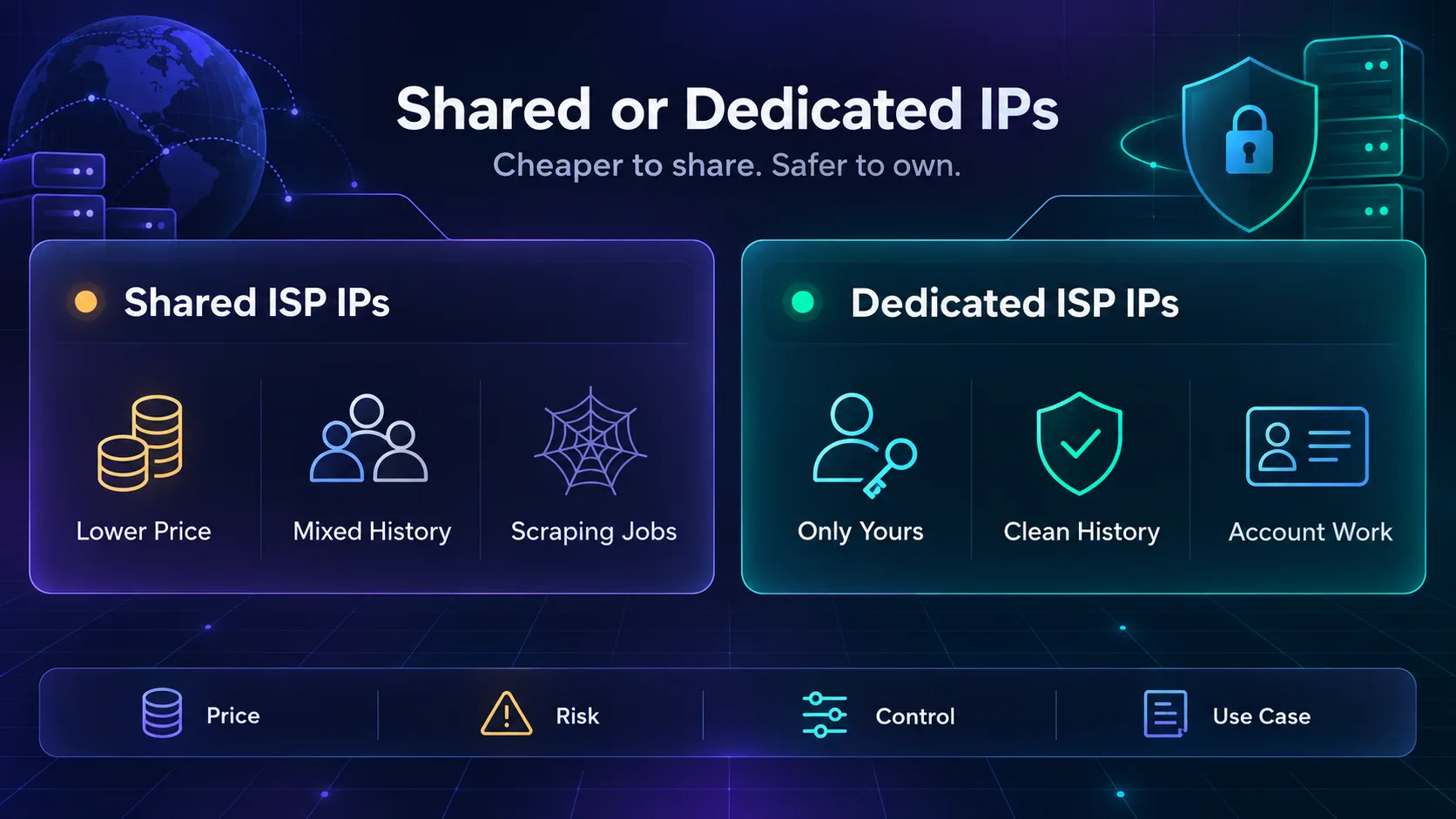
For accounts, that’s a real risk. Say you run five social media accounts, each on its own IP. If one of those IPs is shared and its history is dirty, the platform can link or flag your account for something you never did.
So match the type to the job. Decodo sells both, NodeMaven’s ISP IPs are dedicated, and Webshare’s cheapest plans are shared.
How to Check an ISP Proxy Is the Real Thing
Here’s the check from the top of this guide. It takes about 30 seconds per IP.
- Look up the network. Connect through the proxy and check your IP address. The organization should be a consumer internet provider, not a hosting or cloud company.
- Check the ASN. Every IP belongs to a network number called an ASN. Our guide to why ASNs matter in proxies shows what to look for.
- Confirm the location. The city and country should match what you paid for.
- Test speed and leaks. Run a quick proxy speed and anonymity test before you log in to anything.
If an IP shows up as a hosting company, ask for a replacement. A datacenter-registered IP sold as ISP defeats the whole point.
What ISP Proxies Are Best For
ISP proxies earn their price wherever you need a fast connection and an address that never changes.
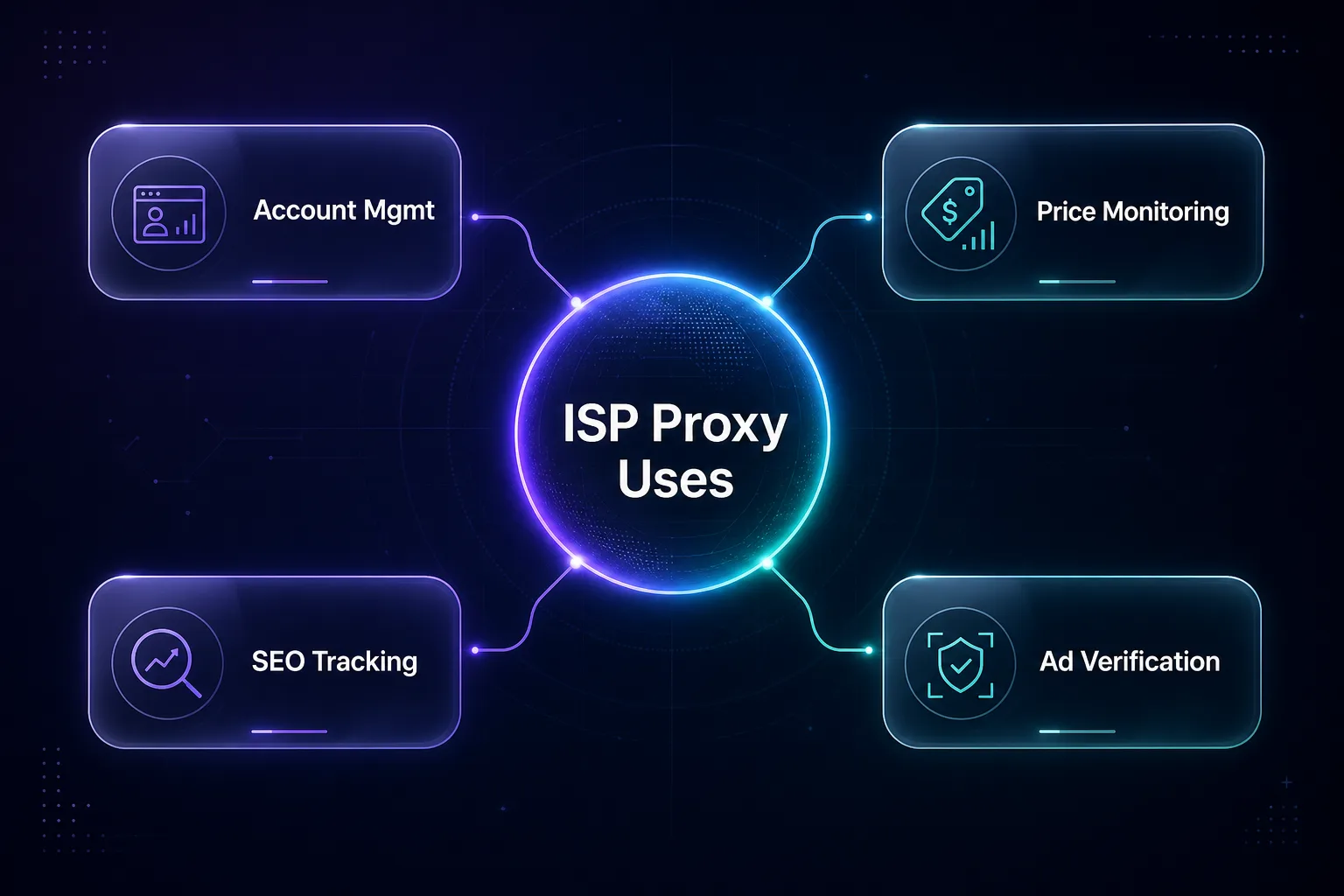
- Account management: one stable IP per account keeps logins consistent.
- Price monitoring: steady checks on the same stores without constant IP changes.
- SEO rank tracking: repeatable results from a fixed location.
- Ad verification: seeing ads the way real users in a region see them.
How to Choose the Right ISP Proxy Provider
Start from your situation, not from the brand name.
| Your situation | Best pick |
|---|---|
| You want the lowest price per IP | Oxylabs, or Webshare if shared IPs are fine |
| You need a hard-to-find country | Bright Data |
| You manage many accounts | NodeMaven or Decodo dedicated IPs |
| A few IPs, light traffic | PyProxy |
| You want to test before committing | IPRoyal’s 24-hour rental |
You can also line up any two providers with our comparison tool.
Four Questions to Ask Before You Pay
Pricing pages rarely answer the questions that matter most. Ask these before you buy, by live chat or email if you have to.
- Are these IPs shared or dedicated? The answer changes both the price and the risk to your accounts.
- Which internet providers do they come from? You want named consumer providers, not hosting companies.
- Can I swap a flagged IP, and how fast? A burned IP you’re stuck with for a month is money wasted.
- Is traffic unlimited, or is there a fair-use cap? Unlimited plans often have a soft limit written in the terms.
A provider that answers all four clearly is usually one worth trusting with a bigger order.
Mistakes That Waste Money on ISP Proxies
1Buying Shared IPs for Account Work
Shared IPs are cheap for a reason. When other customers misuse them, your accounts pay the price. Spend the extra on dedicated IPs for anything you log in to.
2Paying Per GB for Heavy Traffic
Per-GB plans look cheap until your scraper downloads images and scripts all day. Block what you don’t need, or move busy jobs to a per-IP plan with unlimited traffic.
3Sharing One IP Across Several Accounts
Two accounts on one IP look connected, because they are. Give each account its own IP and keep the pairing fixed.
4Treating ISP and Rotating Residential as the Same Thing
Rotating residential proxies change IP by design, which is great for crawling and terrible for staying logged in. If your task needs one steady address, you need an ISP proxy. For big crawls, see our list of the best residential proxies for web scraping.
Frequently Asked Questions
Pick the Billing Model First, Then the Brand
The best ISP proxy is the one whose billing matches your traffic and whose IPs match your task.
For most teams, Oxylabs is the best value, with low per-IP prices and unlimited traffic. Bright Data wins on coverage, Decodo on flexibility and Webshare on entry price, as long as shared IPs are fine for your job.
Your next step: rent two or three IPs from your top pick and run the 30-second network check. Try them on your real target for a day, then scale what works. You can browse every provider in our proxy directory.
Keep Reading
More articles you might enjoy