Forward Proxy vs Reverse Proxy: Differences Explained (2026)
A forward proxy works for the client and hides who’s asking. A reverse proxy works for the server and hides who’s answering. Here’s how each one handles traffic, where CDNs and load balancers fit, and which one you actually need.
You set up a proxy in your scraper on Monday. On Tuesday someone on your team says the website you’re scraping “sits behind a reverse proxy.” Same word, completely different job.
That’s the whole confusion with forward proxy vs reverse proxy. Both are servers in the middle of a connection. Both pass requests along. The difference is whose side they’re on.
This guide clears it up with plain diagrams: who each proxy represents, how the traffic flows, where CDNs and load balancers fit, and which one you actually need for your project.
- A forward proxy speaks for the client; a reverse proxy speaks for the server.
- Forward proxies hide who’s asking. Reverse proxies hide who’s answering.
- Load balancers and CDNs like Cloudflare are reverse proxies.
- Residential and datacenter proxies you buy for scraping are forward proxies.
The Short Answer
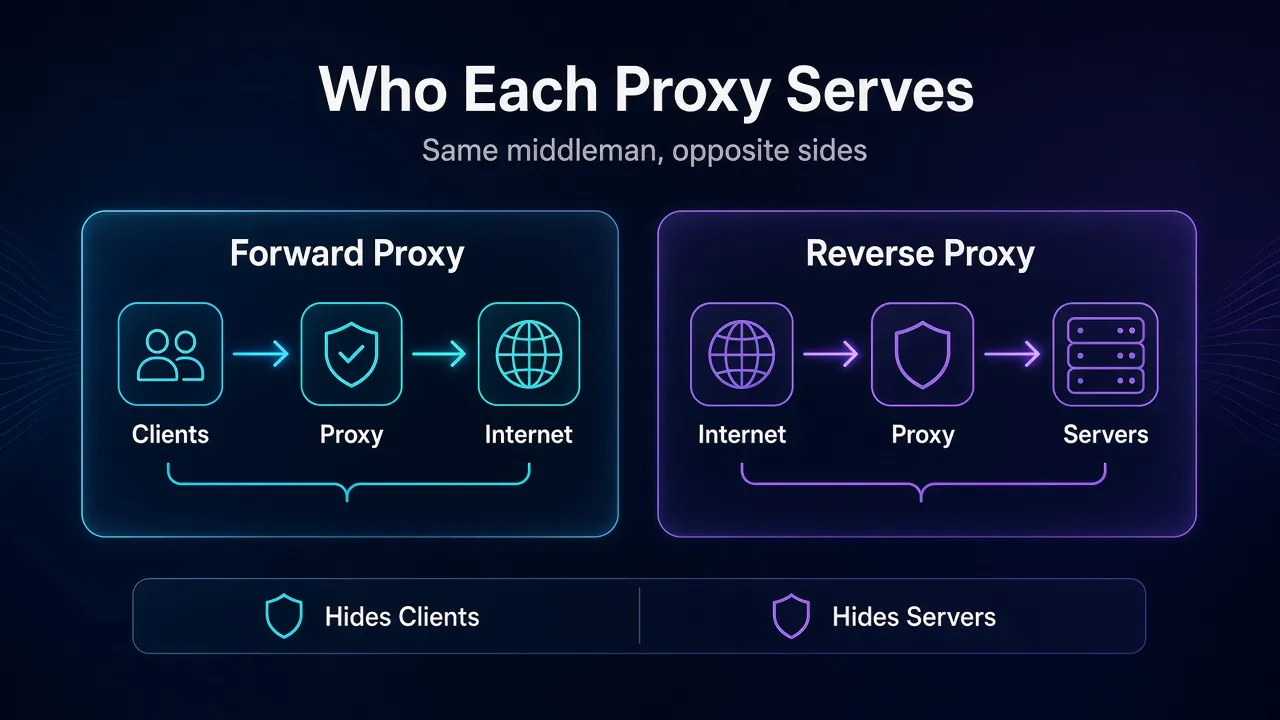
A forward proxy works for the client. A reverse proxy works for the server.
A forward proxy sits next to you (or your company, or your scraper) and sends your requests out to the internet. The websites you visit see the proxy, not you.
A reverse proxy sits in front of a website’s servers and takes requests in from the internet. Visitors talk to the proxy and never touch the real servers behind it.
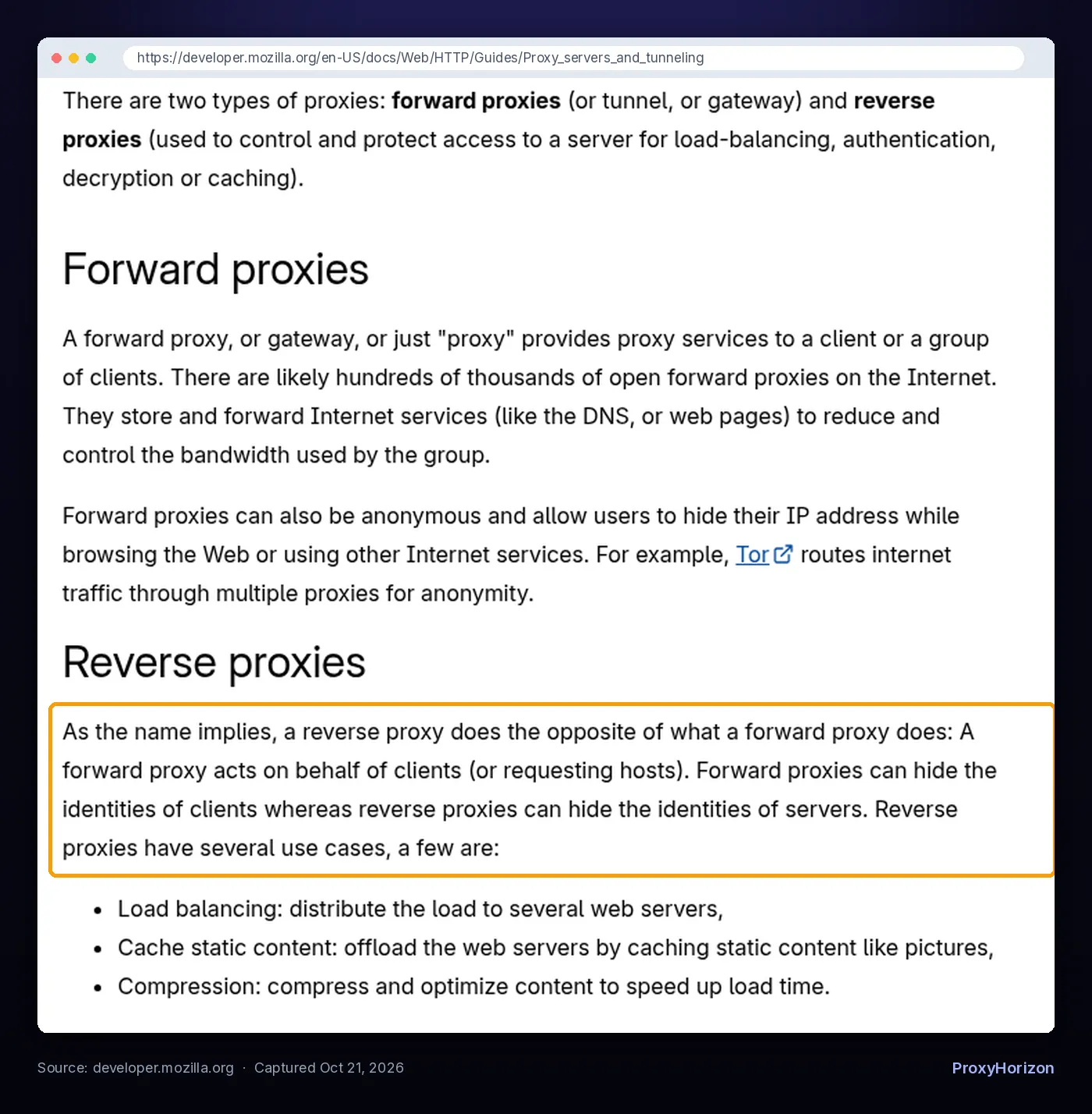
MDN puts it in one line: forward proxies can hide the identities of clients, whereas reverse proxies can hide the identities of servers. If you only remember one thing from this post, make it that.
What Is a Forward Proxy?
A forward proxy is the kind most people mean when they just say “proxy.” If you need a refresher on the basics, our guide to what proxies are covers the fundamentals.
The key detail is that the client chooses it. The HTTP standard, RFC 9110, defines a proxy as a message-forwarding agent “chosen by the client, usually via local configuration rules” (checked October 21, 2026). You type the proxy’s address into your browser, your OS settings, or your code.
From there the flow looks like this:
- Your device sends the request to the proxy instead of the website.
- The proxy opens its own connection to the website and forwards the request.
- The website replies to the proxy, which hands the response back to you.
For HTTPS sites, the client usually sends a CONNECT request first. MDN explains that this asks the proxy to open a tunnel to the destination and then relay the encrypted stream in both directions. The proxy sees where you’re going, but not the page contents.
Our walkthrough of how proxies work goes deeper into that request cycle, including authentication and rotation.
1Common Forward Proxy Examples
- Commercial proxy networks. Residential, datacenter, ISP and mobile proxies from providers like Decodo, Oxylabs or IPRoyal are all forward proxies. You route your traffic through their IPs so target sites see their addresses instead of yours.
- Corporate web gateways. Companies push employee traffic through a proxy to filter sites, log activity and cache common downloads.
- Caching proxies like Squid. The Squid project describes Squid as a full-featured HTTP proxy with access control, authorization and logging, embedded in office firewall devices and large web proxy installations.
- Anonymity tools. MDN points to Tor, which routes traffic through several proxies in a row so no single hop knows both ends.
What Is a Reverse Proxy?
A reverse proxy flips the arrangement. It’s set up by the website owner, not the visitor, and it sits in front of one or more backend servers.
RFC 9110 actually calls it a “gateway (a.k.a. reverse proxy)”: an intermediary that acts as the origin server toward the visitor but forwards requests inward to other servers. Visitors have no idea it’s there. They type the site’s normal address, and DNS sends them to the reverse proxy.
The flow looks like this:
- A visitor requests
example.com, which resolves to the reverse proxy. - The reverse proxy decides which backend server should handle it, or answers straight from its cache.
- The backend replies to the proxy, and the proxy sends the response to the visitor.
Here’s what a minimal reverse proxy looks like in NGINX, straight from the NGINX proxy module docs:
location / {
    proxy_pass http://localhost:8000;
    proxy_set_header Host $host;
    proxy_set_header X-Real-IP $remote_addr;
}
NGINX listens for public traffic and passes every request to an app running privately on port 8000. The two header lines keep the original host name and visitor IP so the app still knows who’s asking.
Forward Proxy vs Reverse Proxy at a Glance
| Factor | Forward Proxy | Reverse Proxy |
|---|---|---|
| Works on behalf of | The client (user, company, scraper) | The server (website or app) |
| Who sets it up | The client or their network admin | The site owner or hosting team |
| Who knows it exists | The client configures it on purpose | Visitors usually don’t know |
| What it hides | The client’s IP address | The origin server’s IP and layout |
| Traffic direction | Outbound, from a private network to the internet | Inbound, from the internet to private servers |
| Typical jobs | Privacy, geo-targeting, filtering, scraping | Load balancing, caching, TLS, DDoS protection |
| Real examples | Residential proxy networks, Squid, corporate gateways | NGINX, CDNs like Cloudflare, cloud load balancers |
A useful test: ask who would notice if the proxy disappeared. If the client loses its privacy or access, it was a forward proxy. If the website loses its shield or its speed, it was a reverse proxy.
What Reverse Proxies Actually Do
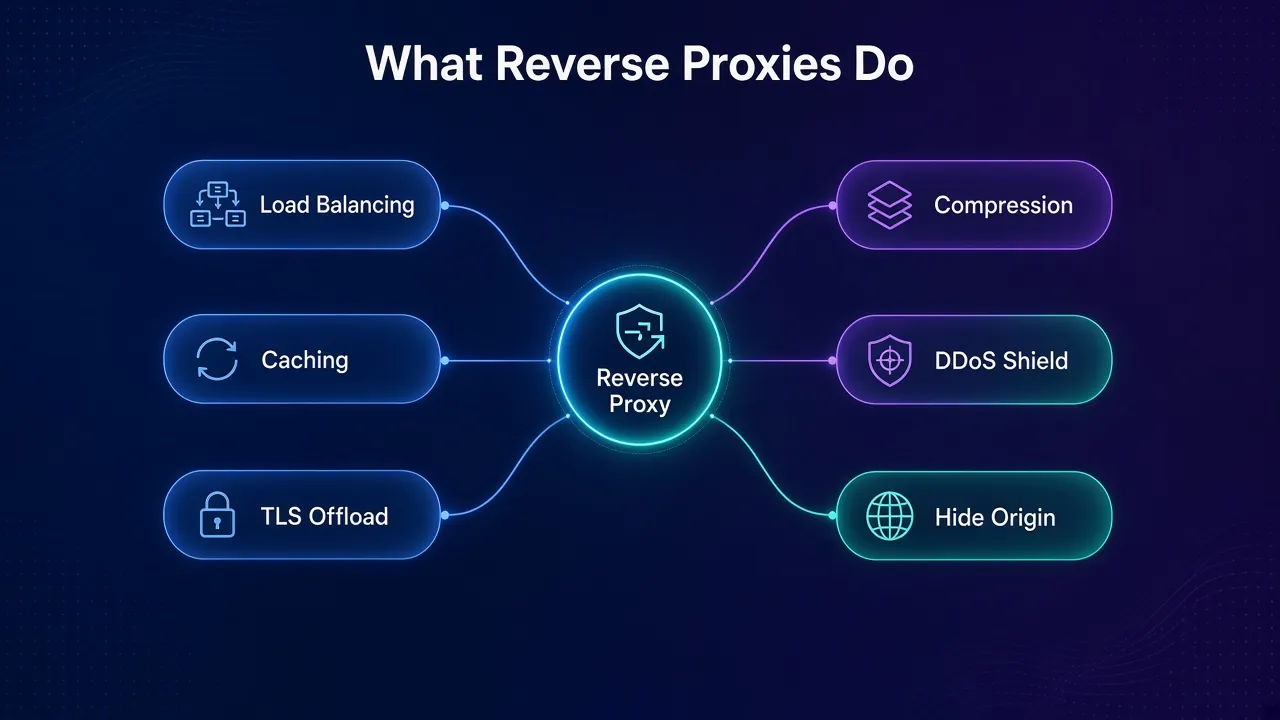
Forward proxies mostly do one thing: send your traffic out under another address. Reverse proxies pick up a whole list of jobs once they sit at the front door.
1Load Balancing
When one server can’t keep up, you run several copies of the app and put a reverse proxy in front. The NGINX load balancing guide lists three built-in methods: round-robin (the default), least-connected, and ip-hash, which keeps a visitor on the same backend based on their IP.
So a load balancer isn’t a separate species. It’s a reverse proxy whose main job is spreading traffic.
2CDNs and Caching
RFC 9110 mentions “accelerator” caching as a classic gateway use. A content delivery network takes that global: copies of a site’s pages and files sit on servers close to visitors.
Cloudflare’s own documentation says it provides DNS and CDN services “so we can reverse proxy the web traffic” to and from your domain. When a DNS record is proxied, Cloudflare answers with its own anycast IP address instead of the origin server’s IP (docs last updated April 20, 2026).
3Security and TLS
Because the origin IP stays hidden, attackers hit the proxy instead of the real server. That’s the basis of DDoS protection and web application firewalls. The reverse proxy can also handle HTTPS certificates and decryption, so backend servers don’t each need their own setup. MDN lists decryption and authentication among reverse proxy uses.
This is also why scrapers run into reverse proxies so often. The Cloudflare challenge page you hit while scraping comes from the reverse proxy in front of the site, not the site’s own code. Our guide to handling CAPTCHAs when web scraping covers what to do about it.
How Both Proxies Pass Along the Real IP
Any proxy breaks the direct link between client and server. The server only sees the last hop. To fix that, proxies add headers that describe the original request.
X-Forwarded-Forlists the client IP followed by each proxy in the chain. MDN notes the leftmost address is the original client and the rightmost is the most recent proxy.Forwardedis the standardized version, defined in RFC 7239 (June 2014), though MDN says it’s much less frequently used.Viadescribes the proxies themselves, and both forward and reverse proxies can add it.
Here’s what that looks like when a request passes through two proxies before reaching the app:
X-Forwarded-For: 203.0.113.195, 198.51.100.17The first address is the visitor, and the second is the proxy that handled the request before the last hop. The last hop itself shows up as the connection’s source IP. These are documentation example addresses, not real users.
Two practical lessons come out of this. If you run a reverse proxy, MDN warns that you should only trust the parts of X-Forwarded-For added by proxies you control, because anything else can be spoofed.
If you buy forward proxies, this is exactly where cheap “transparent” proxies give you away: they pass your real IP in these headers. Quality anonymous proxies strip them. You can check what a site sees with the tips in our post on whether websites can see your IP address.
Is a VPN a Forward Proxy?
Close, but not quite. A VPN does the same basic job as a forward proxy, since websites see the VPN server’s IP instead of yours. The difference is scope and encryption.
A typical proxy handles traffic for one app or one protocol you point at it. A VPN tunnels all of your device’s traffic at the network level and encrypts it between you and the VPN server. Our DNS leak guide shows one way that tunnel can still slip.
And transparent proxies are a third case. RFC 9110 notes that an interception proxy, also called a transparent proxy, “is not chosen by the client.” Hotel Wi-Fi login pages and some corporate firewalls work this way: they grab your traffic without any setting on your device.
Which One Do You Need?
Most readers only ever need to set up one of the two. Here’s the quick way to tell.
| Your goal | You need |
|---|---|
| Scrape websites without getting blocked | Forward proxy (rotating residential or datacenter) |
| Check prices or search results in other countries | Forward proxy with geo-targeting |
| Run several social or ad accounts | Forward proxy, one IP per account |
| Filter or log employee browsing | Forward proxy (corporate gateway) |
| Spread traffic across several app servers | Reverse proxy as a load balancer |
| Speed up a site worldwide and hide its server | Reverse proxy via a CDN |
| Put HTTPS in front of a local app | Reverse proxy like NGINX |
If you landed here because you’re choosing proxies for data collection, your next decision is the IP type. Our comparison of residential vs datacenter proxies walks through cost and block rates, and sticky vs rotating sessions explains how long to keep each IP.
Can One Server Be Both?
Yes, and this trips people up. The proxy type is a role, not a product.
RFC 9110 says a single intermediary “might act as an origin server, proxy, gateway, or tunnel, switching behavior based on the nature of each request.”
Squid is the textbook case: it’s known as an office caching proxy, yet its project page says it’s increasingly used in content delivery architectures too. NGINX’s documentation, on the other hand, centers on reverse proxying and load balancing.
Big setups often chain both. Your scraper goes out through a forward proxy, crosses the internet, and lands on a CDN acting as the target site’s reverse proxy. Two proxies, one request, each loyal to its own side. Our explainer on what a proxy server is shows where each hop sits.
Frequently Asked Questions
The Bottom Line
Forward and reverse proxies use the same trick, a server in the middle, for opposite customers. A forward proxy represents the people making requests. A reverse proxy represents the servers answering them.
If you’re buying proxies to scrape, research or manage accounts, you’re shopping for forward proxies. If you’re running a website and want speed, balance or protection, you want a reverse proxy, and you may already have one through your CDN.
Ready to pick a forward proxy? Browse our proxy provider directory to compare pools, pricing and targeting options side by side.
Keep Reading
More articles you might enjoy