What Is a VPN & How Does It Work? 2026 Guide
A VPN creates an encrypted tunnel that hides your activity from your ISP and your IP from websites. Here is exactly how it works, step by step, in plain language.
Every time you go online without protection, you broadcast two things to everyone in the chain: what you're doing (to your internet provider) and who you are (to every website you visit, via your IP address). A VPN exists to break both links at once.
It's no longer a niche tool. More than 1.5 billion people worldwide use VPNs, roughly a third of all internet users have tried one, and the market is worth tens of billions of dollars a year. Yet surveys consistently show most users can't explain what their VPN actually does — which leads to both misplaced trust and missed protection.
This guide fixes that. In plain language, you'll learn what a VPN is, exactly how it works under the hood, what it does and doesn't protect, and how to pick one that deserves your traffic. It's the foundation for everything else in our online privacy series.
What Is a VPN?
A VPN (Virtual Private Network) is a service that creates an encrypted connection — commonly called a tunnel — between your device and a remote server run by the VPN provider. All of your internet traffic travels through that tunnel before reaching the open internet.
This does two jobs simultaneously. First, the encryption makes your traffic unreadable to anyone between you and the VPN server — your ISP, a coffee-shop Wi-Fi operator, or an attacker on the network. Second, because your traffic exits from the VPN server, websites see the server's IP address instead of yours, masking your identity and location.
The name is literal: it's virtual because the private connection runs over the public internet rather than dedicated cables, and it's a private network because encryption keeps outsiders from reading what travels inside it.
How a VPN Works, Step by Step
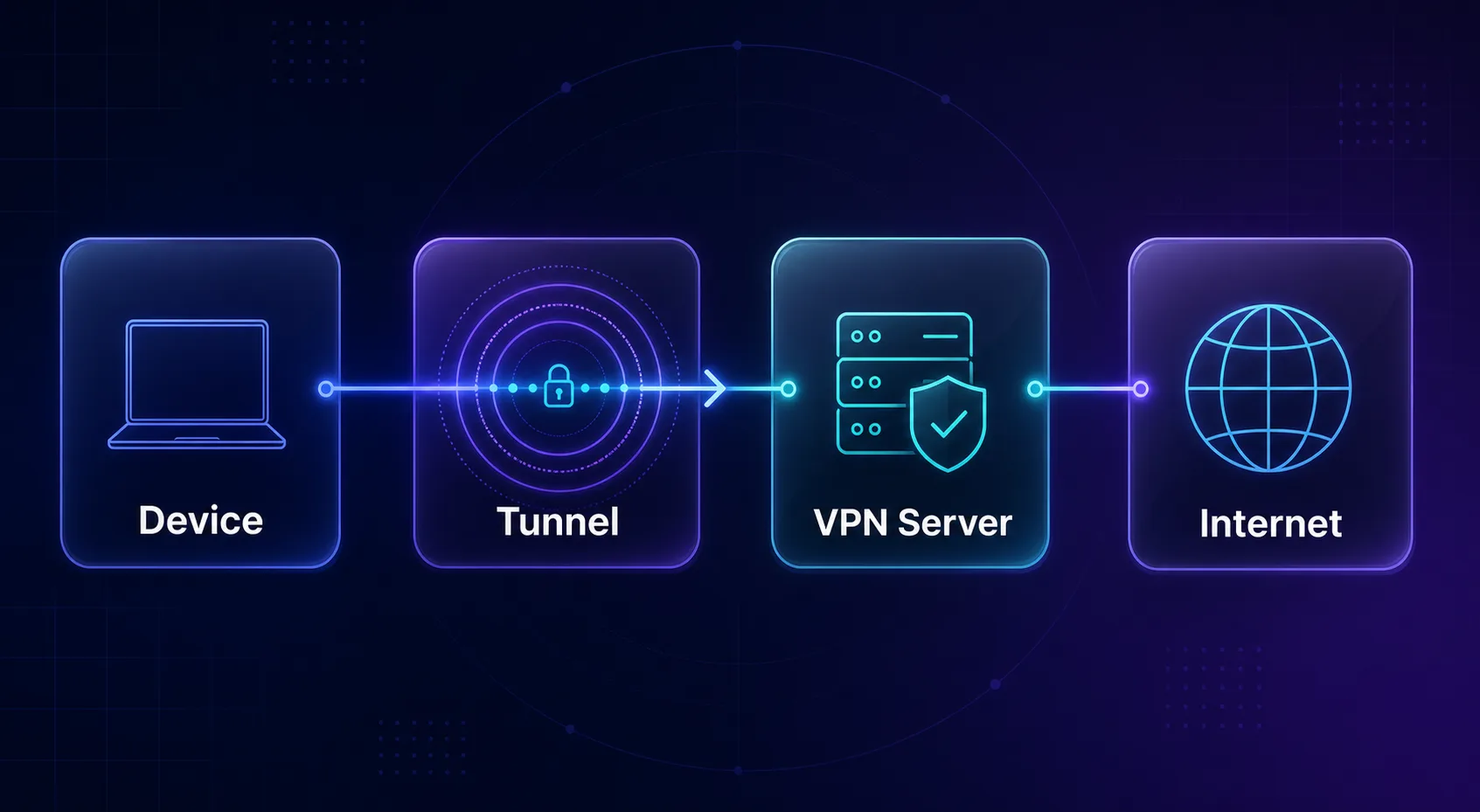
Under the hood, every VPN connection follows the same five-step sequence:
1. Authentication. Your VPN app contacts the provider's server and both sides verify each other — you're a real subscriber, and the server is genuine, not an impostor.
2. Key exchange. Your device and the server agree on secret encryption keys using public-key cryptography, so even someone watching the handshake can't derive the keys.
3. Tunnel creation. A VPN protocol (like WireGuard or OpenVPN) wraps every packet your device sends inside an encrypted outer packet — a process called encapsulation.
4. Transit. The encrypted packets travel through your ISP to the VPN server. Your ISP can see that data is flowing to the VPN server, but not what's inside.
5. Exit and return. The server decrypts your traffic and forwards it to the destination website using its own IP address. Responses come back to the server, get encrypted, and return through the tunnel to you.
All of this happens in milliseconds, continuously, for every request — which is why a good VPN feels invisible in daily use.
With a VPN vs Without: What Changes
| What They See | Without a VPN | With a VPN |
|---|---|---|
| Your ISP | Every domain you visit | Only that you're connected to a VPN |
| Websites you visit | Your real IP and location | The VPN server's IP |
| Public Wi-Fi operator | Your unencrypted traffic | Indecipherable ciphertext |
| Your government/network admin | Domains and metadata | An encrypted stream to one server |
| The VPN provider | Nothing (not in the path) | Your traffic — which is why no-logs matters |
That last row is the key insight most beginners miss: a VPN doesn't eliminate trust, it relocates it — from your ISP to your VPN provider. Choosing a provider that provably keeps no logs is therefore the single most important decision, and it's why free VPNs that monetize data defeat the purpose entirely.
VPN Protocols Explained
The protocol is the engine of the tunnel — the set of rules governing encryption and packet handling. You'll encounter three main ones.
| Protocol | Speed | Security | Best For |
|---|---|---|---|
| WireGuard | Fastest | Modern cryptography, lean code | Most users, most of the time |
| OpenVPN | Good | Battle-tested, highly configurable | Compatibility, restrictive networks |
| IKEv2/IPsec | Fast | Strong, reconnects quickly | Mobile devices switching networks |
Most quality VPN apps choose automatically, and WireGuard's blend of speed and modern cryptography has made it the default nearly everywhere — a matchup we dig into in OpenVPN vs WireGuard. Many providers also add proprietary refinements, like NordVPN's WireGuard-based NordLynx.
The Three Types of VPN
"VPN" covers three related but distinct technologies, and knowing which one people mean prevents a lot of confusion.
Consumer VPNs — the subject of this guide — are subscription services (NordVPN, Proton VPN, Surfshark) that route your personal traffic through their server fleet for privacy, security, and location freedom. You install an app, pick a server, done.
Remote-access corporate VPNs connect an employee's device to a company's internal network, so working from home feels like sitting in the office. Same tunneling technology, opposite goal: instead of hiding you from a network, it admits you into a private one. If your employer issues a VPN, it protects — and monitors — your access to company resources, not your personal privacy.
Site-to-site VPNs link entire networks together — say, a company's Berlin and Singapore offices — into one private network over the public internet. You'd never install one personally, but they quietly carry a huge share of business traffic worldwide.
The rest of this guide focuses on consumer VPNs, since that's what "should I use a VPN?" almost always means.
What a VPN Protects You From
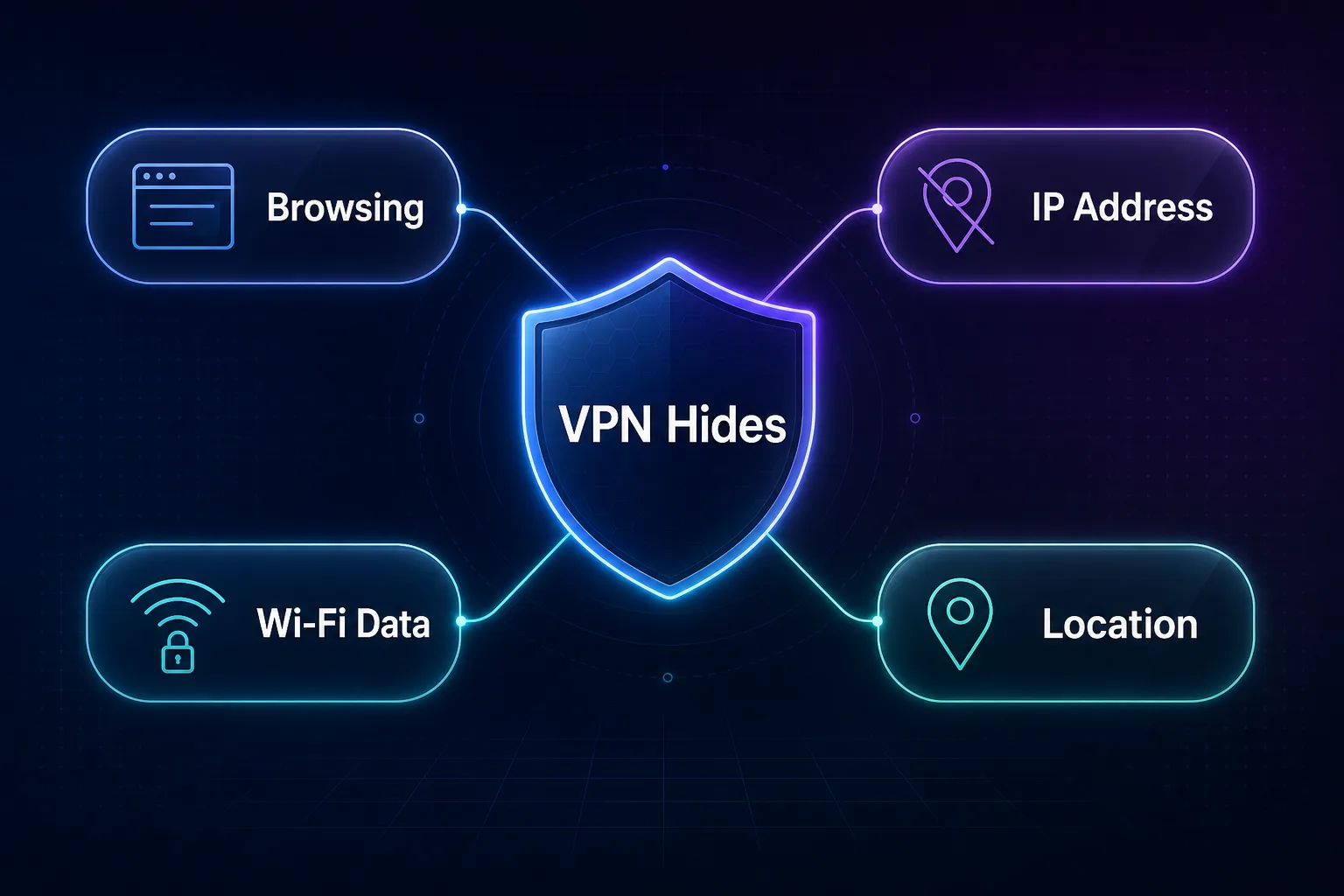
Used well, a VPN reliably delivers five protections. It hides your browsing from your ISP, which would otherwise see — and in many countries log or sell — every domain you visit, even in incognito mode. It masks your IP address, breaking the easiest link between your activity and your identity — see what yours currently reveals with our IP checker.
It secures you on public Wi-Fi, turning the classic airport-hotspot attack into a dead end of ciphertext. It bypasses geo-restrictions and censorship by letting you exit in another country. And it prevents IP-based price discrimination and throttling, since neither websites nor your ISP can key off your identity or destination.
What a VPN Does NOT Do
Equally important is the honest list of non-protections. A VPN does not make you anonymous: websites can still identify you through browser fingerprinting, cookies, and — most obviously — any account you log into. It does not block malware or phishing (though some providers bundle filtering). It does not stop tracking inside apps and platforms you're signed into.
And it does not put you beyond all observation — a determined state adversary has other avenues, as we explore in can governments track VPN users. Think of a VPN as one strong layer in a stack — the network layer — that pairs with a private browser, the tracking cleanups in our anti-tracking guide, and good habits, not a cloak of invisibility. Our guide to VPN myths unpacks the gap between marketing and reality.
When Should You Actually Use a VPN?
Always-on is a fine default, but five situations make a VPN close to mandatory. Public Wi-Fi — cafés, airports, hotels — where anyone on the network can otherwise observe unencrypted traffic. Travel, both for safety on unfamiliar networks and for reaching home services from abroad. Sensitive research — health, legal, financial — that you'd rather your ISP never log. Regions with censorship or heavy surveillance, where the tunnel is the difference between an open and a filtered internet. And any ISP relationship you don't trust, particularly where providers legally sell browsing data.
Conversely, you can reasonably pause it for services that block VPN ranges, latency-critical gaming, or large local transfers — just make sure the pause is a decision, not a forgotten default.
How to Choose a VPN Worth Trusting
Cut through the marketing with four filters. Audited no-logs policy — an independent audit or court-tested history, not just a promise on a landing page. Modern protocols — WireGuard or equivalent, with a kill switch and leak protection on by default. Jurisdiction and transparency — where the company answers to law, whether it publishes transparency reports, and RAM-only servers as a bonus. Honest pricing — a sustainable business model is itself a privacy feature, because it means you aren't the product.
Speed, server counts, and streaming support matter for comfort, but they're tiebreakers. Trust is the product; everything else is packaging.
Best VPNs to Start With
Everything above only holds if the provider is trustworthy — audited, no-logs, and transparent. These three clear that bar and suit different needs. Compare more in our VPN directory.
1NordVPN

Ideal as an all-rounder, NordVPN pairs independently audited no-logs policies with its fast WireGuard-based NordLynx protocol, so the encryption never gets in your way. Threat Protection adds tracker and malware blocking at the network level.
A huge server network keeps nearby, uncongested exits available worldwide. For most first-time VPN users, it's the dependable default.
2Proton VPN

Best for privacy purists, Proton VPN is open source, independently audited, and Swiss-based, with a genuinely usable free tier — the safest way to try a VPN with zero commitment.
Secure Core routes traffic through multiple hardened servers for extra protection against network surveillance. If provider trust is your top priority, it sets the standard.
3Surfshark

Best value for households, Surfshark allows unlimited simultaneous connections on one plan, protecting every phone, laptop, and TV in the house at once. CleanWeb blocks ads and trackers as a bonus layer.
Despite the low price, it maintains audited no-logs policies and strong speeds. For families and multi-device users, it's the standout pick.
Common VPN Mistakes to Avoid
A VPN protects you exactly as well as you use it. These five mistakes undo most of the value.
1Choosing a Free VPN That Sells Your Data
Running servers costs money, so a "free" VPN with no visible business model is usually monetizing you — logging and selling the very browsing data you wanted to hide. Use an audited no-logs provider; if you need free, pick a reputable provider's free tier (like Proton's) rather than an unknown app.
2Skipping the Kill Switch
If the VPN connection drops for a second, your traffic silently reverts to your naked connection — unless a kill switch blocks it. Turn it on before you rely on the tunnel; our kill switch explainer covers exactly how it works.
3Expecting Anonymity While Logged In
Connecting through a VPN and then signing into your usual accounts hands platforms your identity anyway. The VPN masks the network layer; your login unmasks the application layer. Separate the two: use the VPN for network privacy, and manage accounts deliberately.
4Ignoring Leaks
Misconfigured devices can leak DNS queries or WebRTC requests outside the tunnel, quietly exposing your activity and real IP. Good apps prevent this by default — but verify once with a leak-test site after setup rather than assuming.
5Leaving It Off When It Matters Most
The moments a VPN earns its keep — public Wi-Fi, travel, sensitive research — are exactly when people forget to enable it. Set it to auto-connect on untrusted networks so protection doesn't depend on memory.
Frequently Asked Questions
Conclusion: One Tunnel, Two Protections
A VPN is, at heart, a simple idea executed with strong cryptography: an encrypted tunnel that hides what you do from your network and who you are from your destinations. Five steps — authenticate, exchange keys, encapsulate, transit, exit — repeated invisibly millions of times, are all it takes. Once you understand that mechanism, every VPN feature and claim becomes easy to evaluate on its merits.
Its limits matter as much as its powers: a VPN relocates trust to its provider, so pick one that has earned it through audits and transparency, enable the kill switch, and remember that logged-in accounts and fingerprints live outside its protection.
Ready to put one to work? Compare audited no-logs providers in our VPN directory, weigh your options side by side in our comparison tool, and see how a VPN stacks up against Tor in our VPN vs Tor guide.
Keep Reading
More articles you might enjoy