Best AI Research & Data Extraction Tools 2026
The best AI research and data extraction tools compared — Firecrawl, Perplexity, Apify, Exa, Diffbot and more, sorted by what each is genuinely best for.
Here is the trap most "best AI data tools" lists fall into: they dump ten APIs in a row without telling you the one thing that matters — whether each tool is built to research or to extract. Those are two different jobs, and picking a research tool for a extraction task (or vice versa) is how teams waste weeks and budget.
The demand is exploding for a reason. As AI agents and RAG pipelines go mainstream, feeding them clean, current web data has become the bottleneck — and a wave of AI-native tools has appeared to solve it. But the market is noisy, and plenty of these lists are affiliate roundups by people who never ran a single job.
So this guide sorts the field honestly. You will learn the real split between AI research and extraction tools, the nine we rate most highly, what each is genuinely best for, and the proxy layer that almost every list forgets. If you are new to the space, our primer on what web scraping is sets the foundation.
The Quick Answer
Our take: for turning websites into clean, LLM-ready data, Firecrawl is the sharpest tool right now. For scalable, prebuilt scrapers, Apify wins. For synthesized, cited research, Perplexity leads, with Exa and Tavily powering agent research pipelines, and Cloro when you need what the AI engines themselves answer. Match the tool to the job — research or extraction — and the choice gets simple.
Research vs Extraction: Two Different Jobs
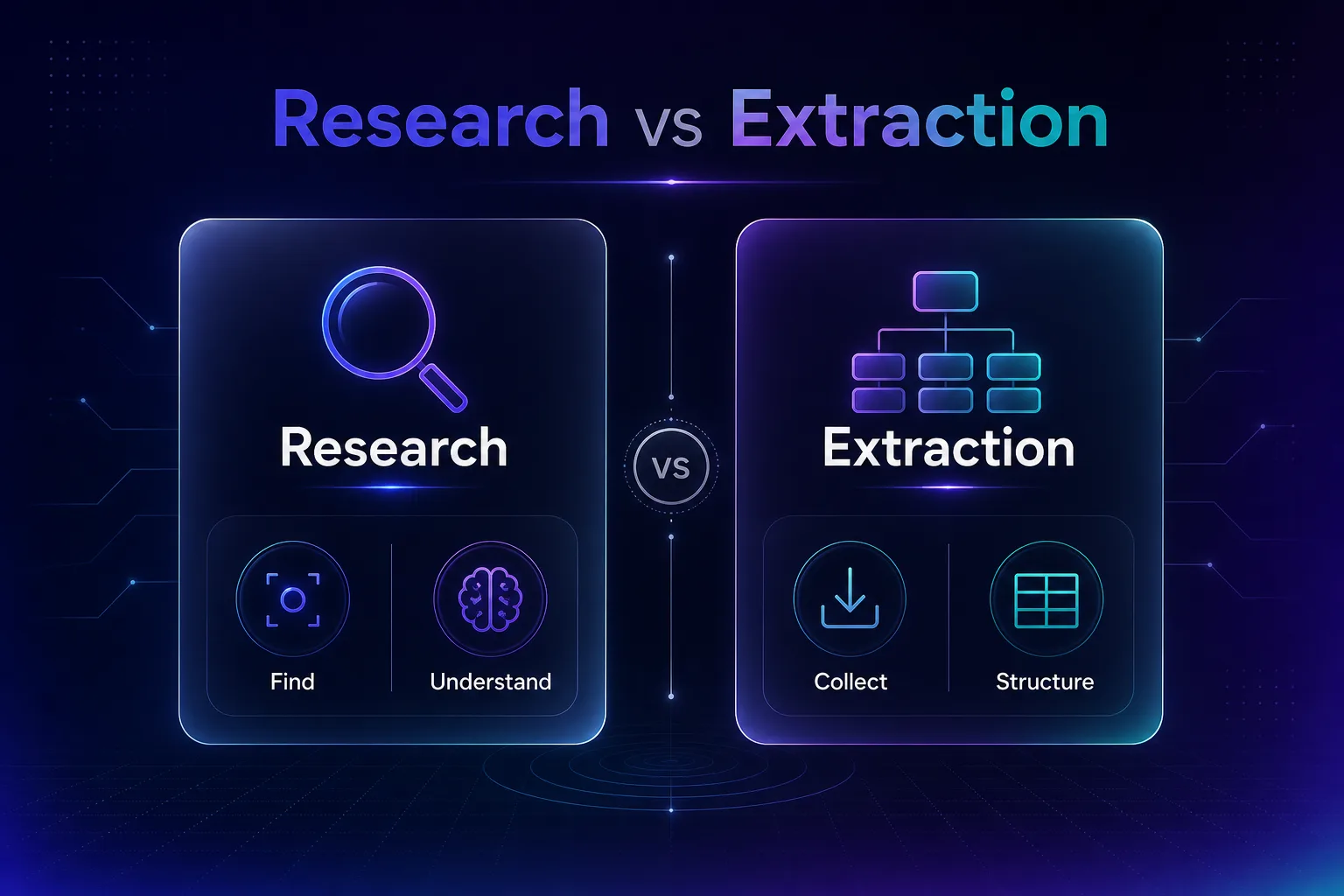
Before any tool list, get this distinction straight — it decides everything. AI data tools fall into two camps, and the best teams use one from each.
| Job | What it does | Example tools |
|---|---|---|
| Research | Ask a question, get synthesized, cited answers or relevant sources | Perplexity, Exa, Tavily, Cloro |
| Extraction | Turn specific websites into structured or LLM-ready data | Firecrawl, Apify, Diffbot, Browse AI, Octoparse |
In plain English: research tools help you find and understand; extraction tools help you collect and structure. A RAG app often needs both — a research API to find sources and an extraction tool to pull them into clean data.
How We Evaluated These Tools
We weighted the picks on output quality (is the data clean and LLM-ready?), scale and reliability, ease of use, honest pricing with a real free tier, and how well each fits modern AI workflows. We have used several hands-on; where we are going on public docs and pricing, we say so.
The 9 Best AI Research & Data Extraction Tools
Eight tools that earn their place, spanning both jobs. Each entry says exactly what it is best for so you can match it to your use case.
1Firecrawl
Firecrawl is the best-in-class tool for turning any website into clean, LLM-ready markdown or structured JSON. It handles JavaScript rendering, crawling, and the messy HTML cleanup that usually eats an afternoon — you point it at a URL and get data an LLM can actually use.
It is API-first and developer-focused, with a generous free tier of credits to start. If you are building RAG or feeding agents, this is our default recommendation. See it in action in our guides on scraping any site with Firecrawl and Firecrawl for RAG.
2Perplexity AI
Perplexity is the AI answer engine that has become a genuine research staple. Ask a question and it searches the live web, synthesizes an answer, and — crucially — cites its sources so you can verify. It is the fastest way to get a grounded, referenced overview of almost any topic.
It is best for human research and quick fact-finding, not bulk extraction. The free tier is capable; Pro unlocks deeper searches and better models. Think of it as a research analyst, not a data pipeline.
3Apify
Apify is a full extraction platform built around "Actors" — thousands of prebuilt scrapers for popular sites plus the tools to build your own. If a scraper already exists for your target, you can be pulling structured data in minutes without writing it from scratch.
It shines at scale and automation, with scheduling, storage, and a pay-as-you-go model. It is more involved than a no-code tool but far more flexible. We compare it directly in our Firecrawl vs Apify breakdown.
4Exa
Exa is an AI-native search API built for machines, not humans. Instead of keyword matching, it uses neural (semantic) search to find pages by meaning — ideal for surfacing the most relevant sources to feed an LLM or agent.
It is a developer tool aimed squarely at RAG and research pipelines, returning clean results with content included. If your agent needs to "find the best sources on X," Exa is purpose-built for exactly that.
5Diffbot
Diffbot uses computer vision and machine learning to read a web page like a human would and return fully structured data — no selectors, no brittle rules. It also powers a massive Knowledge Graph of entities pulled from across the web.
It is an enterprise-grade extraction tool best for structured data at scale, especially articles, products, and organizations. It is priced for teams rather than hobbyists, but the automation it delivers is hard to match.
6Browse AI
Browse AI is the no-code pick. You train a "robot" by pointing and clicking on the data you want, and it extracts it on a schedule — no code, no selectors to maintain. It also monitors pages and alerts you to changes.
It is ideal for non-developers and business teams who need reliable extraction without engineering time. The free plan covers small jobs; paid tiers scale up credits and robots. Approachable, but still capable.
7Tavily
Tavily is a search API designed specifically for AI agents and LLMs. It returns clean, relevant, ready-to-use results optimized for retrieval, stripping the noise that general search APIs leave behind. It has become a default search layer in many agent stacks.
It is best for developers wiring research into autonomous workflows — an agent that needs to look things up mid-task. The free tier of credits is enough to prototype a full pipeline before you commit.
8Cloro
Cloro answers a question none of the others can: what the AI engines themselves are saying. One API queries ChatGPT, Perplexity, Gemini, Copilot, Grok, Google Search and Google News.
Each call returns structured JSON with the response text, its sources and the citations behind it. You can target by country or US state, and it plugs into n8n, Zapier, LangChain and MCP clients like Claude and Cursor.
That makes it the pick for tracking how a brand shows up in AI answers, or for powering search inside your own product. Pricing runs on credits, and the rate depends on the engine: 3 for a Google search, 4 for Perplexity or Gemini, 7 for a full ChatGPT response.
The free tier is 500 credits a month and paid plans start at $30, so model your engine mix before committing. The trade-off: Cloro reads search engines, not arbitrary web pages. For page content you still want Firecrawl or Apify beside it.
9Octoparse
Octoparse is a visual, no-code scraper with AI-assisted field detection that auto-identifies the data on a page. You build workflows by clicking through a site, and it runs them locally or in the cloud on a schedule.
It is a strong choice for non-coders who need structured extraction from complex, paginated sites without an API. The free plan is usable for smaller projects, with cloud features on paid tiers. A friendlier on-ramp than a code-first stack.
AI Data Tools at a Glance
The quick comparison to match a tool to your need.
| Tool | Best for | Type | No-code? |
|---|---|---|---|
| Firecrawl | LLM-ready web data | Extraction | No (API) |
| Perplexity | Quick cited research | Research | Yes |
| Apify | Scalable prebuilt scrapers | Extraction | Partial |
| Exa | Semantic search for RAG | Research | No (API) |
| Diffbot | Structured data + knowledge graph | Extraction | No (API) |
| Browse AI | Point-and-click extraction | Extraction | Yes |
| Tavily | Search API for AI agents | Research | No (API) |
| Cloro | What AI engines say and cite | Research | No (API) |
| Octoparse | Visual no-code scraping | Extraction | Yes |
How to Choose the Right Tool
Nine good options, one right fit. These questions narrow it fast.
1Do you need to research or to extract?
If you want synthesized answers and sources, pick a research tool (Perplexity for humans, Exa or Tavily for agents, Cloro when you need what the AI engines themselves answer). If you need structured data from specific sites, pick an extraction tool. Many stacks use one of each.
2Do you write code?
Developers get the most from API-first tools like Firecrawl, Exa, and Diffbot. Non-coders should start with Browse AI or Octoparse, which trade some flexibility for a point-and-click workflow.
3Are you feeding an LLM or a human?
For RAG and agents, prioritize tools that output clean, LLM-ready formats — Firecrawl for pages, Tavily or Exa for search. For human research, Perplexity is hard to beat.
The Proxy Layer Almost Every List Forgets
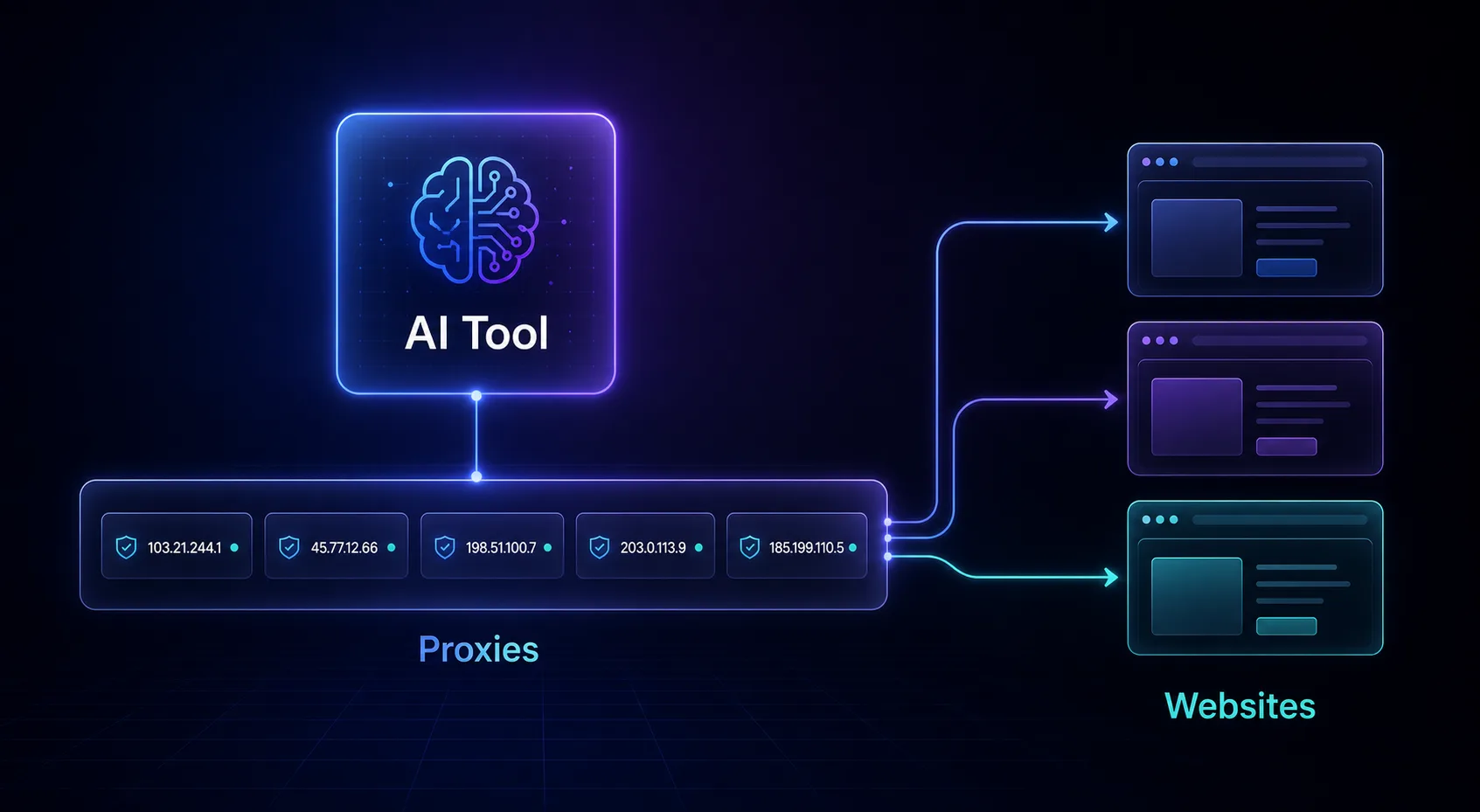
Here is the uncomfortable truth these roundups skip: under the hood, AI extraction tools still hit the same walls as any scraper — rate limits, IP bans, and anti-bot systems. At small scale the tool handles it. At serious volume, or on tough targets, you will need your own proxies to keep success rates high.
Many teams pair an extraction tool with a residential proxy network, or build directly on a scraping API with proxies baked in. If you are scaling up, compare options in our proxy directory and our guides to the best proxy APIs for developers and best web scraping APIs. The AI tool is the brain; proxies are the legs.
Common Mistakes to Avoid
The errors that turn a promising tool into a dead end.
1Using a research tool for bulk extraction
Perplexity and Tavily are brilliant at answering questions, but they are not built to scrape thousands of product pages. Reach for an extraction tool when you need structured data at volume.
2Ignoring output format
If you are feeding an LLM, raw HTML is a liability. Pick tools that output clean markdown or JSON — a wrong format means you burn tokens and accuracy cleaning it up later.
3Forgetting the proxy layer at scale
A tool that works on 100 pages can crater at 100,000 without good IPs behind it. Plan for proxies before your success rate falls off a cliff, not after.
4Overlooking legal and ToS boundaries
AI does not make scraping automatically legal. Respect robots.txt, terms of service, and privacy law — the tool is your responsibility to use ethically.
5Paying for scale you do not need
Enterprise tools like Diffbot are overkill for a weekend project. Start on a free tier, prove the workflow, and scale spending only once it delivers.
Tips for Getting the Most from AI Data Tools
- Combine research + extraction — use a search API to find sources, then an extraction tool to structure them.
- Prioritize LLM-ready output — clean markdown or JSON saves tokens and boosts accuracy.
- Start on the free tier — prove the workflow before committing budget.
- Add proxies early when scaling, not after blocks appear.
- Cache aggressively — do not re-extract the same page; store results to cut cost.
How AI Changed Web Data Extraction
Not long ago, extracting web data meant writing brittle CSS selectors that shattered the moment a site changed its layout. Every redesign broke your scraper, and JavaScript-heavy pages were a nightmare. That fragility defined the field for a decade.
AI flipped the model. Instead of hard-coded rules, tools like Firecrawl and Diffbot now understand a page — identifying the article, the product, or the table the way a human would, and returning it as clean structured data. The result is extraction that survives redesigns and hands your model LLM-ready output by default. That shift, more than any single tool, is why this category exploded: the data bottleneck for AI finally has good tooling.
A Simple AI Research Pipeline (Blueprint)
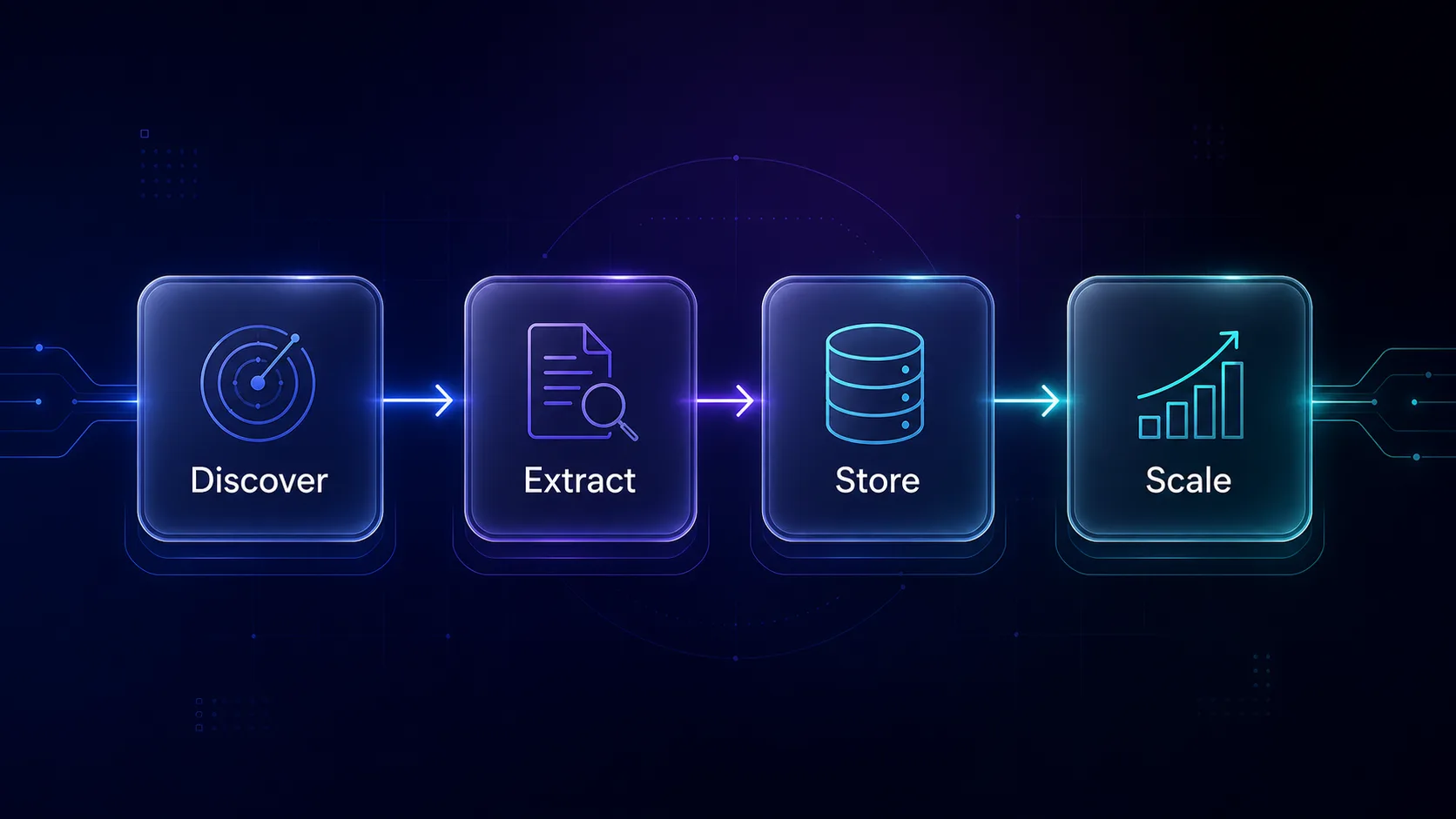
The real power shows when you combine the two camps. Here is a minimal pipeline many teams run in production, using one tool from each side.
Step 1 — Discover: a search API (Exa or Tavily) finds the most relevant sources for your query by meaning, not just keywords. Step 2 — Extract: Firecrawl pulls those pages into clean markdown or JSON. Step 3 — Store: the structured content lands in a vector database for retrieval — see our Firecrawl for RAG guide and Pinecone beginner guide. Step 4 — Scale: add proxies once volume grows so success rates hold. Discover, extract, store, scale — that four-step loop is the backbone of most modern AI research systems.
Frequently Asked Questions
The Bottom Line
The AI data landscape is not one category — it is two. Get the research-versus-extraction split right and the tool choice falls into place: Perplexity, Exa, Tavily, and Cloro for finding and understanding; Firecrawl, Apify, Diffbot, Browse AI, and Octoparse for collecting and structuring. Most serious pipelines use one from each camp.
Start on a free tier, match the tool to the job, and prioritize clean, LLM-ready output. And remember the layer these lists forget: at scale, even the smartest AI tool needs solid proxies underneath. When you get there, our proxy directory and guide to the best web scraping APIs are the next step.
Keep Reading
More articles you might enjoy