The Best Proxies for Footsites in 2026
The best proxies for footsites in 2026: why ISP proxies beat datacenter on Foot Locker, Champs, and Kids Foot Locker, plus the top providers and mistakes to avoid.
![The Best Proxies for Footsites in [year]](/_next/image?url=https%3A%2F%2Fproxyhorizon.com%2Fcdn%2Fblog-images%2Fproxies-for-footsites-1-msiq25wx.webp&w=3840&q=75)
Footsites are where sneaker proxies go to die. The Foot Locker family, Foot Locker, Champs Sports, Kids Foot Locker, and their siblings, run some of the most aggressive bot protection in retail, and they burn through weak proxies in seconds. If you've watched a whole proxy list get banned before a single checkout, you already know the problem isn't your effort. It's the IPs.
Getting the right proxies is the single biggest factor in whether you cop or flop on a footsite drop. These sites don't just block obvious bots; they profile every connection, rate-limit hard, and treat datacenter IPs as guilty on sight. That's why the best proxies for footsites aren't the cheapest or the biggest pools, they're the ones that look like real shoppers in the right location and hold up under drop-day pressure.
This guide covers what footsites actually are, why they're so brutal on proxies, the proxy type that genuinely works (spoiler: ISP), and the providers worth your money in 2026. A quick, honest note up front: automating purchases usually breaks a site's terms of service, so treat this as an explainer on proxy performance, not a green light to break rules.
What Are Footsites, and Why They're So Hard
"Footsites" is the sneaker community's name for the Foot Locker group of retailers: Foot Locker, Champs Sports, Kids Foot Locker, and related stores. They get limited-release sneakers, which means huge demand, tiny stock, and a flood of bots trying to buy every drop. To survive that, footsites deploy serious defenses.
They lean on enterprise bot-management technology (the kind offered by vendors like Akamai and HUMAN, formerly PerimeterX), queue systems that gate access during drops, and strict per-IP and per-account limits. The result is a site that fingerprints your connection, watches your behavior, and blocks anything that smells automated fast. Your proxy is the first thing they judge, which is why it matters more here than almost anywhere else.
Why You Need Proxies for Footsites at All
The core issue is simple: footsites cap how much a single IP can do. Multiple accounts, multiple checkout attempts, or rapid requests from one address get that address flagged and banned almost instantly. Without proxies, you get exactly one shot from your home IP, and one accidental refresh too many can burn even that.
Proxies give each task or account its own clean IP, so your attempts look like separate shoppers rather than one person hammering the site. They also let you appear in the right region for a drop, which matters when releases are geo-restricted. In plain English, proxies are what turn one entry into many, and on a limited drop, more clean entries is the whole game. It's the same reason serious operators pair them with tools that dodge anti-bot detection.
ISP vs Residential vs Datacenter for Footsites
This is the decision that makes or breaks your setup, and most beginners get it wrong by chasing cheap datacenter IPs. Footsites classify proxies by type before anything else, so the type you pick sets your ceiling.
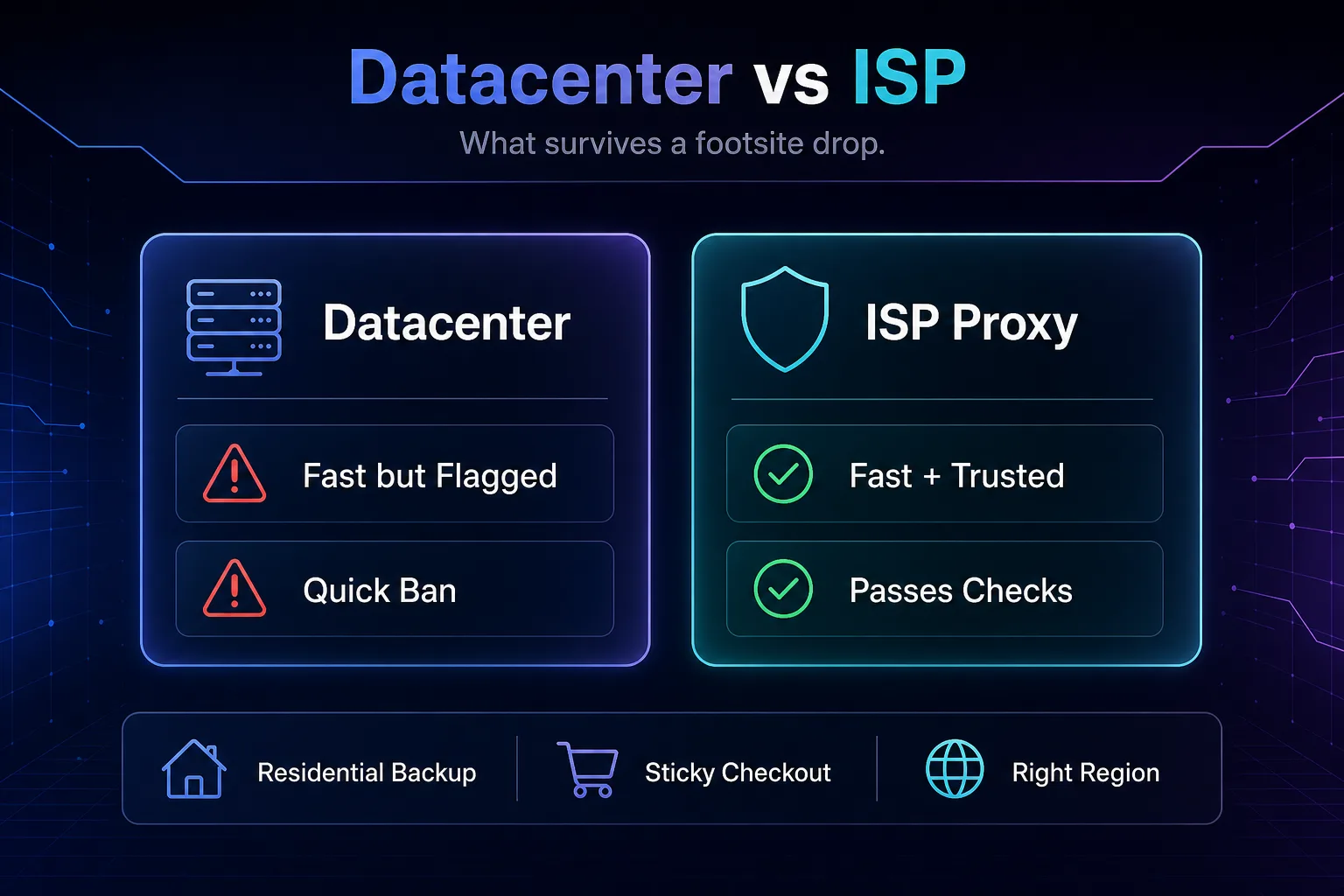
| Proxy type | Footsite fit | Why |
|---|---|---|
| ISP (static residential) | Best | Residential-registered but datacenter-fast, the footsite standard |
| Residential | Strong backup | Real ISP IPs with high trust; slightly more latency |
| Mobile | Situational | Very high trust, but pricey and higher latency |
| Datacenter | Avoid | Fast and cheap, but flagged and banned almost instantly |
Our take: ISP proxies are the footsite gold standard because they carry the trust of a real ISP while keeping the low latency you need to beat the queue. Keep residential proxies as a backup for the strictest moments, and treat datacenter proxies as a trap on these sites, they're fast right up until the instant ban.
What Makes a Great Footsite Proxy
Beyond the type, a few specifics separate a proxy that cooks from one that chokes on drop day. Weigh these before you buy.
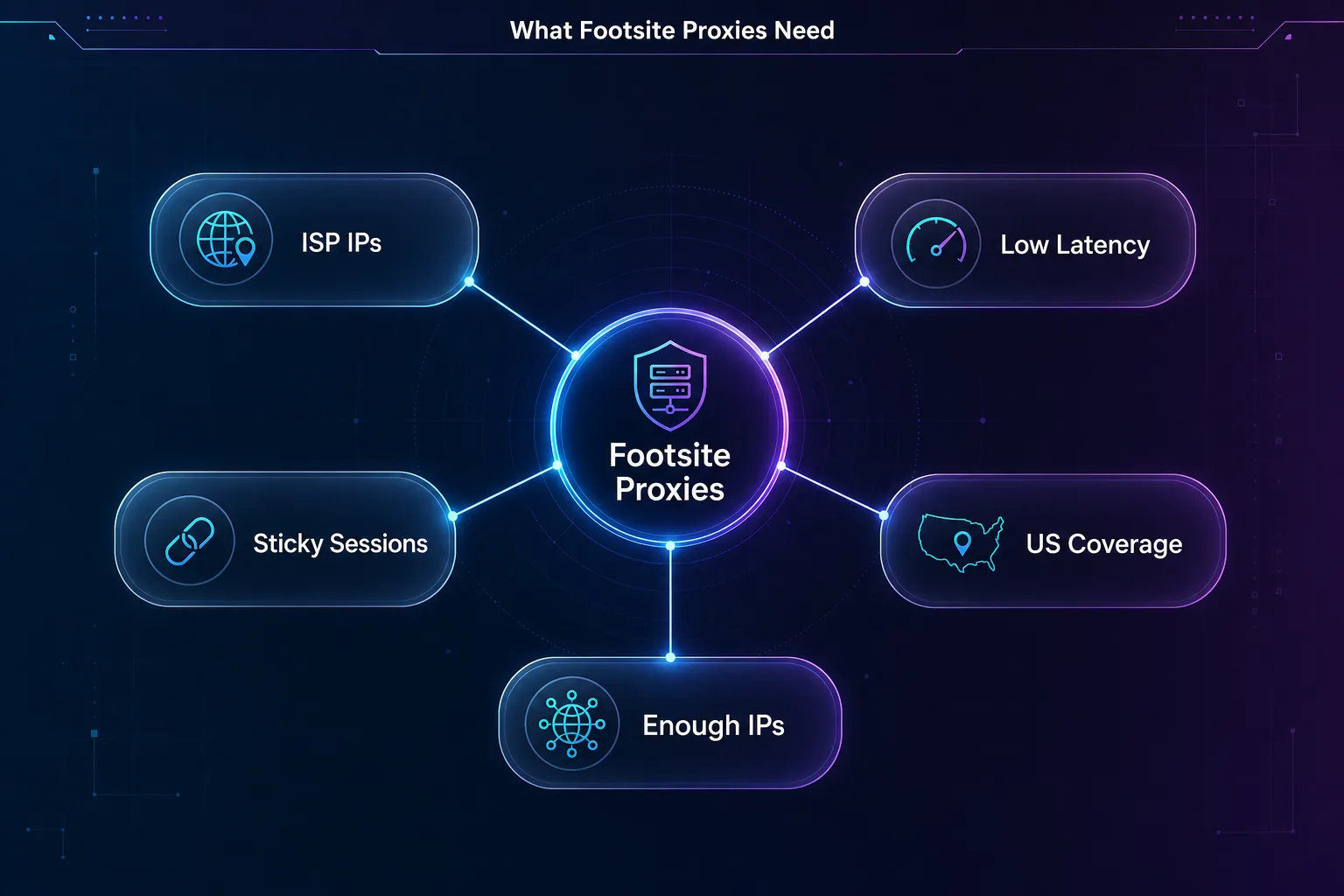
Low latency is non-negotiable, because footsite drops are won in milliseconds and a slow proxy loses the race before checkout. Sticky sessions let you hold one IP through the entire add-to-cart and checkout flow, so your identity doesn't change mid-purchase and trigger a block. Regional coverage matters because most footsite drops are US-centric, so you want strong US IPs (and EU for European releases). And you need enough clean IPs to run your tasks without reusing addresses, since a reused IP is a burned one. Clean IP reputation ties it all together.
The Best Proxies for Footsites in 2026
Seven providers stand out for footsite work, each strong for a different budget and use case. How we picked: we favored providers with ISP and residential options, low latency, strong US coverage, and clean pools that hold up against aggressive bot protection. A quick disclosure: some links below are affiliate links, and we may earn a commission if you sign up, which never changes the order.
| Provider | Pool | Countries | Uptime | Avg response | Best for footsites |
|---|---|---|---|---|---|
| IPRoyal | 32M+ | 195 | 99.9% | 0.8s | Best all-round value |
| Oxylabs | 102M+ | 195 | 99.99% | 0.6s | Premium reliability |
| NodeMaven | 30M+ | 195 | 99.9% | 0.8s | Sticky checkout sessions |
| SOAX | 191M+ | 195 | 99.95% | 0.6s | Clean US geo-targeting |
| Decodo | 115M+ | 195 | 99.99% | 0.6s | Easy setup, big pool |
| PyProxy | 90M+ | 190 | 99.9% | 0.5s | High-volume on a budget |
| Webshare | 10M+ | 50 | 99.97% | 1.0s | Cheapest entry point |
1IPRoyal

IPRoyal is the best all-round starting point for footsites. It offers both residential and ISP proxies with solid US coverage, and its non-expiring traffic model is perfect for copping, where usage comes in intense bursts around drops rather than a steady monthly flow. You buy the data and use it when the releases actually land.
The pool is smaller than the enterprise giants, and it isn't the absolute lowest latency here. For most copping setups, though, the mix of price, clean IPs, and flexibility makes it the easiest first pick.
2Oxylabs

Oxylabs is the premium option when you refuse to lose a drop to a flaky proxy. Near-perfect uptime, low response times, and a large, well-maintained pool with strong ISP and residential options mean fewer failures at the worst possible moment. For high-stakes releases where every millisecond and every clean IP counts, that reliability pays for itself.
It's priced as premium infrastructure, so it's overkill for a casual once-a-month cop. But if footsites are a serious operation for you, it's as dependable as they come.
3NodeMaven

NodeMaven is the specialist pick for checkout stability. Its filter-first system screens IPs for quality before you get them, and it advertises the longest sticky sessions on the market, exactly what you want to hold one clean IP all the way through add-to-cart and payment without a mid-flow switch that triggers a block.
The network is smaller and newer than the giants, so it's about IP quality over raw scale. If sessions dropping mid-checkout has cost you Ws, NodeMaven directly targets that pain.
4SOAX

SOAX brings clean, well-vetted residential and mobile IPs with precise geo-targeting, which lets you match the exact US region a drop is tied to. Its pool hygiene means fewer pre-flagged IPs land in your rotation, translating to higher success on strict footsite checks.
Costs can climb as you scale and some controls sit on higher tiers, but for geo-accurate, low-ban copping, it's a reliable choice, especially when a release is region-locked.
5Decodo

Decodo is the value all-rounder that's easiest to get running. A huge residential pool, wide coverage, and the friendliest dashboard here make it simple to set up footsite tasks without wrestling with configuration. Success rates on tough targets are strong, and the entry pricing is reasonable.
It isn't the rock-bottom cheapest per gigabyte at tiny volumes, and it leans residential rather than ISP-first. For beginners who want reliable results without complexity, though, it's a great choice.
6PyProxy

PyProxy is the high-volume budget pick. With a large residential pool, low response times, and flexible plans including unlimited-bandwidth options, it suits operators running many tasks across multiple drops who need a lot of clean IPs without a premium bill. The low latency is a genuine asset on fast footsite releases.
It's a more do-it-yourself platform than the polished names, so it rewards users comfortable configuring their own setup. For that crowd, the value is hard to beat.
7Webshare

Webshare is the cheapest way to test the waters. Its affordable, self-serve plans and free trial let you try footsite proxies against a drop before spending real money, and it offers ISP options alongside its budget residential and datacenter tiers. For a first attempt or a low-volume cop, it's an easy on-ramp.
The residential pool and country coverage are smaller than the leaders, so heavy operators will outgrow it. As a starting point, it's a sensible, low-risk choice. Compare all seven in our proxy provider directory.
How to Run Footsite Proxies on Drop Day
Owning good proxies is only half the job; using them well on drop day is the other half. A short routine turns a proxy list into a real shot at a checkout, and skipping it is how prepared setups still lose.
Prep early rather than in the final five minutes. Load your proxies into your tool or browser the day before and test each one so you're not discovering dead IPs mid-drop. When the release nears, set the proxy region to match it (US for most footsite drops) and enable sticky sessions so a single clean IP holds through the entire add-to-cart and checkout flow instead of switching mid-purchase.
- One identity per proxy: pair each account or task with its own clean IP, never shared.
- Warm the IP gently: browse the site normally on it before the drop so checkout isn't the IP's very first, cold request.
- Pace like a human: skip machine-gun refreshes, since footsites watch request velocity closely.
- Keep backups ready: have residential IPs on standby in case ISP IPs start drawing challenges as traffic spikes.
None of this is complicated, but it compounds. The person who tested their pool, matched the region, and warmed their IPs beats the one with identical proxies who winged it, every time the timer hits zero.
Common Mistakes When Buying Footsite Proxies
Most failed drops trace back to the same avoidable errors. Fix these and your hit rate climbs.
1Buying Datacenter Proxies to Save Money
The classic beginner trap. Datacenter proxies are cheap and fast, and footsites ban them almost on sight. The few dollars you save buy you a list of dead IPs before the drop even starts. Pay for ISP or residential; it's the price of entry here.
2Skimping on the Number of IPs
Running many tasks through too few proxies means reusing IPs, and a reused footsite IP is a flagged one. You need enough clean addresses that no single one takes suspicious load. Undersizing your pool quietly caps your success before you begin.
3Ignoring Latency
Footsite drops are decided in milliseconds, so a slow proxy loses even with a perfect IP. Test response times before drop day and drop any proxy that lags. Speed isn't a luxury on these sites; it's the difference between cart and sold out.
4Using the Wrong Region
A US drop checked through EU IPs, or vice versa, either fails or looks suspicious. Match your proxy location to the release region every time. Geo-targeting exists for exactly this, so use it rather than hoping a random location works.
5Testing Everything on Drop Day
Discovering your proxies are slow, banned, or misconfigured five minutes before a release is how Ls happen. Test your full setup, IPs, sessions, and speed, on a low-stakes day first. The prep you skip is the drop you lose.
Frequently Asked Questions
The Bottom Line
Footsites are unforgiving, and your proxies decide whether you're in the game or watching from the sidelines. The winning formula isn't complicated: ISP proxies for speed and trust, residential as backup, clean IPs in the right region, sticky sessions for checkout, and enough of them that you never reuse an address. Skip the datacenter trap and test everything before drop day.
If you want a quick steer: IPRoyal is the best all-round value, Oxylabs is the premium workhorse, and NodeMaven wins on sticky checkout stability. Pick the one that matches your budget and volume, keep your setup within the rules you're comfortable with, and compare the full shortlist in our proxy provider directory before the next release drops.
![The Best Data Extraction APIs to Try in [year]](/_next/image?url=https%3A%2F%2Fproxyhorizon.com%2Fcdn%2Fblog-images%2Fbest-data-extraction-apis-1-mufdevwh.webp&w=3840&q=75)
![Best SERP APIs ([year]): Compared for Accuracy, Pricing & AI](/_next/image?url=https%3A%2F%2Fproxyhorizon.com%2Fcdn%2Fblog-images%2Fbest-serp-apis-1-mufdet7y.webp&w=3840&q=75)
![How to Add an MTProto Proxy to Telegram ([year])](/_next/image?url=https%3A%2F%2Fproxyhorizon.com%2Fcdn%2Fblog-images%2Fhow-to-add-mtproto-proxy-telegram-1-mu9ha99k.webp&w=3840&q=75)