Firecrawl vs Playwright (2026): Which One to Pick?
Firecrawl vs Playwright compared: a managed web data API against a browser automation library. Costs, self-hosting limits, proxies, AI use cases, and which one to pick.
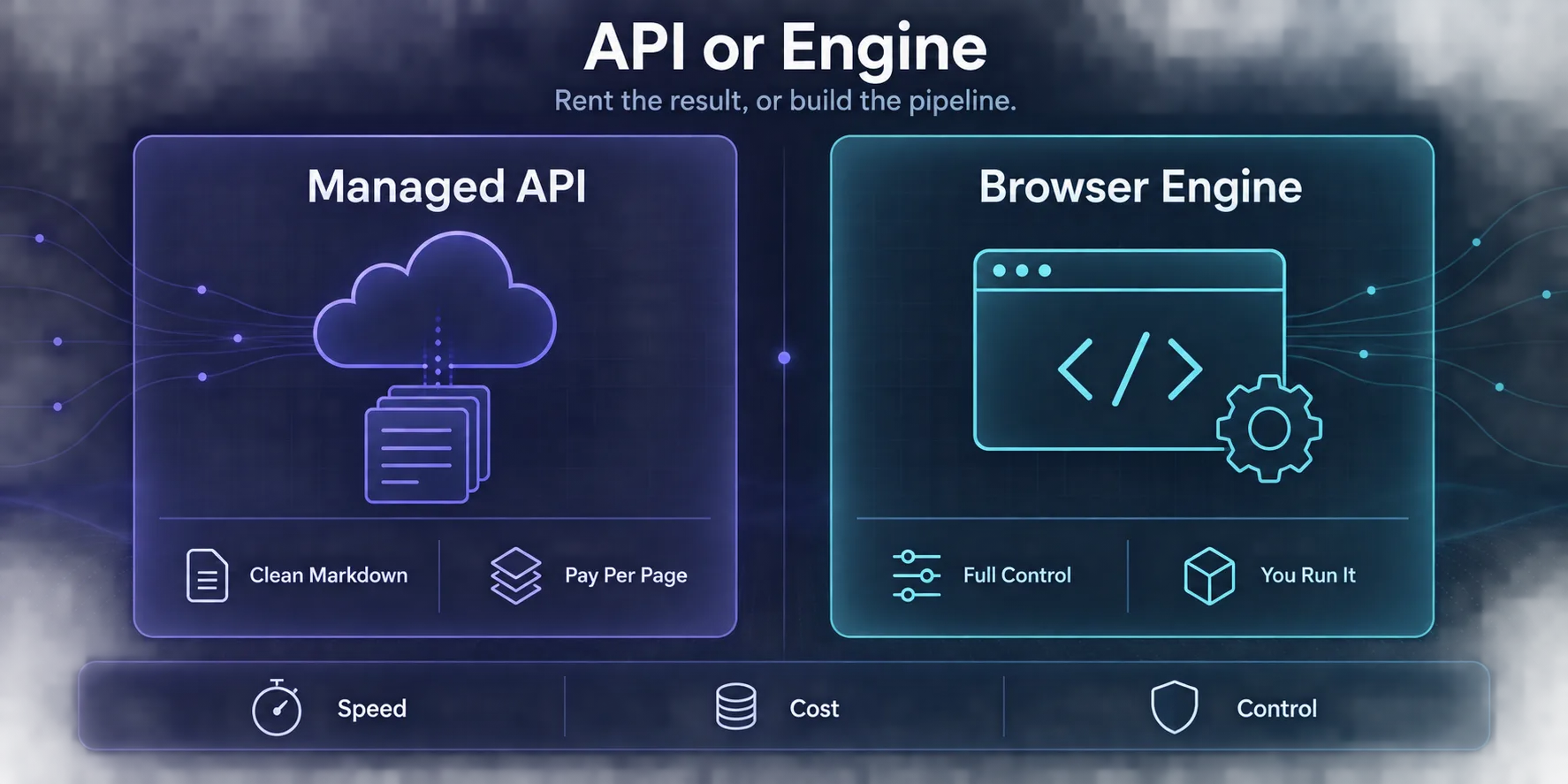
Firecrawl vs Playwright sounds like a fair fight until you notice they aren’t the same kind of thing. Firecrawl is a hosted API: send it a URL, get clean Markdown or structured JSON back. Playwright is a browser automation library: it gives you a real Chromium, Firefox or WebKit browser and lets you script everything that happens inside it.
Here’s the detail that settles most of the debate. Firecrawl’s own open-source stack uses a Playwright-based service to fetch pages. So choosing between them isn’t really “tool A vs tool B”. It’s whether you want to rent a finished pipeline or build your own on the engine underneath it.
This guide explains what each one does, what Firecrawl adds on top of a raw browser, how costs compare at real volumes, and the situations where each one clearly wins. Pricing and features come from Firecrawl’s pricing page and documentation and from playwright.dev, as of September 2026. We may earn a commission if you sign up to Firecrawl through our links.
- Firecrawl is a paid API that returns clean Markdown or JSON. Playwright is a free, open-source browser library you run and maintain yourself.
- Pick Firecrawl when you need content from many sites fast, especially for AI and RAG pipelines, and don’t want to manage browsers, proxies or anti-bot work.
- Pick Playwright for logged-in flows, complex interactions, end-to-end testing, or very large volumes where owning the infrastructure is cheaper.
- Self-hosted Firecrawl drops the cloud’s anti-bot engine, screenshots, page actions, Agent, Browser and Interact features.
- Many teams use both: Firecrawl for broad content collection, Playwright for the few flows that need custom control.
The Short Answer
If your goal is content, the text and data on public pages turned into something an app or a language model can use, start with Firecrawl. You’ll have working output in minutes, and you won’t spend weeks on retries, rendering and parsing.
If your goal is control, meaning logging in, clicking through multi-step flows, testing your own app, or running millions of pages where every cent counts, use Playwright. Nothing hosted gives you the same precision, and at very high volume owning the stack usually costs less.
Firecrawl vs Playwright at a Glance
| Feature | Firecrawl | Playwright |
|---|---|---|
| What it is | Hosted web data API (open-source core) | Browser automation library |
| Maintained by | Firecrawl | Microsoft |
| License | Core AGPL-3.0, SDKs MIT | Apache 2.0 |
| Cost | Free tier, then credit plans from $16/month billed yearly | Free; you pay for servers, proxies and your time |
| Output | Markdown, HTML, JSON, links, screenshots | Whatever you write code to extract |
| JavaScript rendering | Handled for you | Full browser, fully under your control |
| Anti-bot handling | Managed in the cloud version | Yours to build |
| Proxies | Managed in the cloud version | You bring and rotate your own |
| Crawling a whole site | Built-in crawl and map endpoints | You write the crawler |
| Logged-in and multi-step flows | Possible through Interact, less precise | Excellent, scripted step by step |
| Languages | REST API plus SDKs | JavaScript/TypeScript, Python, Java, .NET |
| AI agent support | Agent endpoint, MCP integrations | Playwright MCP server and an agent CLI |
What Firecrawl Actually Does
Firecrawl turns web pages into data an application can use. Its main endpoints cover the whole job:
- Scrape returns one page as clean Markdown, HTML, links, screenshots or structured JSON.
- Crawl follows links across a site and scrapes every page it finds.
- Map lists a site’s URLs quickly without scraping them all.
- Search runs a web search and can return the scraped content of the results.
- Interact drives a live browser session for clicks and form entry, billed per browser minute.
- Agent takes a goal in plain language and gathers the data itself (in preview).
A basic scrape costs 1 credit per page, and structured JSON extraction adds 4 credits per page. The free tier gives 1,000 credits a month. Paid plans, billed yearly, are Hobby at $16/month for 5,000 credits, Standard at $83 for 100,000, Growth at $333 for 500,000, and Scale at $599 for 1,000,000. Our Firecrawl pricing guide breaks down the credit maths.
curl -X POST https://api.firecrawl.dev/v2/scrape \
  -H "Authorization: Bearer YOUR_API_KEY" \
  -H "Content-Type: application/json" \
  -d '{"url": "https://example.com", "formats": ["markdown"]}'
That one request handles rendering, waiting, retries and cleanup. You get readable Markdown back, with navigation, ads and boilerplate stripped out, which is exactly what a RAG pipeline or an LLM prompt wants.
What Playwright Actually Does
Playwright is Microsoft’s open-source library for controlling real browsers. It drives Chromium, Firefox and WebKit on Linux, macOS and Windows, headless or headed, from JavaScript/TypeScript, Python, Java or .NET.
It was built for end-to-end testing, and that heritage is why it’s so good at scraping. It automatically waits for elements to be ready before acting, records a full trace with DOM snapshots and network logs when something breaks, and can generate code by recording you clicking through a site. It now also ships Playwright MCP, a server that gives AI agents browser control through structured accessibility snapshots.
from playwright.sync_api import sync_playwright

with sync_playwright() as p:
    browser = p.chromium.launch()
    page = browser.new_page()
    page.goto("https://example.com")
    title = page.locator("h1").inner_text()
    print(title)
    browser.close()
Playwright gives you a browser, not a result. Parsing, retries, proxies, scheduling, storage and anti-bot handling are all your job. If you’re new to it, our Playwright web scraping guide walks through a full scraper.
The Detail Most Comparisons Miss
Firecrawl’s open-source stack, the version you can run yourself with Docker, uses a Playwright-based service to fetch pages. So at its core, Firecrawl is a browser engine wrapped in a lot of production plumbing.
What’s in that plumbing becomes obvious when you look at what the self-hosted version is missing. Firecrawl’s documentation says the default self-hosted stack does not include:
- Fire-engine, the cloud’s advanced anti-bot layer
- Screenshots and page actions
- Agent, Browser and Interact
- Enhanced proxy paths, managed dashboards and enterprise controls
LLM-backed extraction also needs you to connect your own model provider when self-hosting.
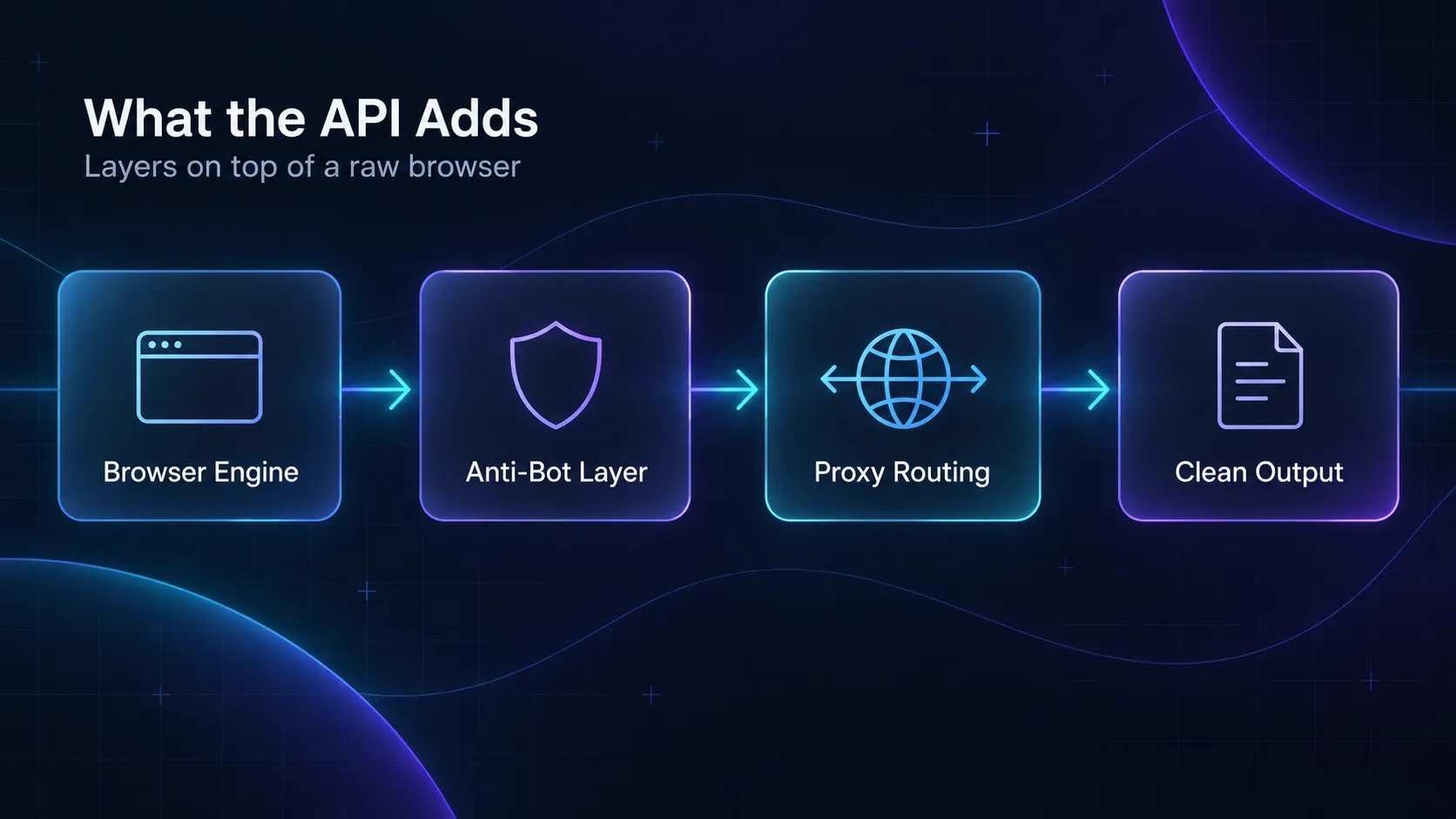
In plain English: self-hosted Firecrawl is a convenient, well-structured Playwright scraper with Markdown conversion built in. Firecrawl Cloud is that plus the hard parts, the anti-bot handling and proxy routing that decide whether protected sites load at all. When you compare Firecrawl to Playwright, you’re really deciding whether to pay for those hard parts or build them.
One licensing note. Firecrawl’s core is AGPL-3.0. Using it through the API or as an internal service is straightforward, but if you modify the engine and offer it as a network service, AGPL requires you to publish those changes. Playwright’s Apache 2.0 license has no such obligation.
Cost: Credits vs Infrastructure
Firecrawl’s cost is visible on an invoice. Playwright’s is spread across servers, proxies and engineering time, which makes it easy to underestimate.
| Monthly volume | Firecrawl (basic scrape) | Playwright (self-run) |
|---|---|---|
| Under 1,000 pages | Free tier | Free on a laptop |
| Around 5,000 pages | Hobby, $16/month billed yearly | A small server plus proxies if sites block you |
| Around 100,000 pages | Standard, $83/month billed yearly | Server, proxy bandwidth and ongoing maintenance |
| Around 1,000,000 pages | Scale, $599/month billed yearly | Often cheaper at this volume, if you already have the skills |
Two things change this picture. First, JSON extraction on Firecrawl costs 5 credits a page instead of 1, so structured output divides your page allowance by five. Second, Playwright’s biggest variable cost is usually proxies. As a rough illustration, if a rendered page transfers around 2 MB, 100,000 pages is about 200 GB of proxy traffic. Residential bandwidth is often priced in the low single dollars per GB, so proxies alone can outweigh a Firecrawl plan. Blocking images and fonts in Playwright can cut that sharply.
Our take: below a few hundred thousand pages a month, Firecrawl is usually cheaper once you count engineering time. Above that, a well-tuned Playwright setup can win on cost, but only if someone is paid to keep it working.
Where Firecrawl Wins
1Content for AI and RAG Pipelines
Firecrawl’s Markdown output is built for language models. Headers, lists and tables survive, and clutter doesn’t. Crawling a documentation site into clean, chunkable text is a single API call instead of a custom project.
2Many Different Websites
Writing and maintaining a Playwright scraper for every site doesn’t scale. Firecrawl works generically across sites, so collecting content from hundreds of domains doesn’t mean hundreds of scrapers.
3Teams Without Scraping Specialists
If nobody on your team wants to debug proxy bans or rendering timeouts, Firecrawl takes that off your plate. You pay for predictability.
4Getting to a Prototype Fast
Firecrawl turns “can we get this data?” from a sprint into an afternoon. Even teams that later move to Playwright often prototype with Firecrawl first.
Where Playwright Wins
1Logged-In and Multi-Step Flows
Dashboards, account portals, checkout flows and anything behind a login need precise, repeatable steps. Playwright’s locators, auto-waiting and persistent browser contexts are built for this.
2End-to-End Testing
Playwright is a testing framework first. If you also need to test your own web app, it does both jobs with one tool.
3Very High Volume on Known Sites
If you scrape the same few sites millions of times, a tuned Playwright pipeline with blocked media and smart concurrency can cost far less than per-page credits.
4Full Control and Data Privacy
With Playwright, pages never pass through a third-party service. For regulated data or sensitive internal targets, that can decide it on its own.
Strengths and Weaknesses
- Clean Markdown and JSON with no parsing code
- Crawl, map and search endpoints built in
- Cloud handles rendering, anti-bot and proxies
- Free tier with 1,000 credits a month
- Fast path to AI and RAG pipelines
- Per-page credits add up at very high volume
- JSON extraction costs 5 credits per page
- Less precise for complex logged-in flows
- Self-hosted version lacks the anti-bot engine
- AGPL-3.0 core if you modify and host it
Verdict
Best when you want content from many sites quickly and would rather pay than maintain scrapers.
- Free and Apache 2.0 licensed
- Full control over every click, wait and request
- Chromium, Firefox and WebKit in four languages
- Tracing, codegen and auto-waiting built in
- Also handles end-to-end testing
- You build parsing, retries and scheduling
- Proxies and anti-bot handling are your job
- Every site needs its own scraper logic
- Maintenance time is the hidden cost
Verdict
Best for logged-in flows, testing, and high-volume scraping of known sites by a team that can maintain it.
Using Firecrawl and Playwright Together
The most practical setups use both. Firecrawl handles the broad work: crawling documentation, collecting articles, turning hundreds of domains into Markdown. Playwright handles the handful of targets that need a login, a specific interaction sequence, or so much volume that credits stop making sense.
A common pattern is to prototype everything in Firecrawl, measure which targets consume the most credits or fail most often, then rebuild only those in Playwright. You spend engineering time where it saves the most money.
Don’t Forget the Proxy Layer
With Playwright, proxies are entirely your responsibility. Run it from a cloud server and most protected sites will spot the data center IP quickly. You’ll need residential or ISP proxies, rotation per browser context, and sticky sessions for anything that logs in. Our guides cover setting up proxies in Playwright, rotating proxies in Playwright and the best proxies for Playwright.
Firecrawl Cloud manages this for you. Self-hosted Firecrawl doesn’t, so you’re back to supplying your own proxies, just like Playwright. For why protected sites block automation even with good IPs, see how anti-bot systems detect automated browsers.
Which One Should You Pick?
| Your situation | Pick |
|---|---|
| Feeding documents into an LLM or RAG system | Firecrawl |
| Collecting content from hundreds of different sites | Firecrawl |
| No in-house scraping experience | Firecrawl |
| Scraping behind a login or multi-step form | Playwright |
| Testing your own web application | Playwright |
| Millions of pages from a few known sites | Playwright |
| Data must never leave your infrastructure | Playwright, or self-hosted Firecrawl |
| Mixed needs | Both: Firecrawl for breadth, Playwright for depth |
Common Mistakes
1Building a Playwright Scraper for Every Site
Teams often start with Playwright out of habit, then end up maintaining dozens of fragile scrapers. If you mostly need page content, a generic API saves you from that.
2Using JSON Extraction Everywhere
Firecrawl’s JSON mode is five times the cost of a basic scrape. If you’re going to send Markdown to an LLM anyway, pull Markdown and extract downstream.
3Self-Hosting Firecrawl to Beat Anti-Bot Systems
The anti-bot engine is exactly what self-hosting leaves out. If protected sites are your problem, self-hosting won’t solve it.
4Ignoring Page Weight in Playwright
Loading every image, font and video multiplies your proxy bill. Block resources you don’t need before you scale.
Frequently Asked Questions
The Verdict
Pick Firecrawl when the data is the goal and you’d rather not own the machinery. It gets clean content out of the web faster than anything you’ll build yourself, and for AI pipelines it’s hard to beat.
Pick Playwright when the process is the goal: logging in, clicking through flows, testing your app, or running at a scale where owning the stack pays off. It’s free, precise and battle-tested, but everything around the browser is yours to build.
If you’re unsure, start with Firecrawl’s free tier on your real targets. Wherever it struggles or gets expensive, that’s your shortlist for Playwright. For a wider view, see Firecrawl vs Apify, Playwright vs Puppeteer and our roundup of the best web scraping APIs.
Keep Reading
More articles you might enjoy