How to Scrape Websites With Node.js and Proxies (2026)
Build a Node.js scraper with Axios and Cheerio, add an authenticated proxy, rotate a proxy pool with retries, and scrape JavaScript-heavy pages with Playwright.

Node.js is a natural fit for scraping. It handles hundreds of requests at once without threads, and the browser automation tools most scrapers rely on, like Playwright and Puppeteer, are JavaScript-first.
The hard part isn’t fetching a page. It’s fetching page 500 without getting a 403, a 429 or a CAPTCHA, and that’s where proxies come in.
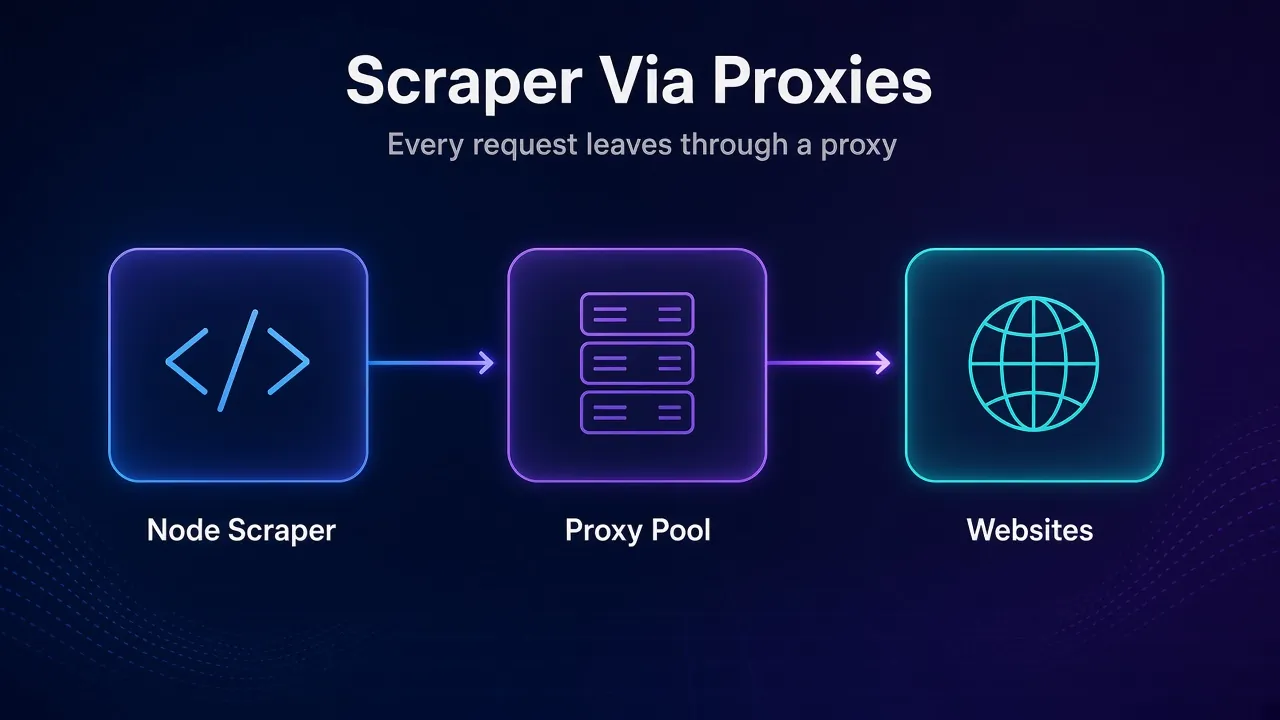
This guide builds a small Node.js scraper with Axios and Cheerio, adds an authenticated proxy, rotates a proxy pool with retries, and then handles JavaScript-heavy pages with Playwright. Every snippet was run on Node.js 26.13.0 in November 2026 against a local authenticated test proxy.
- Use Axios and Cheerio for static HTML, and Playwright only when JavaScript builds the page.
- Axios has a built-in proxy option with auth, and tunnels https:// requests through CONNECT.
- For fetch, use undici’s ProxyAgent, or NODE_USE_ENV_PROXY=1 on Node 24.5+ for one global proxy.
- Rotate a proxy pool and retry 403, 429 and network errors on a new IP with growing delays.
- Keep concurrency low and send realistic headers, because proxies don’t hide a burst of traffic.
Which Node.js Tools Do You Need for Web Scraping?
Most Node.js scrapers combine two jobs: getting the HTML and pulling data out of it. Which tools you pick depends on whether the page arrives with its content or builds it with JavaScript in the browser.
| Package | Version (Nov 2026) | What it does |
|---|---|---|
| axios | 1.21.0 | HTTP client with built-in proxy and auth options |
| cheerio | 1.2.0 | Parses HTML and lets you query it with CSS selectors, jQuery style |
| undici | 8.12.3 | The library behind Node’s fetch, with a ProxyAgent |
| https-proxy-agent | 9.1.0 | A proxy agent for any library that accepts a Node http.Agent |
| playwright | 1.64.1 | Drives a real browser for pages that render with JavaScript |
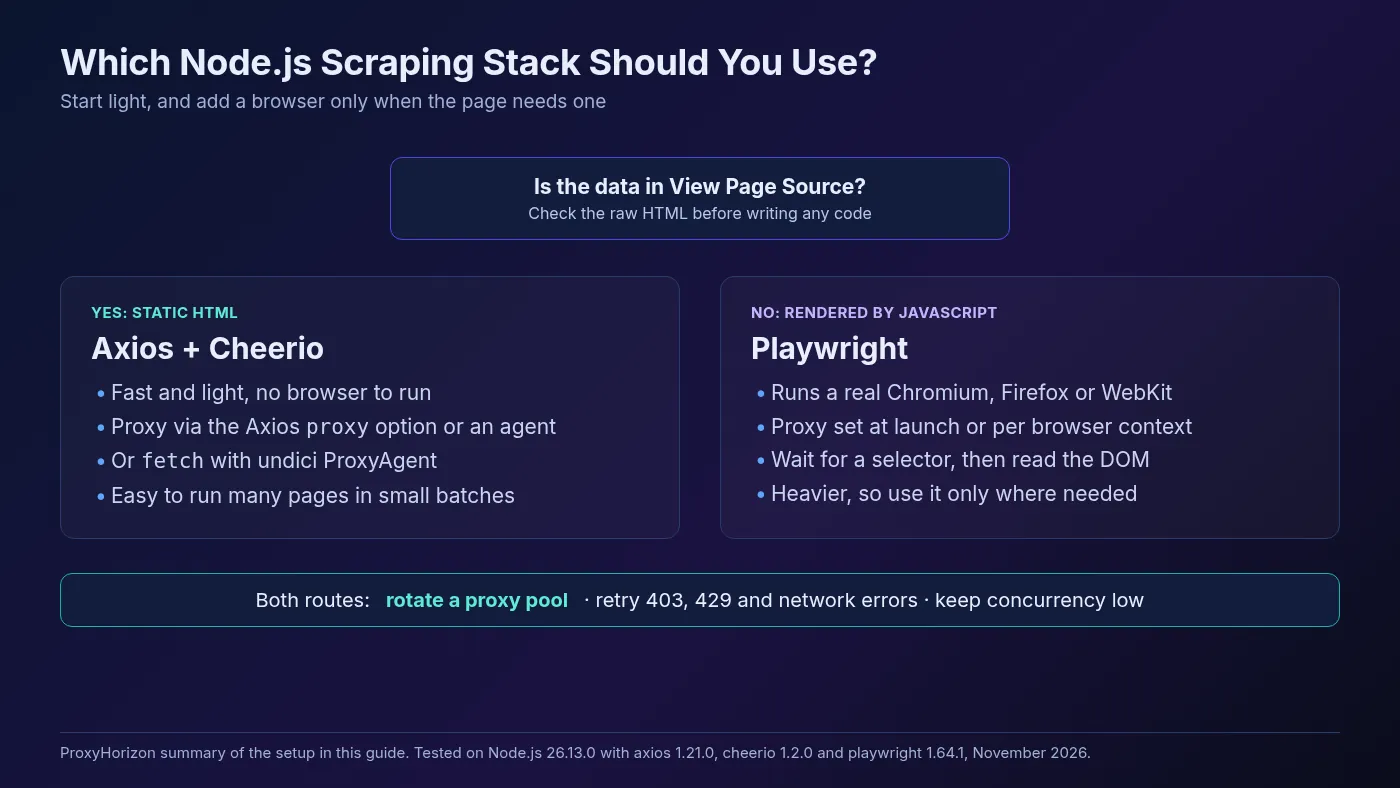
A quick rule: if you can see the data with View Page Source, Axios and Cheerio are enough. If the source is mostly empty <div> tags and scripts, you need a browser. Our guide to scraping JavaScript-rendered websites shows how to check, and how to find the hidden API many of those pages call.
Set Up a Node.js Scraping Project
Use a current LTS release of Node.js. The Node.js release list shows 26.13.0 (October 28, 2026) as the newest LTS, with Node 24 still supported. Cheerio 1.2.0 needs Node 20.18.1 or newer, and undici 8 needs Node 22.19.0 or newer.
Create a project and install the two basics:
mkdir node-scraper && cd node-scraper
npm init -y
npm pkg set type=module
npm install axios cheerio
The type=module line lets you use import and top-level await, which keeps scraping scripts short.
Step 1: Scrape a Static Page With Axios and Cheerio
Get the scraper working without a proxy first. When something breaks later, you’ll know the proxy is the cause. This example uses books.toscrape.com, a practice site built for scraping. Save it as scrape.js:
import axios from 'axios';
import * as cheerio from 'cheerio';

const { data: html } = await axios.get('https://books.toscrape.com/', {
  headers: { 'User-Agent': 'Mozilla/5.0 (Windows NT 10.0; Win64; x64)' },
  timeout: 15_000,
});

const $ = cheerio.load(html);
const books = $('article.product_pod').map((_, el) => ({
  title: $(el).find('h3 a').attr('title'),
  price: $(el).find('.price_color').text().trim(),
  inStock: $(el).find('.instock').text().includes('In stock'),
})).get();

console.log(books.length, books[0]);
Run it with node scrape.js. You should see:
20 { title: 'A Light in the Attic', price: '£51.77', inStock: true }Axios downloads the HTML, and cheerio.load() turns it into something you can query with CSS selectors.
The timeout matters more than it looks. Without one, a slow proxy can leave a request hanging for minutes.
Step 2: Add a Proxy to Axios
Axios has a built-in proxy option. Pass the host, port and credentials from your provider:
const { data: html } = await axios.get('https://books.toscrape.com/', {
  headers: { 'User-Agent': 'Mozilla/5.0 (Windows NT 10.0; Win64; x64)' },
  timeout: 15_000,
  proxy: {
    protocol: 'http',
    host: 'gate.example-proxy.com',
    port: 7777,
    auth: {
      username: process.env.PROXY_USER,
      password: process.env.PROXY_PASS,
    },
  },
});
Replace gate.example-proxy.com:7777 with your provider’s gateway, and keep the username and password in environment variables rather than in your code.
According to the Axios request config docs, Axios opens a CONNECT tunnel through the proxy for https:// targets.
The Proxy-Authorization header goes only on that CONNECT request, and TLS runs end to end with the website, so the proxy never sees your URL path, headers or the page itself. In our test, the proxy logged a single CONNECT books.toscrape.com:443 and the script still returned all 20 books.
Axios also reads the standard http_proxy, https_proxy and no_proxy environment variables. Set proxy: false when you want it to ignore them.
1Using a Proxy Agent Instead
Some scrapers use more than one HTTP library. A proxy agent works with anything that accepts a Node http.Agent, including Axios, node:https and many older clients:
import axios from 'axios';
import { HttpsProxyAgent } from 'https-proxy-agent';

const agent = new HttpsProxyAgent('http://user:p%40ss@gate.example-proxy.com:7777');

const { data } = await axios.get('https://httpbin.org/ip', {
  httpsAgent: agent,
  proxy: false,
});
console.log(data);
Set proxy: false here so Axios doesn’t apply its own proxy settings on top of the agent. Note the %40 in the URL: special characters like @ or : in a password must be URL-encoded, or you’ll get confusing 407 Proxy Authentication Required errors.
How to Use a Proxy With fetch in Node.js
Node’s built-in fetch doesn’t take a proxy option, but you have two good choices.
Option 1: undici’s ProxyAgent. Install undici and pass a ProxyAgent as the dispatcher. Import fetch from the same package so the versions match:
import { fetch, ProxyAgent } from 'undici';

const proxyAgent = new ProxyAgent('http://user:p%40ss@gate.example-proxy.com:7777');

const res = await fetch('https://httpbin.org/ip', { dispatcher: proxyAgent });
console.log(res.status, await res.json());
The undici README lists ProxyAgent and Socks5Agent among the features you only get from the npm package, not the built-in fetch.
Option 2: Node’s built-in proxy support. Since Node.js 24.5.0 and 22.21.0, Node can read proxy settings from environment variables. Turn it on with NODE_USE_ENV_PROXY=1 or the --use-env-proxy flag, and both fetch and node:http requests use it:
NODE_USE_ENV_PROXY=1 \
HTTPS_PROXY=http://user:p%40ss@gate.example-proxy.com:7777 \
NO_PROXY=localhost,127.0.0.1 \
node scrape.js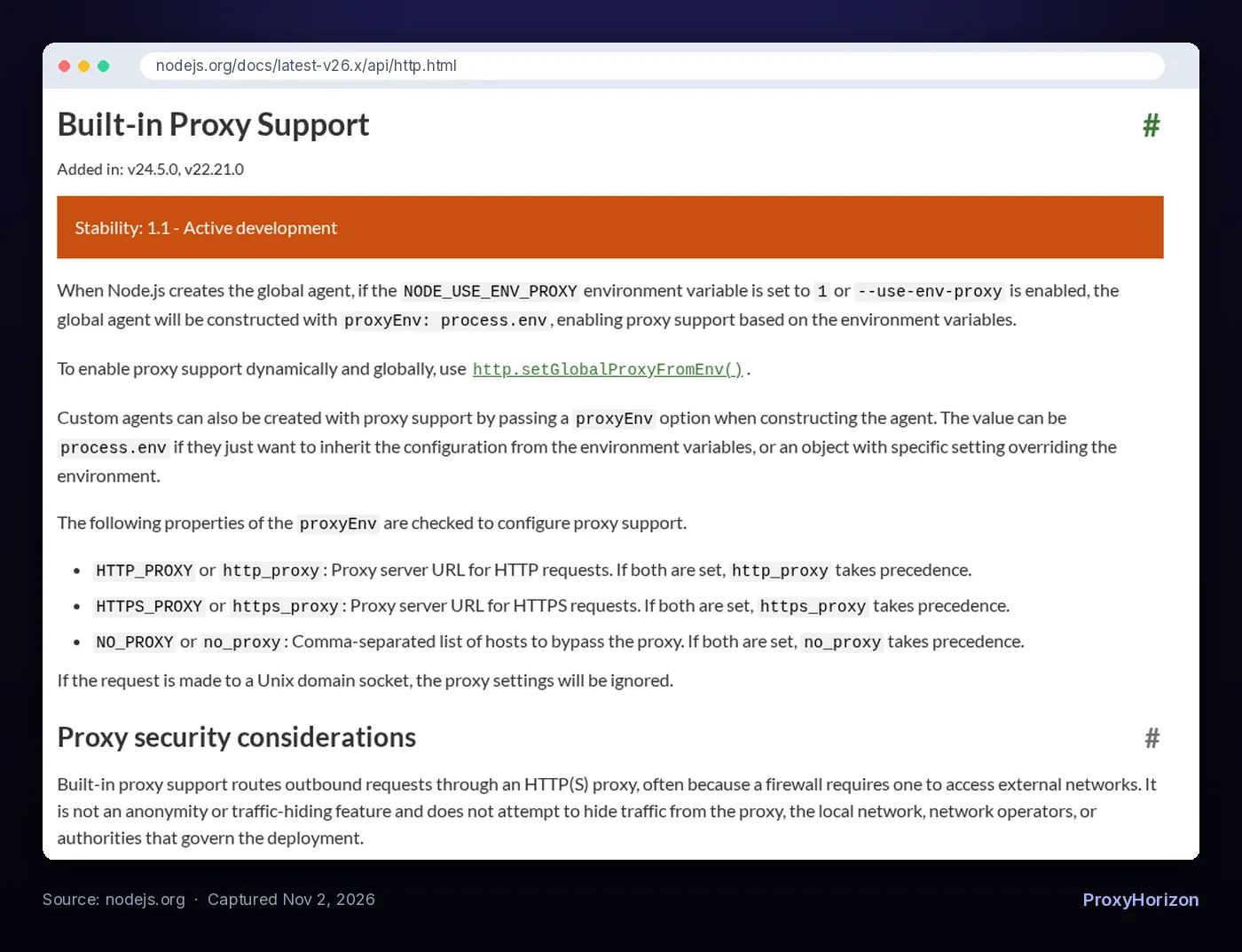
This is handy for routing a whole script through one proxy without touching the code. Two caveats from the Node.js HTTP docs: the feature is still marked stability 1.1 (active development), and it’s one proxy per process, so it can’t rotate for you. The docs also stress that it’s a routing feature, not an anonymity tool.
Step 3: Rotate Proxies and Retry Failed Requests
One proxy IP gets rate-limited just like your own. For more than a few hundred pages, spread requests across a pool and retry failures on a different IP. This version picks the next proxy in the list on every attempt, so a retry always goes out through a new one:
import axios from 'axios';
import * as cheerio from 'cheerio';

const PROXIES = [
  'http://user:pass@203.0.113.10:8080',
  'http://user:pass@203.0.113.11:8080',
  'http://user:pass@203.0.113.12:8080',
];

let next = 0;
function pickProxy() {
  const url = new URL(PROXIES[next++ % PROXIES.length]);
  return {
    protocol: url.protocol.replace(':', ''),
    host: url.hostname,
    port: Number(url.port),
    auth: {
      username: decodeURIComponent(url.username),
      password: decodeURIComponent(url.password),
    },
  };
}

const sleep = (ms) => new Promise((resolve) => setTimeout(resolve, ms));
const RETRY_STATUS = new Set([403, 429, 500, 502, 503, 504]);

async function fetchPage(url, attempts = 3) {
  for (let i = 1; i <= attempts; i++) {
    const proxy = pickProxy();
    try {
      const res = await axios.get(url, {
        proxy,
        timeout: 15_000,
        headers: { 'User-Agent': 'Mozilla/5.0 (Windows NT 10.0; Win64; x64)' },
        validateStatus: () => true,
      });
      if (res.status === 200) return res.data;
      if (!RETRY_STATUS.has(res.status)) throw new Error(`HTTP ${res.status}`);
      console.warn(`Attempt ${i}: HTTP ${res.status} via ${proxy.host}`);
    } catch (err) {
      if (err.message.startsWith('HTTP')) throw err;
      console.warn(`Attempt ${i}: ${err.code ?? err.message} via ${proxy.host}`);
    }
    await sleep(1000 * 2 ** (i - 1)); // wait 1s, 2s, 4s
  }
  throw new Error(`Failed after ${attempts} attempts: ${url}`);
}

const results = [];
for (let page = 1; page <= 3; page++) {
  const html = await fetchPage(`https://books.toscrape.com/catalogue/page-${page}.html`);
  const $ = cheerio.load(html);
  $('article.product_pod').each((_, el) => {
    results.push({
      title: $(el).find('h3 a').attr('title'),
      price: $(el).find('.price_color').text().trim(),
    });
  });
  await sleep(1000); // be polite between pages
}
console.log(`Scraped ${results.length} books`);
A few details make this work well:
validateStatus: () => truestops Axios from throwing on 403 or 429, so the loop can decide what to retry.- Only some statuses are retried. A 404 means the page doesn’t exist, and retrying it just wastes bandwidth.
- The wait doubles each time. Exponential backoff gives a struggling site room to recover. Our guide to rate limiting in web scraping explains why.
We tested it with one dead proxy in the list. Each time the dead one came up, the script logged ECONNREFUSED, moved to the next proxy and finished with all 60 books from three pages.
If your provider gives you a single rotating gateway instead of a list of IPs, put that one URL in PROXIES. The provider hands out a new IP behind it. For logins, carts or paginated searches, ask for a sticky session instead, as covered in our guide to sticky vs rotating proxy sessions.
Step 4: Scrape Dynamic Pages With Playwright and a Proxy
When the data only appears after JavaScript runs, use a real browser. Install Playwright and its Chromium build:
npm install playwright
npx playwright install chromium
Then pass the proxy when you launch the browser. This example scrapes the JavaScript version of quotes.toscrape.com, where the quotes don’t exist in the raw HTML:
import { chromium } from 'playwright';

const browser = await chromium.launch({
  proxy: {
    server: 'http://gate.example-proxy.com:7777',
    username: process.env.PROXY_USER,
    password: process.env.PROXY_PASS,
  },
});
const page = await browser.newPage();
await page.goto('https://quotes.toscrape.com/js/', { waitUntil: 'domcontentloaded' });
await page.waitForSelector('.quote');

const quotes = await page.$$eval('.quote', (els) =>
  els.map((el) => ({
    text: el.querySelector('.text')?.textContent,
    author: el.querySelector('.author')?.textContent,
  }))
);
console.log(quotes.length, quotes[0].author);
await browser.close();
In our run it printed 10 quotes, with every request, including fonts, going through the proxy. Wait for a real selector like .quote rather than a fixed delay. It’s faster and doesn’t break when the site is slow.
You can also set a different proxy for each browser context, which is cheaper than launching a new browser per IP:
const browser = await chromium.launch();

const context = await browser.newContext({
  proxy: { server: 'http://203.0.113.11:8080', username: 'user', password: 'pass' },
});
const page = await context.newPage();
The Playwright network docs say it supports HTTP(S) and SOCKSv5 proxies, either for the whole browser or per context, with a username and password for HTTP(S) proxies. For pooling contexts and rotating across them, see our guide to using proxies in Playwright. Still choosing a browser library? We compare the two in Playwright vs Puppeteer for scraping.
How Fast Should a Node.js Scraper Go?
Node makes it very easy to fire off 1,000 requests at once with Promise.all. Don’t. Even with proxies, the website still handles the total load, and bursts are the easiest pattern to spot.
Process URLs in small batches with a pause between them. This reuses the fetchPage and sleep functions from Step 3:
const urls = Array.from({ length: 50 }, (_, i) =>
  `https://books.toscrape.com/catalogue/page-${i + 1}.html`);

const CONCURRENCY = 3;
for (let i = 0; i < urls.length; i += CONCURRENCY) {
  const batch = urls.slice(i, i + CONCURRENCY);
  const pages = await Promise.allSettled(batch.map((url) => fetchPage(url)));
  // parse the fulfilled pages here, log the rejected ones
  await sleep(1500);
}
Promise.allSettled keeps one failed page from crashing the whole batch. Start with 2-5 requests at a time and raise it only if the site responds quickly and without errors.
Realistic headers matter as much as pace. A bare Axios request says User-Agent: axios/1.21.0, which is an instant giveaway. Our guide to HTTP headers for web scraping shows a full header set. Before a big crawl, also check the site’s robots.txt and terms, as explained in our guide to web scraping legal risk.
Can You Use SOCKS5 Proxies in Node.js?
Yes. For Axios and other http.Agent-based clients, use socks-proxy-agent:
import axios from 'axios';
import { SocksProxyAgent } from 'socks-proxy-agent';

const agent = new SocksProxyAgent('socks5h://user:pass@gate.example-proxy.com:1080');

const { data } = await axios.get('https://httpbin.org/ip', {
  httpAgent: agent,
  httpsAgent: agent,
  proxy: false,
});
The socks5h:// scheme makes the proxy resolve hostnames, so your own DNS server never sees which sites you scrape. Plain socks5:// resolves them locally. For fetch, undici offers a Socks5Agent, and Playwright accepts socks5:// servers, though without a username and password.
For most scraping, HTTP proxies are the simpler choice. Nearly every provider offers both, and HTTP proxies work with all the tools above out of the box.
Common Node.js Proxy Errors and Fixes
| Error or symptom | Likely cause | What to try |
|---|---|---|
ECONNREFUSED | The proxy is down, or the host or port is wrong | Test the proxy with curl, then drop dead entries from the pool |
407 Proxy Authentication Required | Wrong credentials or unencoded special characters | URL-encode the username and password with encodeURIComponent() |
ETIMEDOUT or requests that hang | A slow proxy and no timeout set | Set timeout to 10-30 seconds and retry on another proxy |
| Your real IP still shows | The proxy option was ignored, or an agent and the proxy option conflict | Check against an IP echo service, and set proxy: false when you use an agent |
| Cheerio finds nothing | The page renders with JavaScript | Use Playwright, or find the page’s JSON API |
| Lots of 403 or 429 responses | Too fast, bot-like headers or flagged IPs | Slow down, fix headers, try residential IPs |
A quick way to test any proxy before blaming your code is a one-line request from the terminal, as shown in our cURL with a proxy guide. For deeper fixes that apply to any client, see how to handle proxy timeouts and errors.
Which Proxies Work Best for Node.js Scraping?
The code above works with any provider that offers HTTP proxies with username and password authentication. What changes is the IP type:
- Datacenter proxies are fast and cheap, and fine for sites with light protection.
- Residential proxies look like home users, so they get blocked far less on protected sites.
- Scraper APIs handle proxies, retries and rendering for you behind one endpoint, which saves code at a higher price per request.
Our roundup of the best proxy APIs for developers compares providers with good Node.js support, and the ProxyHorizon proxy directory lets you filter by type and price.
Frequently Asked Questions
The Bottom Line
For most Node.js scraping, start with Axios and Cheerio. Add a proxy with Axios’s built-in proxy option, or with undici’s ProxyAgent if you prefer fetch.
Once you’re past a few hundred pages, rotate a proxy pool and retry 403, 429 and network errors on a fresh IP with growing delays. Switch to Playwright only when the data needs JavaScript to appear.
Build it in that order, one change at a time, and test each step. It’s much easier to debug a proxy problem when you know the scraper worked without one.
Keep Reading
More articles you might enjoy